1. Introducció
Welcome to the user manual for your new Dragon Touch Notepad K10 Tablet. This guide provides essential information to help you set up, operate, maintain, and troubleshoot your device. Please read this manual thoroughly to ensure proper and safe use of your tablet.
1.1 Contingut del paquet
Abans de començar, comproveu que tots els elements estiguin presents al paquet:
- Dragon Touch Notepad K10 Tablet
- Cable USB
- Carregador
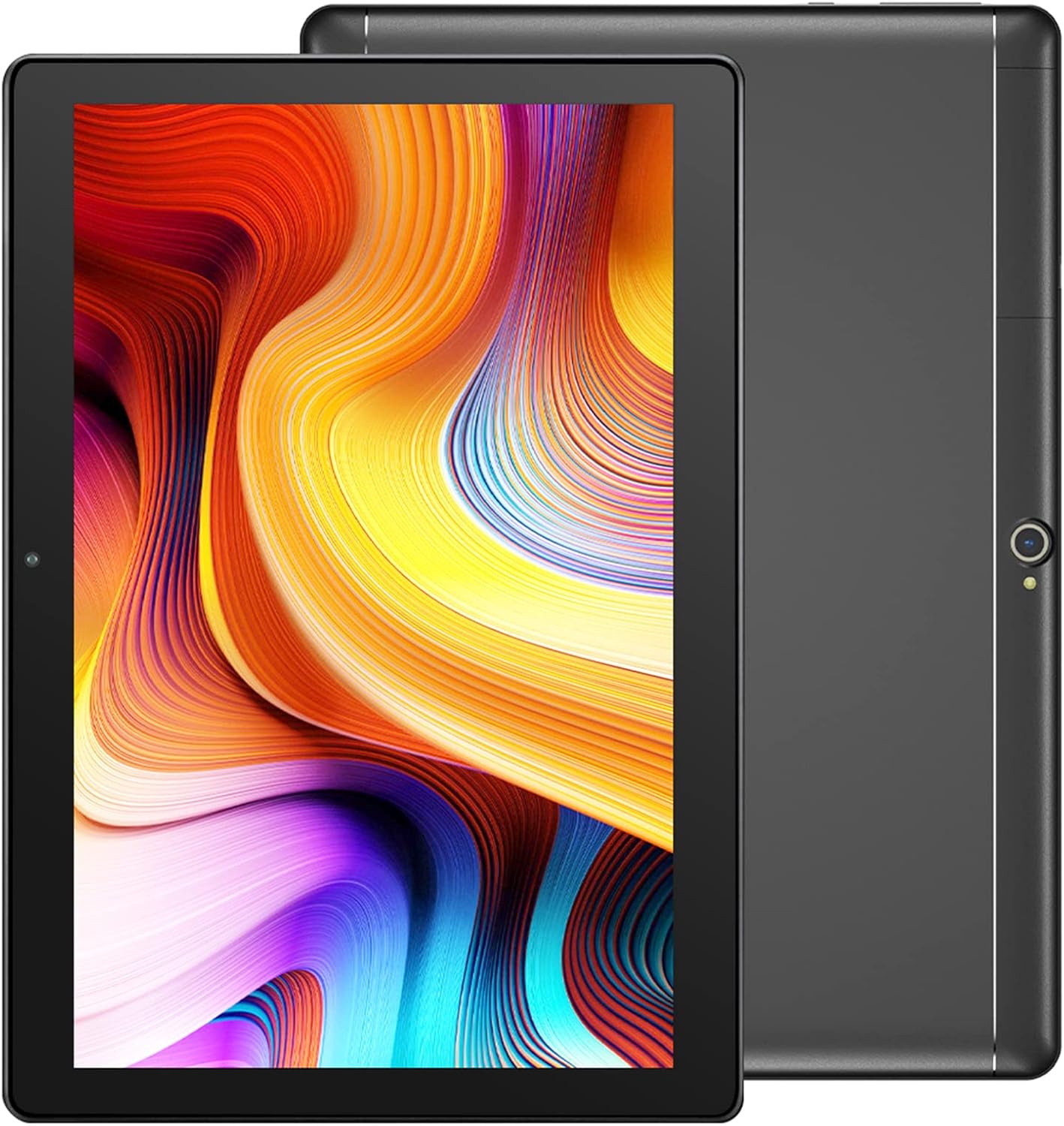
Image: The Dragon Touch Notepad K10 Tablet shown with its USB charging cable and power adapter.
2. Dispositiu acabatview
Familiarize yourself with the physical features and components of your Notepad K10 Tablet.
2.1 Davant i posterior View
The tablet features a 10.1-inch IPS HD display on the front, along with a front-facing camera for video calls and selfies. The rear of the tablet houses the 8MP main camera and dual speakers.

Imatge: Una imatge detallada view of the Notepad K10 tablet, illustrating its 10.1-inch display, Android 9.0 operating system, Quad-Core CPU, 2GB RAM, 32GB storage, dual cameras, and dual Wi-Fi capabilities.
2.2 Ports i botons
Locate the following ports and buttons on your tablet:
- Botó d'encesa: Used to turn the tablet on/off or put it to sleep/wake it up.
- Botons de volum: Ajusteu el volum d'àudio.
- Port micro USB: For charging the tablet and connecting to a computer.
- Port micro HDMI: Connects the tablet to an external display (e.g., TV, monitor).
- Presa d'auriculars de 3.5 mm: Per connectar auriculars o altaveus externs.
- Ranura per a targetes Micro SD: For expanding storage with a Micro SD card.
3. Configuració
3.1 Càrrega inicial
Before first use, fully charge your tablet. Connect the included USB cable to the tablet's Micro USB port and the charger to a power outlet. The battery indicator will show charging status.
3.2 Engegada/apagada
- Per encendre: Press and hold the Power button until the Dragon Touch logo appears.
- Per apagar: Press and hold the Power button until a power-off menu appears, then select 'Power off'.
- Dormir/despertar: Premeu breument el botó d'engegada per posar la tauleta en repòs o activar-la.
3.3 Assistent de configuració inicial
En engegar-la per primera vegada, la tauleta us guiarà a través d'un assistent de configuració inicial. Seguiu les instruccions que apareixen a la pantalla per a:
- Seleccioneu el vostre idioma.
- Connecteu-vos a una xarxa Wi-Fi.
- Set up your Google account (recommended for app downloads and services).
- Configura la data, l'hora i altres paràmetres bàsics.
3.4 Inserció d'una targeta Micro SD
The Notepad K10 supports Micro SD cards up to 128GB for expanded storage. Locate the Micro SD card slot, gently insert the card with the gold contacts facing down until it clicks into place. The tablet will recognize the new storage.
4. Instruccions de funcionament
4.1 Navegació bàsica
The tablet uses a capacitive touchscreen. Common gestures include:
- Toca: Per seleccionar un element o obrir una aplicació.
- Toca i mantén premut: Per accedir a menús contextuals o moure icones.
- Llisca: Per desplaçar-se per pàgines o llistes.
- Pessigar: Per ampliar o reduir les imatges i web pàgines.
4.2 Connexió a Wi-Fi
Per connectar-se a Internet:
- Vés a Configuració > Xarxa i Internet > Wi-Fi.
- Activa/desactiva el Wi-Fi On.
- Seleccioneu la xarxa desitjada de la llista.
- Introduïu la contrasenya si us demana i, a continuació, toqueu Connecta't.
The Notepad K10 supports dual-band Wi-Fi (2.4GHz and 5GHz) for faster and more stable connections.
4.3 Ús de les càmeres
The tablet is equipped with an 8MP rear camera for capturing photos and videos, and a front camera for video calls and selfies. Open the Càmera app from the home screen or app drawer to start. You can switch between front and rear cameras within the app.

Image: The tablet's 8MP rear camera is shown in use, capturing a family moment, highlighting its ability to record wonderful memories.

Image: The tablet's front camera facilitates video calls, allowing users to stay connected with friends and family.
4.4 Connecting to a TV via Micro HDMI
The Notepad K10 features a Micro HDMI port, allowing you to connect it to a larger display like a TV or monitor for an enhanced viewexperiència.
- Obtain a Micro HDMI to HDMI cable (not included).
- Connect the Micro HDMI end to your tablet and the HDMI end to your TV.
- Switch your TV's input source to the corresponding HDMI port.
- The tablet's screen content will be mirrored on the TV.

Image: The tablet connected to a television, demonstrating its capability to provide great entertainment enjoyment on a larger screen.
4.5 Gestió de l'emmagatzematge
The tablet comes with 32GB of internal storage. You can expand this by inserting a Micro SD card (up to 128GB). To check storage usage or manage files, aneu a Configuració > Emmagatzematge.
4.6 Gestió de la bateria
The Notepad K10 is equipped with a 5000mAh Lithium Polymer battery. Average battery life is approximately 5 hours for general use. To optimize battery life:
- Redueix la brillantor de la pantalla.
- Desactiva el Wi-Fi i el Bluetooth quan no els utilitzis.
- Tanca les aplicacions que no fas servir.
- Eviteu temperatures extremes.

Image: An illustration of the tablet's 5000mAh battery, detailing its long-lasting performance for various activities like video playback, gaming, navigation, and music.
4.7 Eye-Care Mode
The tablet features an Eye-Care mode that automatically adjusts and optimizes the backlight to reduce eye strain, making it more comfortable for reading, especially at night. This setting can typically be found in the Display settings.
5. Manteniment
5.1 Neteja de la tauleta
Per netejar la tauleta, feu servir un drap suau i sense borrissol. Per a taques difícils, fregueu-la lleugerament.ampen the cloth with water. Avoid using harsh chemicals, abrasive cleaners, or aerosol sprays directly on the tablet.
5.2 Actualitzacions de programari
Comproveu periòdicament si hi ha actualitzacions del sistema per assegurar-vos que la tauleta tingui les funcions i els pegats de seguretat més recents. Aneu a Configuració > Sistema > Actualització del sistema.
5.3 Cura de la bateria
To prolong the life of your tablet's battery:
- Eviteu descarregar completament la bateria amb freqüència.
- Do not leave the tablet in direct sunlight or extremely hot environments.
- If storing the tablet for a long period, charge it to about 50% before turning it off.
6. Solució De Problemes
If you encounter issues with your tablet, refer to the following common problems and solutions:
6.1 Tablet Will Not Turn On
- Assegureu-vos que la bateria estigui prou carregada. Connecteu el carregador i espereu uns minuts abans d'intentar engegar-lo.
- Mantingueu premut el botó d'engegada durant 10-15 segons per realitzar un reinici forçat.
6.2 Problemes de connexió Wi-Fi
- Check that Wi-Fi is enabled in Configuració.
- Ensure you are within range of the Wi-Fi router.
- Reinicieu el vostre encaminador Wi-Fi.
- Oblida't de la xarxa a la configuració de la tauleta i torna a connectar-te.
6.3 Rendiment lent
- Tanca les aplicacions que no s'utilitzen i que s'executen en segon pla.
- Esborra les dades de la memòria cau de les aplicacions a Configuració > Aplicacions i notificacions.
- Reinicieu la tauleta.
- Assegureu-vos que hi hagi prou espai d'emmagatzematge lliure.
6.4 La pantalla no respon
- Perform a forced restart (press and hold Power button for 10-15 seconds).
- Assegureu-vos que la pantalla estigui neta i lliure d'humitat o brutícia.
6.5 HDMI Output Issues
- Verify that the Micro HDMI cable is securely connected to both the tablet and the TV.
- Ensure the TV input source is set to the correct HDMI port.
- Try a different Micro HDMI cable if available.
- Restart both the tablet and the TV.
7. Especificacions
Detailed technical specifications for the Dragon Touch Notepad K10 Tablet:
| Característica | Detall |
|---|---|
| Model | Notepad K10 |
| Sistema operatiu | Android |
| Mida de la pantalla | 10.1 polzades |
| Resolució de visualització | 1280 x 800 pixels IPS |
| Processador | Quad-Core, 1.3GHz MediaTek |
| RAM | 2 GB |
| Emmagatzematge intern | 32 GB |
| Emmagatzematge ampliable | Fins a 128 GB mitjançant targeta Micro SD |
| Càmera posterior | 8MP |
| Càmera frontal | Yes (for video calls) |
| Wi-Fi | 2.4GHz & 5GHz Dual-Band |
| Bluetooth | Sí |
| Ports | Micro USB, Micro HDMI, 3.5mm Headphone Jack, Micro SD Card Slot |
| Bateria | Polímer de liti de 5000 mAh |
| Dimensions (LxWxH) | 9.4 x 0.4 x 6.7 polzades |
| Pes | 1.88 lliures |
8. Garantia i Suport
8.1 Informació de la garantia
For detailed warranty information regarding your Dragon Touch Notepad K10 Tablet, please refer to the warranty card or documentation included with your original purchase. You may also find the most up-to-date warranty terms on the official Dragon Touch weblloc.
8.2 Atenció al client
If you have any questions, require technical assistance, or encounter issues that cannot be resolved using this manual, please contact Dragon Touch customer support:
- Visita l'oficial Botiga Dragon Touch a Amazon per obtenir informació sobre el producte i recursos d'assistència.
- Refer to the Dragon Touch official website for contact details, FAQs, and additional support.


