Introducció
The CIAO TECH WiFi Extender is designed to enhance your wireless network coverage, eliminating dead zones and providing a strong, consistent signal throughout your home or office. With speeds up to 300Mbps and robust security features, it ensures a seamless online experience for multiple devices.

Davant view of the CIAO TECH WiFi Extender, showing the WPS button and indicator lights.
Contingut del paquet
- 1 x CIAO TECH WiFi Extender
- 1 x cable Ethernet
- 1 x Manual d'usuari (aquest document)
Guia de configuració
Mètode 1: Configuració ràpida mitjançant el botó WPS
- Connectar: Plug the WiFi Extender into an electrical outlet near your main router. Wait for the Power indicator light to turn solid.
- Activa el WPS al router: Press the WPS button on your main wireless router. Refer to your router's manual for the exact location and procedure.
- Activeu el WPS a l'extensor: Within 2 minutes of pressing WPS on your router, press the WPS button on the front of the CIAO TECH WiFi Extender.
- Espera la connexió: The Extender's signal indicator lights will flash and then turn solid when a connection is established. This may take a few moments.
- Relocate (Optional): Once connected, you can unplug the extender and move it to a location halfway between your router and the Wi-Fi dead zone. Ensure the signal indicator lights remain solid, indicating a good connection.
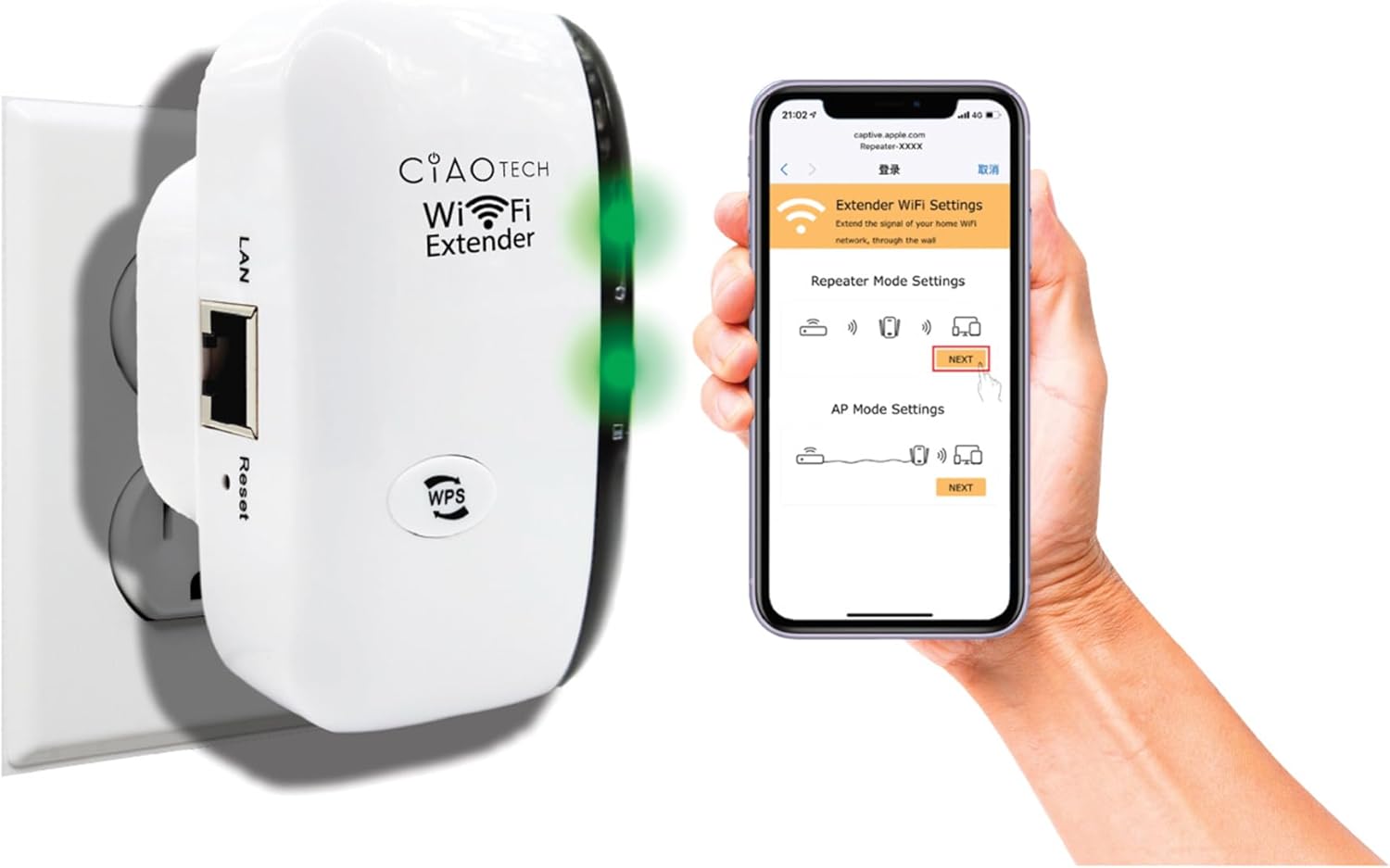
The WiFi Extender plugged into a wall outlet, with a smartphone displaying the extender's setup interface.
Method 2: Setup via Web Navegador
- Connectar: Plug the WiFi Extender into an electrical outlet near your main router. Wait for the Power indicator light to turn solid.
- Connecteu-vos al Wi-Fi de l'extensor: On your computer or mobile device, connect to the Wi-Fi network named "WiFi Repeater-XXXXXX" (where XXXXXX are the last 6 digits of the extender's MAC address, found on the label). There is no password initially.
- Accés a la pàgina de configuració: Obre a web browser (e.g., Chrome, Firefox, Safari) and enter 192.168.11.1 a la barra d'adreces.
- Inicieu sessió: If prompted, the default username and password are "admin" (or refer to the label on the device).
- Seleccioneu el mode: Choose your desired operating mode (Repeater Mode or AP Mode).
- Configura la configuració:
- Mode de repetidor: Select your existing Wi-Fi network from the list, enter its password, and optionally change the extender's SSID.
- Mode AP: Connect an Ethernet cable from your router to the extender's LAN port. The extender will create a new Wi-Fi network. Configure the new SSID and password.
- Aplica la configuració: Save the settings and wait for the extender to restart.
- Connect to Extended Network: On your devices, connect to the newly configured extended Wi-Fi network.

posterior view of the WiFi Extender, displaying the LAN port and the label with default settings and IP address.
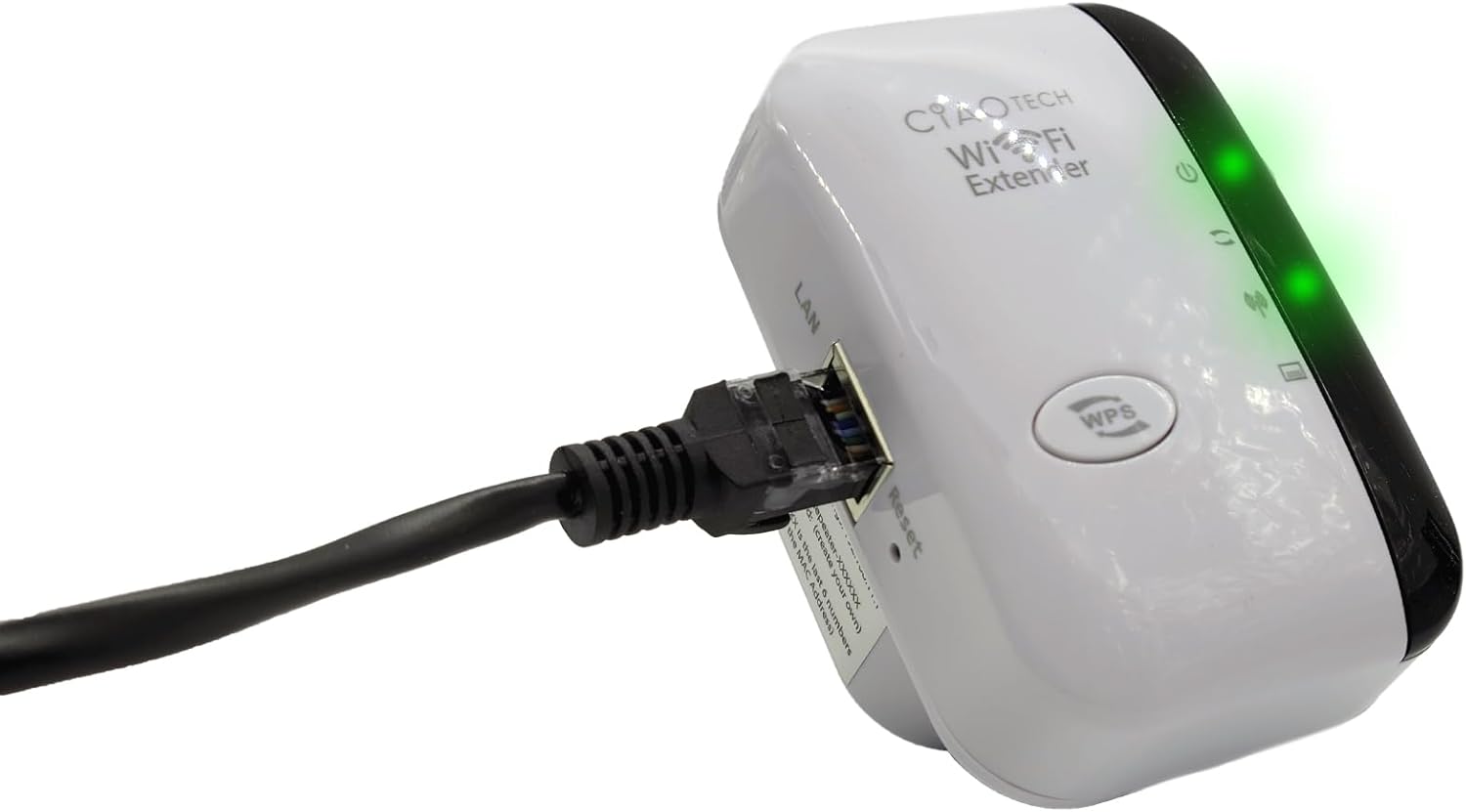
The WiFi Extender with an Ethernet cable connected to its LAN port, indicating a wired connection option.
Modes de funcionament
Mode repetidor
In Repeater Mode, the extender wirelessly connects to your existing Wi-Fi network and re-broadcasts it, extending the coverage area. This mode is ideal for eliminating Wi-Fi dead zones and improving signal strength in areas with weak coverage.
Mode AP (punt d'accés).
In AP Mode, the extender connects to your router via an Ethernet cable and creates a new wireless network. This mode is suitable for converting a wired network connection into a wireless one, or for creating a separate Wi-Fi network.
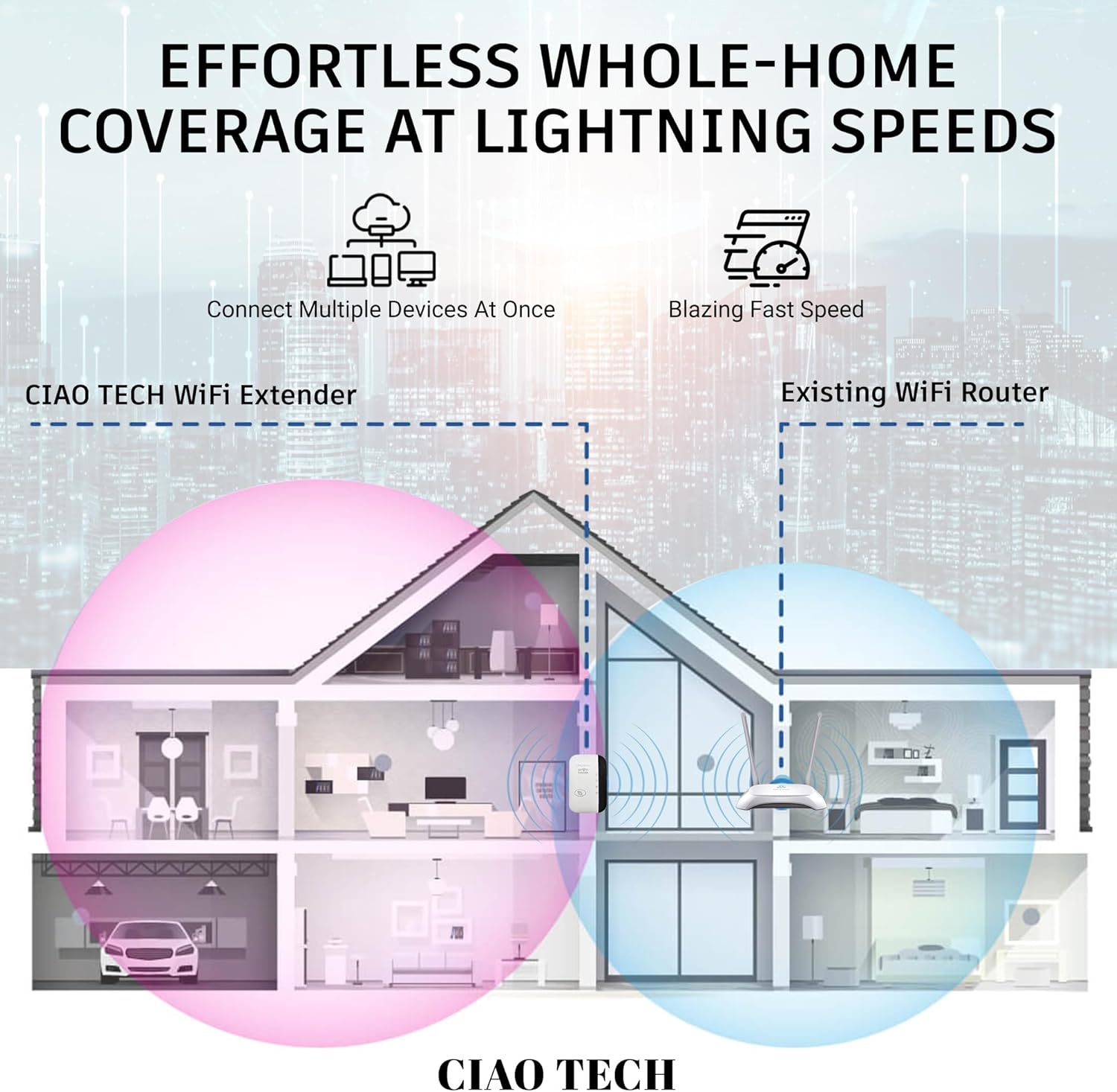
A diagram illustrating how the WiFi Extender provides expanded coverage throughout a home, connecting multiple devices.
Manteniment
- Col·locació òptima: Place the extender in a location that is roughly halfway between your main router and the area where you need improved Wi-Fi. Avoid placing it near large metal objects, concrete walls, or other electronic devices that may cause interference.
- Mantenir net: Periodically wipe the device with a soft, dry cloth to remove dust. Do not use liquid cleaners or aerosols.
- Actualitzacions de firmware: Comproveu el del fabricant weblloc web periòdicament per obtenir actualitzacions de firmware. Mantenir el firmware actualitzat pot millorar el rendiment i la seguretat.
- Cicle d'alimentació: If you experience persistent issues, try power cycling the extender by unplugging it from the outlet for 10 seconds and then plugging it back in.
Resolució de problemes
- Sense accés a Internet després de la configuració:
- Assegureu-vos que l'extensor estigui dins de l'abast del vostre encaminador principal.
- Verify that the password entered for your main Wi-Fi network during setup was correct.
- Try restarting both your main router and the extender.
- If using Repeater Mode, ensure your main router has internet access.
- Senyal feble de l'extensor:
- Recol·loca l'extensor més a prop del teu encaminador principal.
- Avoid physical obstructions like thick walls or large appliances.
- Comproveu si hi ha fonts d'interferències (per exemple, microones, telèfons sense fil).
- No es pot accedir Web Management Page (192.168.11.1):
- Ensure your device is connected to the extender's Wi-Fi network (e.g., "WiFi Repeater-XXXXXX").
- Esborra la memòria cau i les galetes del navegador o prova un altre navegador.
- Desactiveu temporalment qualsevol programari VPN o tallafocs del vostre ordinador.
- Reset the extender to factory defaults (use a paperclip to press the reset button for 5-10 seconds) and try setup again.
- Velocitat lenta:
- Ensure the extender is placed in an optimal location, not too far from the router and not too far from the devices.
- Check for network congestion or too many devices connected to the extended network.
- Verify your main internet speed.
Especificacions
| Número de model | OWEWM00-001 |
| Estàndard sense fils | 802.11ac |
| Velocitat de transferència de dades | Fins a 300 Mbps |
| Característiques de seguretat | 64/128/152-bit Encryption |
| Ports | 1 port Ethernet RJ45 |
| Dimensions | 4.61 x 4.45 x 2.72 polzades |
| Pes | 3.84 unces |
Garantia i Suport
For warranty information and technical support, please refer to the contact details provided with your purchase or visit the official CIAO TECH weblloc. Conserveu el rebut de compra per a reclamacions de garantia.


