Introducció
This manual provides comprehensive instructions for the setup, operation, maintenance, and troubleshooting of your Dough Spectrum One 27-inch 4K HDR 144Hz Gaming Monitor (Model ES07D03). Please read this manual thoroughly before using the product to ensure optimal performance and safety.

Image: The Dough Spectrum One 27-inch gaming monitor displaying a dynamic, colorful abstract image, highlighting its visual capabilities.
Contingut del paquet
Verifiqueu que tots els elements siguin presents al paquet:
- Dough Spectrum One 27-inch Monitor
- Adaptador d'alimentació i cable
- Cable DisplayPort
- Cable USB-C
- Documentació (Guia d'inici ràpid, Targeta de garantia)
- Note: This variant (Monitor Only) does not include a stand. A VESA-compatible monitor arm or stand is required for use.
Configuració
1. Muntatge del monitor
Since this is a "Monitor Only" variant, a VESA-compatible mounting solution (e.g., monitor arm or stand) is required. The monitor supports VESA mount standard. Attach your chosen mounting solution securely to the back of the monitor and then to your desk or wall according to the mounting solution's instructions.

Image: The Dough Spectrum One monitor displayed on a desk, connected to a laptop and a gaming console, illustrating a typical setup environment.
2. Cables de connexió
Connect the necessary cables to the monitor's rear ports. Refer to the image below for port locations.

Imatge: Una part posterior detallada view of the Dough Spectrum One monitor, highlighting the array of connectivity ports including HDMI, DisplayPort, USB-C, USB-B, USB-A, and a 3.5mm audio jack.
- Potència: Connecteu l'adaptador de corrent al monitor i després a una presa de corrent.
- Entrada de vídeo:
- DisplayPort: Connect a DisplayPort cable from your computer's graphics card to the monitor's DisplayPort 1.4 input.
- HDMI: Connect an HDMI 2.1 cable from your device (PC, console) to one of the monitor's two HDMI 2.1 ports.
- USB-C (DisplayPort Alternate Mode): For compatible laptops, connect a USB-C cable to the monitor's USB-C 3.2 Gen 2 port. This single cable can transfer video, data, and up to 100W of power to your laptop.
- Hub USB: Connect the upstream USB-B cable from your computer to the monitor's USB-B port to enable the integrated USB 3.2 Gen 2 hub (two side-facing USB-A and one USB-C port).
- Àudio: For private listening, connect headphones to the 3.5mm audio jack.
Instruccions de funcionament
Encès/Apagat
Press the power button, usually located on the bottom or rear of the monitor, to turn it on or off. The monitor will automatically enter a low-power sleep mode when no signal is detected.
Selecció d'entrada
Use the On-Screen Display (OSD) menu to select your desired video input source (DisplayPort, HDMI 1, HDMI 2, USB-C). The OSD menu is typically navigated using buttons or a joystick on the monitor's rear or bottom.
Configuració de la pantalla
Accediu al menú OSD per ajustar diversos paràmetres de la pantalla:
- Brillantor/Contrast: Ajusta els nivells de luminància i contrast de la imatge.
- Configuració de color: Fine-tune color temperature, gamma, and saturation. The monitor is factory calibrated for Delta E 0.6 average accuracy, covering 98% DCI-P3 and 100% sRGB.
- HDR: Enable or disable HDR10 support for enhanced dynamic range.
- Freqüència d'actualització: The monitor supports up to 144Hz refresh rate. Ensure your graphics card settings are configured to utilize this.
- Resolució: The native resolution is 3840 x 2160 (4K UHD). The monitor is designed to scale 1080p content effectively.

Image: The Dough Spectrum One monitor showcasing its vibrant display with a colorful abstract image, accompanied by text highlighting its core features: 27-inch size, 4K resolution, 144Hz refresh rate, IPS panel, USB Type-C with 100W charging, DisplayHDR 600, G-SYNC Compatible, and FreeSync Premium Pro.
Tecnologia de sincronització adaptativa
The monitor supports AMD FreeSync Premium Pro, NVIDIA G-Sync, and VESA Adaptive-Sync compatibility. This technology synchronizes the monitor's refresh rate with your graphics card's frame rate, reducing screen tearing and stuttering. Ensure Adaptive Sync is enabled in both the monitor's OSD and your graphics card's control panel.
Característiques de joc
The Spectrum One includes features designed to enhance your gaming experience:
- Pixel-Perfect Upscaling: Uses integer-ratio pixel duplication for low-resolution input signals, maintaining the crisp look of pixel art and retro games.
- Crosshair Overlay: An on-screen crosshair can be enabled via the OSD to assist aim in certain games.
- Frame Rate Counter: Displays your current frame rate on screen, allowing you to monitor system performance.
- Blur Busters Presets: Pre-tuned settings for optimal motion clarity.
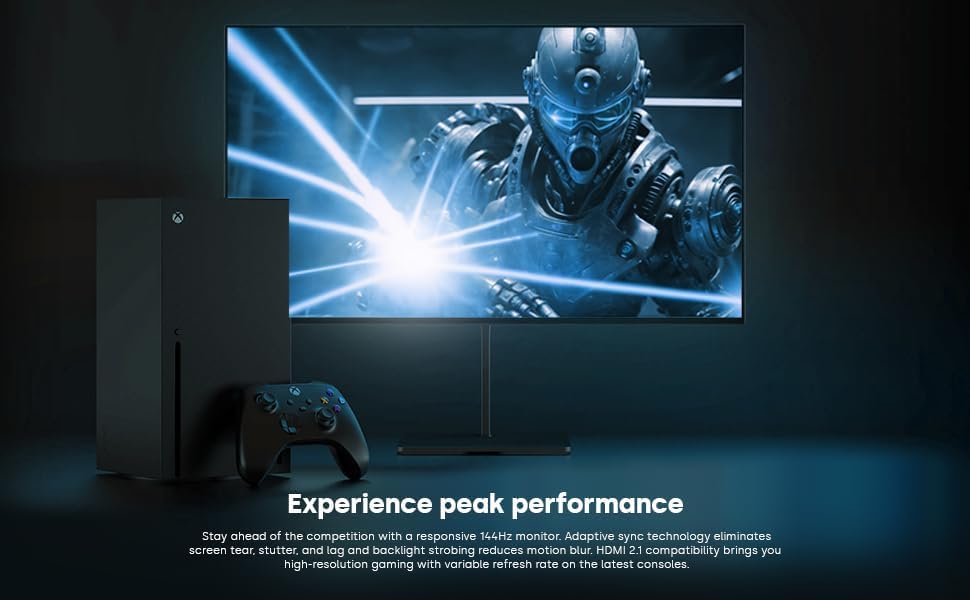
Image: The Dough Spectrum One monitor showcasing a high-fidelity game scene, positioned alongside an Xbox console and controller, demonstrating its gaming capabilities.
Mode de pantalla dividida
The monitor can display video from two separate sources simultaneously in split screen mode. Consult the OSD menu for options to configure Picture-by-Picture (PbP) or Picture-in-Picture (PiP) modes and select input sources for each window.
Glossy Panel Characteristics
This monitor features a glossy screen surface. This finish enhances color vibrancy, contrast, and image sharpness. However, it may also be more prone to reflections in brightly lit environments. Position the monitor carefully to minimize glare from light sources.

Image: A visual comparison between a standard matte display and the glossy Dough Spectrum One monitor, both rendering an identical underwater coral scene. The glossy screen exhibits noticeably deeper blacks and more vibrant, sharp colors, illustrating the visual benefits of its unique panel finish.
Manteniment
Neteja del monitor
Per netejar la pantalla, netegeu-la suaument amb un drap suau i sense borrissol. Per a marques difícils, fregueu-la suaument.ampen the cloth with water or a non-abrasive, monitor-safe cleaning solution. Avoid using harsh chemicals or abrasive materials that could damage the screen surface. Ensure the monitor is powered off and unplugged before cleaning.
Actualitzacions de firmware
Periodically check the official Dough website for available firmware updates. Firmware updates can improve performance, add features, or resolve known issues. Note: Firmware updates for this monitor typically require a Windows operating system for installation. Follow the instructions provided on the manufacturer's weblloc web amb cura quan realitzeu actualitzacions.
Resolució de problemes
Si teniu problemes amb el monitor, consulteu els problemes i solucions més comuns següents:
- Sense imatge/Sense senyal:
- Ensure all video cables (DisplayPort, HDMI, USB-C) are securely connected to both the monitor and your source device.
- Verify the correct input source is selected in the monitor's OSD menu.
- Comproveu si el dispositiu font (PC, consola) està encès i emet un senyal.
- Prova un altre cable o port de vídeo.
- Monitor Does Not Power On:
- Confirm the power cable is firmly connected to the monitor and a working power outlet.
- Assegureu-vos que l'adaptador de corrent estigui connectat correctament.
- Verifiqueu que la presa de corrent funciona connectant-hi un altre dispositiu.
- Image is Dim or Incorrect Colors:
- Adjust brightness, contrast, and color settings in the OSD menu.
- Ensure HDR is enabled or disabled as appropriate for your content and system settings.
- Check your graphics card settings for any color profile or brightness adjustments.
- Screen Tearing or Stuttering:
- Ensure Adaptive Sync (FreeSync Premium Pro/G-Sync Compatible) is enabled in both the monitor's OSD and your graphics card's control panel.
- Verify your graphics drivers are up to date.
- Monitor Takes Long to Wake from Sleep / Black Screen on Resolution Change:
- This can sometimes occur due to firmware or driver interactions. Ensure your monitor firmware and graphics drivers are updated to the latest versions.
- Try restarting your connected device.
- Compatibilitat de la font d'alimentació:
- Ensure the provided power supply is compatible with your region's electrical standards. If an incompatible power supply was received, contact customer support.
Per obtenir més ajuda, visiteu el Dough official support page o poseu-vos en contacte amb el servei d'atenció al client.
Especificacions
| Característica | Detall |
|---|---|
| Marca | PASSA |
| Número de model | ES07D03 |
| Mida de la pantalla | 27 polzades |
| Resolució | 3840 x 2160 (4K UHD 2160p) |
| Freqüència d'actualització | 144 Hz |
| Temps de resposta | 1 ms |
| Tipus de panell | IPS |
| Suport HDR | HDR10, DisplayHDR 600 |
| Sincronització adaptativa | AMD FreeSync Premium Pro, NVIDIA G-Sync Compatible, VESA Adaptive-Sync |
| Gamma de colors | 98% DCI-P3, 100% sRGB |
| Brillantor | 450 nits (sustained), 750 nits (peak) |
| Relació d'aspecte | 16:9 |
| Superfície de la pantalla | brillant |
| Entrades de vídeo | 2x HDMI 2.1, 1x DisplayPort 1.4, 1x USB-C (DisplayPort Alt Mode, 100W PD) |
| Ports USB | 1x USB-B (upstream), 2x USB-A (downstream), 1x USB-C (downstream) - Total 5 USB ports |
| Sortida d'àudio | 1 presa d'àudio de 3.5 mm |
| Dimensions del producte | 6 x 27.5 x 17.5 polzades (sense suport) |
| Pes de l'article | 17.81 lliures (sense suport) |
Garantia i Suport
Informació de la garantia
For detailed warranty information, please refer to the warranty card included in your product packaging or visit the official Dough weblloc. Els termes de la garantia solen cobrir els defectes de fabricació durant un període especificat a partir de la data de compra.
Atenció al client
If you require technical assistance, have questions about your product, or need to initiate a warranty claim, please contact Dough customer support through their official weblloc. També podeu trobar recursos addicionals i preguntes freqüents al Dough Brand Store on Amazon.


