Introducció
This manual provides comprehensive instructions for the setup, operation, maintenance, and troubleshooting of your SABLUTE Wireless Keyboard and Mouse Combo. Please read this manual carefully before using the product to ensure optimal performance and longevity.
The SABLUTE KL3 PRO Wireless Keyboard and 6-Button Mouse Combo is designed to enhance your computing experience with its ergonomic features, customizable backlighting, and efficient wireless connectivity.
Contingut del paquet
- Teclat sense fil SABLUTE
- Ratolí sense fil SABLUTE
- USB Receiver (located in the keyboard's battery compartment)
- Cable de càrrega
- Manual d'usuari (aquest document)
Configuració
1. Locating the USB Receiver
The 2.4G USB wireless receiver for both the keyboard and mouse is conveniently stored in a dedicated slot on the underside of the keyboard. Gently remove it before initial use.
Video: Demonstrates how to locate and remove the USB receiver from the underside of the keyboard.
2. Connexió al vostre dispositiu
- Insert the USB receiver into an available USB-A port on your computer (Laptop, Personal Computer, Television).
- Ensure both the keyboard and mouse are powered on using their respective ON/OFF switches. The switches are typically located on the underside of each device.
- The devices should automatically connect to your computer. No additional drivers are usually required for Windows, Mac, or Linux systems.
Important Note: A USB-C dongle is not included. This keyboard and mouse combo cannot connect directly to tablets or phones without a compatible USB-A adapter (not supplied).

Image: The wireless keyboard and mouse in use, demonstrating the 2.4G wireless connection to a computer setup, highlighting the plug-and-play functionality and 33ft range.
Instruccions de funcionament
Característiques del teclat
- Reposa-canell ergonòmic: The keyboard features an extra-large wrist rest (2.8'' widest edge) designed to provide ergonomic support and reduce wrist pain during prolonged use.
- Suport de dispositiu integrat: A built-in holder accommodates phones and tablets under 11.9 inches, allowing for convenient multitasking.
- Control de la llum de fons:
- Turn ON/OFF Backlight: Press Fn + Impr Pant/Sist Rq.
- Switch Backlight Mode: Press Fn + Bloqueig de desplaçament. The keyboard offers 3 backlight modes and 7+1 backlight colors.
- Adjust Light Brightness: Press Fn + Fletxa amunt (augmentar) o Fn + Fletxa avall (decrease). There are 3 brightness levels.
- Shortcut Hotkeys: In addition to standard F1-F12 functions, the keyboard includes 6 one-touch hotkeys for improved efficiency.
- Escriptura silenciosa: Soft membrane keys ensure consistent transmission force and significantly reduce typing noise by 95%.

Imatge: Primer pla view of the keyboard's ergonomic palm rest, illustrating how it supports the user's wrists to reduce fatigue.
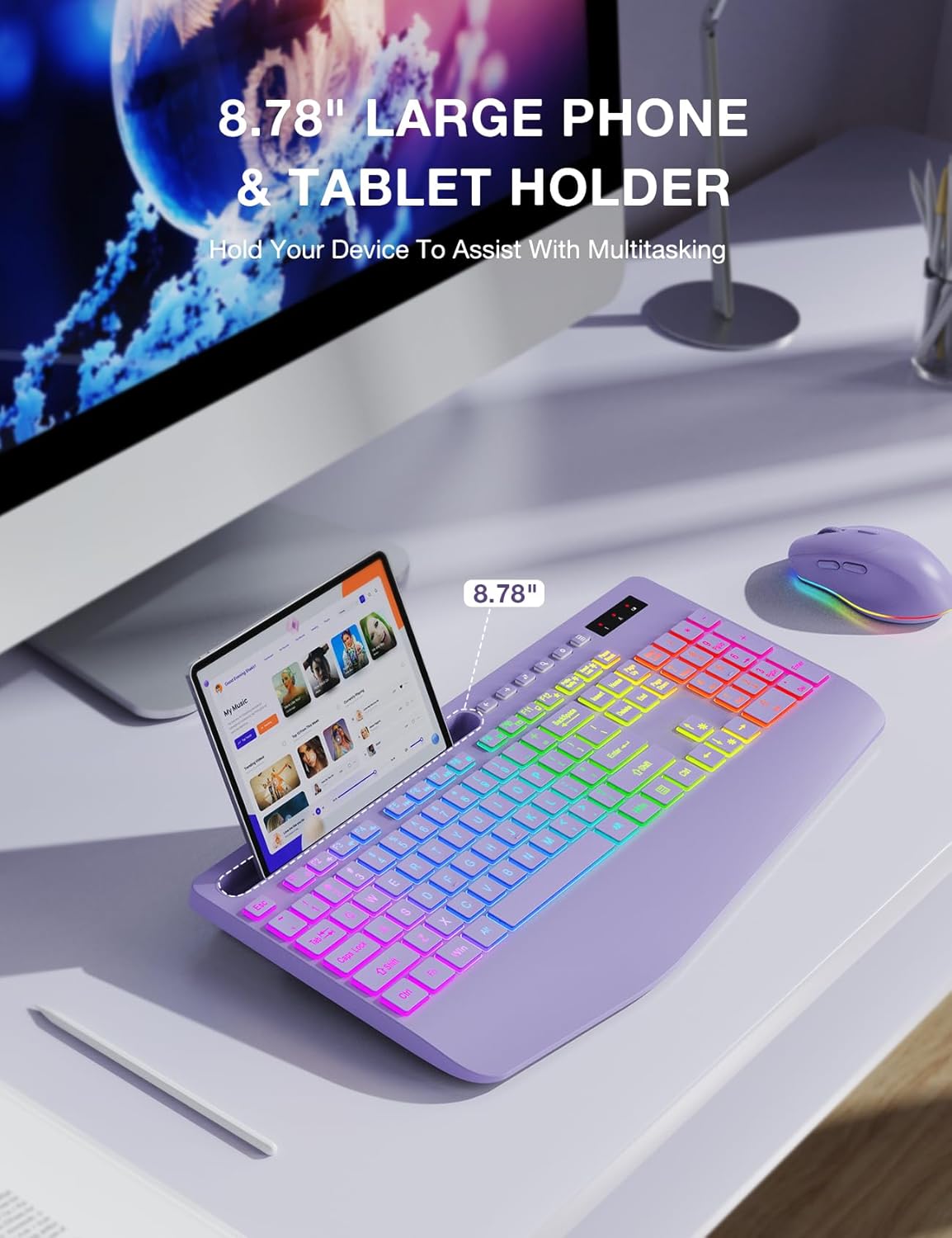
Image: The keyboard featuring its integrated phone and tablet holder, shown with a tablet in place, facilitating multitasking.

Image: Illustration of the keyboard's various colorful backlit modes, including rainbow wave, solid color, and ripple effects.
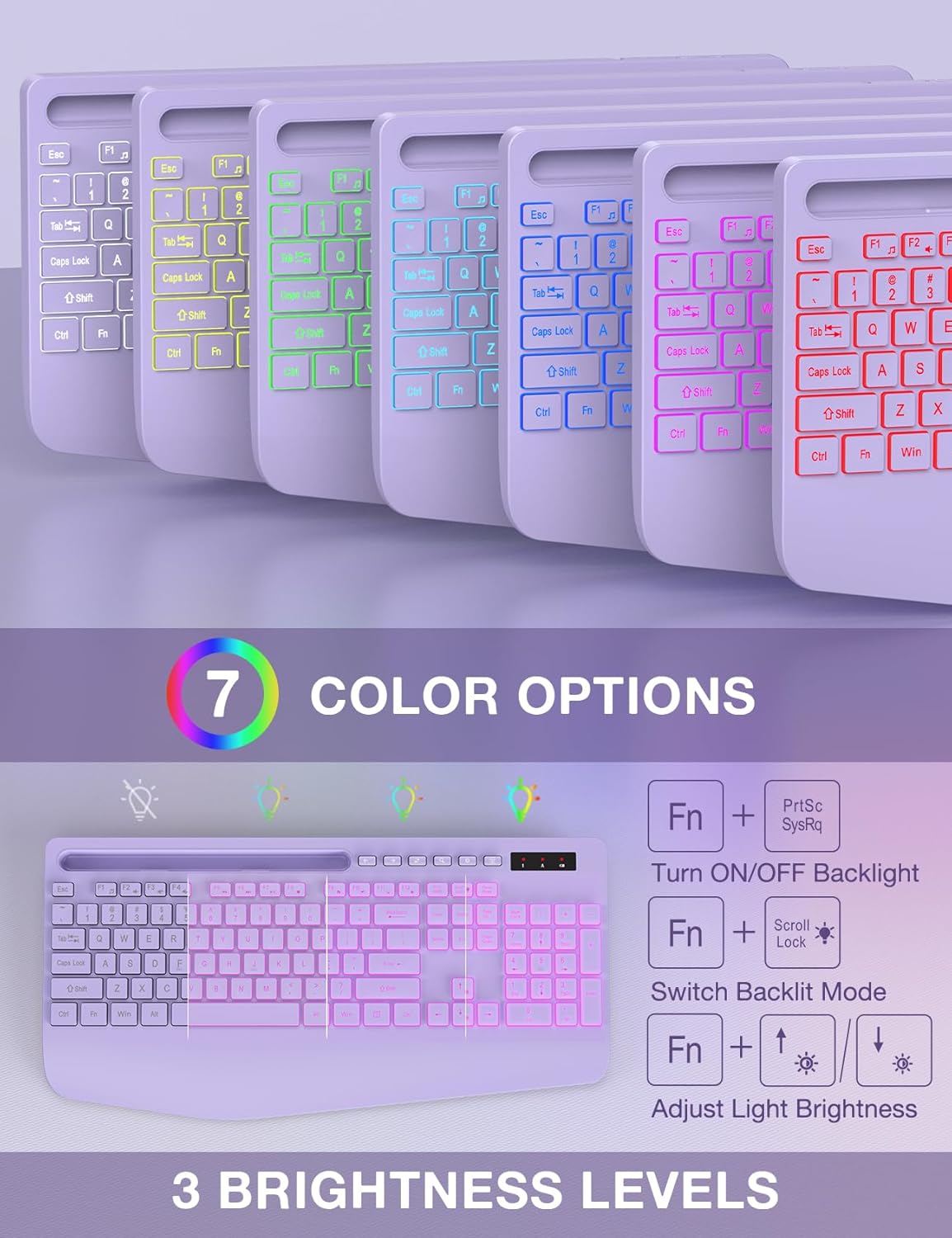
Image: Visual guide to the keyboard's 7 color options and the function key combinations used to control backlight on/off, mode switching, and brightness adjustment.
Funcions del ratolí
- Disseny de 6 botons: Includes standard left/right click, scroll wheel, and dedicated forward/backward buttons for enhanced navigation.
- 3-Level Tracking Speed (DPI): Adjust the mouse sensitivity to your preference.
- Clics silenciosos: Features silent micro motion technology for nearly silent operation.
- Il·luminació de fons: The mouse also features color backlighting which can be quickly switched or turned off.

Imatge: Detallada view of the 6-button mouse, highlighting its ergonomic design, quiet click feature, and the location of its scroll wheel, left/right click, and forward/backward buttons. Also indicates 15 light effects.
Manteniment
Càrrega dels dispositius
Both the keyboard and mouse have built-in rechargeable batteries. Use the provided USB-C charging cable to recharge them when the battery is low.
- Connect the USB-C end of the charging cable to the charging port on the keyboard/mouse.
- Connect the USB-A end to a USB power source (e.g., computer USB port, USB wall adapter).
- An indicator light on the device will typically show charging status and turn off when fully charged.

Image: The keyboard and mouse illustrating their power-saving features, including Type-C charging, smart sleep mode, and long standby time. A charging cable is shown connected to the mouse.
Mode de repòs intel·ligent
To conserve energy, both the keyboard and mouse will enter a smart sleep mode after 90 seconds of inactivity. To wake them up, simply press any button or key.
Neteja
To clean your devices, gently wipe them with a soft, damp tela. Eviteu utilitzar productes químics o materials abrasius que puguin danyar la superfície.
Resolució de problemes
| Problema | Causa possible | Solució |
|---|---|---|
| El teclat/ratolí no respon |
|
|
| Backlight not working or turning off quickly |
|
|
| Retard o resposta retardada |
|
|
| Cannot connect to tablet/phone |
|
|
Especificacions
| Característica | Detall |
|---|---|
| Número de model | KL3 PRO |
| Marca | SABLUTE |
| Tecnologia de connectivitat | 2.4G USB sense fil |
| Dispositius compatibles | Ordinador portàtil, ordinador personal, televisió |
| Dimensions del teclat (L x A x A) | 16.54 x 8.27 x 1.38 polzades |
| Pes de l'article | 2.27 lliures (combinades) |
| Tipus de bateria | 1 Lithium Metal battery (included, built-in rechargeable) |
| Il·luminació de fons del teclat | 7+1 colors, 3 modes, 3 brightness levels |
| Botons del ratolí | 6 buttons (including forward/backward) |
| Mouse Tracking Speed | 3-level adjustable DPI |
| Característiques especials | Backlit, Ergonomic Wrist Rest, Phone Holder, Shortcut Keys, Low-profile keycap, Silent Click Mouse, Smart Sleep Mode |

Image: Diagram illustrating the physical dimensions of the full-size keyboard and mouse, including length, width, and height measurements.
Garantia i Suport
For warranty information and technical support, please refer to the contact details provided by your retailer or visit the official SABLUTE weblloc web. Conserveu el rebut de compra com a comprovant de compra per a reclamacions de garantia.
If you have further questions or require assistance, please feel free to contact SABLUTE customer service.
Note: The provided product data does not include specific warranty terms or direct support contact information. Please consult the product packaging or manufacturer's website for the most up-to-date details.


