1. Introducció
This manual provides essential instructions for setting up, operating, maintaining, and troubleshooting your Epson EcoTank ET-2862 A4 Multifunction Printer. This device is designed for high-quality printing, copying, and scanning, featuring a refillable ink tank system for cost-effective and convenient use. Please read this manual thoroughly before using the printer to ensure proper operation and to maximize its lifespan.
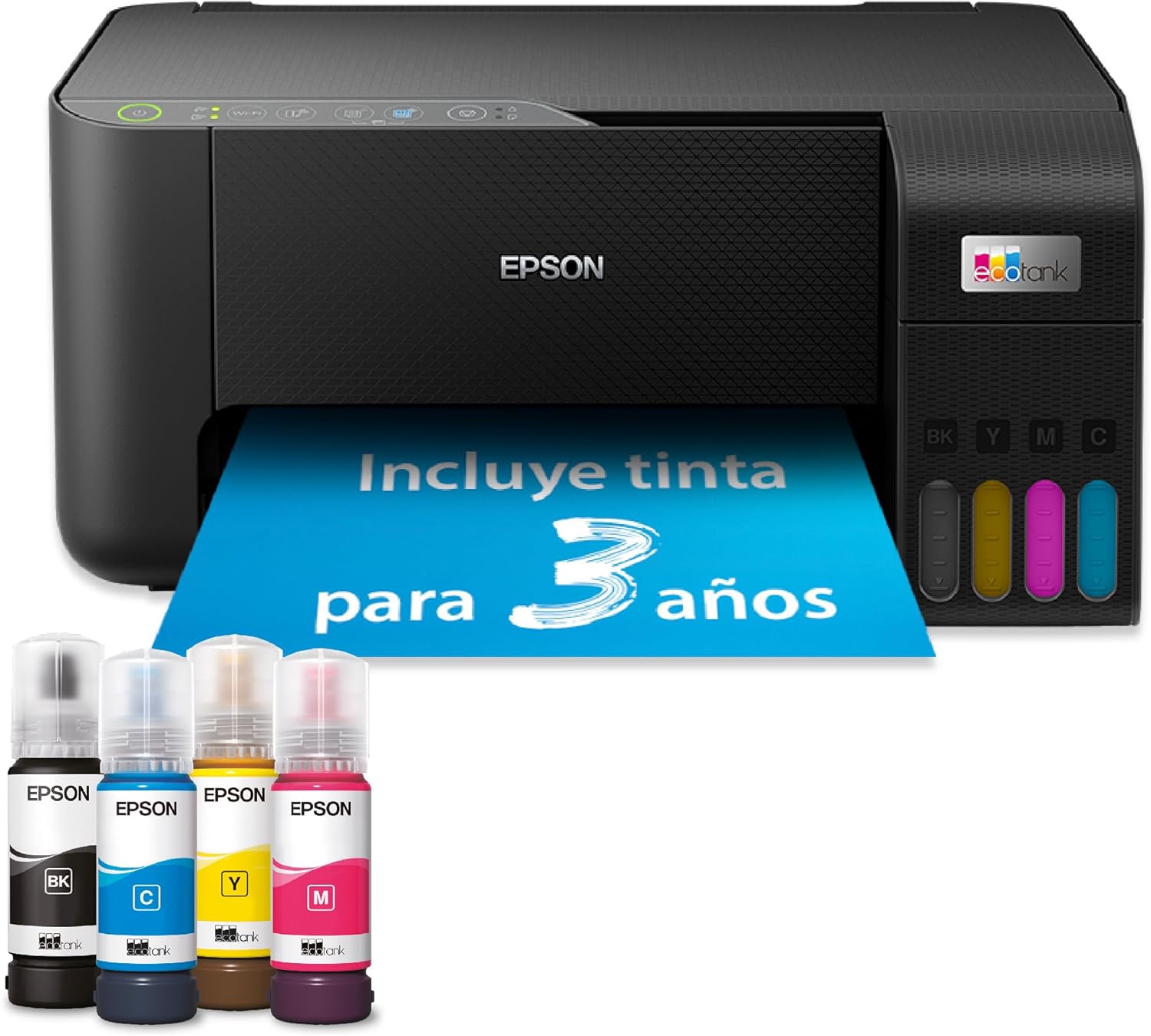
Figure 1: Epson EcoTank ET-2862 Printer with included ink bottles.
2. Informació de seguretat
Observe the following safety precautions to prevent damage to the printer and ensure personal safety:
- Col·loqueu sempre la impressora sobre una superfície estable i plana.
- No bloquejar les obertures de ventilació.
- Feu servir només el cable d'alimentació que s'inclou amb la impressora.
- Mantingueu les ampolles de tinta fora de l'abast dels nens i no ingeriu tinta.
- Avoid touching internal components, especially when the printer is operating.
- Disconnect the power cord before cleaning or performing maintenance.
3. Contingut del paquet
Verifiqueu que tots els elements siguin presents a la caixa:
- Impressora multifunció Epson EcoTank ET-2862
- Full set of Ink Bottles (Black, Cyan, Magenta, Yellow)
- Cable d'alimentació
- Guia de configuració
- Software CD-ROM (may not be included in all regions, download drivers online)
4. Configuració
4.1 Desembalatge i col·locació inicial
Remove all protective materials and tape from the printer. Place the printer in a location with adequate space for paper loading and output, and ensure it is near a power outlet.
4.2 Omplir els dipòsits de tinta
The EcoTank system uses refillable ink tanks. Follow these steps for a clean and hassle-free refill:
- Obriu la tapa de la unitat del dipòsit de tinta que hi ha al lateral de la impressora.
- Obriu el tap del dipòsit de tinta de color corresponent.
- Uncap the ink bottle and insert it into the filling port. The bottle is keyed to fit only the correct color tank.
- Allow the ink to drain into the tank. The bottle will stop filling automatically when the tank is full.
- Remove the ink bottle, recap the tank, and close the ink tank unit cover.
- Repetiu per a tots els colors.

Figure 2: Ink refill process for the EcoTank system.
4.3 Connexió d'alimentació i configuració inicial
Connect the power cable to the printer and a wall outlet. Press the power button to turn on the printer. Follow the on-screen instructions on the printer's control panel to select language, date, and time. The printer will then initiate the ink charging process, which may take several minutes.

Figure 3: Printer control panel.
4.4 Software Installation and Wi-Fi Setup
Install the printer drivers and software from the provided CD-ROM or download the latest versions from the official Epson support website. During installation, you will be guided through connecting the printer to your computer via USB or Wi-Fi. For Wi-Fi setup, select your network and enter the password when prompted. The Epson Smart Panel app can also be used for mobile setup and control.
5. Instruccions de funcionament
5.1 Càrrega de paper
Open the rear paper support and pull out the extender. Adjust the edge guides to the width of your paper. Load paper print-side up into the paper feeder. The maximum input sheet capacity is 100 sheets.
5.2 Impressió
From your computer or mobile device, open the document or image you wish to print. Select the Epson ET-2862 as your printer. Adjust print settings such as paper size (A4 supported), print quality, and color options. Click 'Print'.
5.3 Còpia
Place the document face-down on the scanner glass. Close the scanner lid. On the printer's control panel, select 'Copy'. Choose the number of copies and color/black & white options. Press the 'Start' button.
5.4 Escaneig
Place the document face-down on the scanner glass. Close the scanner lid. From your computer, open the Epson Scan software or use the Epson Smart Panel app on your mobile device. Select scan settings (e.g., resolution, destination folder) and initiate the scan. The scanner type is flatbed.
6. Manteniment
6.1 Comprovació dels nivells de tinta
Visually inspect the ink tanks on the front of the printer to monitor ink levels. You can also check ink levels through the printer software on your computer or the Epson Smart Panel app.
6.2 Neteja del capçal d'impressió
If print quality declines (e.g., missing lines, faded colors), perform a print head cleaning. This can be done through the printer's control panel or the printer software. This process uses a small amount of ink.
6.3 Comprovació del broquet
Before cleaning, it is recommended to perform a nozzle check to confirm if cleaning is necessary. This prints a pattern that shows if any nozzles are clogged.
7. Solució De Problemes
Aquesta secció tracta problemes habituals que podeu trobar amb la impressora Epson ET-2862.
- La impressora no respon: Ensure the printer is powered on and connected correctly (USB or Wi-Fi). Check for error messages on the printer's display.
- Mala qualitat d'impressió: Perform a nozzle check and print head cleaning. Ensure you are using genuine Epson ink. Check paper type settings.
- Embussos de paper: Carefully remove any jammed paper following the instructions in the printer's on-screen guide or the full online manual. Avoid tearing the paper.
- Problemes de connectivitat Wi-Fi: Restart your printer and router. Ensure the printer is within range of your Wi-Fi network. Re-enter Wi-Fi settings if necessary.
For more detailed troubleshooting, refer to the comprehensive online manual available on the Epson support weblloc.
8. Especificacions
| Característica | Especificació |
|---|---|
| Marca | Epson |
| Model | ET-2862 |
| Número de peça del fabricant | C11CJ67431 |
| Dimensions del producte | 35d x 38w x 18h centimeters |
| Pes del producte | 3.9 quilos |
| Tecnologia de connectivitat | Bluetooth, USB, Wi-Fi |
| Tecnologia d'impressió | Injecció de tinta |
| Característica especial | Dipòsit de tinta recarregable |
| Sortida de la impressora | Color |
| Velocitat màxima d'impressió monocroma | 10 pàgines per minut |
| Velocitat màxima d'impressió en color | 5 pàgines per minut |
| Resolució màxima d'impressió en blanc i negre | 5760 x 1440 ppp |
| Resolució màxima d'impressió en color | 5760 x 1440 ppp |
| Impressió dúplex | No |
| Tipus d'escàner | Llit pla |
| Velocitat màxima de còpia (blanc i negre) | 33 pàgines per minut |
| Maximum Input Sheet Capacity | 100 |
| Mida màxima del paper | A4 |
| Mida del full | A4 |
| Tipus de suport d'impressió | Paper plà |
| Dispositius compatibles | PC, ordinador portàtil, telèfon intel·ligent, tauleta |
| Tipus de controlador | Android, iOS |
| Consum d'energia | 12 watts |
| Wattage | 12 watts |
| Profunditat de color | 24 bpp |
| Còpies màximes per execució | 1 |
| EU Spare Parts Availability Duration | 3 Anys |
9. Garantia i Suport
Your Epson EcoTank ET-2862 printer comes with a standard warranty. Please refer to the warranty documentation included with your product for specific terms and conditions. Epson also provides support resources, including drivers, FAQs, and contact information, on its official website. The availability of spare parts in the EU is guaranteed for 3 years.


