Introducció
Thank you for choosing the Hecate G3m Pro Wireless Bluetooth Gaming Mouse. This manual provides detailed instructions for setting up, operating, and maintaining your new gaming mouse. Designed for performance and versatility, the G3m Pro offers three-mode connectivity, a high-precision sensor, and a lightweight, silent design to enhance your gaming experience.
Producte acabatview
The Hecate G3m Pro features a robust design with multiple buttons and connectivity options. Familiarize yourself with the mouse components before use.
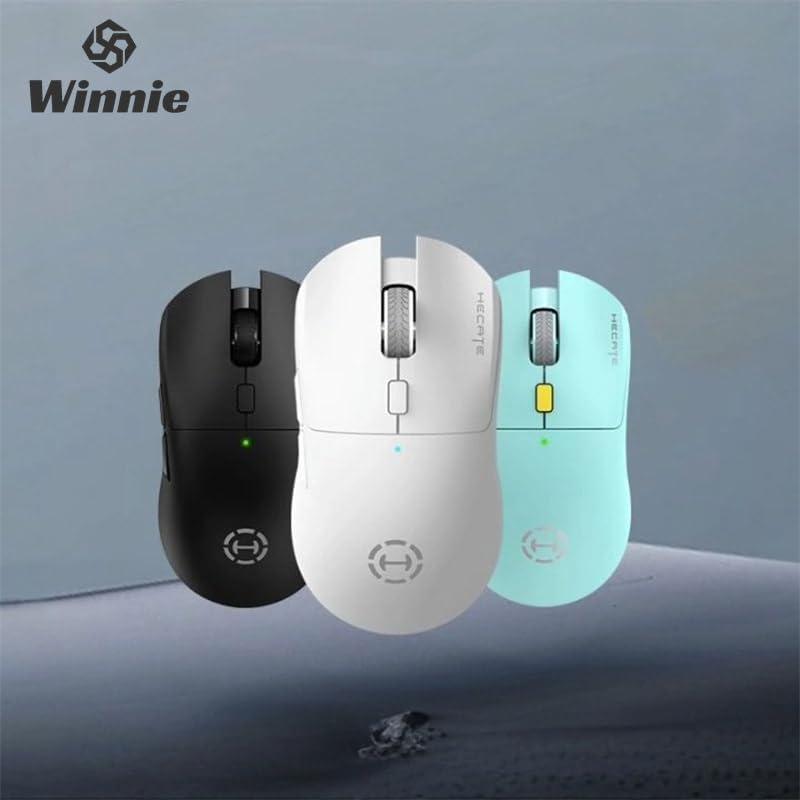
Figure 1: Hecate G3m Pro Wireless Gaming Mouse (Black)
- Botons de clic esquerre/dret: Funcions estàndard del ratolí.
- Roda de desplaçament: For scrolling and middle-click functionality.
- Botó de cicle de DPI: Adjusts the mouse sensitivity (DPI) on the fly.
- Botons laterals: Programmable for various in-game actions or navigation.
- Connectivity Mode Switch: Located on the underside, allows switching between 2.4GHz, Bluetooth, and Wired modes.
- Port USB-C: Per a connexió amb cable i càrrega.
Configuració
Follow these steps to set up your Hecate G3m Pro mouse.
1. Càrrega del ratolí
Before first use, ensure the mouse is fully charged. Connect the provided USB-C cable to the mouse's USB-C port and the other end to a USB power source (e.g., computer, wall adapter). The LED indicator will show charging status.
2. Connecting via 2.4GHz Wireless (USB Dongle)
- Locate the USB 2.4GHz receiver (dongle) usually stored in a compartment on the underside of the mouse.
- Connecteu el receptor USB a un port USB disponible de l'ordinador.
- Switch the connectivity mode selector on the mouse to the '2.4G' position.
- The mouse should automatically connect to your computer. The LED indicator may flash briefly and then become solid to indicate a successful connection.
3. Connexió mitjançant Bluetooth
- Switch the connectivity mode selector on the mouse to the 'BT' (Bluetooth) position.
- On your computer or device, go to Bluetooth settings and enable Bluetooth.
- The mouse LED indicator will start flashing, indicating it is in pairing mode.
- Select 'Hecate G3m Pro' from the list of available Bluetooth devices on your computer/device to pair.
- Once paired, the LED indicator will become solid.
4. Connexió mitjançant el mode amb cable
- Connect the provided USB-C cable to the mouse's USB-C port.
- Connecteu l'altre extrem del cable USB-C a un port USB disponible de l'ordinador.
- Switch the connectivity mode selector on the mouse to the 'Wired' position.
- The mouse will function as a wired mouse and will also charge its internal battery.
Instruccions de funcionament
Understand the functions of your mouse for optimal use.
Ajust de DPI
Press the DPI cycle button (usually located behind the scroll wheel) to cycle through different DPI settings. Each press will change the sensitivity, often indicated by a change in the LED color or a specific number of flashes. The mouse supports up to 26000 DPI.
Canvi de mode
Use the switch on the underside of the mouse to select your preferred connection mode: 2.4GHz, Bluetooth, or Wired. Switch modes according to your device and usage scenario.
Botons de personalització
For advanced customization of buttons and macros, it is recommended to download the official Hecate software (if available) from the manufacturer's website. This software allows you to reassign button functions, create profiles, and fine-tune performance settings.
Manteniment
Proper maintenance ensures the longevity and performance of your mouse.
Neteja
- Feu servir un drap suau i sec per netejar la superfície del ratolí.
- Per a la brutícia persistent, lleugerament dampNetegeu el drap amb aigua o una solució de neteja suau. Eviteu productes químics agressius.
- No permeteu que els líquids entrin als components interns del ratolí.
- Netegeu periòdicament el sensor òptic de la part inferior amb un bastonet de cotó per garantir un seguiment precís.
Cura de la bateria
- Eviteu descarregar completament la bateria amb freqüència.
- Carregueu el ratolí quan l'indicador de bateria suggereixi que hi ha poca bateria.
- Si guardeu el ratolí durant un període prolongat, carregueu-lo al 50% aproximadament i guardeu-lo en un lloc fresc i sec.
Emmagatzematge
Store the mouse in a clean, dry environment away from extreme temperatures and direct sunlight. Keep it away from dust and moisture.
Resolució de problemes
If you encounter issues with your Hecate G3m Pro mouse, refer to the following common solutions.
El ratolí no respon
- Comproveu la bateria: Assegureu-vos que el ratolí estigui carregat. Connecteu-lo amb el cable USB-C per carregar-lo.
- Comprova el mode de connexió: Verify that the mode switch on the underside of the mouse is set to the correct mode (2.4G, BT, or Wired) for your connection type.
- Connexió de 2.4 GHz: Assegureu-vos que el receptor USB estigui ben connectat a un port USB que funcioni. Proveu-ho amb un altre port USB.
- Connexió Bluetooth: Re-pair the mouse with your device. Go to Bluetooth settings, remove the mouse, and then add it again. Ensure your device's Bluetooth is enabled.
- Connexió per cable: Assegureu-vos que el cable USB-C estigui connectat correctament tant al ratolí com a l'ordinador. Proveu un altre port o cable USB.
Inconsistent Tracking or Cursor Movement
- Neteja el sensor: Netegeu el sensor òptic de la part inferior del ratolí.
- Mouse Pad: Use the mouse on a clean, uniform surface or a high-quality mouse pad. Avoid reflective or glass surfaces.
- Configuració de DPI: Adjust the DPI setting using the DPI cycle button to find a comfortable sensitivity.
Els botons no funcionen
- Interferència de programari: Si feu servir programari personalitzat, proveu de restablir les assignacions de botons als valors predeterminats.
- Prova en un altre dispositiu: Connect the mouse to another computer to determine if the issue is with the mouse or the original device's settings.
Especificacions
Detailed technical specifications for the Hecate G3m Pro Wireless Bluetooth Gaming Mouse.
| Característica | Descripció |
|---|---|
| Model | G3m Pro |
| Marca | Hecate |
| Tecnologia de connectivitat | Sense fil de 2.4 GHz, Bluetooth, amb cable (USB-C) |
| Detecció de moviment | Optical (Paw3395 Sensor) |
| DPI (punts per polzada) | Fins a 26000 DPI |
| Acceleració | 50G |
| IPS (polzades per segon) | 600 |
| Nombre de botons | 6 |
| Nombre de rodets | 1 (Scroll Wheel) |
| Orientació de la mà | Ambidextre |
| Característica especial | Lightweight (Approx. 63g) |
| Tipus de potència | Bateria recarregable |
| Ús recomanat | Jocs |
| Dispositius compatibles | Personal Computer, Laptop, Game Console |
| Sistemes operatius | Linux, Windows XP (i versions més recents) |
Garantia i Suport
Your Hecate G3m Pro Wireless Bluetooth Gaming Mouse comes with a warranty and dedicated support.
Informació de la garantia
All products are covered by a 12 mesos de garantia des de la data de compra. Aquesta garantia cobreix els defectes de fabricació i els problemes derivats de l'ús normal.
Atenció al client
If you encounter any problems with your product, such as defective or incorrect items, please do not hesitate to contact us. We are committed to providing prompt assistance and will respond to your inquiries within 24 hours. Please refer to your purchase documentation for specific contact details or visit the official Hecate support weblloc.


