1. Introducció
The Overmax Multipic 6.1 is a Full HD 1080p LED projector designed for a versatile viewing experience. It features advanced functionalities such as autofocus, automatic keystone correction, Wi-Fi 6, and Bluetooth 5.0 connectivity. This manual provides essential information for setting up, operating, and maintaining your projector to ensure optimal performance and longevity.

Imatge 1.1: Davant dret view of the Overmax Multipic 6.1 projector, showcasing the lens and ventilation.
2. Contingut del paquet
Verifiqueu que tots els elements que s'enumeren a continuació s'inclouen al vostre paquet. Si falta algun element o hi ha algun malmès, poseu-vos en contacte amb l'atenció al client.
- Overmax Multipic 6.1 Projector
- Control remot
- Cable d'alimentació
- Cable HDMI

Image 2.1: Included HDMI and power cables.

Image 2.2: The remote control for the Overmax Multipic 6.1 projector.
3. Producte acabatview
3.1 Components del projector
Familiarize yourself with the main components of your projector.
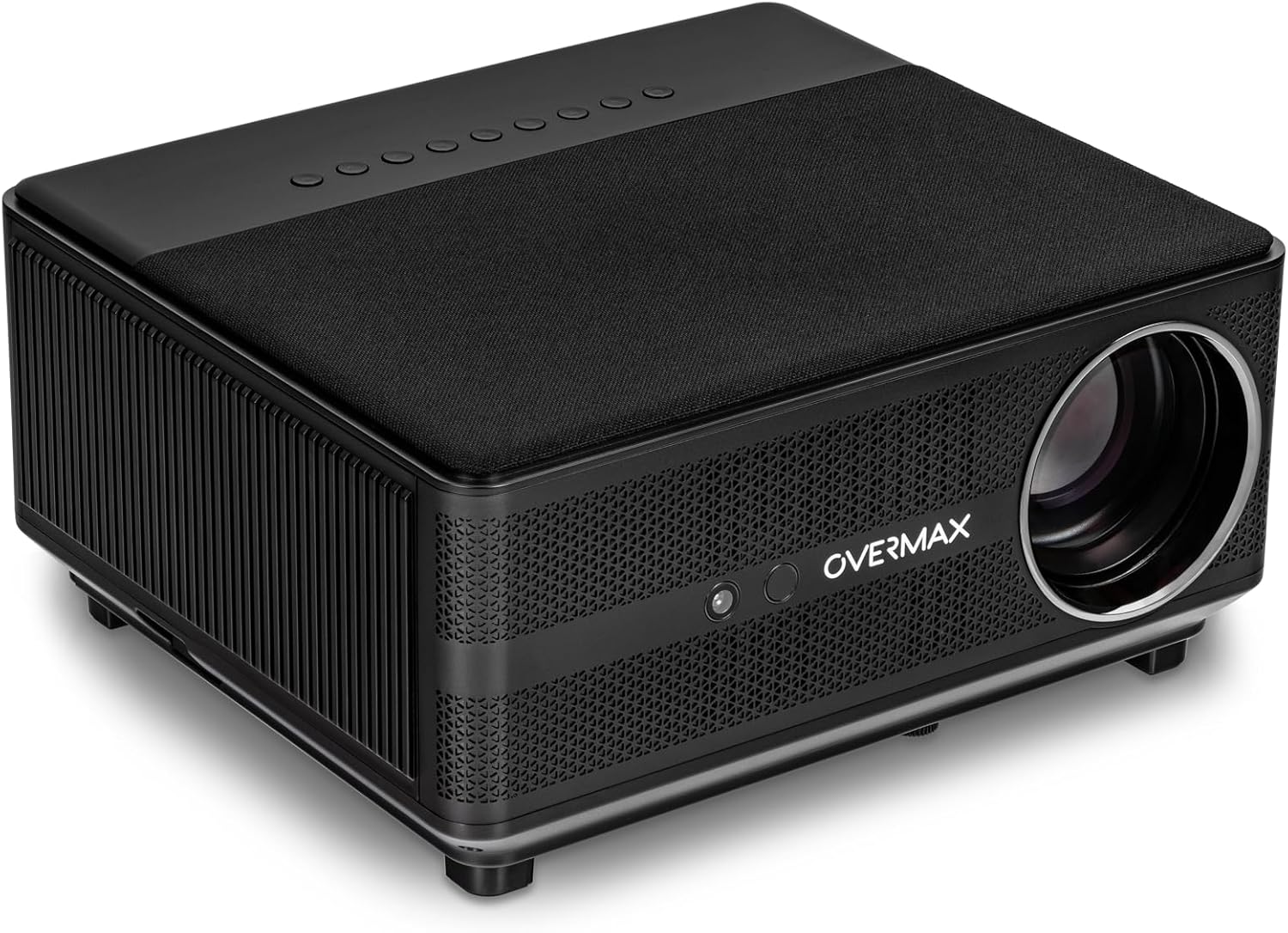
Image 3.1: Top-front-right view of the projector, showing the lens and top panel.

Imatge 3.2: Part superior view of the projector, highlighting the integrated control buttons.
3.2 Ports d'entrada/sortida
The projector features various ports for connecting external devices.

Imatge 3.3: posterior view of the projector, displaying the AV, USB, HDMI 1, HDMI 2, and RJ45 ports.

Imatge 3.4: Un apropament view of the input/output panel, detailing each port.
4. Configuració
4.1 Col·locació
Place the projector on a stable, flat surface. Ensure there is adequate ventilation around the unit to prevent overheating. The projector can project an image size from 40 to 150 inches, allowing flexibility in placement based on your desired screen size.

Image 4.1: Projector with its adjustable front foot, useful for minor angle adjustments.
4.2 Connexió d'alimentació
- Connecteu el cable d'alimentació al port d'entrada d'alimentació del projector.
- Connecteu l'altre extrem del cable d'alimentació a una presa de corrent adequada.
4.3 Encès inicial
Premeu el botó d'engegada del projector o del comandament a distància per engegar el dispositiu. El projector iniciarà la seqüència d'inici.
4.4 Ajust de l'enfocament i la distorsió trapezoidal
The Multipic 6.1 features automatic focus and AUTO KEYSTONE (horizontal and vertical four-point automatic correction). This eliminates the need for manual adjustments, ensuring a clear and perfectly centered image automatically upon startup or repositioning.
4.5 Connexió de xarxa (Wi-Fi)
To access online applications and streaming services, connect your projector to a Wi-Fi network:
- Navigate to the 'Settings' menu on the projector.
- Seleccioneu "Xarxa i Internet".
- Activeu el Wi-Fi i seleccioneu la xarxa desitjada de la llista.
- Introduïu la contrasenya si se us demana i connecteu-vos.
4.6 Connexió Bluetooth
Connect Bluetooth devices such as speakers, keyboards, or mice:
- Go to 'Settings' and select 'Connected Devices' or 'Bluetooth'.
- Activa el Bluetooth.
- Seleccioneu el dispositiu de la llista de dispositius disponibles per emparellar-lo.
5. Funcionament
5.1 Funcionament bàsic amb comandament a distància
The included remote control allows full navigation and control of the projector's functions, including voice commands.
- Botó d'encesa: Encén/apaga el projector.
- Botons de navegació: Use the arrow keys to move through menus and the 'OK' button to confirm selections.
- Control de volum: Adjust the audio output.
- Botó Font: Select input sources (HDMI, USB, AV).
- Botó de control de veu: Activate voice commands for easier navigation and content search.
5.2 Connexió de dispositius externs
El projector admet diversos dispositius externs:
- HDMI: Connect laptops, gaming consoles, Blu-ray players, etc., using an HDMI cable. Select the corresponding HDMI input (HDMI 1 or HDMI 2) from the source menu.
- USB: Connecteu unitats USB per reproduir contingut multimèdia files directament.
- DE: Connecteu dispositius més antics amb un cable AV.
- RJ45: Per a connexió a Internet per cable.
5.3 Android OS and Applications
The projector runs on Android 9.0, providing access to a wide range of applications. You can download and install apps from the pre-installed app store or other compatible sources.
5.4 Image Size Adjustment
The projector can display images from 40 to 150 inches. Adjust the distance between the projector and the projection surface to achieve your desired screen size. The autofocus and auto keystone features will automatically optimize the image.
6. Manteniment
6.1 Dust-Proof Function
The projector incorporates a Dust-Proof function designed to improve cooling efficiency and protect internal components from dust accumulation. This feature contributes to increased performance and extends the lifespan of the projector.
6.2 LED Lamp La vida
El LED de 110W lamp has a long service life of up to 50,000 hours. This means the lamp is designed to last for the entire lifespan of the projector under normal usage conditions, minimizing the need for replacement.
6.3 Neteja general
- Exterior: Feu servir un drap suau i sec per netejar l'exterior del projector. No utilitzeu productes de neteja abrasius ni dissolvents.
- Lent: Gently clean the projector lens with a lens cleaning cloth or specialized lens paper. Avoid touching the lens directly with your fingers.
- Ventilació: Ensure the ventilation openings are clear of dust and obstructions to maintain proper airflow.
7. Solució De Problemes
Si teniu problemes amb el projector, consulteu les solucions habituals següents:
- Sense energia: Assegureu-vos que el cable d'alimentació estigui connectat correctament tant al projector com a la presa de corrent. Proveu una altra presa de corrent.
- Sense imatge: Check the input source selection. Ensure the connected device is powered on and sending a signal. Verify cables are properly connected.
- Imatge borrosa: The projector features autofocus. If the image remains blurry, try restarting the projector. Ensure the projection surface is flat and the projector is stable.
- Sense so: Check the projector's volume settings and the volume of the connected source device. If using external speakers, ensure they are properly connected and powered.
- El control remot no funciona: Comproveu les piles del comandament a distància. Assegureu-vos que no hi hagi cap obstrucció entre el comandament a distància i el receptor d'infrarojos del projector.
For persistent issues, please contact Overmax customer support.
8. Especificacions
| Característica | Especificació |
|---|---|
| Marca | Sobremàx |
| Nom del model | Multipic 6.1 |
| Tipus de visualització | LED |
| Resolució de visualització | 1920 x 1080 (Full HD) |
| Brillantor | 7000 lúmens |
| Relació de contrast de la imatge | 4500:1 |
| Relació d'aspecte | 16:9, 4:3 |
| Mida de projecció | De 40 a 150 polzades |
| Lamp La vida | Fins a 50,000 hores |
| Sistema operatiu | Android 9.0 |
| Connectivitat sense fil | Wi-Fi 6, Bluetooth 5.0 |
| Característiques especials | Autofocus, Auto Keystone Correction, Dust-Proof Function, Voice Control |
| Interfície del maquinari | HDMI (x2), USB, AV, RJ45 |
| Dispositius compatibles | Laptop, Smartphone, Speaker, Tablet |
| Wattage | 110 watts |
| Dimensions del producte | 30.2 x 27 x 14.5 cm |
| Pes | 1.9 kg |
9. Garantia i Suport
Your Overmax Multipic 6.1 projector comes with a standard manufacturer's warranty. Please refer to the warranty card included in your package for specific terms and conditions. For technical support, service, or warranty claims, please contact Overmax customer service through their official weblloc web o la informació de contacte que es proporciona a la documentació del producte.


