1. Introducció
Thank you for choosing the PUTORSEN Dual Monitor Arm. This robust and versatile monitor stand is designed to securely hold flat or curved screens from 17 to 49 inches, with a weight capacity of 2 to 20 kg per arm. It offers extensive adjustability to optimize your workspace ergonomics and productivity. This manual provides detailed instructions for installation, operation, and maintenance to ensure safe and efficient use of your monitor arm.

Image: The PUTORSEN Dual Monitor Arm supporting two stacked curved monitors, showcasing its robust design and vertical stacking capability.
2. Informació de seguretat
- Llegiu atentament totes les instruccions abans de muntar i utilitzar.
- Ensure your desk surface is strong enough to support the combined weight of the monitor arm and your monitors.
- No supereu la capacitat màxima de pes de 20 kg (44 lliures) per braç.
- Ensure all screws and connections are tightened securely before attaching monitors.
- Adjust the gas spring tension according to your monitor's weight to prevent sudden drops or rises.
- Mantingueu els nens i les mascotes allunyats durant la instal·lació.
- Si no esteu segurs de cap part de la instal·lació, busqueu ajuda professional.
3. Contingut del paquet
Si us plau, comproveu que hi hagi tots els components abans de començar la instal·lació:
- Monitor Arm Assembly (2 arms, 1 pole)
- Escriptori Clamp (C-clamp)
- Base d'oelles
- Plaques VESA (2 unitats)
- Kit de ferramenta (cargols, volanderes, separadors)
- Allen Keys for adjustment
- Clips de gestió de cables
- Manual d'instruccions
4. Configuració i instal·lació
4.1 Desk Mounting Options
The monitor arm supports two mounting methods: C-clamp and Grommet. Both methods require a desk thickness between 12 mm (0.47 inches) and 50 mm (2 inches).
C-Clamp Instal·lació:
- Enganxeu el C-clamp al pol principal.
- Posicioneu el C-clamp on the edge of your desk and tighten the screw until it is secure.
Instal·lació de l'oxell:
- If your desk has a grommet hole, insert the grommet base through it.
- Fixeu la base del grommet des de sota l'escriptori amb els accessoris proporcionats.

Image: Detailed product dimensions and illustrations of C-clamp and Grommet mounting options, along with weight and size compatibility.
4.2 Attaching Monitors
The monitor arm features quick-release VESA plates for easy monitor attachment. Ensure your monitors are VESA compatible (75x75mm or 100x100mm).
- Attach the VESA plate to the back of your monitor using the appropriate screws from the hardware kit.
- Slide the monitor with the attached VESA plate onto the arm's mounting head until it clicks into place.
- Repetiu el procés per al segon monitor.
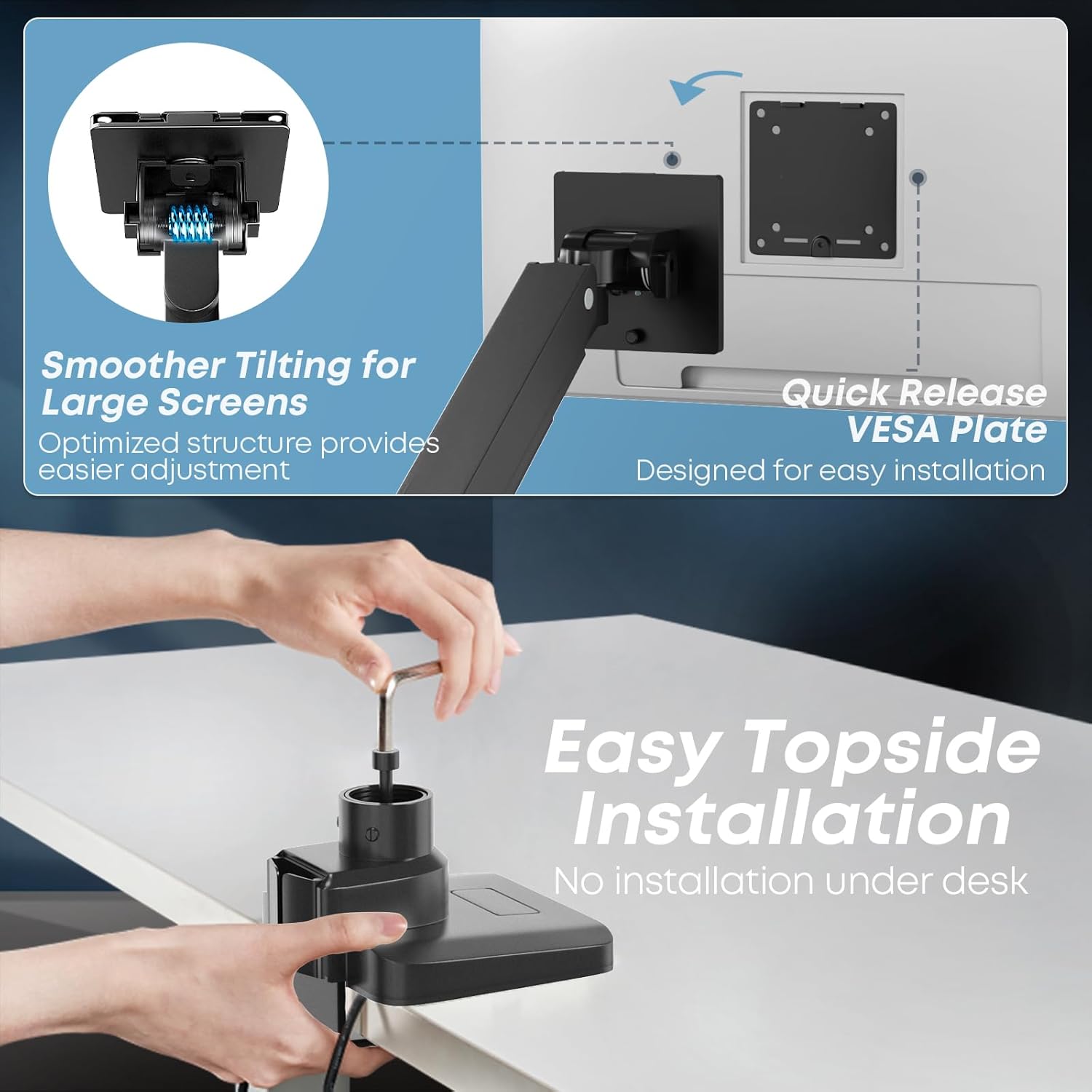
Image: Illustration of the quick-release VESA plate and easy topside installation process, showing no need for under-desk work.
4.3 VESA Compatibility Check
Abans de la compraasing or installing, verify your monitor has VESA mounting holes. If your monitor does not have VESA holes, you may need a separate VESA adapter (not included).

Image: Guide on checking VESA hole availability on monitors and the need for a separate VESA adapter if not present.
5. Instruccions de funcionament
5.1 Ajust de la tensió de la molla de gas
The integrated gas spring allows for smooth and stable positioning. Use the provided Allen key to adjust the tension based on your monitor's weight. Turn '+' to increase tension for heavier monitors, and '-' to decrease tension for lighter monitors.
5.2 Monitor Positioning and Flexibility
The PUTORSEN Dual Monitor Arm offers extensive adjustability:
- Inclinació: +50° to -20° (upward/downward)
- Girar: 180° (esquerra/dreta)
- Rotació: 360° (landscape/portrait orientation)
- Ajust d'alçada: Along the central pole and via gas spring arms.
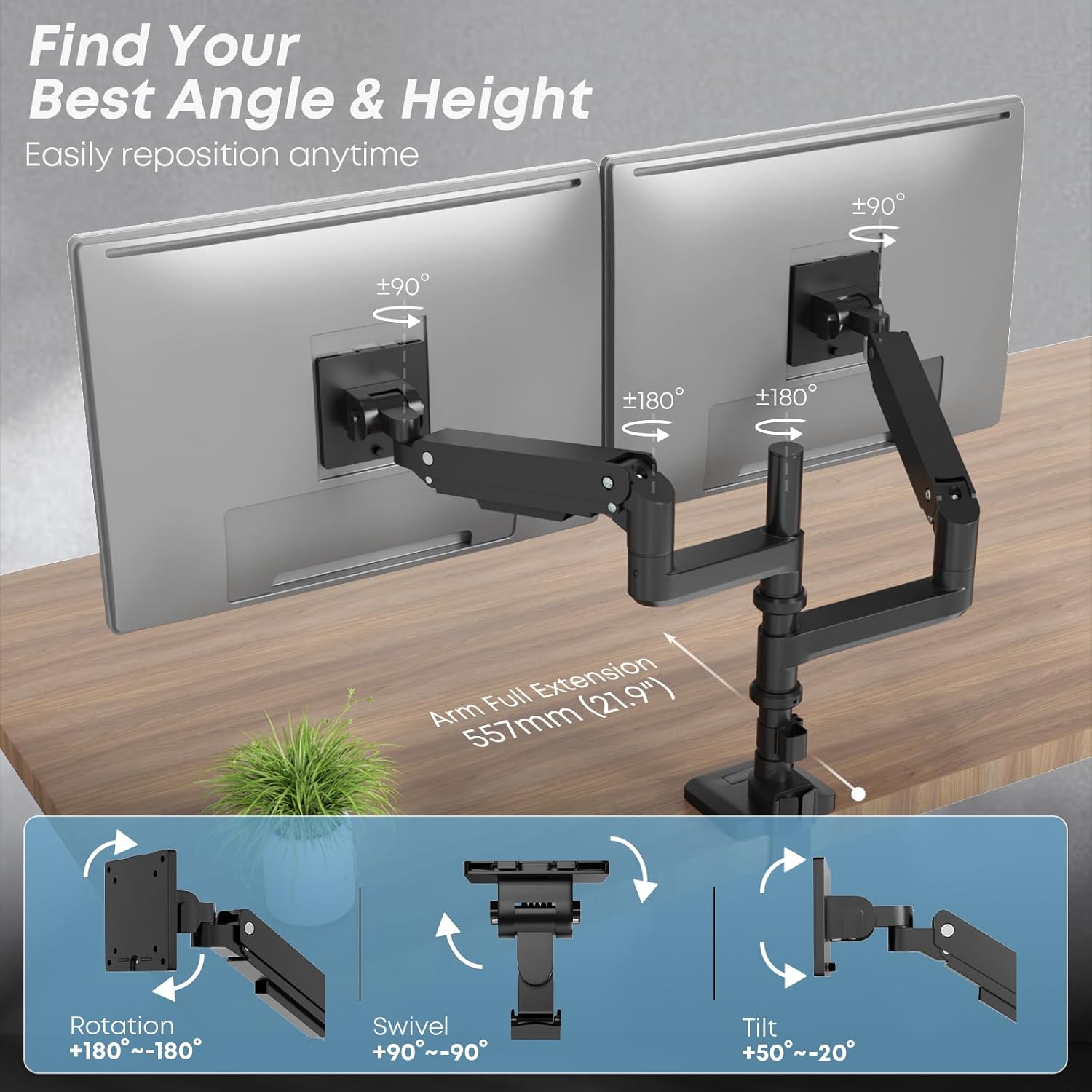
Image: Visual representation of the monitor arm's full range of motion, including rotation, swivel, and tilt angles.
5.3 Configuration Modes
- Vertical Stacking Mode: Supports two ultra-wide screens from 17 to 49 inches. The tall pole (355mm) allows for efficient vertical arrangement, enhancing productivity.
- Side-by-Side Mode: Supports screens from 17 to 35 inches. Note that for larger screens (e.g., 49-inch ultra-wides), side-by-side configuration may not be feasible due to arm length limitations.

Image: Comparison of side-by-side and stacked monitor configurations, illustrating compatible screen sizes for each mode.
5.4 Gestió de cables
Integrated cable management channels help keep your workspace tidy. Route your monitor cables (power, video, etc.) through the clips or channels along the arms and pole to maintain a clean and organized setup.

Image: A desk setup demonstrating the effective use of the monitor arm's integrated cable management to keep cables hidden and the workspace neat.
6. Manteniment
- Neteja: Netegeu el braç del monitor amb un drap suauamp drap. Eviteu productes de neteja abrasius o dissolvents que puguin danyar l'acabat.
- Comprovacions periòdiques: Reviseu periòdicament tots els cargols i connexions per assegurar-vos que estiguin ben ajustats i segurs. Torneu a apretar-los si cal.
- Ajust de la molla de gas: If you change monitors or notice the arm is not holding its position correctly, re-adjust the gas spring tension.
7. Solució De Problemes
| Problema | Causa possible | Solució |
|---|---|---|
| Vigila si els braços s'enfonsen o no es mantenen drets. | La tensió de la molla de gas és massa baixa per al pes del monitor. | Increase gas spring tension by turning the adjustment screw towards '+'. |
| Monitor arm is too stiff to move down. | La tensió de la molla de gas és massa alta per al pes del monitor. | Decrease gas spring tension by turning the adjustment screw towards '-'. |
| El monitor trontolla o es nota inestable. | Mounting screws or arm joints are loose. | Ensure all VESA plate screws and arm joint screws are tightened securely. |
| Cannot achieve desired height for stacked monitors. | Monitor aspect ratios or sizes are not ideal for stacking on the given pole height. | Review monitor dimensions and consider if a different setup (e.g., side-by-side for smaller monitors) is more suitable. Contact support if unsure. |
8. Especificacions
| Número de model | LDT69 |
| Material | Alumini i Acer |
| Color | Negre |
| Compatibilitat amb la mida de la pantalla | 17 - 49 inches (flat or curved) |
| Capacitat de pes (per braç) | 2 - 20 kg (4.4 - 44 lliures) |
| Compatibilitat VESA | 75x75mm, 100x100mm |
| Gruix de l'escriptori (C-cl)amp/Ullerol) | 12 - 50 mm (0.47 - 2 polzades) |
| Angle d'inclinació | +50° / -20° |
| Angle de gir | 180° |
| Angle de rotació | 360° |
| Alçada del pol | 355 mm (aprox. 14 polzades) |

Image: Illustration highlighting the durability and quality of materials, tested for over 20,000 cycles.
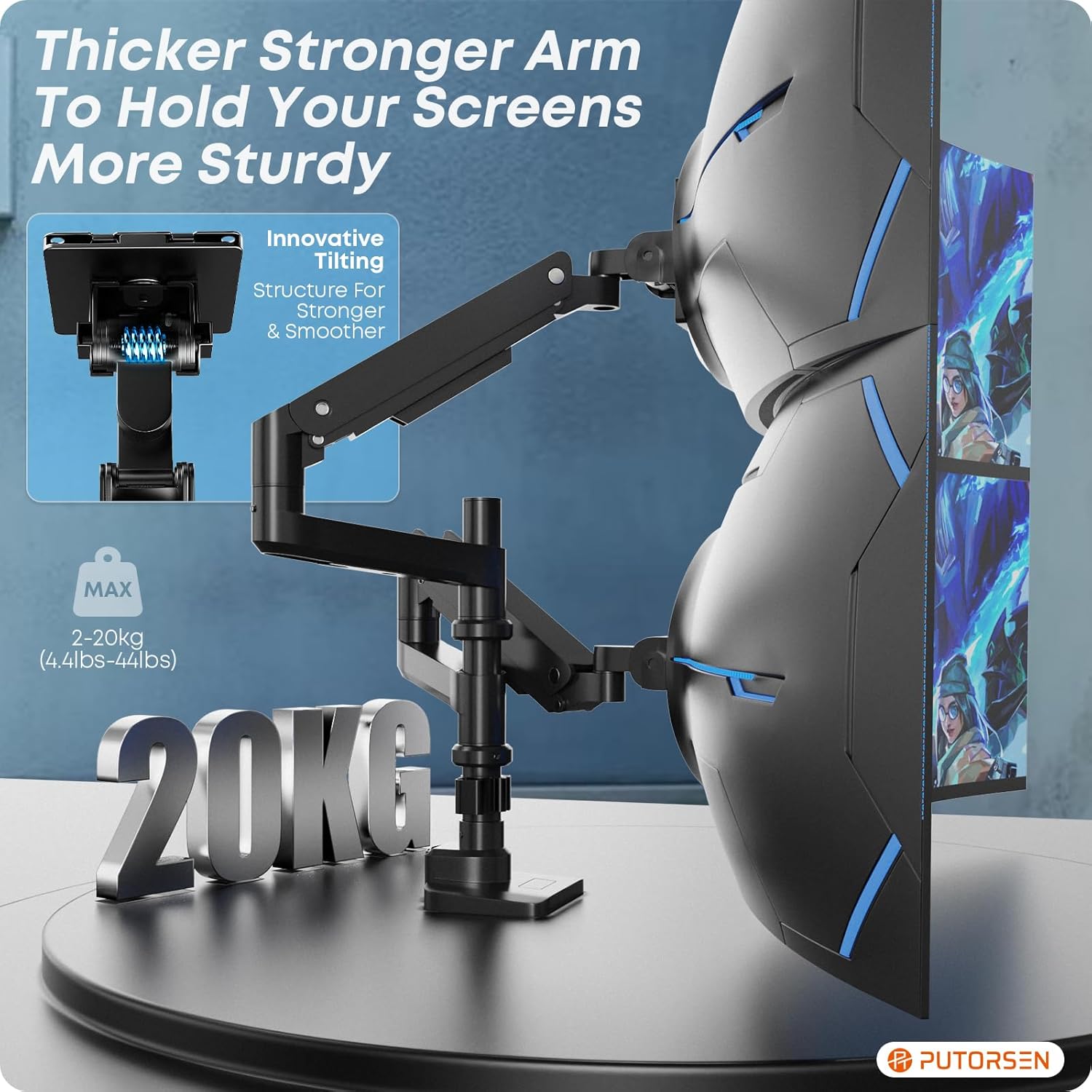
Image: Close-up of the monitor arm emphasizing its robust construction and 20kg weight capacity.
9. Garantia i Suport
PUTORSEN offers a lifetime warranty for this product. If you encounter any issues or require assistance, please do not hesitate to contact our customer support team. We are committed to providing prompt and helpful service.
For support, please refer to the contact information provided with your purchase or visit the official PUTORSEN weblloc.


