1. Introducció
This manual provides detailed instructions for the Hyperkin Pixel Art Bluetooth Controller, Miraculous Cat Noir Edition. Please read this manual thoroughly before using the product to ensure proper operation and to maximize your gaming experience. This controller is designed for use with multiple platforms, offering wireless connectivity and a comfortable, ergonomic design.
2. Producte acabatview
The Hyperkin Pixel Art Bluetooth Controller combines a retro aesthetic with modern functionality. It features a unique Miraculous Cat Noir design, wireless Bluetooth connectivity, and a built-in turbo function.
2.1 Característiques clau
- Connectivitat sense fil Bluetooth: Enjoy gaming freedom up to 30 feet away.
- Funció turbo: Activate rapid-fire action for enhanced gameplay.
- Retro Design with Modern Ergonomics: A classic look combined with comfortable handling for extended play sessions.
- Apte per a viatges: El disseny compacte permet una fàcil portabilitat.
- High-Quality Symmetrical Sticks: Dissenyat per a la precisió i la capacitat de resposta.
2.2 Disseny del controlador

Imatge 2.2.1: Davant view of the Hyperkin Pixel Art Bluetooth Controller, Miraculous Cat Noir Edition. This image displays the D-pad, left and right analog sticks with paw print designs, A/B/X/Y buttons, Start/Select buttons, and the Cat Noir character art.

Imatge 2.2.2: lateral view of the Hyperkin Pixel Art Bluetooth Controller, Miraculous Cat Noir Edition. This image shows the shoulder buttons (L1, R1) and triggers (L2, R2), along with the USB-C charging port and mode switch.

Imatge 2.2.3: Primer pla view emphasizing the controller's retro design combined with modern ergonomic features for comfortable handling.
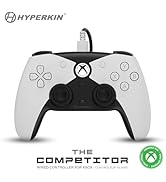
Imatge 2.2.4: Primer pla view espectacleasing the high-quality symmetrical analog sticks, designed for precise control during gameplay.
3. Configuració
3.1 Càrrega del controlador
The controller includes a built-in Lithium Polymer battery. To charge, connect the supplied Type-C cable to the controller's charging port and the other end to a USB power source (e.g., a computer USB port, a USB wall adapter). The LED indicator on the controller will show charging status and turn off when fully charged.
3.2 Emparellament per Bluetooth
To pair the controller with your device:
- Assegureu-vos que el controlador estigui prou carregat.
- Engegueu el controlador prement el botó Inici.
- Put the controller into pairing mode (refer to your device's specific instructions for Bluetooth pairing, as this may vary). Typically, this involves holding a small pairing button or a combination of buttons until the LED indicator flashes rapidly.
- On your device (Nintendo Switch, PC, Mac, Android, iOS, etc.), navigate to the Bluetooth settings.
- Cerca available devices and select "Hyperkin Pixel Art Controller" (or similar name) from the list.
- Once connected, the LED indicator on the controller will stabilize.
For Nintendo Switch, navigate to the 'Controllers' menu, then 'Change Grip/Order' to initiate pairing mode on the console.
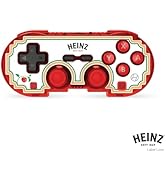
Imatge 3.2.1: Illustration of the controller connecting wirelessly via Bluetooth, indicating a range of up to 30 feet.
3.3 Connexió per cable
The controller can also be used via a wired connection. Connect the Type-C cable from the controller to a compatible USB port on your device. This mode is often plug-and-play, requiring no additional pairing.
4. Instruccions de funcionament
4.1 Controls bàsics
The controller features standard gaming buttons:
- D-pad: Entrada direccional.
- Manets analògics: Left and Right symmetrical sticks for precise movement and camera control.
- Botons d'acció (A, B, X, Y): Botons d'interacció principals.
- Shoulder Buttons (L, R) and Triggers (ZL, ZR): Additional input buttons, typically for actions like aiming, firing, or menu navigation.
- Botons d'inici/selecció: Per als menús i opcions del joc.
- Botó d'inici: Returns to the system's home screen.
4.2 Funció Turbo
The turbo function allows for rapid, repeated input of a button press without continuously pressing the button. To activate or deactivate turbo for a specific button:
- Manteniu premut el botó Turbo botó.
- While holding the Turbo button, press the desired action button (e.g., A, B, X, Y, L, R, ZL, ZR) once to activate turbo for that button.
- Repeat the process (hold Turbo, press the same action button) to deactivate turbo for that button.
5. Compatibilitat
The Hyperkin Pixel Art Bluetooth Controller is compatible with a wide range of gaming platforms:
- Nintendo Switch
- Nintendo Switch OLED Model
- Nintendo Switch Lite
- PC Windows 10/11
- Mac
- Chromebook
- dispositius Android
- Apple iOS devices
- Vapor
- Steam Deck
- ROG Ally
- Raspberry Pi
- Amazon Games/Amazon Luna
- Tesla
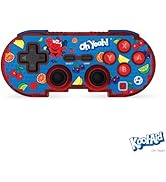
Imatge 5.1: Visual representation of the controller's broad compatibility across multiple gaming platforms and operating systems.
6. Manteniment
Per garantir la longevitat i el rendiment òptim del controlador, seguiu aquestes pautes de manteniment:
- Neteja: Feu servir un drap suau i sec per netejar el controlador. Per a la brutícia persistent, fregueu lleugerament.ampRenta el drap amb aigua. Evita productes químics agressius o netejadors abrasius.
- Emmagatzematge: Guardeu el controlador en un lloc fresc i sec, allunyat de la llum solar directa i de temperatures extremes.
- Cura de la bateria: Eviteu descarregar completament la bateria amb freqüència. Carregueu el controlador regularment, fins i tot si no l'utilitzeu durant períodes prolongats, per mantenir la bateria en bon estat.
- Eviteu l'impacte físic: Do not drop or expose the controller to strong impacts, as this can damage internal components.
7. Solució De Problemes
If you encounter issues with your Hyperkin Pixel Art Bluetooth Controller, refer to the following common problems and solutions:
| Problema | Possible solució |
|---|---|
| El controlador no s'encén. | Ensure the controller is charged. Connect it to a power source using the Type-C cable. |
| El controlador no es connecta per Bluetooth. |
|
| Els botons no responen o tenen retard. |
|
| USB charging port does not work. |
|
| Vibration is too strong or loud. | Some games or systems may offer an option to adjust or disable vibration feedback within their settings. Consult your game or system's options menu. |
8. Especificacions
| Característica | Detall |
|---|---|
| Número de model | M01328-MTCN |
| Connectivitat | Bluetooth (Wireless), USB Type-C (Wired) |
| abast sense fils | Fins a 30 peus |
| Tipus de bateria | 1 bateria de polímer de liti (inclosa) |
| Dimensions del paquet | 7.4 x 5.2 x 2.4 polzades |
| Pes de l'article | 9.9 unces |
| Fabricant | Hiperkin |
9. Garantia i Suport
This product is covered by the manufacturer's standard warranty. For specific warranty terms and conditions, please refer to the documentation included with your purchase or visit the official Hyperkin website. For technical support or further assistance, please contact Hyperkin customer service through their official channels.


