Producte acabatview
The ATTACK SHARK X Ajazz AK820 is a 75% layout hot-swappable mechanical keyboard designed for gaming and everyday use. It features an 82-key layout, a multi-function rotary knob, gasket-mounted design for enhanced typing feel, and customizable LED backlighting. This keyboard is compatible with both Windows and Mac operating systems and connects via USB-C wired connection.
Característiques clau
- 75% Percent Layout (82 keys) for space efficiency while retaining essential keys.
- N-Key Rollover (NKRO) ensures all simultaneous key presses are registered accurately.
- Multi-Function Metal Knob for independent volume control and mute functionality.
- Gasket Mounted Design with 5 layers of sound insulation (Poron sandwich cotton, IXPE under-axis pad, PET premium sound pad, bottom cotton) for a softer, more elastic typing experience and reduced noise.
- Hot-Swappable PCB (3/5-pin) allows for easy switch replacement without soldering.
- Pre-lubed AS Red Switches (linear) with a 50 million keystroke lifespan, ideal for gaming and office use.
- 20 LED Backlight Effects (white light) with 5 brightness levels and 5 lighting speeds.
- Durable PBT Keycaps with wear-resistant, waterproof properties and high light transmittance.
- Ergonomic Design with OEM keycaps for comfortable typing.
Contingut del paquet
- ATTACK SHARK X Ajazz AK820 Mechanical Keyboard
- Cable USB
- 2-in-1 Key Extractor (Keycap Puller)
Disposició del teclat

Figura 1: Mésview of the AK820 keyboard layout.

Figure 2: Visual representation of the AK820's key features.
Configuració
Connexió del teclat
- Localitza el port USB-C a la part posterior o lateral del teclat.
- Connecteu el cable USB-C proporcionat al port USB-C del teclat.
- Plug the other end of the USB cable into an available USB port on your computer (PC or Mac).
- El teclat és plug-and-play i el sistema operatiu l'hauria de reconèixer automàticament.

Figure 3: The compact design and USB-C connection point.
Instruccions de funcionament
Multimedia Knob Functionality
The metal rotary knob located on the top right of the keyboard provides convenient multimedia control:
- Girar: Turn the knob clockwise to increase volume, and counter-clockwise to decrease volume.
- Premsa: Press the knob to mute or unmute the audio.
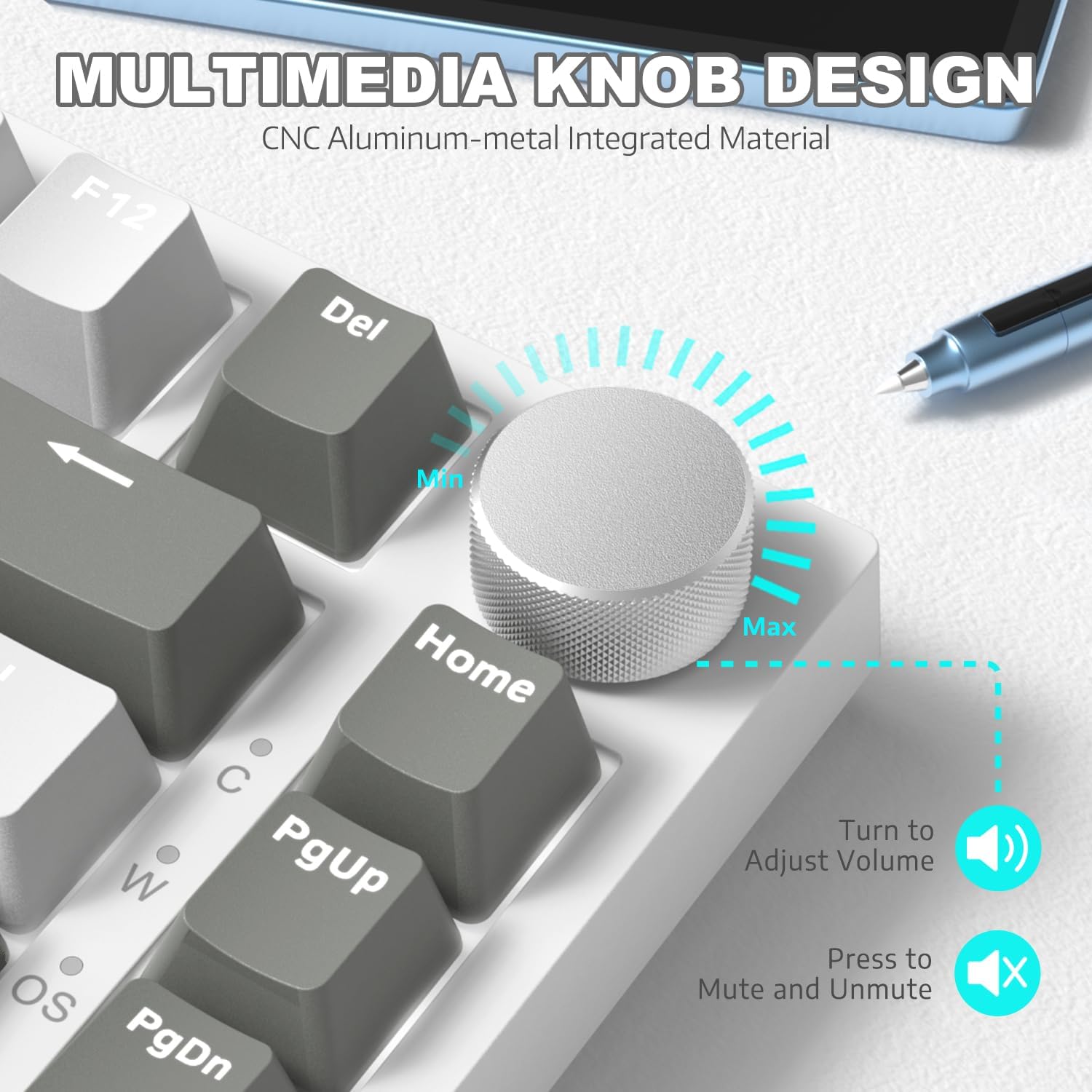
Figura 4: Detallada view of the multimedia knob and its functions.
Control de la llum de fons
The AK820 features 20 white LED backlight effects. You can customize the lighting to suit your preference:
- Canvia els efectes de llum: Premeu FN + | to cycle through the 20 available backlight effects.
- Ajusta la brillantor: Use specific key combinations (refer to keyboard legends or software) to adjust between 5 brightness levels.
- Ajustar velocitat: Use specific key combinations (refer to keyboard legends or software) to adjust between 5 lighting speeds.
- Custom Gaming Lighting: Premeu FN + 1! / 2@ / 3# to access and customize 3 sets of gaming lighting effects. Choose the light recording mode and save your lighting profiles.

Figura 5: La pantalla del teclatasing its LED backlight effects.
Interruptors intercanviables en calent
The AK820's high-quality PCB supports 3/5-pin hot-swap switches, allowing you to easily change switches without soldering. This feature enables customization of your typing experience.
- Use the included 2-in-1 key extractor to carefully remove keycaps and switches.
- Align the pins of the new switch with the sockets on the PCB and gently press down until it clicks into place.
- Substitueix la tapa de les tecles.
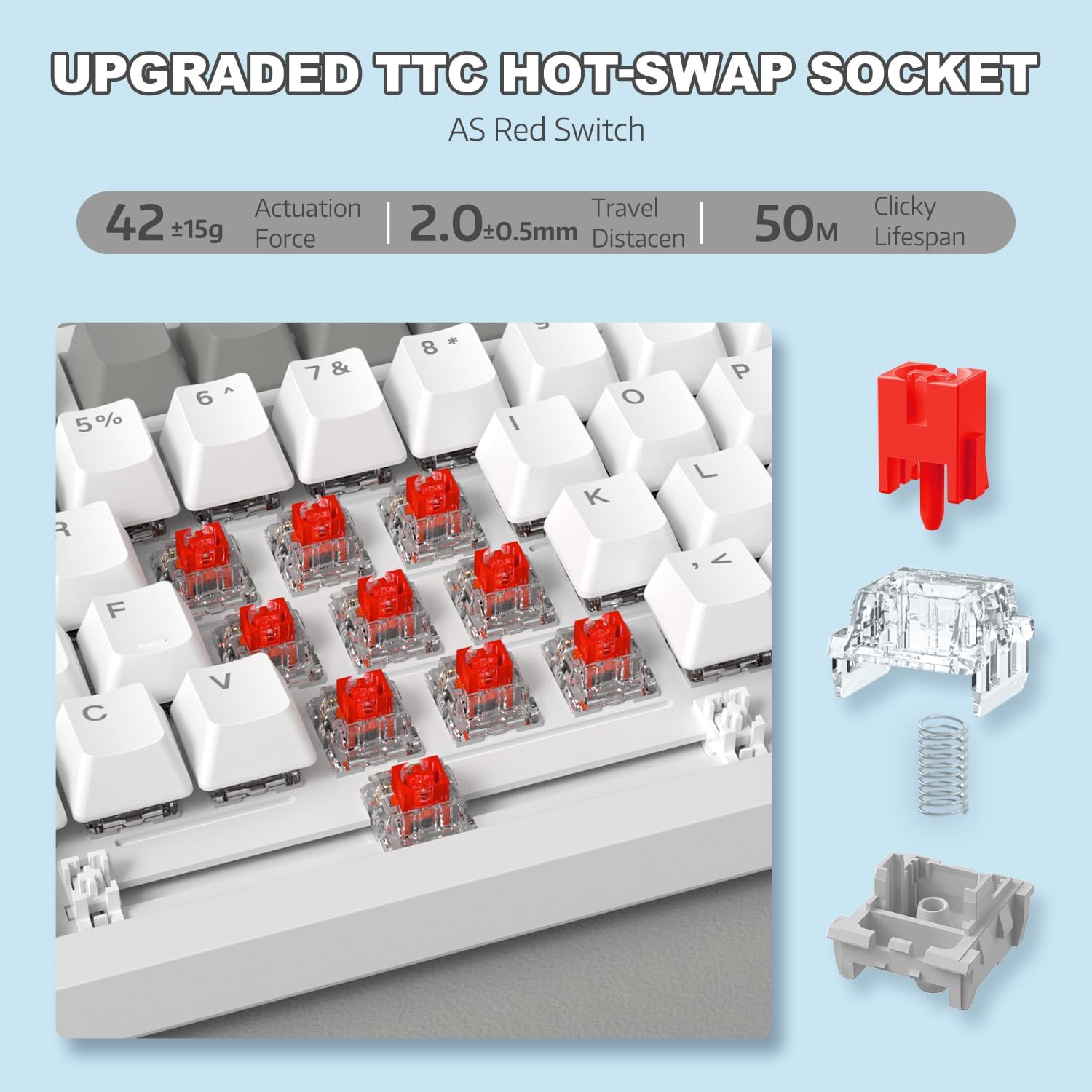
Figure 6: Illustration of the hot-swappable switch mechanism.
Video 1: Demonstrating the unboxing, features, and sound test of the ATTACK SHARK AK820 mechanical keyboard, including its hot-swappable switches and rotary knob.
Canvi de clau N (NKRO)
The AK820 supports N-Key Rollover, meaning that every key press is registered independently, even when multiple keys are pressed simultaneously. This is crucial for fast-paced gaming and accurate typing, preventing
Documents relacionats - AK820
 |
Manual d'usuari del teclat mecànic per a jocs amb cable Attack Shark AKS068 Manual d'usuari complet per al teclat mecànic per a jocs amb cable Attack Shark AKS068. Aprèn sobre la seva disposició Alice al 65%, interruptors intercanviables en calent, muntatge de junta, retroiluminació RGB, programabilitat VIA i compatibilitat amb Windows i macOS. |
 |
Manual d'usuari del teclat sense fil Attack Shark M71 Manual d'usuari complet per al teclat sense fil Attack Shark M71, que detalla les especificacions, el funcionament, la connectivitat i la resolució de problemes per als modes 2.4G, Bluetooth i amb cable. Inclou informació sobre la il·luminació RGB i els interruptors intercanviables en calent. |
 |
Instruccions d'ús del teclat mecànic Attack Shark K86 RGB Instruccions d'ús completes per al teclat mecànic Attack Shark K86 RGB, que cobreixen les connexions Bluetooth i per cable, els controls d'il·luminació, els interruptors intercanviables en calent i les funcions multimèdia. |
 |
Manual d'usuari del teclat mecànic ATTACK SHARK X85 Manual d'usuari complet per al teclat mecànic ATTACK SHARK X85 amb muntatge de junta al 75% i intercanviable en calent, que cobreix les especificacions, la configuració, l'ús i la resolució de problemes. |
 |
Manual d'usuari del teclat de jocs Attack Shark X68 HE Manual d'usuari complet per al teclat de jocs Attack Shark X68 HE, que detalla les seves característiques, configuració i opcions de personalització, com ara el disparador ràpid, els interruptors magnètics i la il·luminació RGB. |
 |
Manual d'usuari i instruccions d'ús del teclat Attack Shark X87 Guia completa per al teclat Attack Shark X87, que cobreix la connectivitat amb cable i sense fil, la il·luminació RGB, els indicadors de bateria, les funcions multimèdia i el funcionament amb interruptor intercanviable en calent. Inclou informació de compliment de la FCC. |