1. Producte acabatview
The Docooler 14 Inch 2-in-1 Touchscreen Laptop is a versatile computing device designed for both productivity and entertainment. Featuring a 4K UHD IPS display and a 360-degree convertible design, it adapts to various usage scenarios, from traditional laptop mode to tablet mode. Powered by an Intel N95 processor, it offers efficient performance for daily tasks.

Image: The Docooler 14 Inch 2-in-1 Touchscreen Laptop in its tent configuration, showcasing its flexible design and vibrant display.
2. Contingut del paquet
Si us plau, verifiqueu que tots els elements siguin presents al paquet:
- Docooler 14 Inch 2-in-1 Touchscreen Laptop
- Cable de càrrega
- Manual d'usuari
3. Primers passos
3.1 Configuració inicial
- Charge the Laptop: Before first use, connect the charging cable to the laptop's USB-C port and plug it into a power outlet. Allow the battery to charge fully.
- Encès: Press and hold the power button located on the side of the laptop until the screen illuminates.
- Configuració de Windows: Seguiu les instruccions que apareixen a la pantalla per completar la configuració inicial del Windows 11, inclosa la selecció d'idioma, la connexió de xarxa i la creació d'un compte d'usuari.
4. Understanding Your Laptop
4.1 Característiques clau
- Visualització: 14-inch 4K UHD (3840x2160) IPS touchscreen with 500 Nits brightness for a clear visual experience.
- Processador: Equipped with the 12th Gen Intel N95 CPU (4-core, 4-thread, up to 3.4GHz) for efficient performance.
- Memòria i emmagatzematge: 12GB LPDDR5 4800MHz high-frequency memory and 512GB/1TB NVMe SSD for fast operation and ampl'emmagatzematge.
- Disseny convertible: 360-degree flip-and-fold design allows for multiple modes of use.
- Pantalla tàctil: 10-level multi-touch screen with gravity sensing for intuitive interaction.
- Seguretat: Fingerprint unlock for quick and secure access.
- Teclat: Teclat retroil·luminat per a una escriptura còmoda en diverses condicions d'il·luminació.
- Connectivitat: Dual-band Wi-Fi (2.4G/5.0G Hz 802.11ac) and Bluetooth for stable wireless connections.

Image: Visual representation of the laptop's 4K UHD display capabilities, highlighting its high resolution and brightness.

Image: Illustration of the Intel N95 12th Generation processor, emphasizing its role in the laptop's performance.
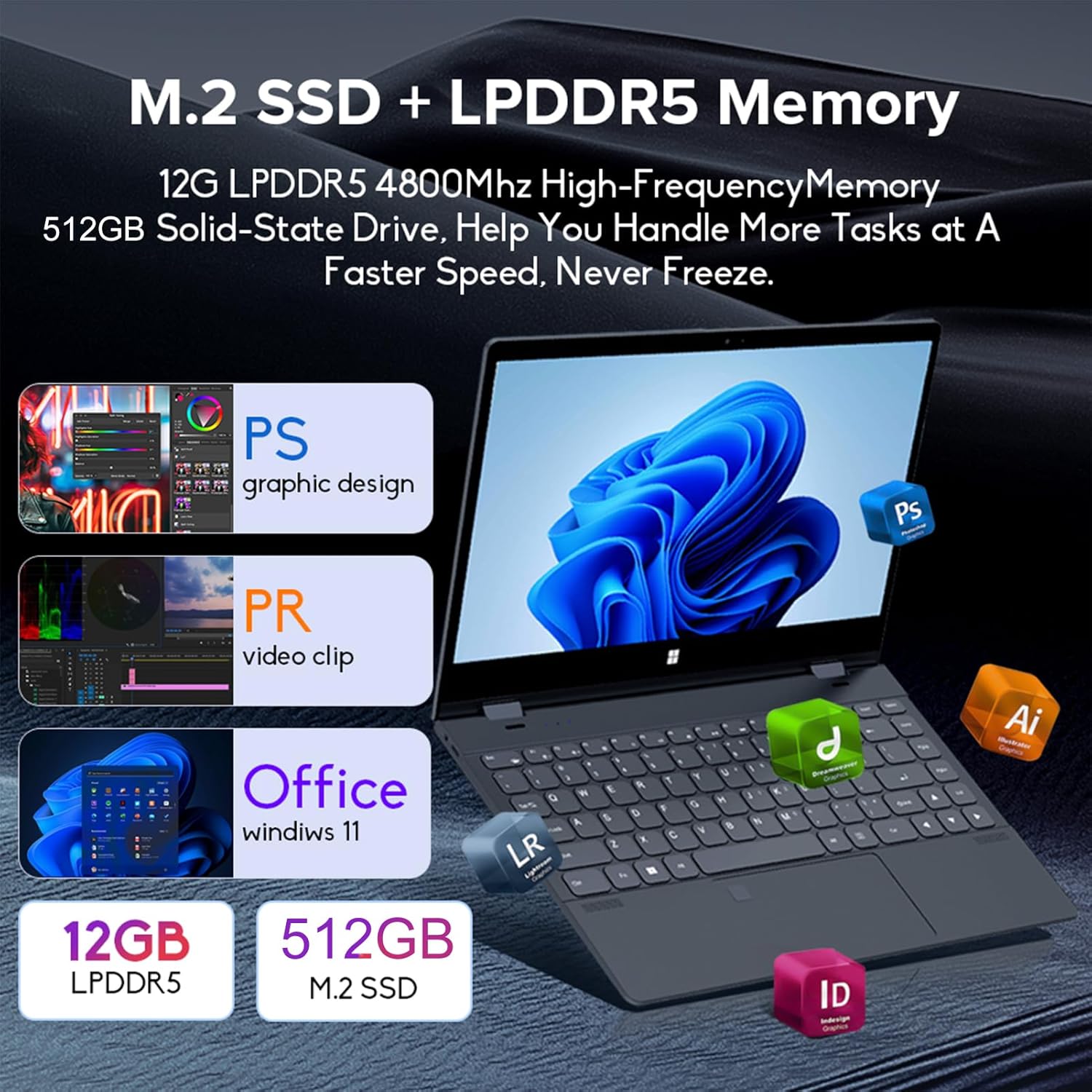
Image: Depiction of the laptop's memory and storage, showing 12GB LPDDR5 RAM and 512GB/1TB M.2 SSD, suitable for various applications.
4.2 Ports i connectors
Familiarize yourself with the available ports on your laptop:
- USB-C (amb totes les funcions): Supports audio, video, data transmission, and PD2.0 fast charging.
- USB 3.0: Per connectar dispositius USB.
- Entrada d’àudio: Per a auriculars o altaveus externs.
- Entrada DC: Power input (if applicable, though USB-C is primary charging).
- Lector de targetes TF: Per a targetes de memòria.

Imatge: Una imatge detallada view of the laptop's side ports, including USB-C, USB 3.0, audio jack, and TF card slot.
4.3 Modes convertibles
The 360-degree hinge allows the laptop to transform into four distinct modes:
- Notebook Mode: Traditional laptop experience for typing and productivity.
- Mode tauleta: Fold the screen back completely for a tablet experience, ideal for touch-based applications and gaming.
- Viewing Mode (Tent Mode): Stand the laptop in a tent shape for watching videos or presentations.
- Conference Mode (Stand Mode): Flip the keyboard under the screen to share content easily in a group setting.

Image: Visual guide demonstrating the four convertible modes of the laptop: Notebook, Tablet, Viewing, and Conference.
5. Funcionament
5.1 Ús de la pantalla tàctil
The 10-point multi-touch screen allows for intuitive navigation. Use gestures similar to a smartphone or tablet. The gravity sensing feature enhances the experience, especially in tablet mode.

Image: Demonstrates the ease of touchscreen operation and the benefit of gravity sensing for gaming.
5.2 Using the Backlit Keyboard and Fingerprint Unlock
- Teclat retroil·luminat: Press the Function (Fn) key combined with the appropriate F-key (usually F3 or F4, check keyboard icons) to toggle the keyboard backlight on/off or adjust its brightness.
- Desbloqueig de les empremtes digitals: Set up your fingerprint in Windows Settings > Accounts > Sign-in options. Once configured, you can unlock your laptop quickly by placing your registered finger on the fingerprint sensor.
5.3 Connexió a Wi-Fi i Bluetooth
The laptop supports dual-band Wi-Fi (2.4G/5.0G Hz 802.11ac) and Bluetooth for wireless connectivity.
- Wi-Fi: Click the Wi-Fi icon in the taskbar, select your desired network, enter the password if prompted, and click Connect.
- Bluetooth: Go to Windows Settings > Bluetooth & devices. Ensure Bluetooth is turned on, then click 'Add device' to pair with Bluetooth peripherals like headphones or mice.

Image: Visual representation of the laptop's dual-band Wi-Fi and Bluetooth connectivity features.
6. Manteniment i cura
- Neteja: Utilitzeu un drap suau i sense pelusa lleugerament dampNetegeu la pantalla amb aigua o un netejador de pantalles. Per al teclat i el xassís, utilitzeu un drap sec i suau. Eviteu productes químics agressius.
- Cura de la bateria: Per allargar la durada de la bateria, eviteu descarregar-la completament amb freqüència. Guardeu el portàtil en un lloc fresc i sec quan no l'utilitzeu durant períodes prolongats.
- Ventilació: Assegureu-vos que les obertures de ventilació del portàtil no estiguin bloquejades per evitar el sobreescalfament. Feu servir el portàtil sobre una superfície dura i plana.
- Actualitzacions de programari: Actualitzeu regularment el sistema operatiu i els controladors per garantir un rendiment i una seguretat òptims.
7. Solució De Problemes
| Problema | Possible solució |
|---|---|
| El portàtil no s'encén. | Ensure the charging cable is securely connected and the power outlet is functional. Allow the laptop to charge for at least 30 minutes before attempting to power on again. |
| Problemes de connexió Wi-Fi. | Restart your router and modem. On the laptop, disable and re-enable Wi-Fi. Ensure you are within range of the Wi-Fi signal. |
| La pantalla tàctil no respon. | Restart the laptop. Check for any physical obstructions on the screen. Ensure Windows updates are current. |
| La retroiluminació del teclat no funciona. | Press Fn + F-key (check keyboard icon) to toggle or adjust backlight brightness. Ensure drivers are up to date. |
| El portàtil va lent. | Close unnecessary applications. Check for background processes. Ensure sufficient free storage space. Run a system scan for malware. |
8. Especificacions tècniques
| Característica | Especificació |
|---|---|
| Mida de la pantalla | 14 polzades |
| Resolució | 3840 x 2160 píxels (4K UHD) |
| Processador | Intel N95 (fins a 3.4 GHz) |
| Mida instal·lada de la memòria RAM | 12 GB LPDDR5 |
| Descripció del disc dur | 512GB/1TB NVMe SSD |
| Sistema operatiu | Windows 11 Home |
| Coprocessador gràfic | Gràfics Intel UHD (integrats) |
| Connectivitat sense fil | 2.4G/5.0G Hz 802.11ac Wi-Fi, Bluetooth |
| Ports USB totals | 2 (including 1 full-featured USB-C) |
| Color | Gris platejat |
| Pes de l'article | 3.46 lliures (1570 grams) |
| Dimensions del paquet | 15.35 x 9.84 x 3.35 polzades |
| País d'origen | Xina |
9. Garantia i Suport
For warranty information and technical support, please refer to the documentation provided with your purchase or visit the official Docooler weblloc web. Conserveu el comprovant de compra per a reclamacions de garantia.
Docooler is committed to providing quality products and customer satisfaction. For further assistance, please contact Docooler customer service.
Note: Protection plans may be available for extended coverage. Please check with your retailer for details.


