1. Introducció
Thank you for choosing SUPVAN KATASYMBOL Label Tapes. These high-quality thermal labels are designed to work seamlessly with your SUPVAN T50M Pro and T50M Plus label makers, providing durable and versatile labeling solutions for various applications. This manual will guide you through the features, setup, operation, and maintenance of your label tapes.
2. Informació de seguretat
While SUPVAN label tapes are designed for general use and meet baby product standards, please observe the following safety guidelines:
- Keep out of reach of small children to prevent accidental ingestion.
- Do not expose labels to extreme heat or open flames.
- Ensure proper ventilation when using the label maker in conjunction with the tapes.
- Avoid direct contact with the adhesive side for prolonged periods if you have sensitive skin.
3. Producte acabatview
SUPVAN KATASYMBOL Label Tapes are engineered for superior performance and durability. Key features include:
- Compatibilitat: Specifically designed for SUPVAN T50M Pro and T50M Plus label makers.
- Dimensions: φ 30 mm, with 220 pieces per roll.
- Durabilitat: Multi-layer synthetic material ensures a lifespan of over 5 years.
- Resistència: Waterproof, oil-proof, and resistant to high and low temperatures.
- Adhesió: Features strong adhesive for reliable attachment.
- Impressió tèrmica: Utilizes thermal technology, requiring no ink or toner, which saves costs and ensures clear prints.
- Seguretat: BPA-free, suitable for various applications including those involving food and baby products.

Image: SUPVAN KATASYMBOL label tape compatibility and key features.

Imatge: Més deview of SUPVAN KATASYMBOL label tape properties.
4. Configuració
To begin using your SUPVAN label tapes, follow these steps:
- Install the Label Tape: Open the cover of your SUPVAN T50M Pro or T50M Plus label maker. Carefully insert the label tape roll into the designated slot, ensuring the label feeds correctly through the printer mechanism. Close the cover securely.
- Descarrega l'aplicació: Download the "Katasymbol" application from your device's app store (available for iOS and Android).
- Connexió a la impressora: Turn on your label maker. Open the Katasymbol app and follow the on-screen instructions to connect your device to the label maker via Bluetooth.
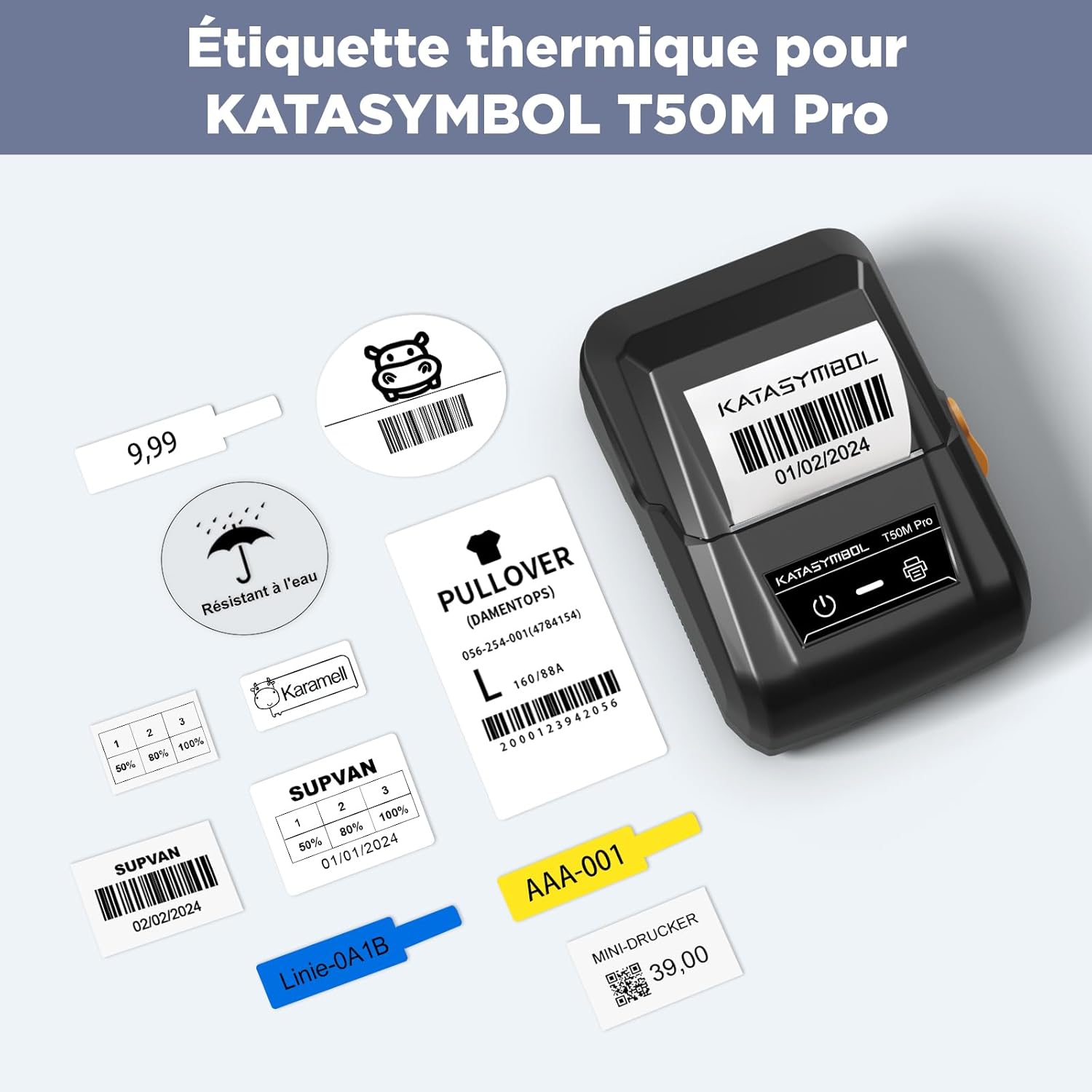
Image: SUPVAN T50M Pro printer with various label examples.
5. Instruccions de funcionament
The Katasymbol app makes designing and printing labels intuitive:
- Reconeixement automàtic: The Katasymbol app will automatically identify the type and size of the label tape you have installed. Nota important: Do not remove the small sticker on the back of the label tape roll. This sticker contains a smart chip that the app needs to identify the label type and size correctly.
- Dissenyeu la vostra etiqueta: Use the app's extensive features to create your desired label. You can choose from over 150 templates, select from more than 40 fonts, and add from over 700 icons to personalize your labels.
- Imprimeix: Once your design is complete, send the print command from the app to your label maker. The thermal printing technology will quickly produce clear and crisp labels.

Image: SUPVAN label printers in operation.
6. Aplicacions
SUPVAN KATASYMBOL label tapes are incredibly versatile and can be used in a multitude of settings:
- Organització de la llar: Label spice jars, food containers, storage boxes, and organize cables.
- Ús d'oficina: Create labels for files, folders, office supplies, and equipment.
- School & Study: Label books, notebooks, and school supplies.
- Retail & Business: Generate price tags, barcodes, QR codes, product information labels, and address labels for shipping.
- Personalització: Design custom labels for gifts, crafts, and personal items.
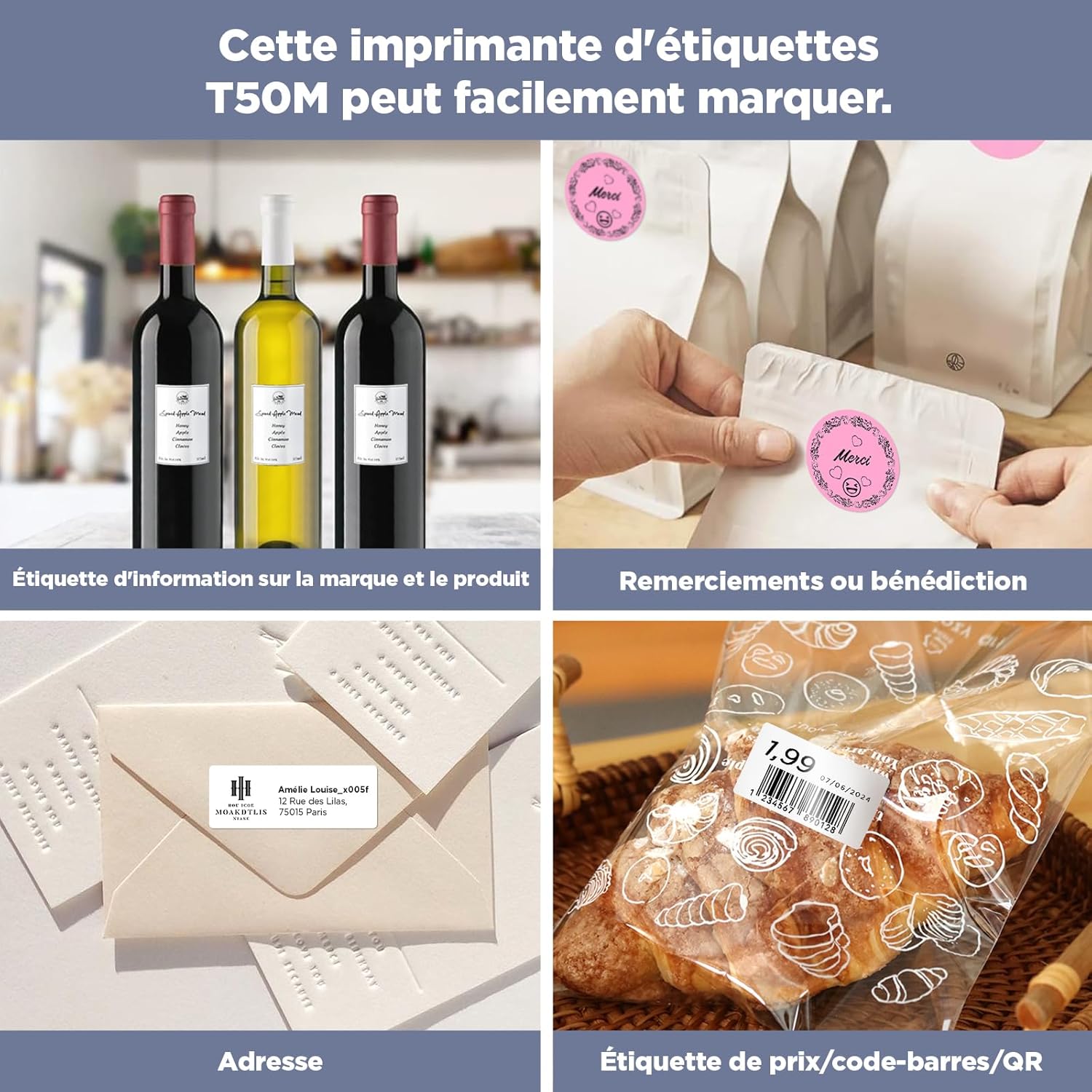
Image: Diverse applications of SUPVAN labels.

Image: Ideal for home and office organization.

Image: Versatile use for small businesses, branding, shipping, and kitchen organization.
7. Manteniment
To ensure the longevity and optimal performance of your SUPVAN label tapes:
- Emmagatzematge: Store unused label rolls in a cool, dry place away from direct sunlight and extreme temperatures.
- Manipulació: Avoid touching the adhesive side of the labels unnecessarily to maintain stickiness.
- Manteniment de la impressora: Regularly clean the print head of your SUPVAN label maker as per its instruction manual to ensure clear and consistent print quality.

Image: Labels are resistant to water.

Image: Demonstrating label resistance to water, oil, residue, and scratches.
8. Solució De Problemes
If you encounter any issues with your label tapes, consider the following:
- App Not Recognizing Label: Ensure that the small sticker with the smart chip on the back of the label roll has not been removed. This sticker is crucial for the Katasymbol app to identify the label type and size.
- Mala qualitat d'impressió: Check if the label tape is correctly installed and aligned in the printer. Ensure the printer's print head is clean.
- Labels Not Sticking: Ensure the surface you are applying the label to is clean, dry, and smooth. Avoid applying labels to textured or oily surfaces.
- Labels Difficult to Remove: While designed for easy removal, some surfaces or prolonged adhesion might make removal challenging. For best results, peel slowly from one corner.

Image: Labels are easy to remove with no sticky residue.
9. Especificacions
| Característica | Especificació |
|---|---|
| Marca | SUPVAN |
| Compatibilitat de models | T50M Pro/T50M Plus |
| Dimensions de l'etiqueta | φ 30 mm |
| Labels per Roll | 220 peces |
| Color | Blanc |
| Tipus de material | Paper (sintètic) |
| Dimensions del producte (L x A x A) | 5 x 3 x 3 cm |
| Pes de l'article | 75 g |
| Tecnologia d'impressió | Tèrmica |
| Tipus d'adhesiu | Strong Adhesion |
| Característiques especials | Waterproof, Oil-proof, BPA-free, Temperature Resistant, No Residue |
10. Garantia i Suport
SUPVAN products are manufactured to high-quality standards. For any questions, technical support, or warranty inquiries regarding your label tapes or label maker, please contact SUPVAN customer service through the official website or your purchase platform. Please have your product model and purchase details ready when contacting support.


