1. Introducció
This manual provides essential information for the proper use, setup, and maintenance of your Genesis MANGAN 400 Wireless Gamepad. Please read this manual thoroughly before using the device to ensure optimal performance and longevity.
The MANGAN 400 is a versatile wireless gamepad designed for precision and adaptability across multiple platforms, including PC, Nintendo Switch, and mobile phones. It features customizable elements and advanced controls to enhance your gaming experience.
2. Producte acabatview i Característiques
The Genesis MANGAN 400 gamepad offers a range of features designed for an immersive and responsive gaming experience.

Figura 1: Frontal view of the MANGAN 400 Gamepad, showcasing its white finish, dual analog sticks, D-pad, action buttons (A, B, X, Y), and central function buttons.
Característiques principals:
- Compatibilitat multiplataforma: Supports PC (X-Input/D-Input), Nintendo Switch, and mobile phones.
- Placa frontal intercanviable: Customize the gamepad's appearance with included alternative faceplates.
- Precision Joysticks: Designed for accurate and smooth movement control.
- Vibració ajustable: Three available vibration modes for personalized haptic feedback.
- Sensibilitat del joystick ajustable: Fine-tune joystick response to match your preferences.
- Exact Triggers: Pressure-sensitive triggers for nuanced control in games.
- Botons il·luminats: Buttons manufactured with double injection technology for durability and visibility, with an option to turn off lighting.
- Llarga vida útil de la bateria: Fins a 15 hores de joc amb una sola càrrega.
- Disseny ergonòmic: Rubberized handles prevent slipping during intense gameplay.
- Emmagatzematge portàtil: Includes a special case with a slot for the PC adapter for safe storage and transport.

Figura 2: Angle view of the MANGAN 400 Gamepad, highlighting the ergonomic shape and button layout.
3. Configuració i connexió
Follow these steps to connect your MANGAN 400 gamepad to your desired device.
3.1. Càrrega del GamePad
Before first use, fully charge the gamepad using the provided USB cable. Connect the small end of the USB cable to the gamepad's charging port and the larger end to a USB power source (e.g., computer USB port, USB wall adapter).
- Una càrrega completa proporciona fins a 15 hores de reproducció.
- L'indicador LED mostrarà l'estat de càrrega i s'apagarà o canviarà de color quan estigui completament carregat.
3.2. Connecting to PC (Wireless)
The MANGAN 400 includes a Bluetooth adapter for PC connection.
- Insert the included Bluetooth adapter into an available USB port on your PC.
- Turn on the MANGAN 400 gamepad by pressing the central Home button.
- The gamepad will automatically attempt to pair with the adapter. The LED indicators on the gamepad will flash during pairing and become solid once connected.
- Your PC should recognize the gamepad as an X-Input or D-Input device.

Figure 3: The MANGAN 400 Gamepad with its dedicated storage case, which includes a slot for the PC Bluetooth adapter.
3.3. Connexió a la Nintendo Switch
- A la teva Nintendo Switch, vés al menú INICI.
- Seleccioneu "Controladors" i després "Canviar agafada/ordre".
- Press and hold the pairing button on the MANGAN 400 gamepad (refer to the diagram in Section 4 for button location) until the LED indicators begin to flash rapidly.
- Once the gamepad appears on the Switch screen, release the button. The gamepad will connect, and the player indicator LEDs will light up.
3.4. Connexió al telèfon mòbil (Bluetooth)
- Assegureu-vos que el Bluetooth estigui habilitat al vostre telèfon mòbil.
- Turn on the MANGAN 400 gamepad.
- Press and hold the pairing button on the gamepad until the LED indicators flash rapidly.
- On your phone, go to Bluetooth settings and search for new devices.
- Select "MANGAN 400" from the list of available devices to pair.
- The LED indicators on the gamepad will become solid once connected.
4. Funcionament del GamePad
This section details the functions of the gamepad's buttons and how to utilize its customizable features.
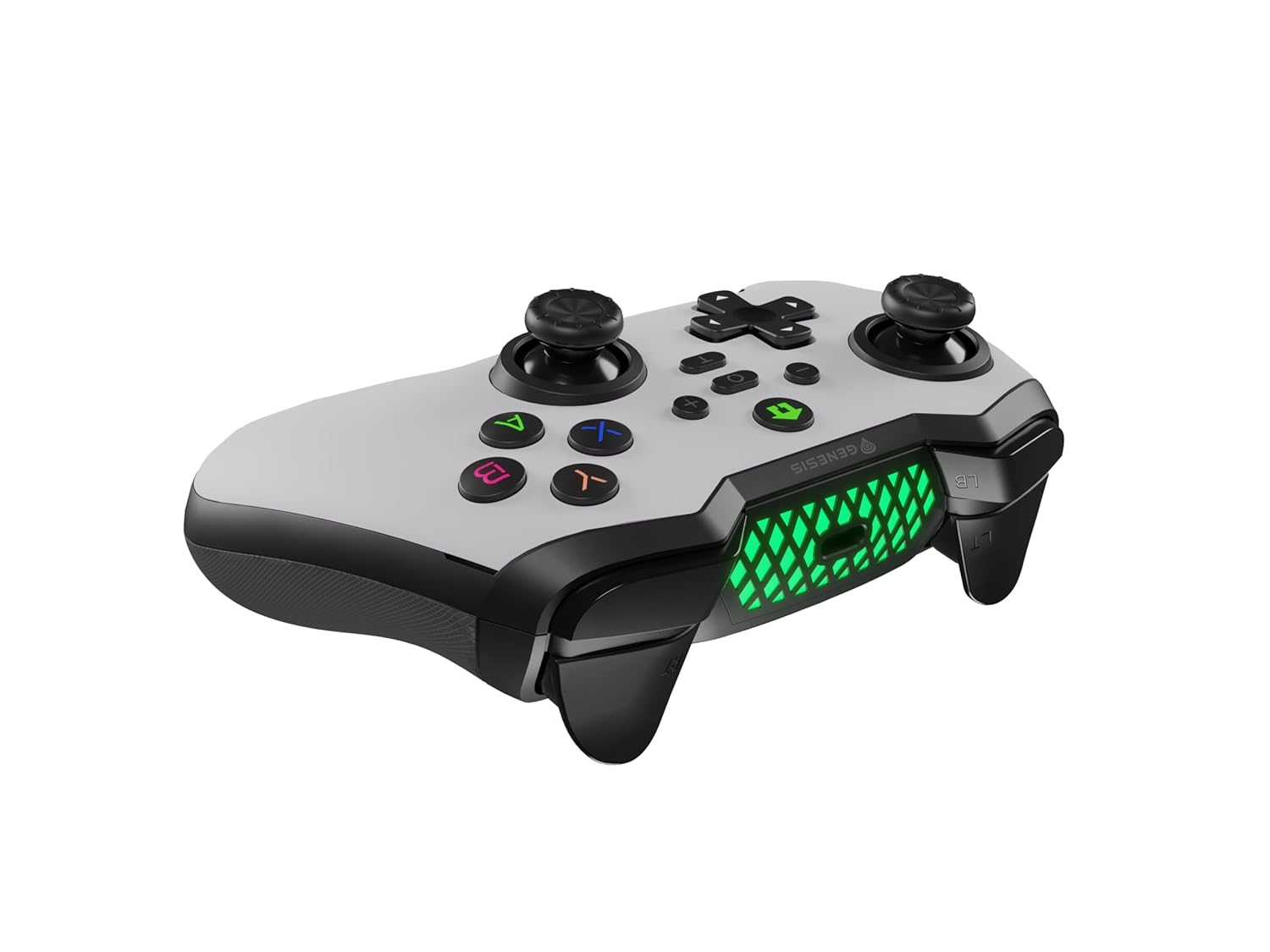
Figura 4: De dalt a baix view of the MANGAN 400 Gamepad, illustrating the layout of the dual analog sticks, D-pad, action buttons, shoulder buttons, and triggers.
4.1. Funcions del botó
- Stick analògic esquerre: Movement, camera control.
- Stick analògic dret: Camera control, aiming.
- D-Pad: Entrada direccional, navegació per menús.
- Botons d'acció (A, B, X, Y): In-game actions, menu selections.
- Shoulder Buttons (L1/LB, R1/RB): Various in-game functions.
- Triggers (L2/LT, R2/RT): Pressure-sensitive input for acceleration, shooting, etc.
- Botó d'inici: Encendre/apagar, accedir als menús del sistema.
- Select/Minus Button: Access in-game menus, system functions.
- Start/Plus Button: Pause game, access in-game menus.
- Turbo Button (T): Activates turbo function for selected buttons.
4.2. Opcions de personalització
- Vibració ajustable: The gamepad features three vibration modes. Consult the full manual or product website for specific button combinations to cycle through or adjust vibration intensity.
- Sensibilitat del joystick ajustable: You can fine-tune the sensitivity of the joysticks. This allows for more precise control, especially useful in games that do not offer in-game sensitivity settings. Refer to the product's official documentation for instructions on adjusting sensitivity.
- Botons il·luminats: The buttons are illuminated for better visibility. This lighting can be turned off if preferred. Specific instructions for toggling button illumination can be found in the detailed product guide.
- Placa frontal intercanviable: The MANGAN 400 comes with an alternative faceplate. To change it, carefully detach the current faceplate and snap the new one into place. Ensure it is securely fastened.

Figura 5: Una explosió view of the MANGAN 400 Gamepad, illustrating the removable faceplate and internal structure, including the illuminated elements.
5. Manteniment i cura
Proper maintenance ensures the longevity and optimal performance of your MANGAN 400 gamepad.
- Neteja: Feu servir un drap suau i sec per netejar la superfície del gamepad. Per a la brutícia persistent, netegeu lleugerament.ampRenta el drap amb aigua. Evita fer servir productes químics agressius, dissolvents o netejadors abrasius.
- Emmagatzematge: When not in use, store the gamepad in its special case to protect it from dust, spills, and physical damage. Keep it in a cool, dry place away from direct sunlight and extreme temperatures.
- Cura de la bateria: To prolong battery life, avoid fully discharging the gamepad frequently. If storing for an extended period, charge the battery to approximately 50% every few months.
- Eviteu les gotes: No deixeu caure el gamepad ni el sotmeteu a impactes forts, ja que això pot danyar els components interns.

Figura 6: lateral view of the MANGAN 400 Gamepad, showing the textured rubberized grips designed for comfort and to prevent slipping.
6. Solució De Problemes
If you encounter issues with your MANGAN 400 gamepad, refer to the following common problems and solutions.
| Problema | Causa possible | Solució |
|---|---|---|
| El gamepad no s'encén. | Bateria baixa. | Charge the gamepad fully using the provided USB cable. |
| Gamepad does not connect to PC/Switch/Mobile. | Not in pairing mode; Bluetooth interference; Adapter issue (PC). |
|
| Els botons o els joysticks no responen. | Connection issue; Software glitch; Physical damage. |
|
| La vibració no funciona o és massa feble/forta. | Vibration settings; Game does not support vibration. |
|
7. Especificacions tècniques
| Característica | Detall |
|---|---|
| Model | MANGAN 400 |
| Marca | Gènesi |
| Connectivitat | Wireless (Bluetooth with included adapter for PC) |
| Compatibilitat | PC (X-Input/D-Input), Nintendo Switch, Mobile Phone |
| Durada de la bateria | Fins a 15 hores (una sola càrrega) |
| Pes de l'article | 15.2 unces (aprox. 430 g) |
| Característiques especials | Interchangeable faceplate, Adjustable vibration, Adjustable joystick sensitivity, Illuminated buttons, Rubberized grips, Dedicated storage case with adapter slot. |
8. Garantia i Suport
For warranty information, please refer to the warranty card included with your product or visit the official Genesis weblloc web. Conserveu el comprovant de compra per a reclamacions de garantia.
If you require technical assistance or have questions not covered in this manual, please contact Genesis customer support through their official weblloc web o la informació de contacte que es proporciona a l'embalatge del producte.
Fabricant: Gènesi
Data de primera disponibilitat: 25 de març de 2024


