Introducció
Thank you for choosing the Raddy RF886 Portable Shortwave Radio. This compact and versatile digital radio offers a wide range of reception capabilities, including AM, FM, Shortwave (SW), and VHF bands. Equipped with Bluetooth connectivity, dual antennas, and essential emergency features like a flashlight and SOS function, the RF886 is designed for both everyday listening and outdoor adventures. This manual provides detailed instructions to help you set up, operate, and maintain your radio for optimal performance.
Informació de seguretat
- Do not expose the radio to extreme temperatures, direct sunlight, or high humidity.
- Eviteu deixar caure la ràdio ni sotmetre-la a impactes forts.
- Keep the radio away from water and other liquids. If it gets wet, power it off immediately and allow it to dry completely before use.
- Do not attempt to disassemble or modify the radio. This will void the warranty and may cause damage.
- Use only the specified charging cable and power adapter (if applicable) to charge the device.
- Desfeu-vos de la bateria d'acord amb la normativa local. No la incinereu.
- Mantenir fora de l'abast dels nens.
Contingut del paquet
Si us plau, reviseu el paquet per assegurar-vos que tots els articles hi són i estan en bon estat:
- Raddy RF886 Portable Shortwave Radio
- Cable de càrrega USB-C
- 3-meter External Wire Antenna
- Manual d'usuari (aquest document)

Image: The Raddy RF886 radio shown with its USB-C charging cable and the 3-meter external wire antenna, illustrating the complete package contents.
Producte acabatview
Familiarize yourself with the various parts and controls of your Raddy RF886 radio.

Imatge: Frontal view of the Raddy RF886 radio, displaying its digital screen, control buttons, speaker grille, and extended telescopic antenna. The external wire antenna is also shown next to the radio.
Característiques principals:
- Pantalla digital: Shows frequency, time, battery level, and other indicators.
- Antena telescòpica: For FM, SW, and VHF reception.
- Port d'antena externa: For connecting the included 3M wire antenna for enhanced reception.
- Botons de control: Power, Lock, Time/Set, Memory/Scan, Band, Channel Up/Down.
- Ponent: Altaveu integrat per a la sortida d'àudio.
- Port de càrrega USB-C: Per recarregar la bateria interna.
- Auriculars Jack: Per a una escolta privada.
- Llanterna: Llum LED integrada per a la il·luminació.
- Funció SOS: Funció d'alerta d'emergència.

Image: The Raddy RF886 radio being held in a hand, illustrating its compact and portable size (124mm x 67mm x 29mm, weighing 150g).
Configuració
1. Carregant la bateria
The Raddy RF886 is equipped with a built-in rechargeable Lithium-ion battery. Before first use, fully charge the radio.
- Locate the USB-C charging port on the side or bottom of the radio.
- Connecteu el cable USB-C proporcionat al port de càrrega de la ràdio.
- Connecteu l'altre extrem del cable USB-C a un adaptador de corrent USB estàndard (no inclòs) o al port USB d'un ordinador.
- The charging indicator on the display will show charging status. Once fully charged, the indicator will change or turn off.
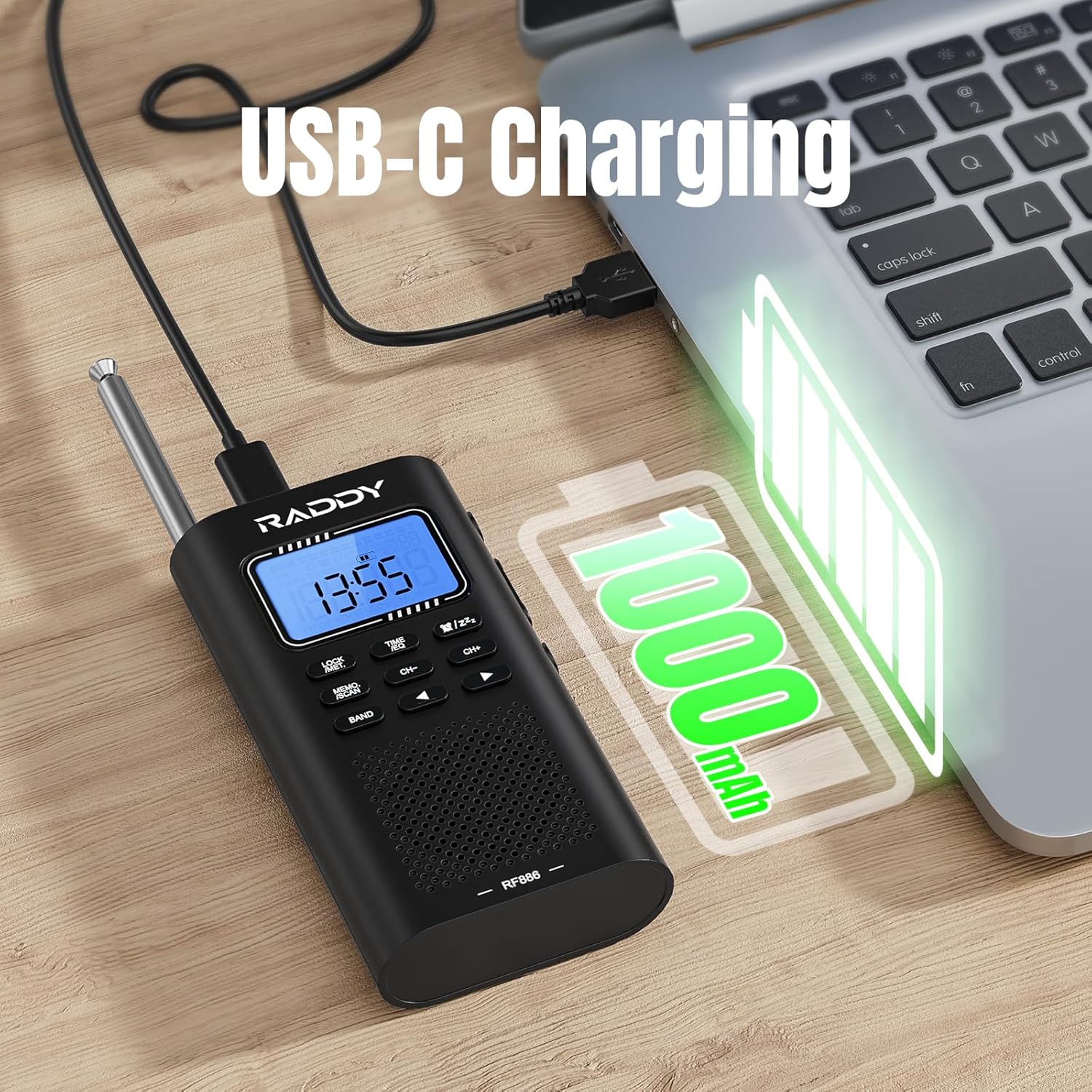
Image: The Raddy RF886 radio connected to a laptop via its USB-C port for charging, with a battery icon indicating a 1000mAh capacity.
2. Configuració de l'antena
The RF886 features both an integrated telescopic antenna and support for an external wire antenna to optimize reception across different bands.
- Antena telescòpica: For FM, SW, and VHF reception, extend the telescopic antenna fully for best results. Adjust its direction to improve signal strength.
- External Wire Antenna: For enhanced Shortwave (SW) reception, connect the provided 3-meter external wire antenna to the dedicated antenna port on the radio. Extend the wire antenna as much as possible, ideally hanging it vertically or horizontally in an open area, away from metal objects.
- Recepció AM: The radio uses a built-in ferrite bar antenna for AM reception. No external antenna is typically needed for AM. Rotate the radio for optimal AM signal.
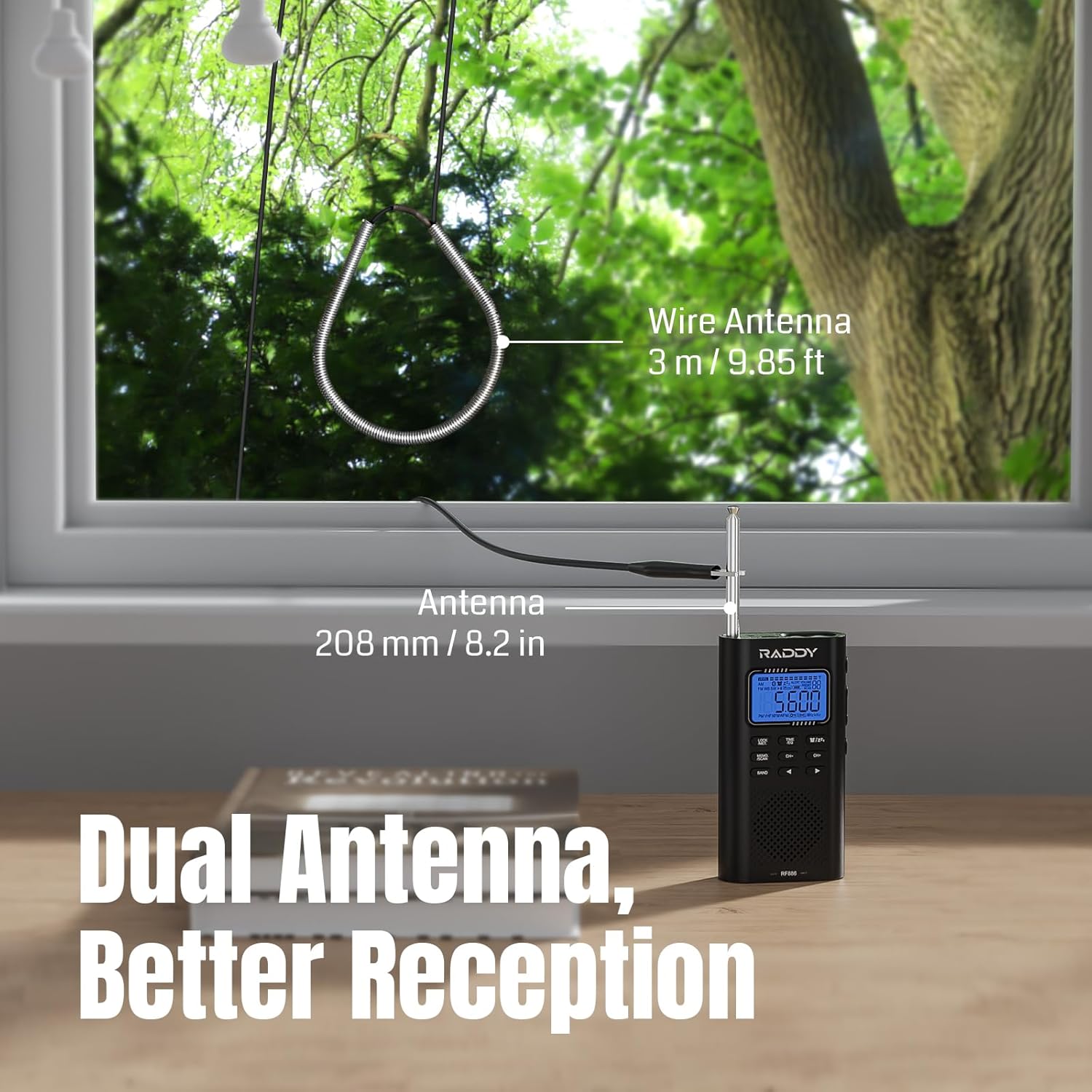
Image: The Raddy RF886 radio positioned near a window, demonstrating the use of both its 208mm (8.2 inch) telescopic antenna and the connected 3-meter (9.85 ft) external wire antenna for improved signal reception.
Instruccions de funcionament
1. Encendre/apagar
Manteniu premut el botó PODER botó per encendre o apagar la ràdio.
2. Selecció de bandes
Premeu el botó BANDA button repeatedly to cycle through the available frequency bands: AM, FM, Shortwave (SW), and VHF.

Image: The Raddy RF886 radio displaying its multi-band reception capabilities, including AM, FM, Shortwave (SW), and VHF bands.
3. Sintonització i emmagatzematge d'emissores
The RF886 offers precise digital tuning and multiple ways to find and save your favorite stations.
- Sintonització manual: Utilitza el CH+ i CH- buttons to manually adjust the frequency. A short press will fine-tune, while a long press will scan to the next strong station.
- Auto Search & Store: Manteniu premut el botó MEMO./SCAN button to initiate an automatic scan. The radio will search for and store all strong stations within the current band. Up to 396 stations can be stored.
- Manual Store: To manually save a station, tune to the desired frequency, then short press the MEMO./SCAN button. The display will show a memory location. Use CH+ or CH- to select a memory slot, then press MEMO./SCAN de nou per confirmar.
- Recuperació d'emissores emmagatzemades: En mode de ràdio, premeu breument el botó MEMO./SCAN botó i, a continuació, feu servir CH+ or CH- to navigate through your saved stations.
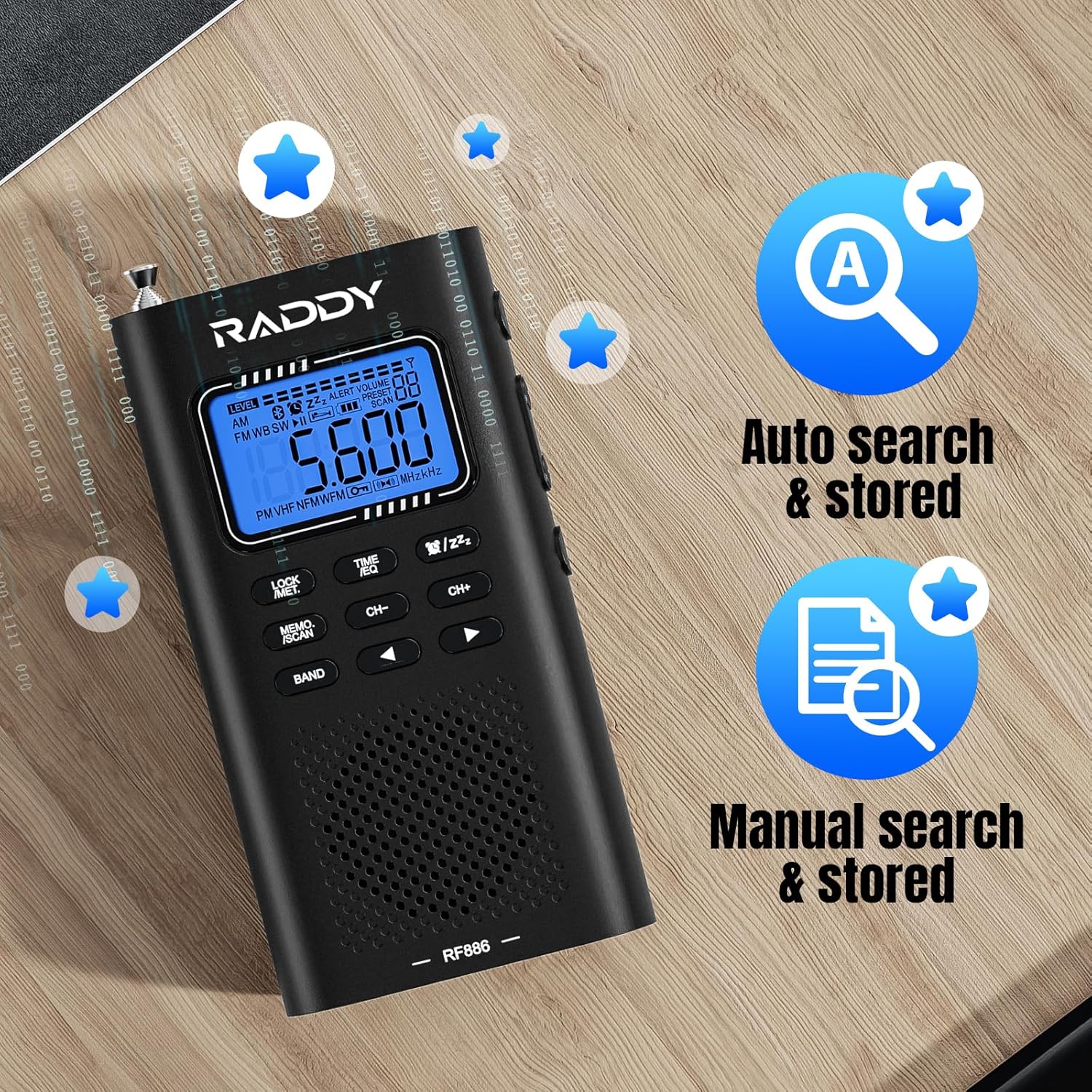
Image: The Raddy RF886 radio's display, highlighting its auto search and store function (icon A) and manual search and store function (icon with document and magnifying glass).
4. Connexió Bluetooth (BT)
The RF886 can function as a Bluetooth speaker, allowing you to play audio from your smartphone or other Bluetooth-enabled devices.
- Enceneu la ràdio.
- Premeu el botó BANDA button until "BT" mode is displayed. The radio will enter pairing mode, indicated by a flashing Bluetooth icon.
- On your Bluetooth device (e.g., smartphone), enable Bluetooth and search for "Raddy RF886" in the list of available devices.
- Select "Raddy RF886" to pair. Once connected, the Bluetooth icon on the radio's display will become solid, and you will hear a confirmation tone.
- Ara pots reproduir àudio des del dispositiu a través de l'altaveu de la ràdio.
- In BT mode, you can also connect headphones for private listening and select from six different sound effects.

Image: The Raddy RF886 radio wirelessly connected to a smartphone via Bluetooth 5.0, demonstrating its capability to play music from the phone.
5. Ús d'auriculars
Connecteu uns auriculars estàndard de 3.5 mm a la presa d'auriculars per escoltar en privat. L'altaveu intern es silenciarà automàticament.
6. Flashlight and SOS Function
The RF886 includes a built-in flashlight and an SOS alarm for emergency situations.
- Llanterna: Short press the dedicated flashlight button (refer to product diagram if available) to turn the flashlight on or off.
- Alarma SOS: Long press the SOS button (refer to product diagram if available) to activate the loud emergency alarm and flashing light. Press again to deactivate.
7. Configuració de l'hora i l'alarma
The radio features a built-in clock and alarm function.
- Hora de configuració: Manteniu premut el botó HORA/SET botó. Ús CH+ i CH- to adjust hours and minutes. Press HORA/SET de nou per confirmar cada configuració.
- Configuració d'alarma: In time display mode, short press the HORA/SET per entrar al mode de configuració de l'alarma. Utilitzeu el botó CH+ i CH- per configurar l'hora de l'alarma. Premeu HORA/SET to confirm. You can also select the alarm source (e.g., buzzer or last played radio station).
- Temporitzador de son: The radio may include a sleep timer function. Consult the on-screen prompts or quick guide for activation, typically by pressing a dedicated sleep button or a combination of buttons.
Manteniment
- Neteja: Netegeu la ràdio amb un drap suau i sec. No utilitzeu netejadors abrasius, dissolvents ni productes químics forts, ja que poden danyar la superfície.
- Emmagatzematge: Quan no la feu servir durant períodes prolongats, guardeu la ràdio en un lloc fresc i sec, allunyat de la llum solar directa i de temperatures extremes.
- Cura de la bateria: To prolong battery life, avoid fully discharging the battery frequently. Recharge the radio at least once every three months if not used regularly.
Resolució de problemes
| Problema | Causa possible | Solució |
|---|---|---|
| La ràdio no s'encén. | La bateria està esgotada. | Carregueu la ràdio amb el cable USB-C. |
| Mala recepció de ràdio. | Antena no estesa o posicionada correctament; zona de senyal feble. | Fully extend the telescopic antenna. Connect and properly position the external wire antenna for SW. Rotate the radio for AM. Try moving to a different location. |
| El Bluetooth no es connecta. | Radio not in BT pairing mode; device too far; device already connected to another BT device. | Ensure radio is in BT mode. Make sure your device's Bluetooth is on and within range. Disconnect from other BT devices. Try restarting both the radio and your BT device. |
| No hi ha so de l'altaveu. | Volume too low; headphones connected; radio muted. | Increase volume. Disconnect headphones. Check if radio is muted. |
| Els botons no responen. | La funció de bloqueig de tecles està activada. | Premeu el botó BLOC botó per desbloquejar el teclat numèric. |
Especificacions
| Característica | Detall |
|---|---|
| Marca | Raddy |
| Número de model | RF886 |
| Color | Negre |
| Tecnologia de connectivitat | Bluetooth |
| Característiques especials | Integrated AM antenna, Integrated clock, Integrated flashlight, Portable, Rechargeable |
| Dispositius compatibles | Headphones, Earphones, MP3 Player, Smartphone, Laptop, Speaker, Tablet |
| Composició de la bateria | Ió de liti |
| Bateria recarregable | Sí |
| Dimensions del producte | 124 x 67 x 29 mm (4.9 x 2.6 x 1.1 polzades) |
| Tecnologia d'afinació | AM FM VHF SW |
| Bandes de ràdio compatibles | AM, FM, Shortwave |
| Font d'alimentació | Bateria recarregable |
| Components inclosos | Manual del propietari |
Garantia i Suport
For warranty information and technical support, please refer to the official Raddy weblloc web o contacteu directament amb el seu servei d'atenció al client. Normalment, els detalls es troben a l'embalatge del producte o als recursos oficials en línia del fabricant.
Fabricant: Raddy
País d'origen: Xina
Disponibilitat de peces de recanvi: Informació no disponible
Actualitzacions de programari garantides fins a: Informació no disponible


