1. Producte acabatview
The Magcubic HY320 is a mini portable projector designed for home entertainment, offering native 1080P resolution with 4K decoding support. It features Wi-Fi 6 and Bluetooth 5.0 connectivity, a 180-degree swivel projection, and runs on Android 11.0, providing a versatile viewexperiència de fins a 150 polzades.
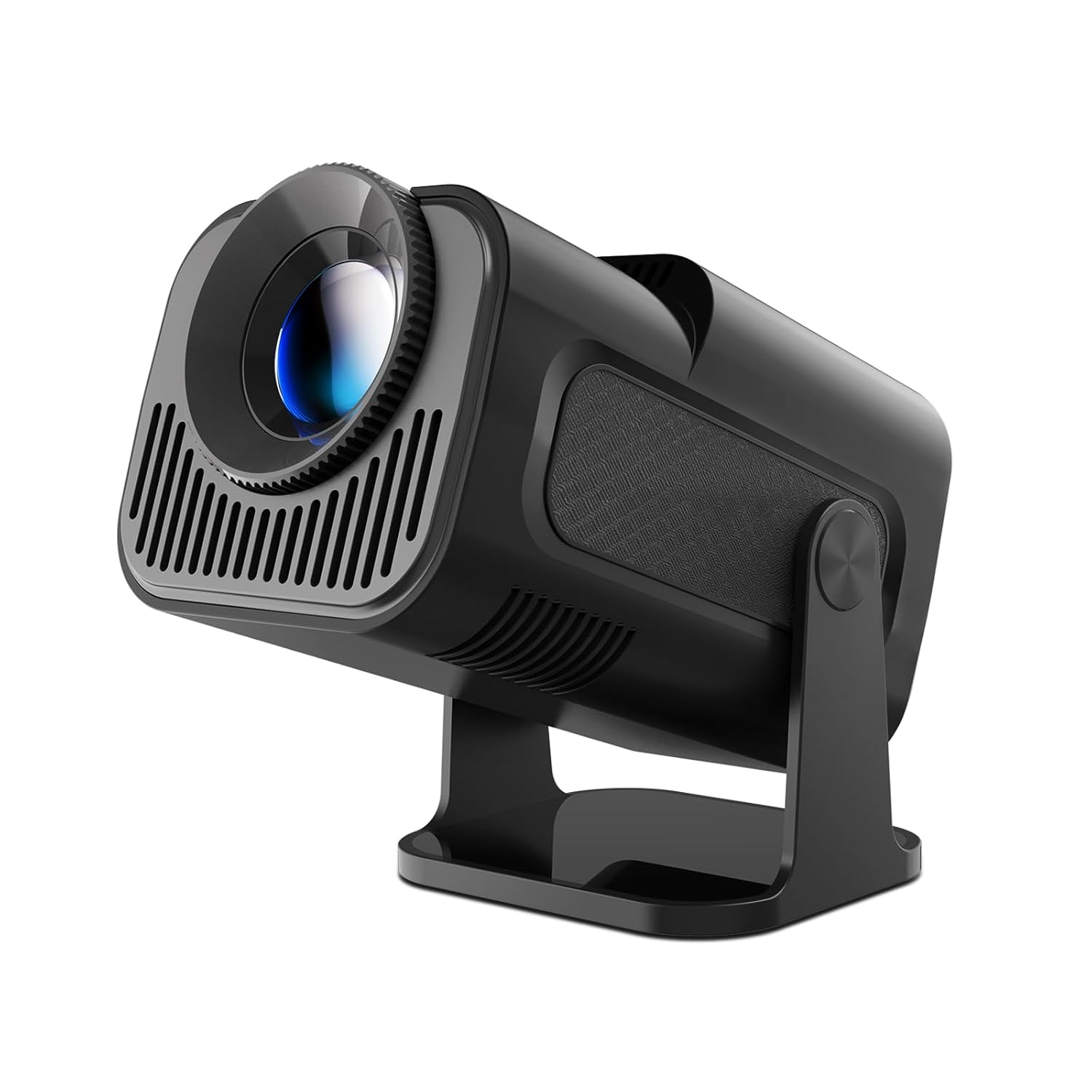
Image: The Magcubic HY320 projector, showcasing el seu disseny compacte i el seu suport ajustable.
2. Informació important de seguretat
Please read all safety instructions carefully before using the projector. Failure to follow these instructions may result in electric shock, fire, or damage to the device.
- Seguretat elèctrica: Use only the provided power adapter. Do not expose the projector to rain or moisture. Disconnect power during lightning storms or when unused for long periods.
- Ventilació: Assegureu-vos que hi hagi una ventilació adequada al voltant del projector. No bloquegeu les obertures de ventilació. El sobreescalfament pot provocar un mal funcionament o un incendi.
- Calor: The projector may become warm during operation. This is normal. Avoid touching the ventilation areas directly.
- Font de llum: No mireu directament a la lent del projector quan estigui encès.amp is on. The intense light can cause eye damage. Keep out of reach of children.
- Col·locació: Place the projector on a stable, flat surface. Avoid placing it in direct sunlight, near heat sources, or in environments with excessive dust or humidity.
- Neteja: Unplug the projector before cleaning. Use a soft, dry cloth. Do not use liquid or aerosol cleaners.
3. Contingut del paquet
Verifiqueu que tots els elements siguin presents al paquet:
- Magcubic HY320 Projector
- Adaptador d'alimentació
- Control remot
- Manual d'usuari
4. Característiques clau
- Native 1080P / 4K Decoding: Supports 1080P resolution for clear images and can decode 4K content. Advanced LED technology ensures vibrant colors and dynamic effects.
- Projecció giratòria de 180°: The projector can rotate 180 degrees, allowing projection onto walls, ceilings, or floors from various angles.
- Correcció trapezoidal automàtica: Features automatic keystone correction for quick image alignment and manual focus for fine-tuning.
- BT 5.0 & Hi-Fi Speaker: Equipped with a built-in 3W Hi-Fi speaker for immersive audio. Bluetooth 5.0 allows connection to external headphones or speakers. Note: Does not support connecting to smartphones or Bluetooth laptops directly via Bluetooth for audio input.
- Sistema operatiu Android 11.0: Built-in Android 11.0 operating system for direct access to streaming apps and content.
- Connectivitat Wi-Fi 6: Supports Wi-Fi 6 for ultra-fast and stable wireless connections.
- Mida de projecció gran: Capable of projecting an image up to 150 inches.

Image: Visual representation of the projector's 4K and 1080P video playback capabilities, highlighting image clarity.

Image: Diagram illustrating various projection sizes (50", 80", 200") at different distances, demonstrating the large screen capability.
5. Guia de configuració
5.1 Col·locació inicial
Place the projector on a stable, flat surface. The 180-degree swivel allows flexible positioning to project onto a wall, ceiling, or floor. For optimal viewing, ensure the projection surface is smooth and light-colored.
5.2 Connexió d'alimentació
- Connecteu l'adaptador de corrent al port d'entrada d'alimentació del projector.
- Connecteu l'adaptador d'alimentació a una presa de corrent adequada.
- The projector will typically power on or enter standby mode.
5.3 Focusing and Keystone Correction
The HY320 features automatic keystone correction to adjust the image shape. For focus, use the manual focus ring on the lens or the remote control to achieve a sharp image.

Image: Depiction of automatic keystone correction and zoom functionality, showing how the projector adjusts image shape and size.
6. Instruccions de funcionament
6.1 Encès/Apagat
- Premeu el botó d'engegada del projector o del comandament a distància per encendre o apagar el dispositiu.
6.2 Navegació per la interfície d'Android
Upon startup, the projector will display the Android 11.0 home screen. Use the remote control's directional buttons and OK button to navigate menus, select applications, and adjust settings.
6.3 Configuració del sistema
Access the settings menu to configure Wi-Fi, Bluetooth, display options, sound, and other system preferences. Ensure your Wi-Fi is connected for online streaming and app downloads.
7. Connectivitat
7.1 Connexió Wi-Fi
Per connectar-se a una xarxa Wi-Fi:
- Go to "Settings" on the home screen.
- Seleccioneu "Xarxa i Internet".
- Activeu el Wi-Fi i seleccioneu la xarxa desitjada de la llista.
- Introduïu la contrasenya si se us demana i connecteu-vos.

Image: Graphic illustrating the projector's WIFI6 capabilities, showing 5G and 2.4G network support for fast connectivity.
7.2 Connexió Bluetooth
The projector supports Bluetooth 5.0 for connecting external audio devices like headphones or speakers.
- Go to "Settings" on the home screen.
- Select "Connected devices" or "Bluetooth".
- Turn on Bluetooth and pair with your desired audio device.
Note: The projector's Bluetooth is primarily for audio output to external speakers/headphones and does not support connecting to smartphones or Bluetooth laptops for audio input.
7.3 Wired Connections (HDMI, USB)
The projector includes HDMI and USB interfaces for connecting various devices:
- Interfície HDMI: Connect laptops, PCs, TV boxes, gaming consoles (e.g., PS5), or DVD players for video and audio input.
- Interfície USB: Connect USB drives for media playback or other USB peripherals.
- Interfície d'àudio: Connect headphones or external audio systems via the audio output port.

Image: Diagram showing various input ports (HDMI, Audio, USB) and compatible devices such as laptops, PCs, TV sticks, game consoles, DVD players, headphones, and USB drives.
7.4 Mirall de pantalla
The projector supports screen mirroring from smartphones, tablets, and laptops via Wi-Fi. Refer to the projector's on-screen instructions for specific mirroring protocols (e.g., Miracast, AirPlay).
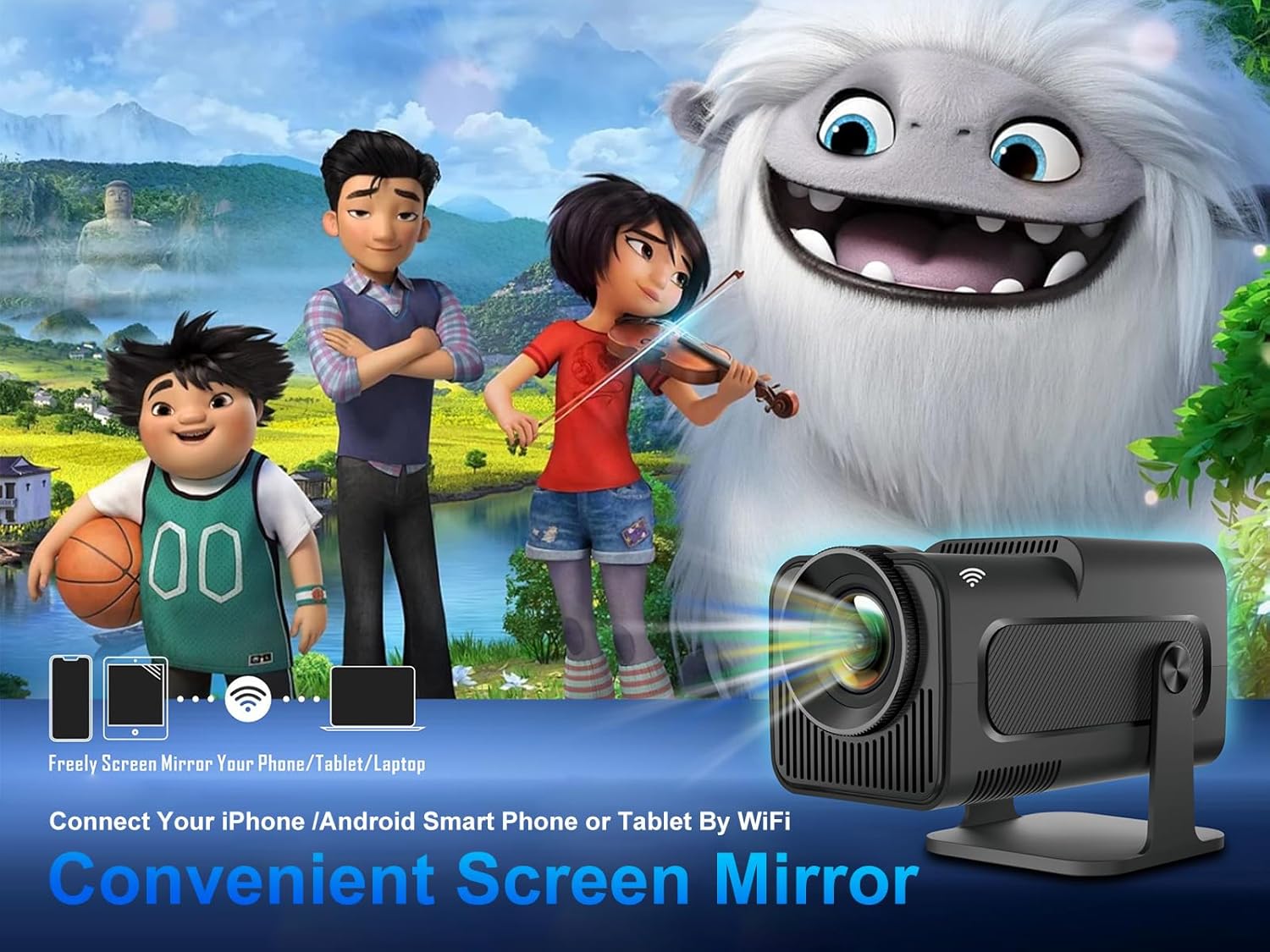
Image: Illustration of screen mirroring functionality, showing how phones, tablets, and laptops can wirelessly connect to the projector.
8. Manteniment
8.1 Neteja de la lent
Use a soft, lint-free cloth specifically designed for optical lenses to gently wipe the projector lens. Avoid using abrasive materials or liquid cleaners that could damage the lens coating.
8.2 Neteja del cos del projector
Wipe the exterior of the projector with a soft, dry cloth. Do not use chemical solvents or abrasive cleaners.
8.3 Emmagatzematge
When not in use, store the projector in a cool, dry place, away from direct sunlight and excessive dust. If storing for an extended period, consider using the original packaging or a protective case.
9. Solució De Problemes
| Problema | Causa possible | Solució |
|---|---|---|
| No es projecta cap imatge | Alimentació no connectada; Projector apagat; Font d'entrada no seleccionada. | Ensure power adapter is securely connected and plugged in. Press power button. Select correct input source (HDMI, USB, etc.). |
| Imatge borrosa/desenfocada | Enfocament no ajustat; Projector massa a prop/lluny de la pantalla. | Adjust the manual focus ring on the lens. Reposition the projector for optimal distance. |
| Image distorted (trapezoid shape) | Projector not perpendicular to screen; Auto keystone issue. | Ensure the projector is placed as straight as possible. Check keystone correction settings in the menu; some users report auto keystone may require manual adjustment. |
| Sense so | Volum massa baix; Silenciat; Dispositiu d'àudio extern no connectat/emparellat. | Increase volume. Check if muted. Ensure Bluetooth audio device is properly paired or wired audio is connected. |
| Wi-Fi connection unstable/slow | Distance from router; Interference; Router issues. | Move projector closer to Wi-Fi router. Reduce interference from other devices. Restart router. |
| El comandament a distància no funciona | Batteries low/dead; Obstruction; Out of range. | Replace batteries. Ensure no obstructions between remote and projector. Use within effective range. |
10. Especificacions tècniques
| Característica | Detall |
|---|---|
| Marca | Magcúbic |
| Model | HY320 |
| Resolució nativa | 1920 x 1080 píxels (Full HD) |
| Resolució suportada | Up to 3840 x 2160 Pixels (4K Decoding) |
| Tecnologia de visualització | LCD |
| Font de llum | LED |
| Brillantor de la imatge | 10000 (Units not specified, typically Lumens or ANSI Lumens) |
| Relació d'aspecte | 16:9 |
| Mida de projecció | Up to 150 Inches (Visible screen diagonal) |
| Sistema operatiu | Android 11.0 |
| Connectivitat | Wi-Fi 6, Bluetooth 5.0 |
| Interfície del maquinari | HDMI, USB, Audio Out |
| Característiques especials | Auto Focus, Auto Screen Alignment, Portable, 180° Swivel |
| Dimensions del producte | 20.32 x 30.48 x 25.4 cm |
| Pes de l'article | 1.15 kg |
| Wattage | 3 Watts (Likely speaker wattage, not total power consumption) |
| Freqüència d'actualització | 60 Hz |
11. Garantia i atenció al client
Magcubic provides product warranty and technical support for the HY320 projector. If you encounter any questions or problems with your projector, please do not hesitate to contact our customer service team.
We offer 24-hour customer service to assist you with any issues or inquiries.
For support, please refer to the contact information provided on the product packaging or the official Magcubic weblloc.