Producte acabatview
The MiCODUS 4G GPS Tracker MP50G is designed to provide real-time location tracking for pets, ensuring their safety and your peace of mind. This device features robust connectivity, long battery life, and advanced tracking functionalities suitable for various environments.
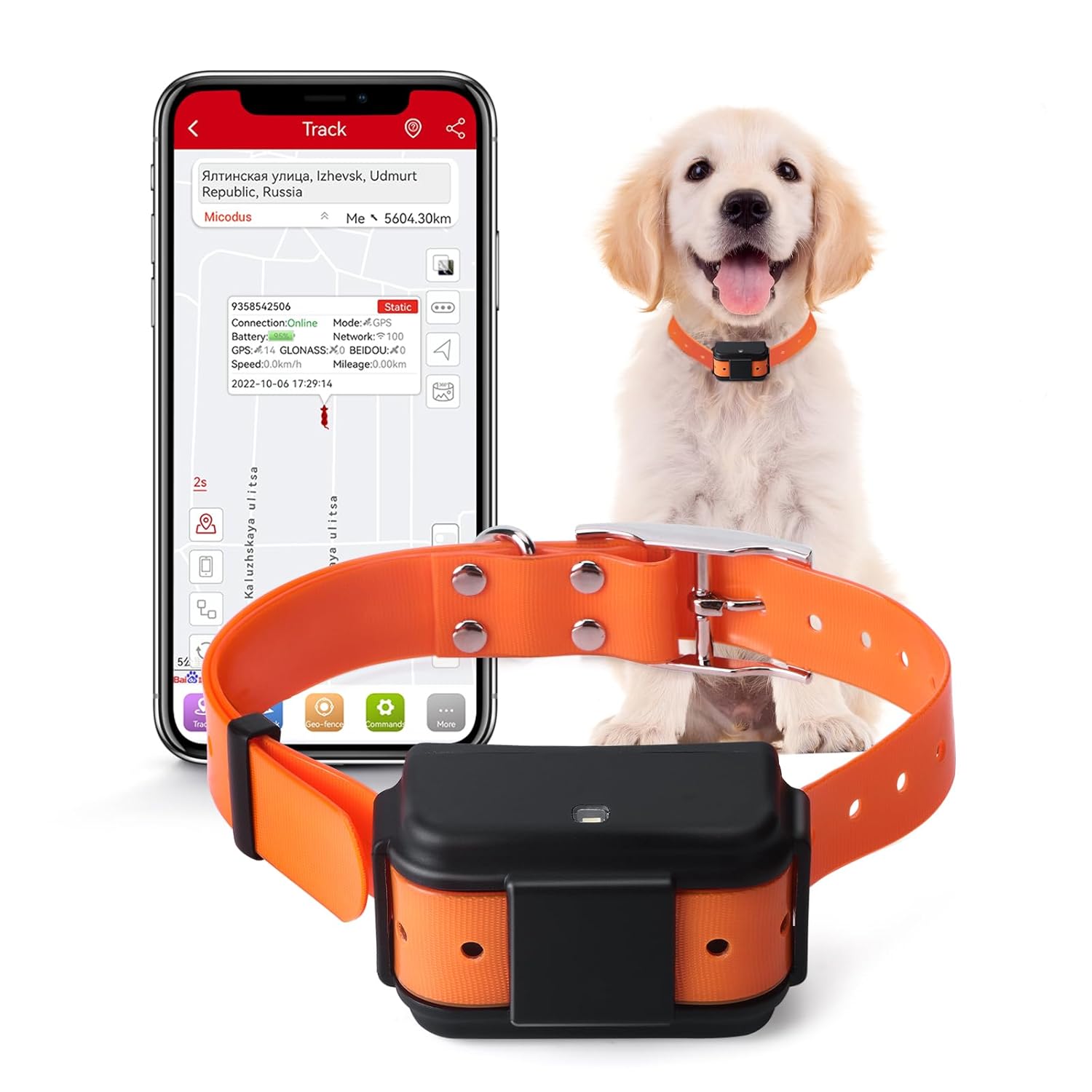
Image: MiCODUS 4G GPS Tracker MP50G, showing the device, a golden retriever wearing the collar, and a smartphone displaying the tracking application interface.
Característiques clau
- Real-Time Accurate Tracking: Utilizes GPS, GLONASS, and other positioning methods for precise location updates.
- Llarga vida útil de la bateria: Equipped with a 4000mAh battery, offering extended usage between charges.
- Geo-fence Functionality: Set up virtual boundaries and receive alerts if your pet enters or exits these areas.
- Sound and Light Pet Search: Activate a light and sound signal from the device to locate your pet in dark or hidden environments.
- Classificació impermeable IP68: Dissenyat per suportar l'exposició a l'aigua, el que el fa adequat per a ús a l'aire lliure.
Estructura del producte
Understanding the components of your MiCODUS GPS tracker is essential for proper setup and operation.

Image: Detailed diagram illustrating the various components of the MiCODUS MP50G tracker, including the SIM card slot, power button, LED indicator, buzzer hole, GNSS, Cellular, Mic, and Magnetic Charge port. Dimensions are also indicated.
- Ranura per a targeta SIM: Insert your activated 4G SIM card here.
- Interruptor ON / OFF: Controls the power of the device.
- Indicador LED: Provides status updates (e.g., power, network, GPS signal).
- Buzzer Hole: Emits sound for the pet search function.
- Càrrega magnètica: Port for connecting the magnetic charging cable.
- Micròfon: Microphone for potential voice features (if applicable).
Guia de configuració
- Carregueu el dispositiu: Before first use, fully charge the tracker using the provided magnetic charging cable. The LED indicator will show charging status.

Image: The MiCODUS MP50G tracker connected to its magnetic charging cable, illustrating the 4000mAh battery capacity and charging method.
- Insereix la targeta SIM: Open the SIM card slot cover and carefully insert an activated 4G SIM card. Ensure the SIM card is correctly oriented. Close the cover securely to maintain waterproofing.
- Encès: Press and hold the ON/OFF switch until the LED indicator lights up, indicating the device is powering on.
- Descarrega l'aplicació: Cerca the "MiCODUS" app on your smartphone's app store (iOS or Android) and install it.
- Registra i vincula el dispositiu: Open the MiCODUS app, register an account, and follow the in-app instructions to bind your tracker using its unique IMEI number. The IMEI number is typically found on the device itself or its packaging.
- Adjuntar al coll: Securely attach the tracker to your pet's collar. Ensure it is snug but comfortable, allowing for free movement. The provided collar is 72cm long and suitable for large dogs.
Instruccions de funcionament
Real-Time Tracking and History Playback
Once the device is set up and connected, you can monitor your pet's location in real-time and review their past movements.

Image: A smartphone screen displaying the MiCODUS app with a map showing real-time tracking and historical routes of a pet, utilizing GPS, BDS, GLONASS, WiFi, LBS, and AGPS positioning methods.
- Seguiment en directe: Open the MiCODUS app and select your device to view its current location on the map.
- Ruta Històrica: Access the "History" or "Route Playback" feature in the app to review your pet's travel history for up to 180 days.
Geo-fence Setup
Create safe zones for your pet and receive instant notifications if they enter or leave these predefined areas.

Image: A composite image showing the Geo-fence alert system, a low power alarm indicator, network blind area data re-uploading, and the firmware remote upgrade process.
- Navigate to the "Geo-fence" section within the app.
- Draw or select an area on the map to define your safe zone.
- Configure entry/exit alerts as desired.
Sound and Light Pet Search
This feature assists in locating your pet, especially in low-light conditions or when they are out of sight.
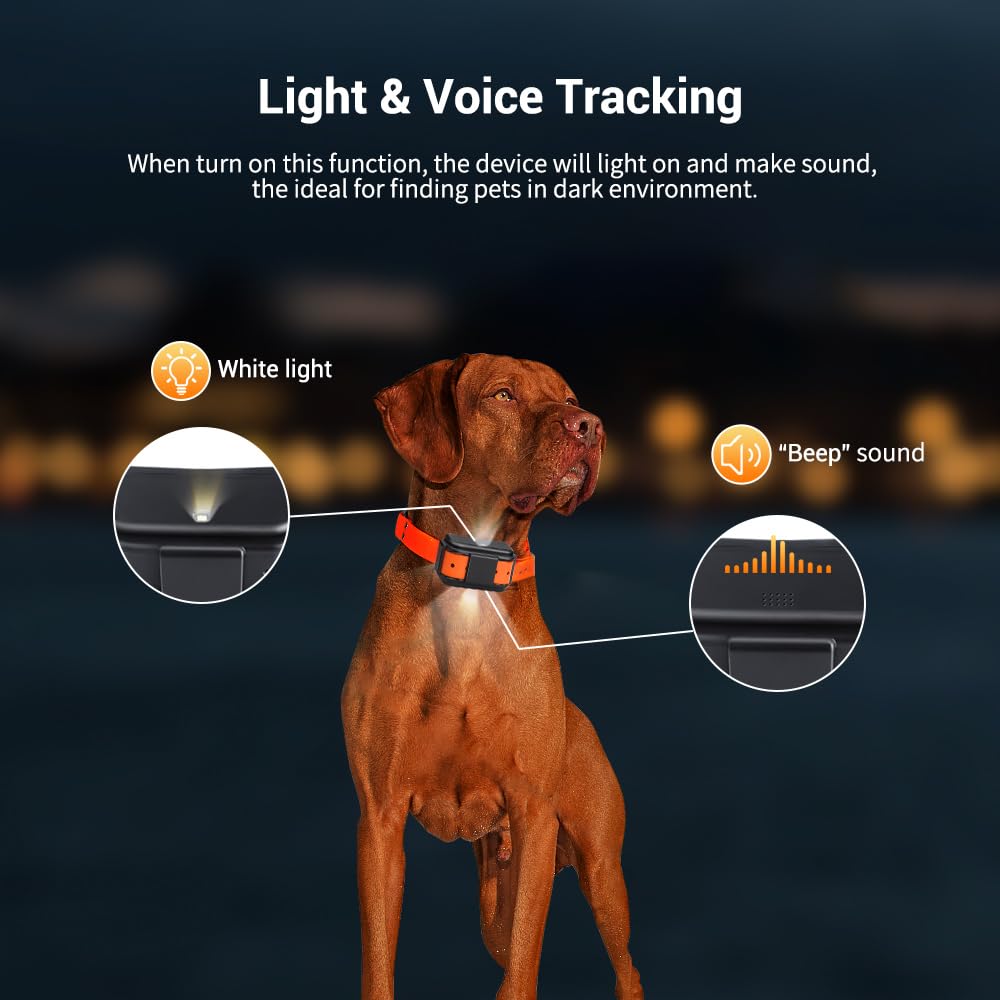
Image: The MiCODUS MP50G tracker on a dog's collar, illustrating its ability to emit a white light and a "Beep" sound when the pet search function is activated, aiding in finding the pet in dark environments.
- In the MiCODUS app, locate the "Sound and Light" or "Find Pet" option.
- Activate the function; the tracker will emit a light and a sound to help you pinpoint your pet's location.
Reply Positioning After Calling
Receive a location link via SMS by calling the tracker's SIM card number.
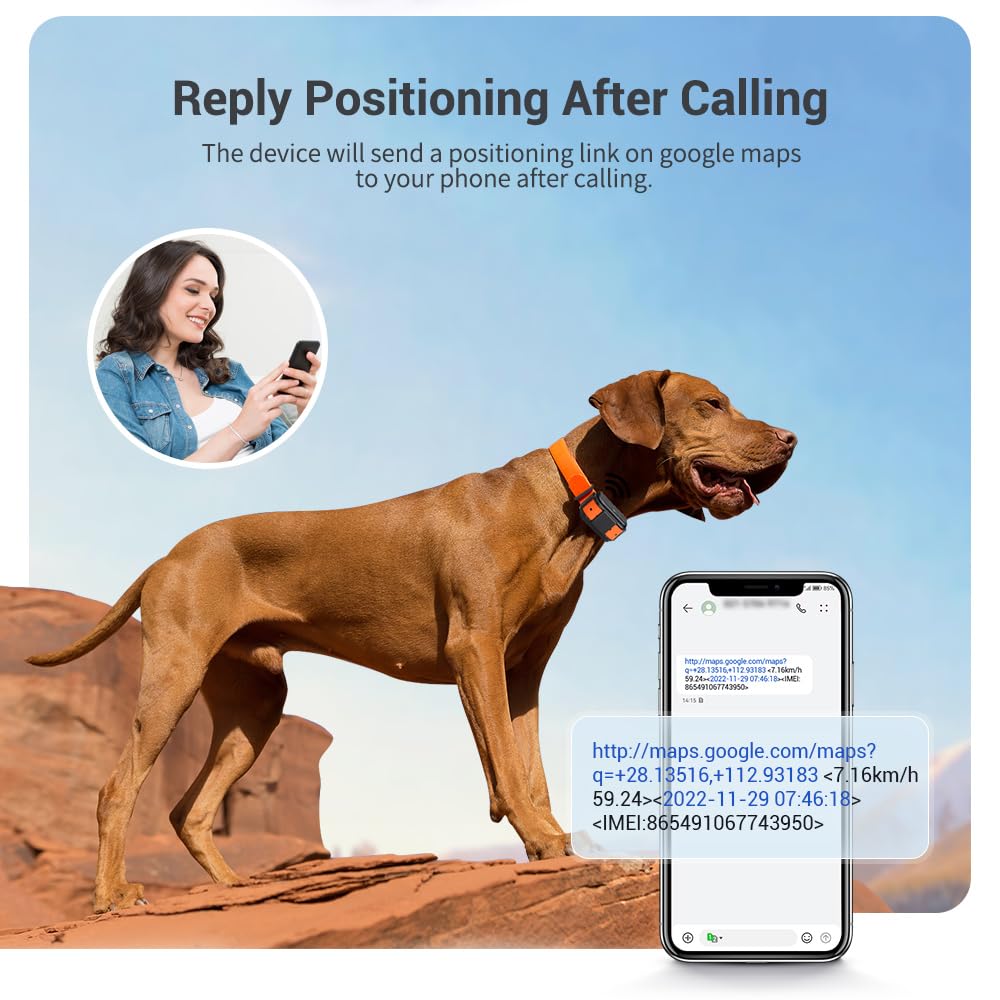
Image: A person holding a smartphone, receiving a Google Maps link via SMS after calling the MiCODUS tracker, which provides the pet's current location and speed.
- Call the phone number associated with the SIM card inserted in the tracker.
- The device will automatically send an SMS containing a Google Maps link with its current location.
Manteniment
- Neteja: Netegeu el dispositiu amb un suau, damp tela. No utilitzeu productes químics aggressivs ni netejadors abrasius.
- Càrrega: Assegureu-vos que els contactes magnètics de càrrega estiguin nets i secs abans de carregar-los per evitar la corrosió.
- Emmagatzematge: When not in use for extended periods, store the device in a cool, dry place. Charge the battery periodically (e.g., every 3 months) to maintain battery health.
- Resistència a l'aigua: While IP68 waterproof, avoid prolonged submersion or high-pressure water jets to ensure longevity. Ensure the SIM card slot cover is always securely closed.
Resolució de problemes
| Problema | Causa possible | Solució |
|---|---|---|
| El dispositiu no s'encén. | Bateria baixa; dispositiu no carregat. | Carregueu el dispositiu completament. |
| No GPS signal/Inaccurate location. | Poor satellite reception (indoors, dense foliage); SIM card issue. | Move to an open outdoor area. Check SIM card activation and balance. Restart the device. |
| L'aplicació mostra el dispositiu fora de línia. | SIM card not inserted correctly; no network coverage; SIM card data plan expired. | Ensure SIM card is properly inserted. Check network signal. Verify SIM card data plan is active. Restart the device. |
| La bateria s'esgota ràpidament. | Frequent tracking updates; poor network signal requiring more power. | Adjust tracking frequency in the app to a longer interval (e.g., 1 hour instead of 1 minute). Ensure good network coverage. |
Especificacions
| Característica | Detall |
|---|---|
| Número de model | MP50G |
| Dimensions (LxWxH) | 8.2 x 3.7 x 4.8 cm (3.23 x 1.46 x 1.89 polzades) |
| Pes | 150 g (5.29 oz) |
| Capacitat de la bateria | 4000 mAh |
| Classificació impermeable | IP68 |
| Xarxa | 4G LTE, 2G GSM |
| Positioning Methods | GNSS (GPS, GLONASS, BDS), WiFi, LBS, AGPS |
| Fabricant | MiCODUS |
Garantia i Suport
MiCODUS products are manufactured to high quality standards. For warranty information and technical support, please refer to the official MiCODUS weblloc web o contacteu directament amb el seu servei d'atenció al client.
- Oficial Weblloc: Please visit the MiCODUS official weblloc web per consultar els termes i condicions de garantia més actualitzats.
- Atenció al client: Contact MiCODUS customer support for assistance with product setup, troubleshooting, or any other inquiries. Contact details are typically available on the official website or within the MiCODUS application.


