1. Introducció
This manual provides detailed instructions for the safe and efficient use of your Baseus A2 Pro Cordless Vacuum Cleaner and Blower. Please read this manual thoroughly before operating the device and retain it for future reference.
2. Instruccions de seguretat
- No utilitzeu el dispositiu a prop de líquids o gasos inflamables.
- Mantingueu el dispositiu allunyat de l'aigua i la humitat.
- No permeteu que els nens facin servir el dispositiu.
- Ensure the filter is properly installed before use.
- Utilitzeu només el cable de càrrega subministrat.
- No bloquegeu les entrades o sortides d'aire durant el funcionament.
- Turn off the device before cleaning or maintenance.
3. Components del producte
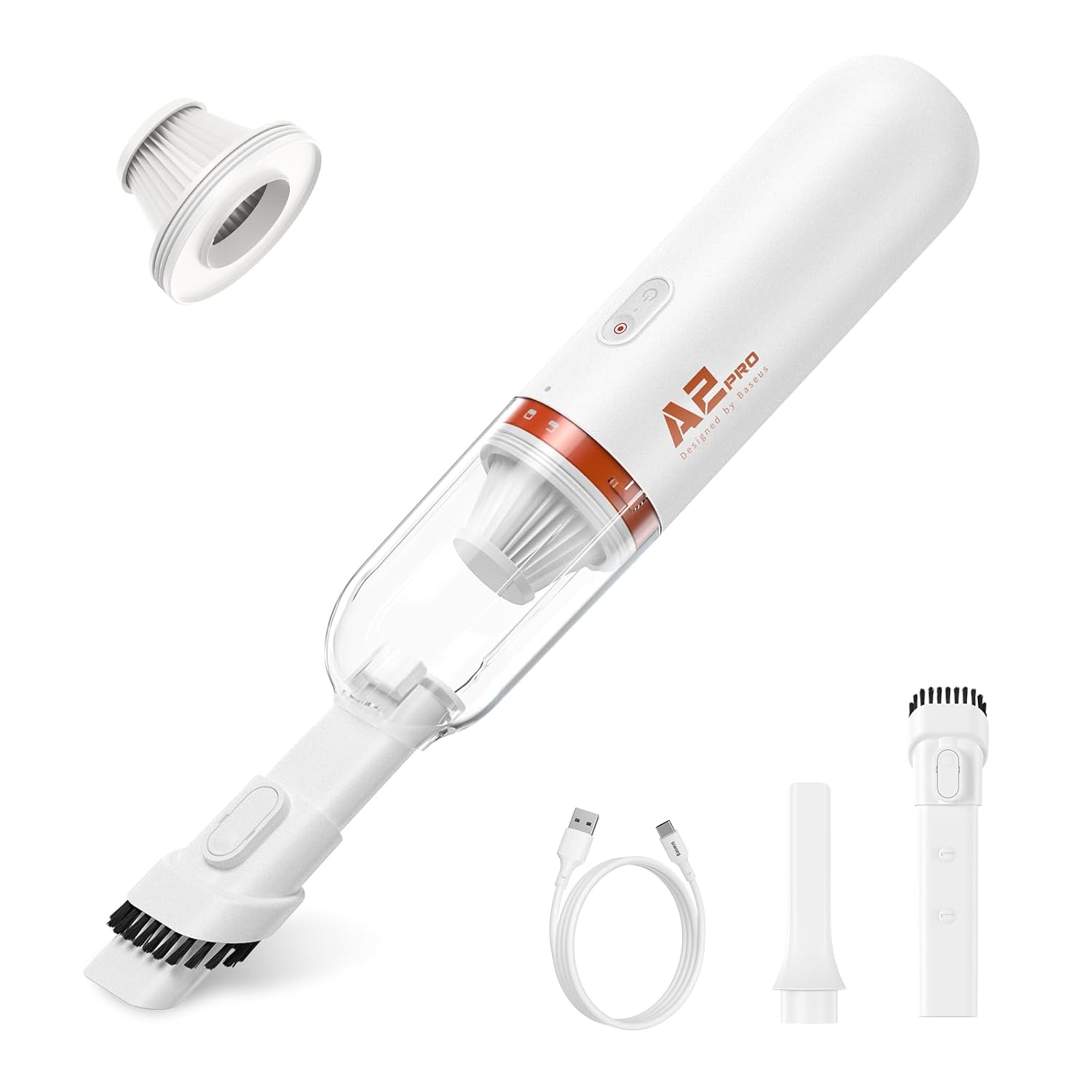
The Baseus A2 Pro includes the following components:
- Main Vacuum/Blower Unit
- Broquet de raspall
- Broquet per esquerdes
- Broquet de bufat
- Cable de càrrega USB-C
- Filtre HEPA (preinstal·lat)

4. Configuració i càrrega inicial
4.1. Muntatge
- Ensure the HEPA filter is securely placed inside the dustbin.
- Attach the dustbin to the main unit by twisting it clockwise until it locks into place.
- Select the desired nozzle (brush, crevice, or blow) and firmly attach it to the suction/blower port.
4.2. Càrrega inicial
Abans del primer ús, carregueu completament el dispositiu.
- Connecteu el cable de càrrega USB-C al port de càrrega del dispositiu.
- Connecteu l'altre extrem del cable USB-C a un adaptador de corrent USB compatible (no inclòs).
- L'indicador lluminós de càrrega s'il·luminarà. Una càrrega completa sol trigar aproximadament 3 hores.
- Un cop estigui completament carregat, desconnecteu el cable de càrrega.

5. Instruccions de funcionament
5.1. Encès / apagat
Manteniu premut el botó d'engegada durant 2 segons per encendre o apagar el dispositiu.
5.2. Funció d'aspiració
- Ensure the desired vacuum nozzle (brush or crevice) is attached to the front suction port.
- Enceneu el dispositiu.
- Direct the nozzle towards the area to be cleaned. The device provides 6,000 Pa suction power for effective cleaning.
- Després d'usar-lo, apagueu el dispositiu.


5.3. Funció del ventilador
- Attach the blow nozzle to the rear air outlet port.
- Enceneu el dispositiu.
- Direct the blow nozzle towards the area where air dusting or blowing is required.
- Després d'usar-lo, apagueu el dispositiu.
5.4. Funcionament silenciós
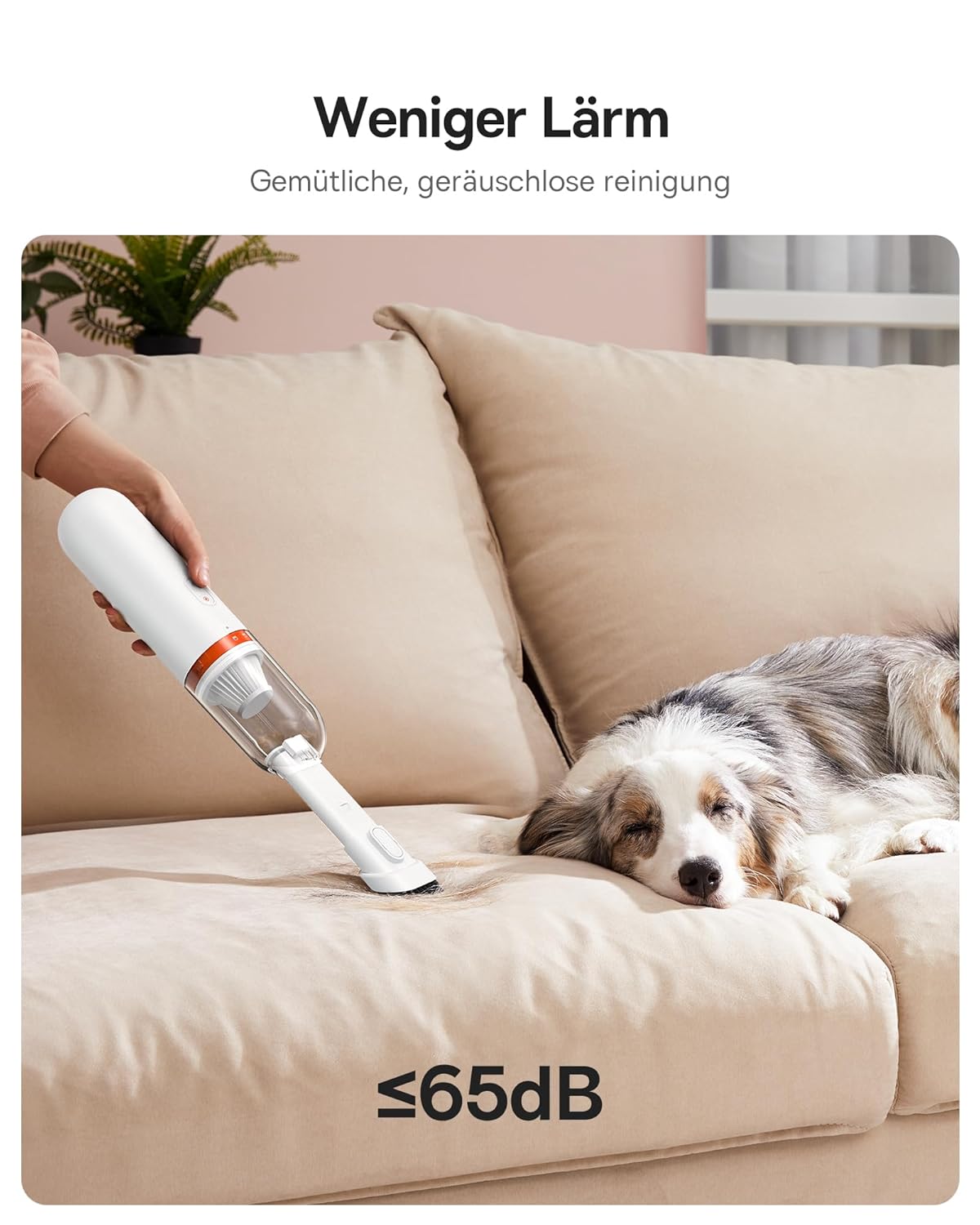
The device is designed for quiet operation, producing approximately 60 dB of noise during use.

6. Manteniment
6.1. Buidar la paperera
- Assegureu-vos que el dispositiu estigui apagat.
- Twist the dustbin counter-clockwise to detach it from the main unit.
- Buideu les restes recollides en un contenidor d'escombraries.
- Reattach the dustbin by twisting it clockwise until it locks.
6.2. Neteja del filtre HEPA
The HEPA filter should be cleaned regularly to maintain optimal suction performance.
- Traieu el contenidor de pols tal com s'ha descrit anteriorment.
- Carefully remove the HEPA filter from the dustbin.
- Tap the filter gently to dislodge dust and debris. For thorough cleaning, rinse the filter under running water.
- Allow the filter to air dry completely before reinserting it. Do not use the device with a wet filter.
- Replace the filter if it shows signs of damage or significant wear.
6.3. Neteja general
Netegeu l'exterior del dispositiu amb un damp tela. No utilitzeu productes químics aggressivs ni netejadors abrasius.
7. Solució De Problemes
| Problema | Causa possible | Solució |
|---|---|---|
| El dispositiu no s'encén | Bateria baixa; Dispositiu no carregat | Carregueu el dispositiu completament. |
| Potència d'aspiració feble | Dustbin full; Filter clogged; Nozzle blocked | Empty the dustbin. Clean or replace the HEPA filter. Check and clear any blockages in the nozzle or suction path. |
| El dispositiu s'atura durant el funcionament | Low battery; Overheating protection activated | Charge the device. Allow the device to cool down before resuming use. |
| La càrrega no funciona | Cable o adaptador defectuós; connexió fluixa | Ensure the USB-C cable is securely connected. Try a different USB power adapter or cable. |
8. Especificacions
- Marca: Baseus
- Model: A2 Pro (VCAQ040002)
- Potència d'aspiració: 6,000 Pa
- Tipus de filtre: Filtre HEPA
- Sense fil: Sí
- Capacitat de la paperera: 120 mil·lilitres
- Wattage: 80 watts
- Factor de forma: Portàtil
- Color: Blanc
- Dimensions del producte: 28L x 10W x 28H centímetres
- Nivell de soroll: 60 dB
- Càrrega: USB-C, approximately 3 hours for full charge
- Pes de l'article: 454 g
9. Informació de la garantia
The Baseus A2 Pro Cordless Vacuum Cleaner + Blower comes with an 18 mesos de garantia from the date of purchase. This warranty covers manufacturing defects and malfunctions under normal use. Please retain your proof of purchase for warranty claims. The warranty does not cover damage caused by misuse, accidents, unauthorized repairs, or normal wear and tear.
10. Atenció al client
For technical assistance, warranty claims, or any questions regarding your Baseus A2 Pro, please contact your retailer or visit the official Baseus support website. Please have your model number (VCAQ040002) and proof of purchase ready when contacting support.


