1. Benvingut
Gràcies per la compraasing the MONODEAL DAB Radio with Bluetooth. This compact and versatile radio offers high-quality audio with DAB/DAB+ and FM reception, seamless Bluetooth connectivity, and convenient features like an alarm clock and rechargeable battery. This manual will guide you through the setup, operation, and maintenance of your new device.
2. Instruccions de seguretat importants
- Llegiu atentament totes les instruccions abans d'utilitzar.
- Conserveu aquest manual com a referència futura.
- No exposeu el dispositiu a la pluja, la humitat ni a temperatures extremes.
- No desmunteu ni intenteu reparar el dispositiu vosaltres mateixos. Envieu totes les tasques de manteniment a personal qualificat.
- Feu servir només el cable de càrrega i l'adaptador de corrent especificats.
- Avoid placing the radio near heat sources or in direct sunlight.
- Assegureu-vos que hi hagi una ventilació adequada al voltant del dispositiu durant el funcionament.
3. Producte acabatview
3.1 Contingut del paquet
Assegureu-vos que tots els elements siguin presents al paquet:
- MONODEAL DAB Radio
- Cable de càrrega USB tipus C
- Manual d'usuari (aquest document)
3.2 Controls i pantalla
Familiarize yourself with the buttons, ports, and display of your radio.
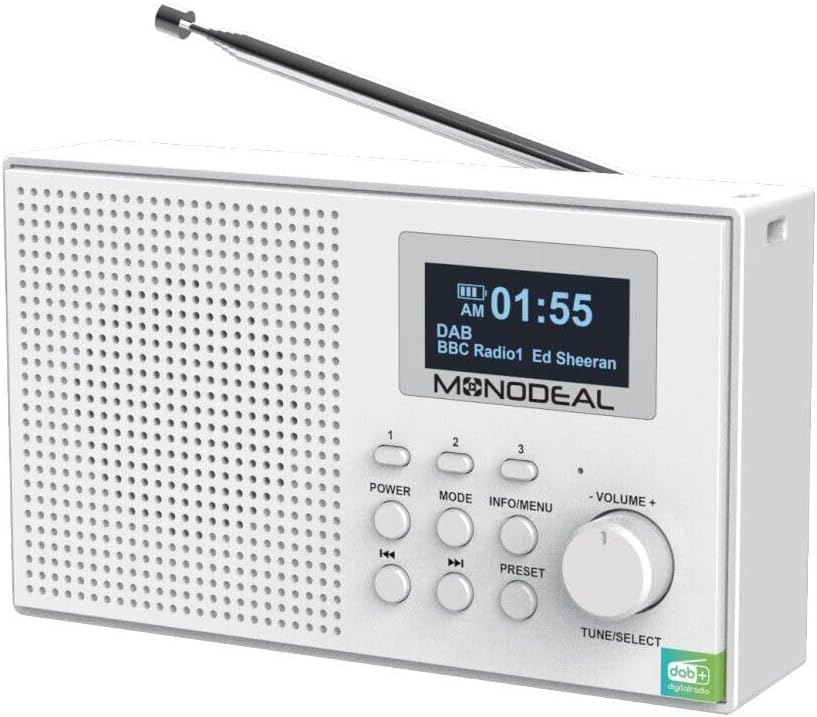
Figura 1: Frontal view of the MONODEAL DAB Radio, showing the speaker grille, LCD display, and control buttons including Power, Mode, Info/Menu, Volume knob, Tune/Select, and preset buttons.

Figure 2: The MONODEAL DAB Radio with its telescopic antenna extended, showcasing the clear LCD display and accessible control panel.
The radio features a clear LCD display with backlight, showing time, station information, and mode. Key controls include:
- Botó d'encendre: Encén o apaga la ràdio.
- Botó MODE: Switches between DAB, FM, Bluetooth, AUX, USB, and TF card modes.
- Botó INFO/MENÚ: Accedeix a les opcions del menú i mostra la informació de l'emissora.
- VOLUME + / - Knob: Adjusts the audio volume. Also functions as TUNE/SELECT for navigation and confirmation.
- PRESET Buttons (1, 2, 3): Accés ràpid a les emissores preferides emmagatzemades.
- Skip/Tune Buttons: Navega per estacions o vies.
4. Configuració
4.1 Càrrega de la bateria
The MONODEAL DAB Radio has a built-in rechargeable battery. Before first use, fully charge the device.
- Connect the supplied USB Type-C cable to the charging port on the back of the radio.
- Connecteu l'altre extrem del cable USB a un adaptador de corrent USB compatible (no inclòs) o a un port USB de l'ordinador.
- The charging indicator on the display will show charging status. A full charge typically takes 4-5 hours and provides up to 12 hours of playback.
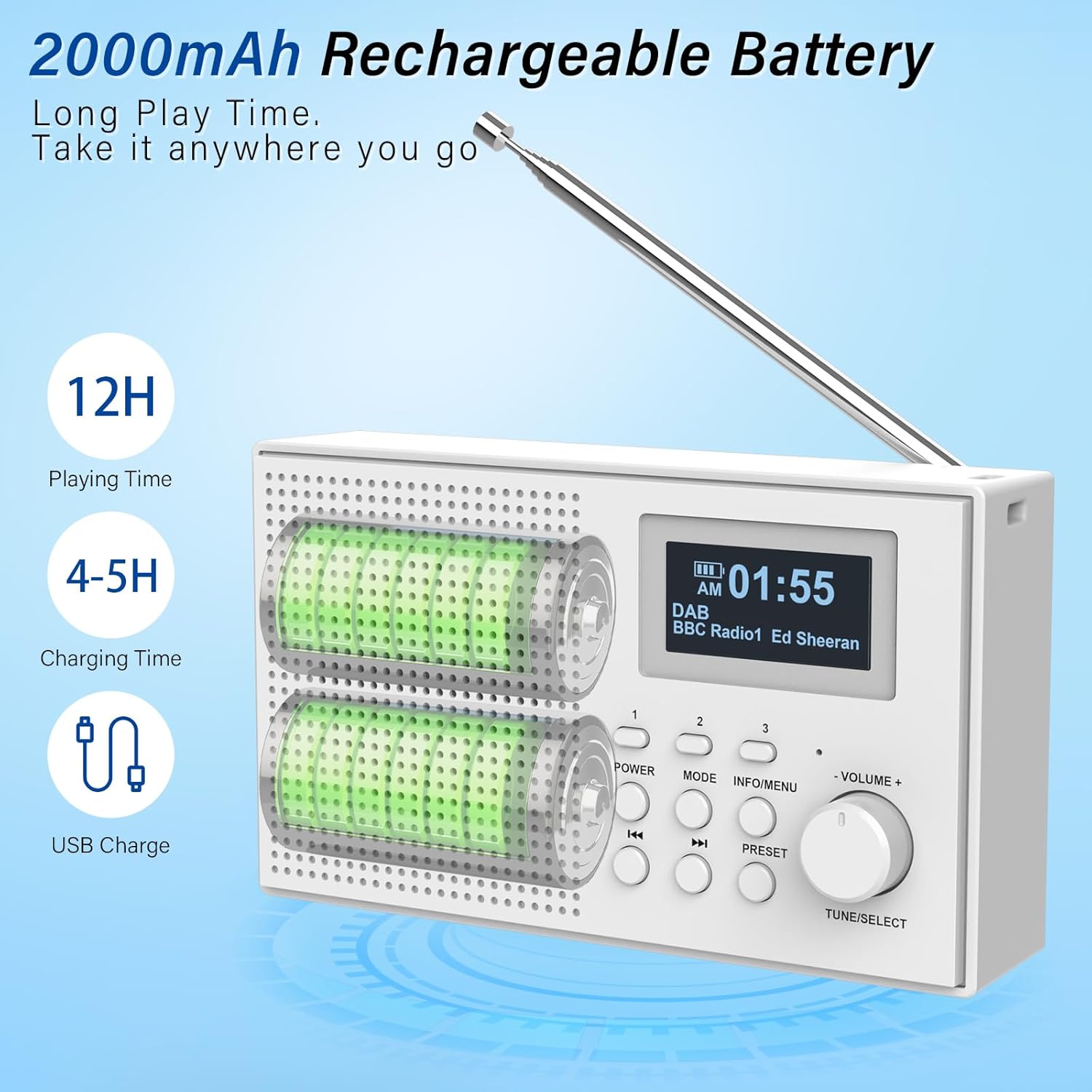
Figure 3: Illustration of the radio's rechargeable battery, indicating approximately 12 hours of playing time and 4-5 hours of charging time via USB.
4.2 Ajust de l'antena
For optimal radio reception, extend the telescopic antenna fully. Adjust its position for the best signal quality.
5. Instruccions de funcionament
5.1 Encès/Apagat
Premeu el botó PODER botó per encendre o apagar la ràdio.
5.2 Control de volum
Gira el VOLUM + / - botó per augmentar o reduir el volum.
5.3 Selecció del mode
Premeu el botó MODE button repeatedly to cycle through available modes: DAB, FM, Bluetooth, AUX, USB, and TF Card.

Figure 4: The radio supports multiple playback options including Bluetooth, headphone output, USB stick, AUX input, and TF card for versatile audio enjoyment.
5.4 Funcionament de la ràdio DAB/DAB+
In DAB mode, the radio automatically scans for available stations upon first use or when entering the mode. The display will show station names.
- Escaneig: If no stations are found, or you wish to rescan, press and hold the INFO / MENÚ button to access the menu, then select "Full Scan".
- Selecció d'estacions: Gira el AFINAR / SELECCIONAR knob to browse through available stations. Press the knob to select a station.
- Emmagatzematge de valors predeterminats: To save a favorite station, press and hold one of the PRESET buttons (1, 2, or 3) until the display confirms the station is saved. To recall a preset, simply press the corresponding PRESET button. The radio can store up to 80 stations in total.

Figure 5: The radio features strong reception capabilities for DAB, DAB+, and FM bands, with automatic scanning and the ability to store up to 80 preset stations for quick access.
5.5 Funcionament de la ràdio FM
In FM mode, you can manually tune or auto-scan for stations.
- Escaneig automàtic: Manteniu premut el botó AFINAR / SELECCIONAR knob to automatically scan and save available FM stations.
- Sintonització manual: Gira el AFINAR / SELECCIONAR knob to fine-tune to a specific frequency.
- Emmagatzematge de valors predeterminats: Similar to DAB mode, press and hold a PRESET button to save the current FM station.
5.6 Vinculació Bluetooth
Connect your smartphone or tablet to the radio via Bluetooth 5.0.
- Canvieu la ràdio al mode Bluetooth mitjançant el botó MODE button. The display will show "Bluetooth Pairing" or similar.
- Enable Bluetooth on your external device and search for "MONODEAL Radio" (or similar name).
- Select the radio from the list to pair. Once connected, you can play audio from your device through the radio.
5.7 Entrada AUX
Use the 3.5mm AUX input to connect non-Bluetooth audio devices.
- Connect one end of a 3.5mm audio cable (not included) to the AUX IN port on the radio.
- Connecteu l'altre extrem a la presa d'auriculars o a la sortida d'àudio del dispositiu extern.
- Switch the radio to AUX mode using the MODE botó.
Reproducció de targetes USB/TF de 5.8
Reprodueix àudio files directly from a USB stick or TF (Micro SD) card.
- Insert a USB stick into the USB port or a TF card into the TF card slot.
- Switch the radio to USB or TF Card mode using the MODE botó.
- The radio will automatically detect and begin playing compatible audio files. Use the Skip buttons to navigate tracks.
5.9 Funció de despertador
The radio features two programmable alarms with a snooze function.

Figure 6: The radio's LCD display clearly shows the current time and date, along with an alarm icon indicating an active alarm setting.
- Premeu el botó INFO / MENÚ botó per entrar al menú.
- Navigate to "Alarm" settings using the AFINAR / SELECCIONAR knob and press to select.
- Seleccioneu Alarma 1 o Alarma 2.
- Set the alarm time, alarm source (radio or buzzer), and frequency (daily, weekdays, weekends, once).
- Confirm settings. When the alarm sounds, press any button (except Power) for snooze, or press Power to turn off the alarm.
6. Manteniment
6.1 Cura i neteja
- Netegeu la ràdio amb un drap suau i sec. No utilitzeu productes de neteja abrasius ni dissolvents.
- Keep the device free from dust and dirt.
- Do not immerse the radio in water or any other liquid.
6.2 Emmagatzematge
When not in use for extended periods, store the radio in a cool, dry place away from direct sunlight and extreme temperatures. Ensure the battery is partially charged before storage to prolong its lifespan.
7. Guia de resolució de problemes
If you encounter issues with your radio, please refer to the following table for common problems and solutions.
| Problema | Causa possible | Solució |
|---|---|---|
| Sense alimentació / La ràdio no s'encén | La bateria està esgotada. | Charge the radio fully using the supplied USB cable. |
| Mala recepció de ràdio (DAB/FM) | Antena no estesa o zona amb senyal deficient. | Fully extend and adjust the telescopic antenna. Try moving the radio to a different location. Perform a full scan for stations. |
| El dispositiu Bluetooth no es pot emparellar | La ràdio no està en mode Bluetooth o el dispositiu està massa lluny. | Ensure the radio is in Bluetooth mode. Move the device closer to the radio (within 10 meters). Check if the radio is already paired with another device. |
| No sound from AUX/USB/TF | Incorrect mode selected or file format no compatible. | Ensure the correct mode (AUX, USB, TF) is selected. Check if the audio files are in a compatible format (e.g., MP3). Ensure cables are securely connected. |
| L'alarma no sona | Alarm not set correctly or radio in standby. | Verify alarm settings (time, source, frequency). Ensure the radio is not completely powered off but in standby mode for the alarm to activate. |
8. Especificacions tècniques
| Característica | Especificació |
|---|---|
| Marca | MONODEAL |
| Número de model | 3e33b388-4394-45ae-af8c-7f7070bc0d36 |
| Dimensions | 15.7 x 10.2 x 6.8 cm |
| Pes | 0.36 kg |
| Bandes de ràdio compatibles | DAB/DAB+, FM |
| Versió Bluetooth | 5.0 |
| Tipus de bateria | Ió de liti (inclòs) |
| Durada de la bateria (reproducció) | Fins a 12 hores |
| Temps de càrrega | 4-5 hores |
| Connectivitat | 3.5mm Audio (AUX), USB, TF Card slot, Bluetooth |
| Mostra | LED with backlight |
| Característiques addicionals | Rechargeable, Alarm Clock (Dual), Snooze Function |

Figure 7: Dimensions of the MONODEAL DAB Radio, highlighting its compact and portable design.
9. Garantia i Suport
9.1 Informació de la garantia
Your MONODEAL DAB Radio is covered by a standard manufacturer's warranty against defects in materials and workmanship. Please retain your proof of purchase for warranty claims. The specific terms and duration of the warranty may vary by region. For detailed warranty information, please refer to the documentation provided at the time of purchase or contact customer support.
9.2 Atenció al client
If you have any questions, require technical assistance, or experience issues not covered in this manual, please contact MONODEAL customer support. Contact details can typically be found on the product packaging, the official MONODEAL weblloc web o a través dels canals d'assistència del vostre distribuïdor.


