Introducció
This manual provides comprehensive instructions for the YI Pro 2K 3PC Indoor Security Cameras Bundle. It covers essential information regarding product setup, operation, maintenance, and troubleshooting to ensure optimal performance and longevity of your security cameras.
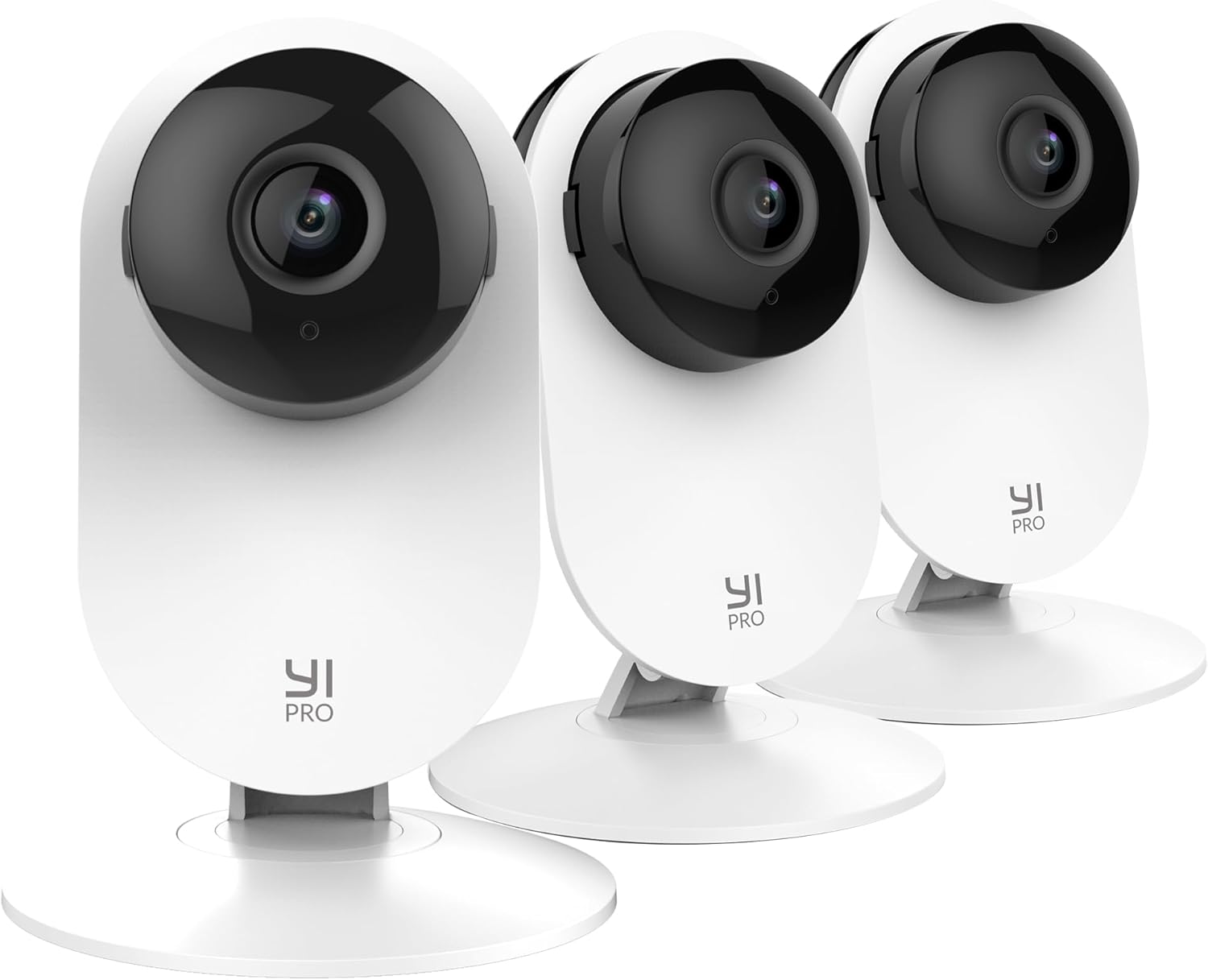
Image: Three YI Pro 2K Indoor Security Cameras, showcasing the bundle. Each camera is white with a black lens housing, designed for indoor surveillance.
Característiques clau
- 2K Super Clear Video & Image Quality: Experience detailed surveillance with 2K resolution (2304 x 1296 pixels) for clear visuals.
- Detecció intel·ligent d'IA: Advanced AI capabilities distinguish between persons, vehicles, and animals, reducing false alarms. (Subscription may be required for full functionality).
- Visió nocturna millorada: Equipped with 940-nm infrared lights, a high-sensitivity image sensor, and an F1.9 large aperture lens for clear images in low-light conditions.
- Local SD Card and Cloud Storage: Flexible storage options including local SD card (not included) and cloud storage with loop-recording.
- Àudio bidireccional: Communicate through the camera with built-in microphone and speaker.
- Funciona amb Alexa: Integrate with Amazon Alexa for hands-free control.

Image: A graphic illustrating the YI Home 2K Pro's basic features, including 2K Resolution, 2-Way Audio, 2.4 GHz WiFi, Cloud & Local Storage, Smart AI Detection, and Intelligent Alerts.
Guia de configuració
Follow these steps to set up your YI Pro 2K Indoor Security Cameras:
- Unpack the Cameras: Carefully remove all cameras and accessories from the packaging. Verify that all components are present.
- Connexió d'alimentació: Connect each camera to a power outlet using the provided power adapter. The camera will power on automatically.
- Download the YI Home App: Cerca "YI Home" in your mobile device's app store (iOS or Android) and download the official application.
- Crea un compte: Open the YI Home app and follow the on-screen instructions to create a new user account or log in if you already have one.
- Add a Camera: In the app, tap the "+" icon to add a new device. Select your camera model from the list.
- Procés d'aparellament: Follow the app's instructions to pair the camera with your Wi-Fi network. This typically involves scanning a QR code displayed on your phone with the camera's lens. Ensure your Wi-Fi is 2.4 GHz.
- Col·locació: Choose an optimal location for each camera. Consider areas with good Wi-Fi signal and a clear view of the desired monitoring area. The cameras are designed for indoor use.

Image: Diagram showing multiple installation options for the YI Pro camera, including tabletop, ceiling mount, and wall mount, highlighting its versatile 3-hole base.
Instruccions de funcionament
Viewing Live Feed and Playback
Once set up, open the YI Home app to view the live feed from your cameras. You can switch between cameras if you have multiple devices. Use the timeline feature to review foo gravattage.
Detecció intel·ligent d'IA
The cameras feature advanced AI detection capabilities. Configure detection zones and sensitivity settings within the YI Home app. The system can differentiate between human, vehicle, and animal movements, sending relevant alerts to your device.

Image: A visual representation of the advanced AI detection feature, showing examples of a baby, a car, and a cat, indicating the camera's ability to accurately identify different subjects.
Visió nocturna millorada
The cameras automatically switch to night vision mode in low-light conditions. The 940-nm infrared lights provide clear black-and-white images without visible red glow, ensuring discreet monitoring up to 15 meters.

Image: A smartphone screen displaying a clear black-and-white image of a sleeping child, demonstrating the camera's enhanced non-invasive night vision capabilities in a dark room.
Àudio bidireccional
Utilize the two-way audio feature to communicate with individuals near the camera. Tap the microphone icon in the app to speak, and the camera's speaker will broadcast your voice. You can also hear audio from the camera's environment.

Image: A camera in the foreground with a dog in the background chewing on a pillow, illustrating the two-way audio feature with a speech bubble saying "Hey Max stop chewing that!".
Opcions d'emmagatzematge
- Emmagatzematge local: Insert a microSD card (not included) into the camera's designated slot for local recording. The camera supports loop recording, overwriting older footage quan la targeta està plena.
- Emmagatzematge al núvol: YI Cloud offers secure, off-site storage for your recordings. Subscription is required for cloud services, providing continuous loop recording without storage limits.
Integració amb sistemes domèstics intel·ligents
The YI Pro 2K cameras are compatible with Amazon Alexa. Link your YI Home account to your Alexa app to enable voice commands for viewing camera feeds on compatible devices (e.g., "Alexa, show me the kids room").

Image: A tablet displaying a live camera feed of a child playing, with a speech bubble indicating "Alexa, show me the kids room", demonstrating compatibility with Amazon Alexa for hands-free control.

Image: An illustration showing a camera positioned in a room, with a wide blue shaded area indicating its large field of view, covering a significant portion of the living space.
Manteniment
- Neteja: Gently wipe the camera lens and body with a soft, dry, lint-free cloth. Do not use liquid cleaners or abrasive materials, as they may damage the camera.
- Actualitzacions de programari: Regularly check the YI Home app for firmware updates. Keeping your camera's firmware updated ensures optimal performance, security, and access to new features. Follow the in-app instructions for updates.
- Cicle d'alimentació: If the camera experiences minor issues, try unplugging it from the power source for 10 seconds and then plugging it back in. This can resolve temporary glitches.
- Gestió de la targeta SD: If using local storage, periodically check the SD card's health and consider formatting it through the app to maintain optimal recording performance. Back up important footage abans de formatar.
Resolució de problemes
| Problema | Causa possible | Solució |
|---|---|---|
| La càmera està fora de línia/no es pot connectar a la Wi-Fi. | Weak Wi-Fi signal, incorrect Wi-Fi password, camera too far from router, router settings (2.4 GHz only). |
|
| Mala qualitat d'imatge. | Lent bruta, il·luminació insuficient, problemes d'amplada de banda de la xarxa. |
|
| False alarms/excessive notifications. | High motion sensitivity, incorrect detection zone settings, environmental factors (e.g., shadows, moving curtains). |
|
| L'àudio bidireccional no funciona. | Microphone/speaker muted in app, app permissions, network issues. |
|
Especificacions del producte
| Característica | Detall |
|---|---|
| Marca | YI |
| Número de model | B0CR6BKXR8 |
| Tecnologia de connectivitat | Wireless (2.4 GHz Wi-Fi) |
| Resolució de captura de vídeo | 2K (2304 x 1296 píxels) |
| Característica especial | Night Vision, AI Detection, Two-Way Audio |
| Nombre de canals | 3 (in bundle) |
| Font d'alimentació | Funciona amb bateria (Note: While listed as 'Battery Powered', the cameras typically operate via a power adapter for continuous use.) |
| Compatibilitat de sistemes operatius | Android, iOS |
| Usos recomanats | Vigilància interior |
| Dispositius compatibles | Telèfons intel·ligents |
| Tecnologia de poca llum | Infrared (940-nm) |
| Velocitat de fotogrames | 30 FPS |
| Mode d'enregistrament | Schedule, Event-triggered |
| Interfície del maquinari | 802.11 b/g/n |
| Tipus de lent | Arreglat |
| Data de primera disponibilitat | 7 d'agost de 2024 |
Informació de la garantia
YI products typically come with a limited warranty covering manufacturing defects. The specific terms and duration of the warranty may vary by region and product. Please retain your proof of purchase.
For detailed warranty information, including coverage, duration, and how to make a claim, please refer to the official YI website or the warranty card included with your product packaging. You can usually find this information on the YI Official Store or support pages.
Atenció al client
If you encounter any issues or have questions regarding your YI Pro 2K Indoor Security Cameras that are not addressed in this manual, please contact YI customer support.
- Assistència en línia: Visit the official YI weblloc web amb preguntes freqüents, articles de suport i formularis de contacte.
- YI Home App: Many common issues can be resolved through the help section within the YI Home app.
- Botiga oficial: You can also find support resources and contact information on the YI Official Store on Amazon.
Please have your product model number (B0CR6BKXR8) and purchase details ready when contacting support.