1. Introducció
Thank you for choosing the LQWELL HY320-M Mini Projector. This manual provides essential information for the safe and efficient use of your new projector. Please read it thoroughly before operation and keep it for future reference.
The LQWELL HY320-M is a versatile home cinema projector offering Native 1080P resolution with 4K support, automatic keystone correction, and a wide 220-degree projection capability. It is designed for immersive visual experiences with eye-care technology and quiet operation.
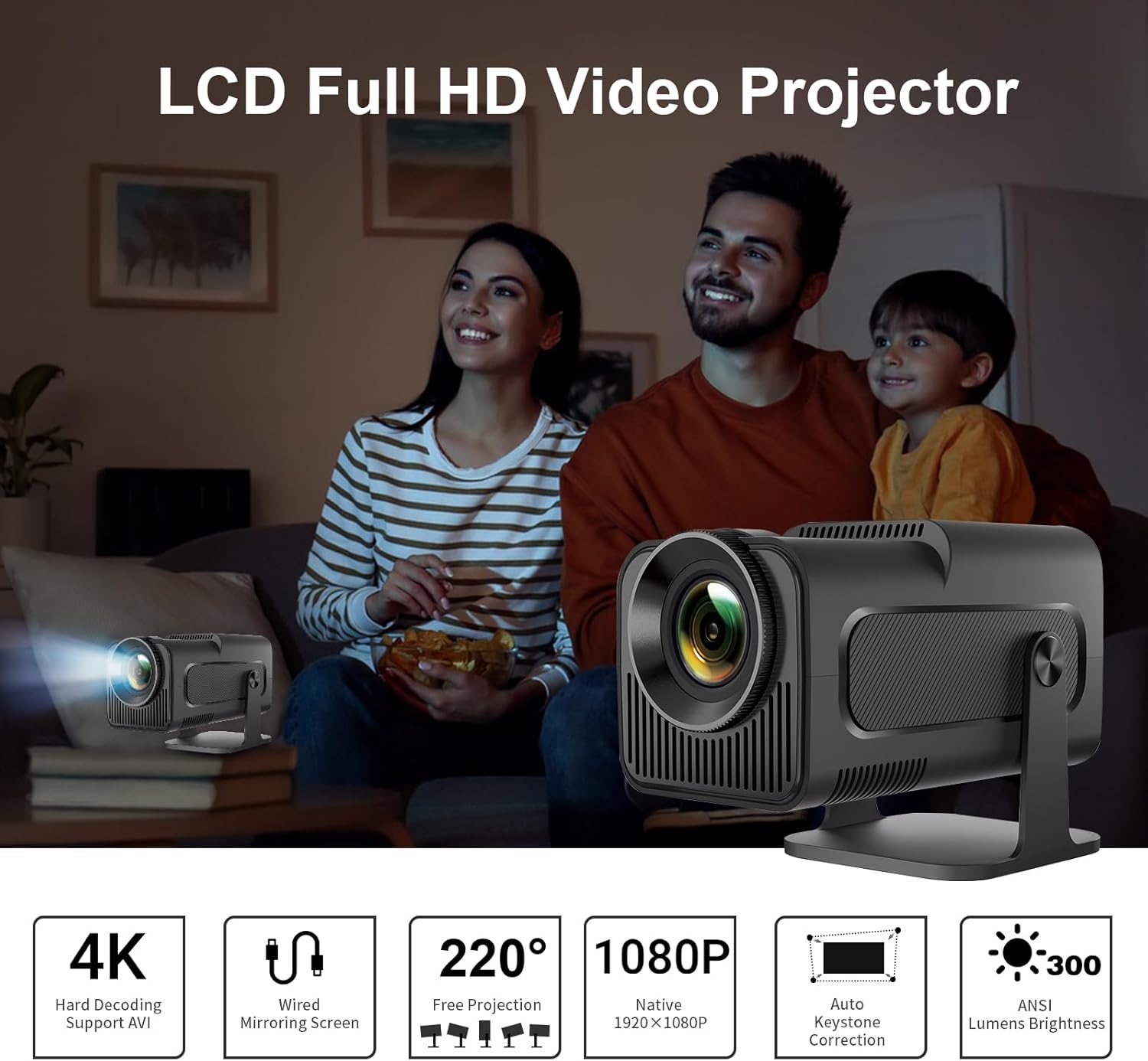
Image: The LQWELL HY320-M Mini Projector providing an immersive viewing experience for a family.
2. Informació de seguretat
- Font d'alimentació: Feu servir només l'adaptador de corrent especificat. Assegureu-vos que el volumtage és compatible amb la teva regió.
- Ventilació: No bloquegeu les obertures de ventilació. Assegureu-vos que hi hagi un flux d'aire adequat al voltant del projector per evitar el sobreescalfament.
- Exposició líquida: Keep the projector away from water or other liquids. Do not operate with wet hands.
- Neteja: Unplug the projector before cleaning. Use a soft, dry cloth. Avoid abrasive cleaners.
- Protecció ocular: No mireu directament a la lent del projector quan estigui encès.amp is on. The projector uses diffuse imaging technology to reduce direct eye exposure, but direct viewing should still be avoided.
- Col·locació: Col·loqueu el projector sobre una superfície estable i plana. Eviteu exposar-lo a la llum solar directa o a prop de fonts de calor.
- Desmuntatge: No intenteu desmuntar ni reparar el projector vosaltres mateixos. Encarregueu totes les tasques de manteniment a personal qualificat.

Image: The HY320-M projector utilizes diffuse imaging to protect vision, unlike traditional LCD TVs.
3. Producte acabatview
Característiques principals:
- Native 1080P & 4K Support: Delivers vivid and detailed projections for an immersive cinema experience.
- Mirall de la pantalla amb cable: Effortlessly mirror your screen via HD or USB connections from various devices.
- Automatic Keystone Correction & 220° Free Projection: Ensures perfectly aligned and proportional projections from different angles.
- Tecnologia amigable amb els ulls: Utilizes diffuse imaging to prevent direct exposure and protect your vision.
- Funcionament de baix soroll: Operates at less than 25 dB, ensuring a quiet and comfortable environment.
- Ús versàtil: Suitable for home entertainment and office presentations.
Components & Ports:
The projector includes essential accessories for immediate use. Key ports include HDMI and USB for connectivity.
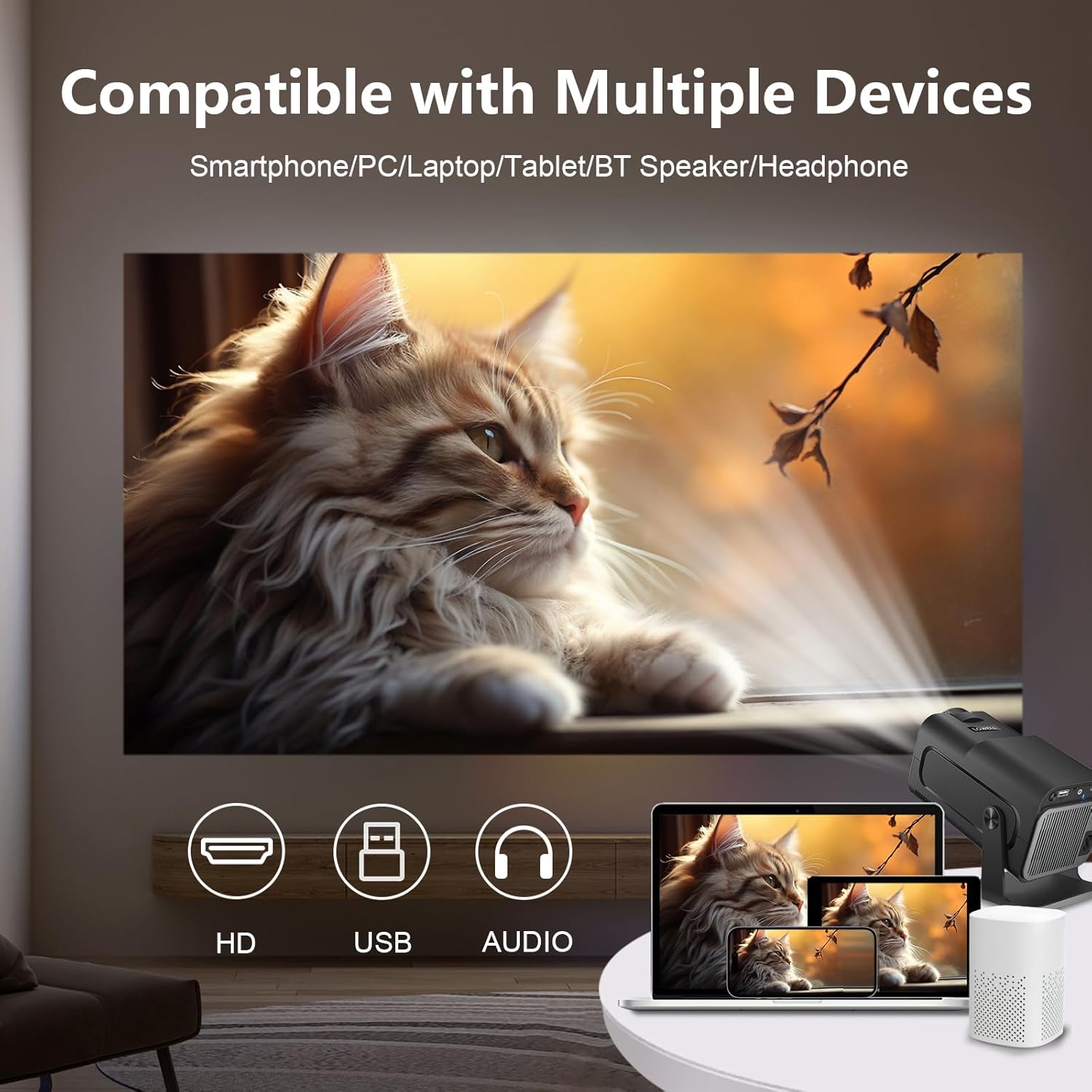
Image: The projector is compatible with smartphones, PCs, laptops, tablets, Bluetooth speakers, and headphones.
4. Configuració
Col·locació inicial:
Place the projector on a stable surface. For optimal viewing, position the projector at a suitable distance from the projection surface. The projector supports an adjustable screen display from 30 to 135 inches, with an optimal projection distance of 1.68 meters for a 135-inch screen.

Image: Recommended projection distances for various screen sizes, from 30 to 135 inches.
Connexió d'alimentació:
- Connecteu l'adaptador de corrent al port d'entrada d'alimentació del projector.
- Connecteu l'adaptador de corrent a una presa de corrent.
Dispositius de connexió:
The projector supports wired connections for screen mirroring from various devices:
- HDMI: Connect your laptop, game console (e.g., PS5), or media player using an HDMI cable.
- USB: Connect smartphones or other devices for wired screen mirroring via a USB cable.
- Bluetooth: Connecteu altaveus o auriculars Bluetooth externs per a un àudio millorat.
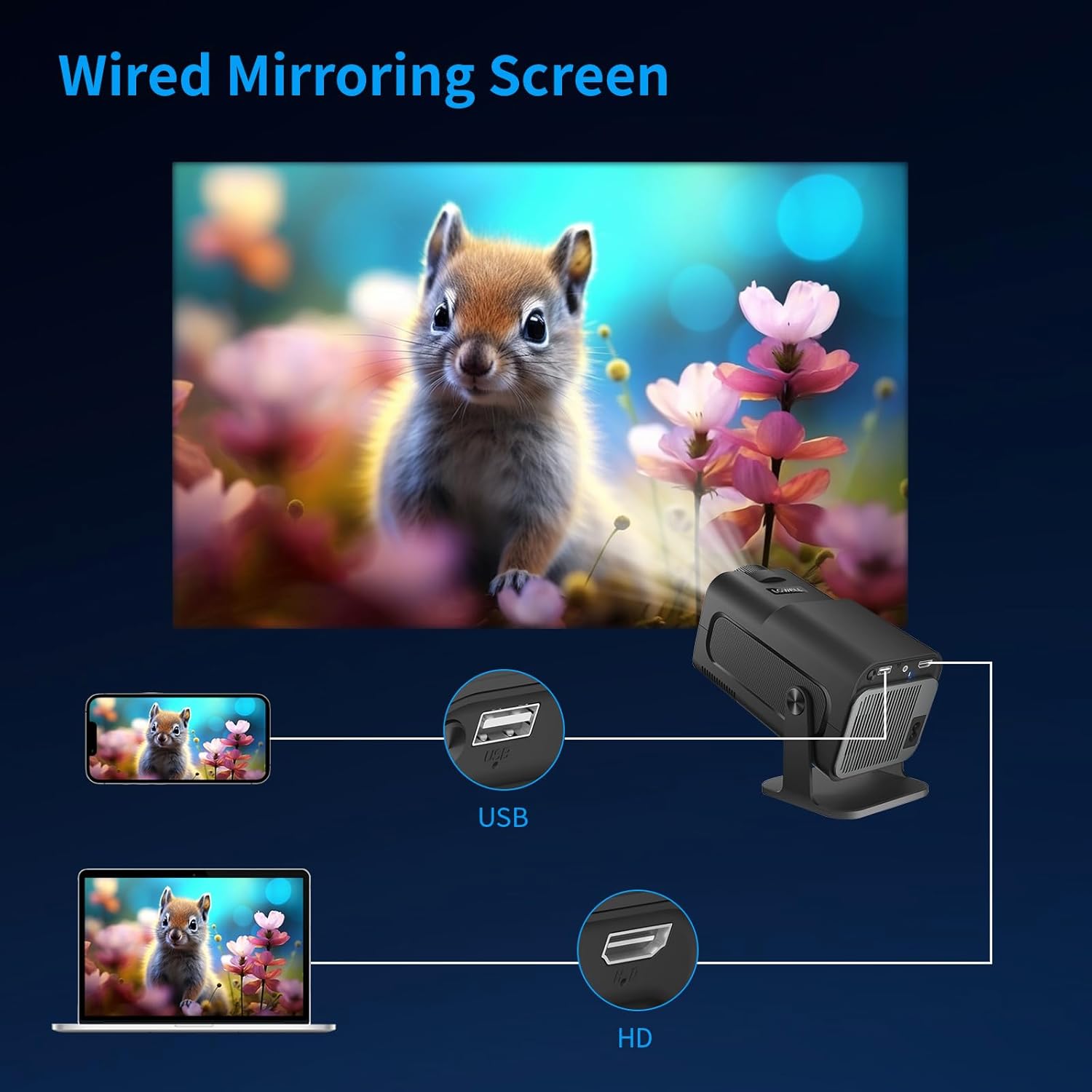
Image: Wired screen mirroring allows easy projection from smartphones and laptops.
5. Instruccions de funcionament
Encès/apagat:
Press the power button on the projector or remote control to turn the unit on or off.
Ajust de la projecció:
- Ajust del focus: Manually adjust the focus ring on the lens until the image is clear.
- Correcció trapezoidal automàtica: The projector features automatic keystone correction to ensure your projections are perfectly aligned and proportional, even if the projector is not perfectly perpendicular to the screen.
- 220° Free Projection: The projector's design allows for flexible projection angles up to 220 degrees, enabling projection onto ceilings or walls from various positions.

Image: Automatic keystone correction ensures a square picture every time you project.

Image: The 220-degree free projection allows for flexible setup and viewing.
Sortida d'àudio:
The projector has built-in speakers. For a more immersive audio experience, connect external Bluetooth speakers or headphones. The projector operates with low noise, below 25 dB, ensuring minimal distraction.

Image: The projector's low noise level (below 25 dB) ensures a quiet viewmedi ambient.
6. Manteniment
- Neteja de lents: Use a soft, lint-free cloth specifically designed for optical lenses to gently wipe the projector lens. Do not use liquid cleaners directly on the lens.
- Eliminació de pols: Regularly clean the projector's ventilation openings with a soft brush or compressed air to prevent dust buildup, which can affect performance and lifespan.
- Emmagatzematge: Quan no l'utilitzeu durant períodes prolongats, guardeu el projector en un lloc fresc i sec, allunyat de la llum solar directa i de temperatures extremes. Feu servir l'embalatge original o una funda protectora per evitar la pols i els danys.
7. Solució De Problemes
| Problema | Causa possible | Solució |
|---|---|---|
| No es projecta cap imatge | Power cable disconnected; Input source not selected; Device not connected properly. | Check power connection; Select correct input source (HDMI/USB); Ensure device is securely connected. |
| La imatge és borrosa | Enfocament no ajustat; Projector massa a prop/lluny de la pantalla. | Ajusteu l'anell d'enfocament; Ajusteu la distància de projecció. |
| Image is skewed/trapezoidal | Projector not aligned. | The projector features automatic keystone correction. Ensure it is enabled or reposition the projector. |
| Sense so | Volume too low; External audio device not connected/selected. | Increase volume; Check Bluetooth connection for external speakers; Ensure audio output is correctly configured. |
| Sobreescalfament del projector | Ventilació bloquejada. | Ensure ventilation openings are clear and the projector has adequate space for airflow. |
If you encounter issues not listed here, please contact LQWELL customer support.
8. Especificacions
| Característica | Detall |
|---|---|
| Marca | LQWELL |
| Número de model | HY320-M |
| Tipus de producte | Projector portàtil |
| Tecnologia de visualització | LCD |
| Resolució nativa | 1920 x 1080P |
| Resolució màxima de pantalla | Suport 4K |
| Mida de la pantalla | 30 - 135 polzades |
| Tecnologia de connectivitat | HDMI, USB, Bluetooth |
| Característiques especials | Automatic Keystone Correction, 220° Free Projection, Eye Care Technology, Low Noise Operation (<25dB) |
| Dispositius compatibles | Laptop, Smartphone, Game Console (PS5), Media Player |
| Dimensions del producte | 22 L x 10.6 W x 10.7 H centímetres |
| Sistema operatiu | No Android OS |
9. Garantia i Suport
For warranty information and customer support, please refer to the warranty card included with your product or visit the official LQWELL weblloc web. Si us plau, conserveu el comprovant de compra per a qualsevol reclamació de garantia.
Nota sobre els vídeos: While the product listing indicates the presence of product videos, specific URLs for embedding official seller videos were not provided in the input data. Therefore, no videos could be embedded in this manual.


