Introducció
This manual provides detailed instructions for setting up, operating, and maintaining your TickTalk5 Smart Watch. Designed for children aged 3-12, the TickTalk5 offers a secure and engaging way for kids to communicate with family, track their activities, and utilize various helpful features, all while providing parents with peace of mind through robust parental controls and precise location tracking.

Image: The TickTalk5 Smart Watch, featuring its vibrant blue design and user-friendly interface with contact shortcuts.
Què hi ha a la caixa
Upon opening your TickTalk5 package, please ensure all the following items are present:
- TickTalk5 Smart Watch
- Targeta SIM preinstal·lada
- Cordó de càrrega
- Additional Accessories (e.g., screen protector, strap adjustment tools, as applicable)
Configuració
1. Càrrega inicial
Before first use, fully charge your TickTalk5 Smart Watch using the provided charging cord. Connect the magnetic end of the charging cord to the charging port on the back of the watch and the USB end to a compatible power adapter (not included) or computer USB port. A full charge typically takes approximately 2 hours.
2. Activació de la targeta SIM
The TickTalk5 comes with a pre-installed SIM card. To activate cellular services, follow the instructions provided with your watch or visit the official TickTalk website for activation steps. This process typically involves selecting a plan and registering the SIM card. For non-US customers, you will need to obtain a SIM card from a local GSM carrier and subscribe to a standard phone plan with talk, text, and data.

Image: The TickTalk5 display showing a SIM card icon, representing the pre-installed SIM and flexible wireless plan options.
3. Pairing with the Parental Control App
Download the TickTalk Parental Control app on your smartphone (compatible with iPhone iOS 16+ or Android 6.0+). Follow the in-app instructions to pair your watch. This app allows you to manage contacts, track location, set reminders, and configure other watch settings.

Image: A smartphone displaying the TickTalk Parent Portal app, showcasing various parental control options, alongside a TickTalk5 watch.
Instruccions de funcionament
Característiques de comunicació
HD Voice & Video Calls
The TickTalk5 supports high-definition voice and video calls over Wi-Fi or cellular data. Use the watch's touchscreen to navigate to your contacts and initiate a call. The integrated 5MP front camera ensures clear video communication. Quick-dial buttons for 911 and other emergency contacts are available, instantly notifying parents with location data during emergency calls.
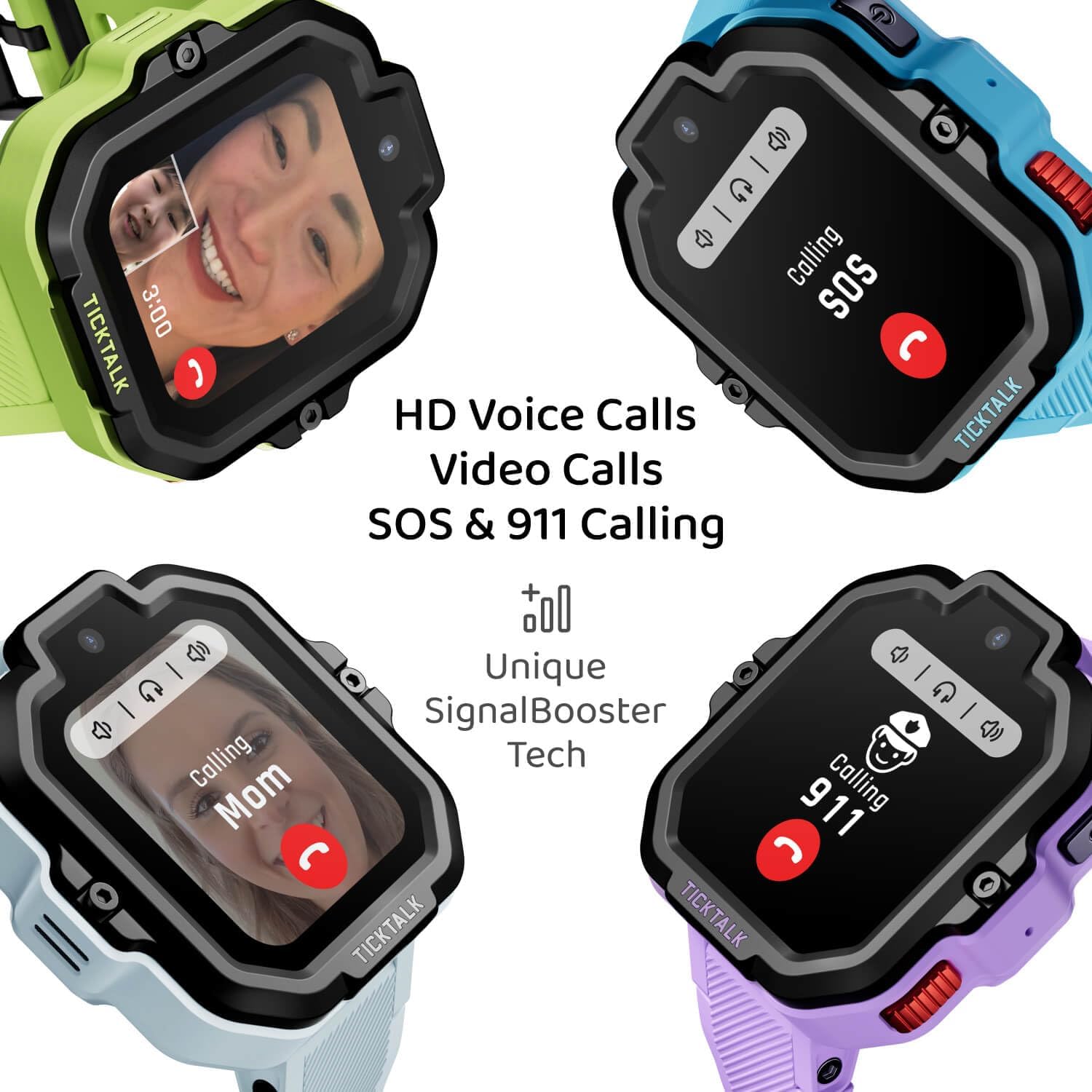
Image: Multiple TickTalk5 watches demonstrating HD voice and video calls, including SOS and 911 emergency calling functions.
Secured Messaging
Communicate through Talk-to-Text, quick responses, voice recordings, emojis, GIFs, and group chats. All messages are secured with end-to-end encryption. Access messaging features from the watch's main menu.

Image: The TickTalk5 watch and a smartphone illustrating individual and group chat capabilities, including voice messages, stickers, emojis, and Talk-to-Text.
Seguiment d'ubicació
Precise Location Tracking & SmartPin
Utilize Google Maps and TickTalk Location SmartPin for accurate real-time location tracking and route playback. SmartPin employs AI algorithms to enhance GPS accuracy, even indoors. Parents receive instant notifications with location updates during emergency calls.

Image: Smartphone displays demonstrating the TickTalk app's precise location tracking, AI SmartPin for optimized location, and history route features.
Controls parentals
The TickTalk Parental Control app provides comprehensive management tools:
- Gestió de contactes: Add and approve trusted contacts.
- Bloqueig de trucades: Block unknown callers.
- Registres de trucades: View historial de trucades.
- Recordatoris: Set and manage reminders for your child.
- Modalitat escolar: Enable a mode that limits watch functions during school hours.
- Watch Passwords: Create passwords for watch access.
- App User Permissions: Invite new app users and manage their access levels.
- T-Cloud Backups: Control watch data backups to the cloud.
Característiques addicionals
Kid-Friendly Music & Wellness
The watch includes a built-in activity tracker with customizable step goals and 3D reminders to encourage healthy habits. Access free kid-friendly streaming music via the iHeartRadio Family app, with usage limits manageable through the TickTalk app.

Image: The TickTalk5 watch screen showing options for free streaming music, stories, and podcasts from iHeartRadio Family, compatible with Bluetooth devices.
Practical & Fun Apps
The TickTalk5 includes useful tools such as a calculator, calendar, timer, stopwatch, photo filters, and e-greeting cards. These apps are designed for utility and fun without including games or social media.

Image: The TickTalk5 watch showcasing its activity tracker, a digital e-greeting card, and a smart reminder for school.
Durability & Connectivity
The watch is IP67 water-resistant, shockproof, and dustproof, making it suitable for active children. Its ScreenSafe design helps reduce screen damage. The unique SignalBooster technology ensures superior signal coverage across 4G LTE networks, Wi-Fi, and Bluetooth, providing reliable connectivity globally.

Image: A close-up of the TickTalk5 watch on a child's wrist, highlighting its IP67 water-resistant, shock-proof, and ScreenSafe design for enhanced durability.
Manteniment
Carregant
To maintain optimal battery performance, charge the watch daily. The high-performance battery provides up to 100+ hours of standby time. Use only the provided charging cord.
Neteja
Netegeu la pantalla i la carcassa del rellotge amb un drap suau iamp drap. Eviteu utilitzar productes químics agressius o materials abrasius que puguin danyar el dispositiu.
Resolució de problemes
| Problema | Causa possible | Solució |
|---|---|---|
| El rellotge no s'encén | Bateria baixa; mal funcionament del dispositiu. | Carrega el rellotge durant almenys 30 minuts. Si encara no s'encén, contacta amb l'atenció al client. |
| Mala qualitat de trucada o sense senyal | Weak cellular signal; SIM card issue; Wi-Fi not connected. | Move to an area with better signal. Ensure SIM card is active. Connect to a stable Wi-Fi network. |
| Seguiment de la ubicació incorrecte | GPS interference; SmartPin calibration needed. | Assegureu-vos que el rellotge tingui una visió clara view of the sky. Verify SmartPin settings in the parental app. Location accuracy can vary indoors. |
| Parental app not connecting to watch | Watch not powered on; Bluetooth/Wi-Fi off; app outdated. | Ensure watch is on and connected to network. Update the parental app to the latest version. Re-pair if necessary. |
| La bateria s'esgota ràpidament | Frequent usage; active tracking enabled; background apps. | Reduce screen time. Adjust location tracking frequency in the app. Close unused applications. Ensure watch is fully charged daily. |
Especificacions
| Característica | Detall |
|---|---|
| Número de model | TT5-BL-GSMA |
| Dimensions del producte | 8 x 1.81 x 0.63 polzades |
| Pes de l'article | 1.94 unces (55 grams) |
| Compatibilitat de sistemes operatius | iPhone (iOS 16+) or Android (6.0+) |
| RAM | 1 GB |
| Capacitat d'emmagatzematge de memòria | 8 GB |
| Tecnologies de connectivitat | Bluetooth, Cellular (4G LTE), Wi-Fi |
| GPS | GPS Enabled (with TickTalk Location SmartPin) |
| Característiques especials | SOS Button, Camera, Reminder, Alarm, Music, Activity Tracker, Contacts, Touchscreen, Text Messaging, Video Call, Voice Call |
| Càmera | Càmera frontal de 5MP |
| Mida de la pantalla | 1.54 polzades |
| Tipus de bateria | Lithium Ion (770 Milliamp Hours, 2.98 Watt Hours) |
| Resistència a l'aigua | IP67 |
Garantia i Suport
TickTalk is committed to providing reliable products and customer satisfaction. While specific warranty details are not provided in this manual, the product is supported by regular updates and dedicated customer service. For any inquiries, technical assistance, or warranty claims, please visit the official TickTalk weblloc web o contacteu directament amb el seu servei d'atenció al client.
Official TickTalk Weblloc: Visit the TickTalk Store on Amazon


