1. Introducció
The roborock S8 MaxV Ultra is an advanced robot vacuum and mop designed to provide comprehensive floor cleaning with minimal effort. It features a powerful 10,000 Pa suction, intelligent obstacle avoidance with Reactive AI 2.0, and an innovative RockDock Ultra 8-in-1 self-cleaning station. This manual provides essential information for setting up, operating, maintaining, and troubleshooting your device.

Figure 1.1: Roborock S8 MaxV Ultra Robot Vacuum and Mop with its RockDock Ultra station and companion app.
2. Guia de configuració
2.1 Desembalatge i col·locació
Carefully remove all components from the packaging. Place the RockDock Ultra on a hard, level surface against a wall, ensuring there is sufficient clear space around it for the robot to maneuver. Avoid placing it near stairs or heat sources.
2.2 Filling Water Tanks and Detergent Dispenser
The RockDock Ultra features an automatic detergent dispenser and hot water mop washing. Fill the clean water tank with fresh water and the detergent tank with compatible Roborock cleaning solution. The dock will automatically dispense detergent as needed.
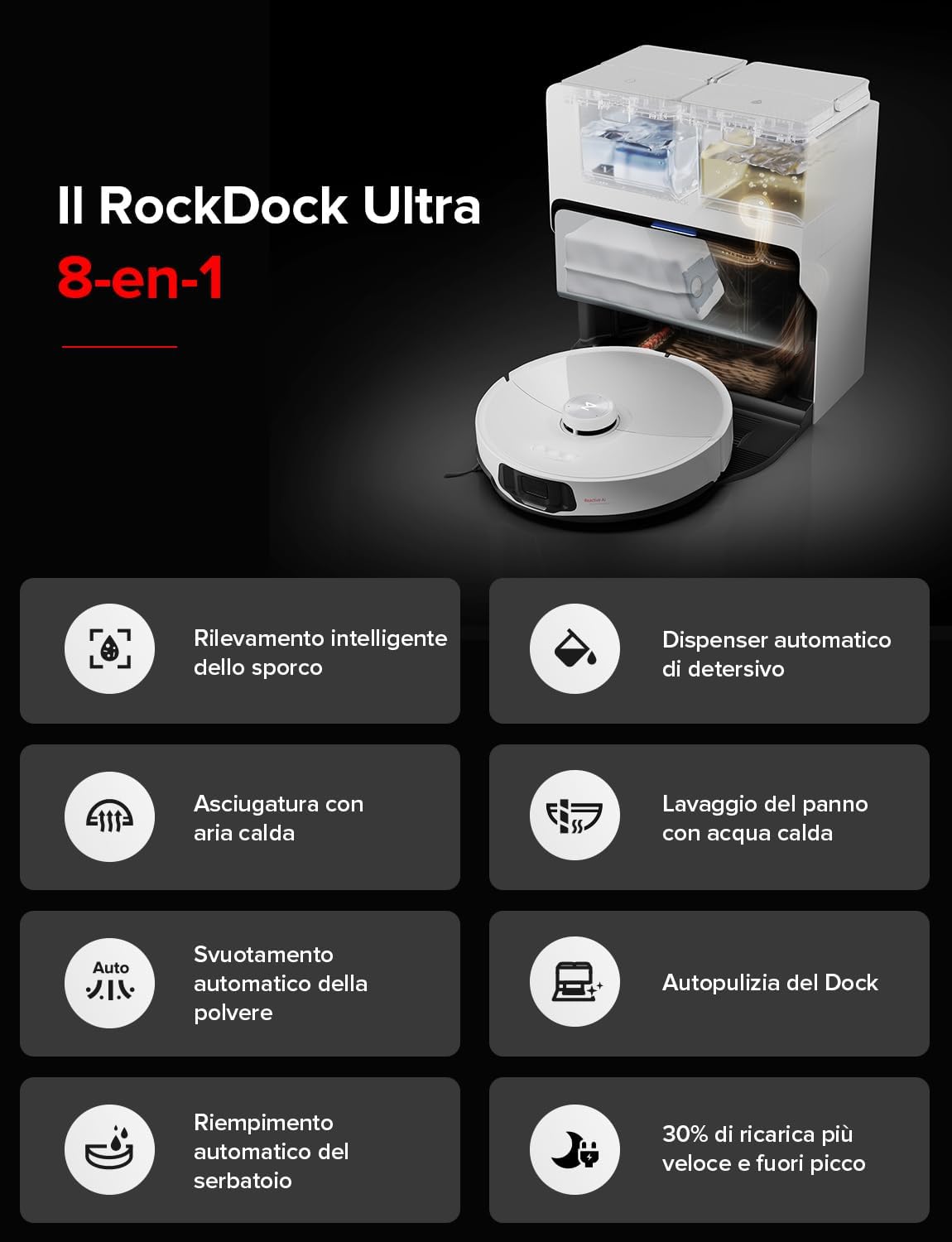
Figure 2.1: The RockDock Ultra 8-in-1 station, highlighting its intelligent features including auto-emptying, auto-refill, hot water mop washing, and auto detergent dispensing.
2.3 Càrrega inicial i connexió de l'aplicació
Place the robot onto the RockDock Ultra to begin charging. Download the Roborock app from your smartphone's app store. Follow the in-app instructions to connect your S8 MaxV Ultra to your home Wi-Fi network and complete the initial setup, including mapping your home.
3. Funcionament
3.1 Modes i funcions de neteja
The S8 MaxV Ultra offers various cleaning modes accessible via the Roborock app. It intelligently adapts its cleaning strategy based on dirt detection (DirTect technology), adjusting suction power for heavy dust or switching to mop-only mode for spills. The VibraRise 3.0 sonic mopping system provides 4,000 vibrations per minute for effective stain removal.

Figure 3.1: The FlexiArm Design side brush extends to clean tight corners and edges, ensuring 100% coverage.

Figure 3.2: The VibraRise 3.0 system with dual vibration modules for effective scrubbing.
3.2 Obstacle Avoidance and Navigation
Equipped with Reactive AI 2.0 and 3D structured light, the robot can detect and avoid up to 73 objects, including shoes and pet waste. Its PreciSense LiDAR navigation ensures efficient mapping and optimal cleaning paths, even across multiple floor levels.
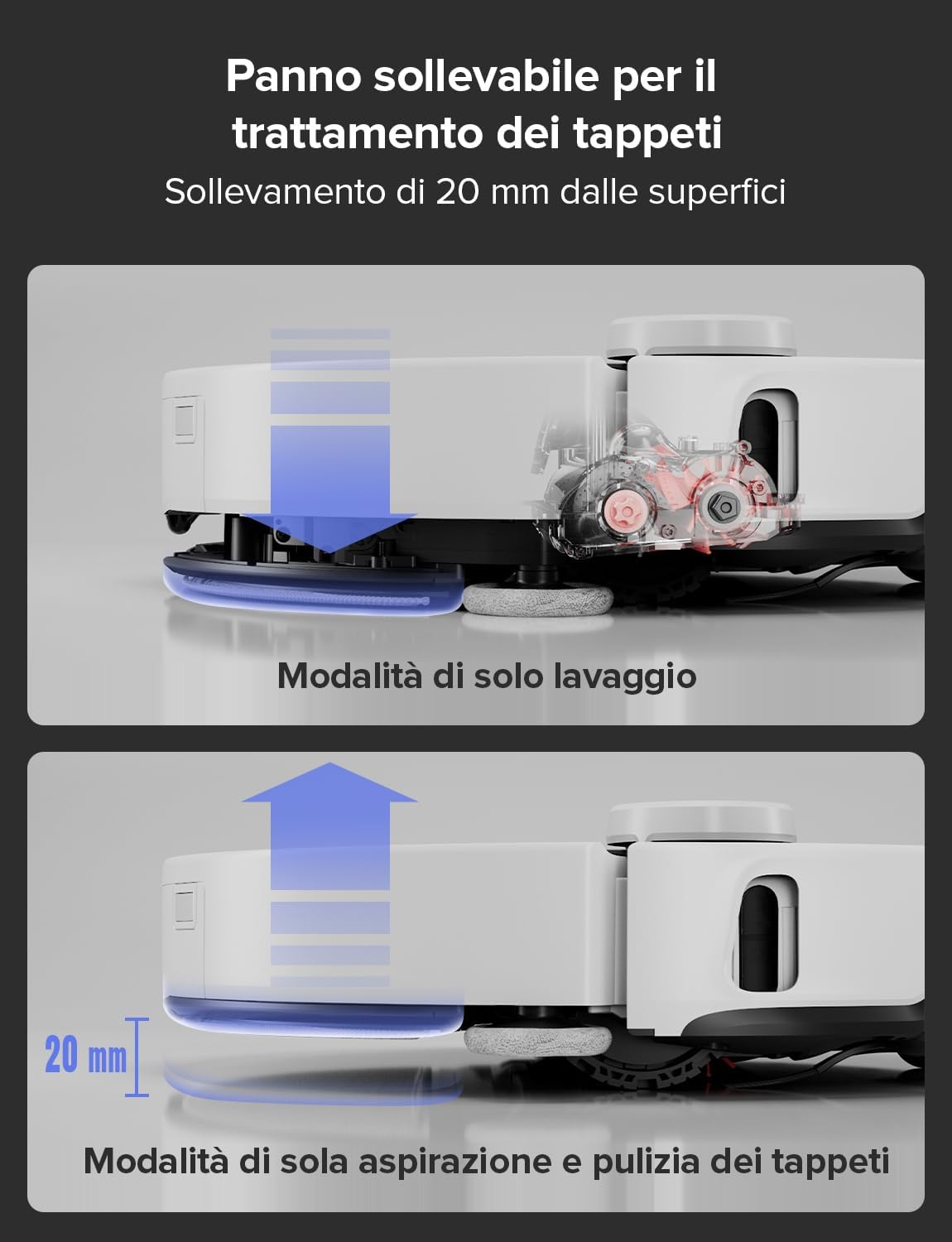
Figure 3.3: Reactive AI 2.0 intelligently identifies and avoids common household obstacles.
3.3 Voice Control and Pet Features
Utilize the integrated "Hello Rocky" voice assistant for hands-free control. Simply say "Hello Rocky" followed by commands like "start cleaning" or "clean here." The robot also includes pet-friendly features such as video calling for remote monitoring, automatic cruises, two-way video chat, and pet photo capture.

Figure 3.4: Control your robot with simple voice commands using "Hello Rocky."
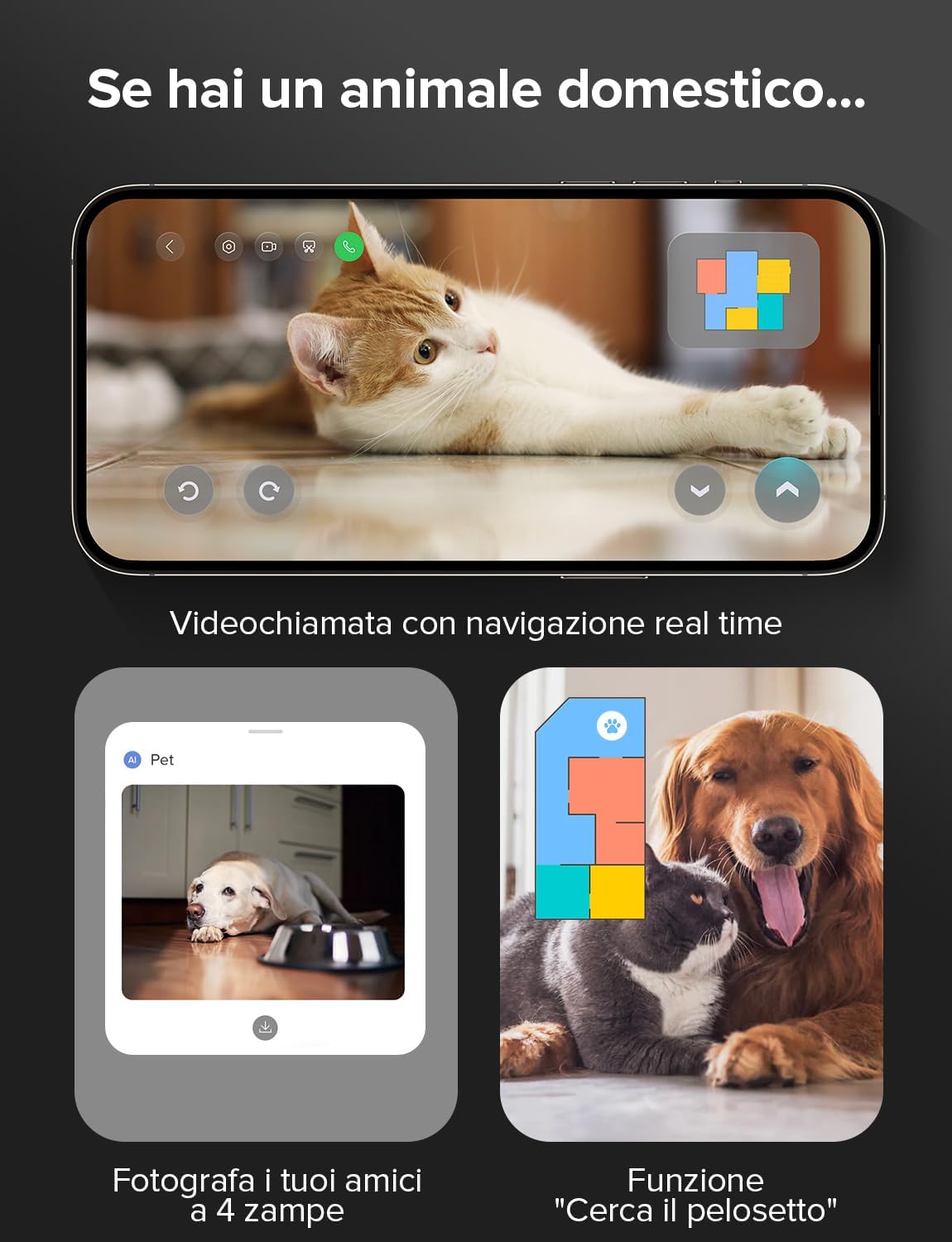
Figure 3.5: Monitor and interact with your pets using the robot's integrated camera and app features.
4. Manteniment
4.1 RockDock Ultra Self-Maintenance
The RockDock Ultra significantly reduces manual maintenance. It automatically empties the robot's dustbin, refills its water tank, washes and hot-air dries the mop, and cleans itself. Regularly check the dirty water tank and empty it as needed. The auto-detergent dispenser holds enough solution for up to 3 months of use.

Figure 4.1: The RockDock Ultra's automated maintenance functions, including hot water mop washing, dock self-cleaning, and automatic detergent dispensing.
4.2 Neteja de components del robot
Periodically inspect and clean the robot's main brush (DuoRoller Riser), side brush, and mop pads. The DuoRoller Riser brush is designed with hidden scrapers to prevent hair tangles, but occasional cleaning is recommended. Wipe down sensors and charging contacts with a dry cloth.
4.3 Filter and Dustbag Replacement
The multi-layer air filter is washable and should be cleaned regularly. Replace the self-sealing dustbag in the RockDock Ultra when full. The dock can store up to 7 weeks of dust, depending on usage.
5. Solució De Problemes
| Problema | Causa possible | Solució |
|---|---|---|
| El robot no es carrega | Charging contacts are dirty; robot not properly docked. | Clean charging contacts on both robot and dock. Ensure robot is correctly aligned with the dock. |
| Mal rendiment de neteja | Dustbin full; brushes tangled; filter clogged; water tank empty. | Empty dustbin. Clean main and side brushes. Clean or replace filter. Refill clean water tank. |
| El robot s'enganxa sovint | Too many obstacles; dark surfaces confusing sensors. | Clear clutter from the cleaning area. Use No-Go Zones in the app for problematic areas. |
| Problemes de connexió de l'aplicació | Weak Wi-Fi signal; incorrect Wi-Fi password; robot offline. | Assegureu-vos que el senyal Wi-Fi sigui fort. Torneu a introduir la contrasenya del Wi-Fi. Reinicieu el robot i l'encaminador. |
For more detailed troubleshooting or persistent issues, please refer to the official Roborock support weblloc o contacteu amb el servei d'atenció al client.
6. Especificacions
| Característica | Detall |
|---|---|
| Marca | roborock |
| Nom del model | S8 MaxV Ultra |
| Color | S8 Maxv Ultra |
| Dimensions del robot (L x A x A) | 41.9 x 40.9 x 47 cm |
| Dock Dimensions (L x W x H) | 44.4 x 48.7 x 54.8 cm |
| Pes del robot | 14.43 kg |
| Material | Plàstic |
| Nivell de soroll | 67 dB |
| Potència d'aspiració | 10,000 Pa |
| Sistema de fregar | VibraRise 3.0 Sonic Mopping (4,000 vibrations/min) |
| Navegació | LiDAR Navigation, Reactive AI 2.0 Obstacle Avoidance |
| Funcions del moll | 8-in-1 RockDock Ultra (Auto-empty, Auto-refill, Hot water mop wash, Hot air dry, Auto detergent dispense, Dock self-cleaning) |
| Característiques especials | FlexiArm Design Side Brush, Extra Edge Mop, DirTect Technology, Auto Mop/Brush Lift, "Hello Rocky" Voice Assistant, Pet Features (Video Call, Pet Snaps) |
| Dispositius compatibles | Amazon Echo, Google Home, Smartphone, Smartwatch |
7. Garantia i Suport
The roborock S8 MaxV Ultra comes with a standard manufacturer's warranty. For specific warranty terms and conditions, please refer to the documentation included with your product or visit the official Roborock website. For technical support, troubleshooting assistance, or to inquire about replacement parts, please contact Roborock customer service directly. You can find contact information on the official Roborock support page.
Official Roborock Store: Roborock Official EU Store


