1. Introducció
Gràcies per la compraasing the XTRONS IQ82A3AP Car Stereo GPS system. This device is specifically designed for Audi A3 models manufactured between 2003 and 2012. It integrates advanced features such as Android 12 operating system, an 8-core processor, 8GB RAM, 256GB ROM, GPS navigation, Wi-Fi, 4G connectivity, Bluetooth, Apple CarPlay, and Android Auto. This manual provides essential information for proper installation, operation, and maintenance of your new car stereo. Please read this manual thoroughly before using the product to ensure safe and optimal performance.
2. Informació de seguretat
- Instal·lació professional recomanada: Due to the complexity of vehicle electrical systems, professional installation by a qualified technician is strongly recommended to prevent damage to the unit or your vehicle.
- Font d'alimentació: Ensure the unit is connected to a 12V DC power supply with negative grounding. Incorrect voltage pot causar danys.
- Cablejat: Do not modify or cut any wires unless explicitly instructed. Incorrect wiring can lead to malfunctions or electrical hazards.
- Seguretat de conducció: No feu servir les funcions complexes de la unitat ni mireu vídeos mentre conduïu. Prioritzeu sempre la seguretat viària.
- Temperatura: Eviteu exposar la unitat a temperatures extremes o a la llum solar directa durant períodes prolongats.
- Humitat: Keep the unit away from water and excessive moisture to prevent electrical shock or damage.
- Neteja: Feu servir un drap suau i sec per netejar. Eviteu productes de neteja o dissolvents abrasius.
3. Contingut del paquet
Please check the contents of your package against the list below. If any items are missing or damaged, contact your retailer.
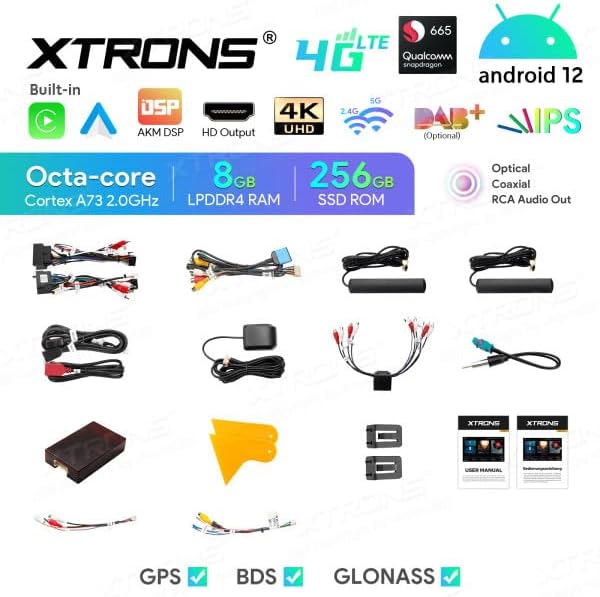
Image: All components included in the XTRONS IQ82A3AP package.
- XTRONS IQ82A3AP Head Unit
- Arnès de cables d'alimentació
- CANBUS Decoder
- Antena GPS
- Antena 4G
- Cables USB
- Cables de sortida RCA
- Lector de targetes SIM
- External Microphone Input Cable (Microphone not included)
- Manual d'usuari
- Installation Tools/Brackets
- TPMS Support Kit (TPMS sensors not included)
4. Producte acabatview
The XTRONS IQ82A3AP is an advanced car multimedia system featuring an 8-inch HD touchscreen display. It runs on Android 12 and is powered by an 8-core processor with 8GB RAM and 256GB internal storage.
4.1 Característiques clau
- Sistema operatiu: Android 12
- Processador: Octa-core Cortex A73 2.0GHz
- Memòria: 8GB LPDDR4 RAM
- Emmagatzematge: 256GB SSD ROM
- Visualització: 8-inch HD Screen (1280x720 resolution)
- Connectivitat: Built-in WiFi, 4G LTE (with SIM card reader), Bluetooth, USB
- Navegació: GPS, BDS, GLONASS support
- Integració del telèfon intel·ligent: Built-in Apple CarPlay and Android Auto
- Àudio: AKM DSP, Optical and Coaxial RCA Audio Out, Equalizer
- Vídeo: 4K UHD Video Playback, HD Output
- Integració de vehicles: CANBUS support for steering wheel controls and vehicle information display.
- Expandabilitat: Support for DAB+, OBD2, DVR, External Microphone, TPMS (accessories sold separately).
4.2 Dimensions
Refer to the diagram below for the physical dimensions of the head unit to ensure compatibility with your vehicle's dashboard.
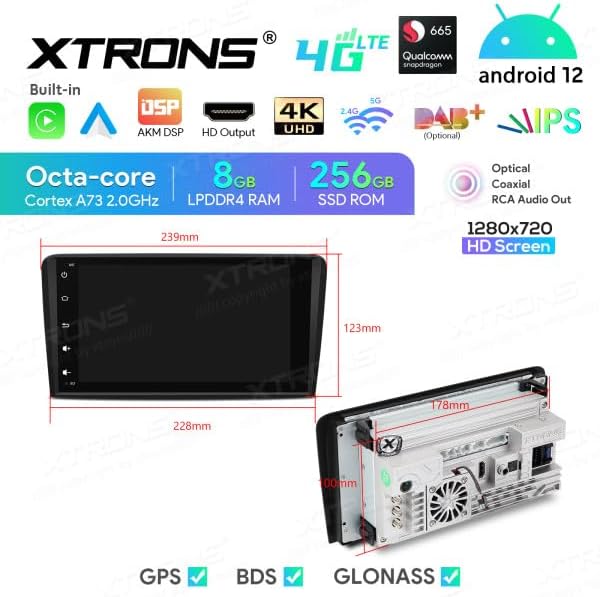
Imatge: Frontal i lateral view dimensions of the XTRONS IQ82A3AP head unit. Front panel width is approximately 228mm at the top and 239mm at the bottom, with a height of 123mm. The main unit depth is 178mm.
5. Configuració
5.1 Instal·lació
Installation of the XTRONS IQ82A3AP requires technical knowledge and experience with car audio systems. It is highly recommended to have the unit installed by a certified professional to avoid damage to the unit or your vehicle's electrical system. Incorrect installation can void your warranty.
- Compatibilitat de vehicles: This unit is designed for Audi A3 models (2003-2012). Ensure your vehicle's dashboard opening matches the unit's dimensions.
- Desconnecta la bateria: Before starting any installation, disconnect the vehicle's negative battery terminal to prevent electrical shorts.
- Eliminar la unitat antiga: Carefully remove the existing car stereo and any associated trim panels.
- Connexions de cablejat: Connect the provided wiring harness, CANBUS decoder, GPS antenna, 4G antenna, and other necessary cables. Ensure all connections are secure. Refer to the wiring diagram provided with the unit for specific connections.
- Muntatge: Secure the head unit into the dashboard using the provided brackets and screws.
- Torneu a connectar la bateria: Once all connections are made and the unit is securely mounted, reconnect the vehicle's battery.
5.2 Engegada i configuració inicials
After installation, power on the unit and follow the on-screen prompts for initial setup.
- Primer arrencada: The system may take longer to boot up for the first time.
- Configuració d'idioma: Select your preferred language (e.g., Italian, English).
- Hora i data: Set the correct time zone, date, and time.
- Connexió Wi-Fi: Connect to an available Wi-Fi network to enable internet access and download updates.
- Targeta SIM 4G: Insert your 4G SIM card into the provided reader for mobile data connectivity.
- Calibratge GPS: Ensure the GPS antenna is properly positioned for optimal signal reception. The system will automatically detect GPS satellites.
6. Instruccions de funcionament
This section details the primary functions and operations of your XTRONS IQ82A3AP unit.
6.1 Basic Interface and Controls
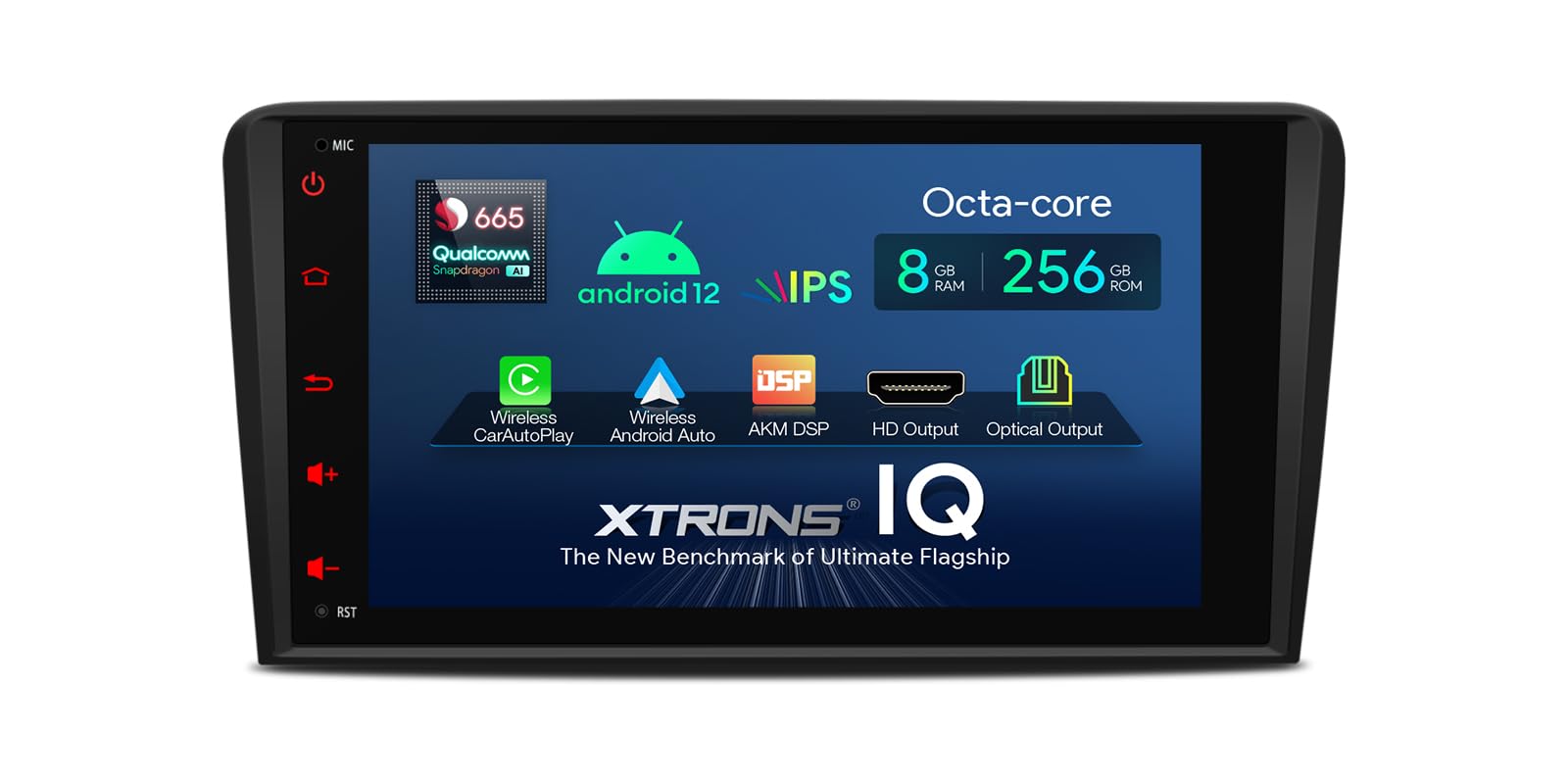
Image: Main user interface of the XTRONS IQ82A3AP, showing navigation, music, and Bluetooth shortcuts.
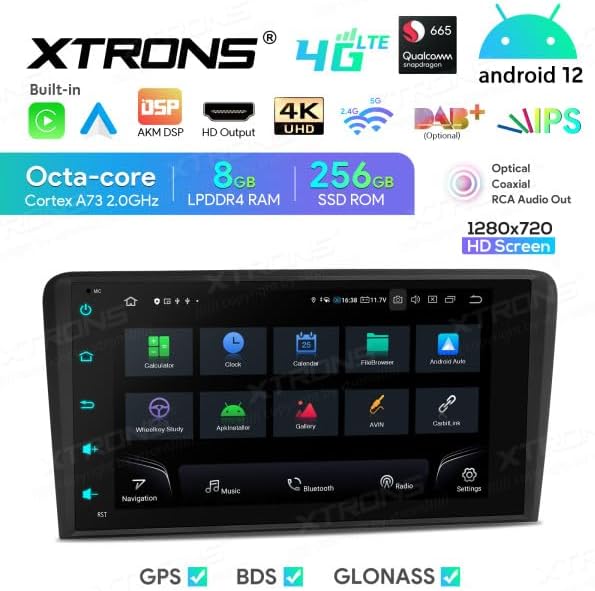
Image: Applications screen displaying various pre-installed and user-downloaded apps.
The unit features an intuitive touchscreen interface. Swipe left or right to access different screens and applications. Physical buttons on the side provide quick access to common functions like Home, Back, Volume, and Power.
6.2 Navigation (GPS/BDS/GLONASS)
The unit supports multiple satellite navigation systems for accurate positioning. Tap the "Navigation" icon on the home screen to launch the pre-installed navigation application or any other navigation app you download from the Google Play Store.
- Planificació de rutes: Enter your destination to get turn-by-turn directions.
- Actualitzacions de mapes: Connect to Wi-Fi or 4G to download map updates.
6.3 Connectivitat Bluetooth
Connecta el teu telèfon intel·ligent mitjançant Bluetooth per a trucades de mans lliures i transmissió d'àudio.
- Go to "Settings" > "Bluetooth".
- Enable Bluetooth on both the head unit and your smartphone.
- Cerca available devices on your smartphone and select "XTRONS IQ82A3AP" (or similar name).
- Confirma el codi d'emparellament en tots dos dispositius.
- Once paired, you can access your phonebook, make calls, and play music.
6.4 Wi-Fi and 4G Internet
The unit supports both Wi-Fi and 4G connectivity for internet access.
- Wi-Fi: Go to "Settings" > "Network & Internet" > "Wi-Fi" to connect to a local Wi-Fi hotspot.
- 4G: Insert a valid 4G SIM card into the provided SIM card reader. The unit will automatically detect the network. Ensure the 4G antenna is properly connected.
6.5 Apple CarPlay i Android Auto
The unit has built-in support for Apple CarPlay and Android Auto, allowing seamless integration with your smartphone for navigation, music, messages, and more.
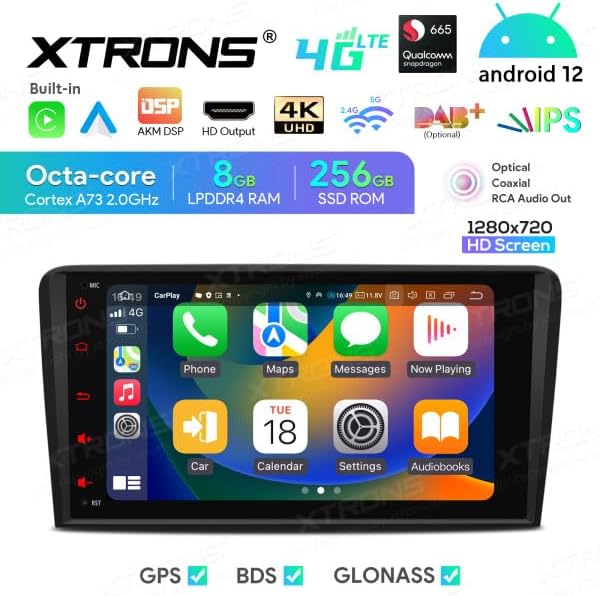
Image: Apple CarPlay interface displayed on the unit.

Image: Android Auto interface displayed on the unit.
- Connexió: Connect your iPhone or Android phone via a USB cable to the unit's USB port.
- Llançament: The system should automatically detect and launch CarPlay or Android Auto. If not, tap the corresponding icon on the app screen.
6.6 DSP Equalizer
The built-in Digital Signal Processor (DSP) allows for advanced audio customization. Access the equalizer settings to adjust sound frequencies, balance, fader, and other audio enhancements to suit your preferences.

Image: DSP Equalizer interface showing various frequency bands and audio settings.
6.7 USB Playback and Screen Mirroring
- Reproducció USB: Connect a USB drive to the unit's USB port to play audio, video, or view images. The unit supports up to 128GB USB drives.
- Replica de pantalla: Use the screen mirroring function to display your smartphone's screen directly on the head unit. Refer to the specific app (e.g., Zlink, EasyConnect) for instructions.
6.8 CANBUS Integration
The included CANBUS decoder ensures seamless integration with your Audi A3's existing systems. This allows the unit to support original steering wheel controls and display vehicle information on the board display (if applicable).
- Controls del volant: Configure the steering wheel buttons through the unit's settings to control audio playback, volume, and calls.
- Informació del vehicle: Certain vehicle data may be displayed on the unit or the original vehicle display, depending on the vehicle model and CANBUS configuration.
6.9 Optional Accessories (Not Included)
The XTRONS IQ82A3AP supports various optional accessories to enhance its functionality:
- DAB+ Box: For digital audio broadcasting.
- OBD2 Diagnostic Tool: For vehicle diagnostics.
- Càmera DVR: For dash camera recording.
- Micròfon extern: For improved call quality.
- TPMS (Tire Pressure Monitoring System) Kit: To monitor tire pressure.
7. Manteniment
7.1 Neteja de la unitat
- Use a soft, dry, lint-free cloth to clean the screen and exterior surfaces.
- Do not use abrasive cleaners, waxes, or solvents as they may damage the finish or screen.
- Eviteu ruixar líquids de neteja directament sobre la unitat.
7.2 Actualitzacions de programari
Periodically check for software updates to ensure optimal performance and access to new features. Updates can typically be found in the system settings under "About device" or "System updates". Connect to a stable Wi-Fi network before downloading and installing updates.
Note: Software updates are provided by the manufacturer, and their availability is not guaranteed indefinitely.
8. Solució De Problemes
If you encounter issues with your XTRONS IQ82A3AP, refer to the following common problems and solutions. If the problem persists, contact customer support.
| Problema | Causa possible | Solució |
|---|---|---|
| La unitat no s'encén. | Sense subministrament elèctric; cablejat incorrecte; fusible fundit. | Check power connections; verify wiring according to diagram; check vehicle's fuse box and unit's fuse. |
| Sense so. | Volume too low; mute activated; speaker wiring issue. | Increase volume; check mute setting; verify speaker connections. |
| Senyal GPS feble o perdut. | GPS antenna improperly placed or disconnected; environmental interference. | Assegureu-vos que l'antena GPS tingui una visió clara view del cel i està connectat de manera segura. |
| Problemes de connexió Bluetooth. | Bluetooth not enabled; device not discoverable; interference. | Ensure Bluetooth is enabled on both devices; make device discoverable; try re-pairing. |
| La pantalla tàctil no respon. | Bloqueig del sistema; error temporal del programari. | Restart the unit (press and hold power button); perform a factory reset (data will be lost). |
9. Especificacions
| Característica | Detall |
|---|---|
| Marca | XTRONS |
| Model | IQ82A3AP |
| Sistema operatiu | Android 12 |
| Processador | Octa-core |
| RAM | 8 GB |
| ROM (emmagatzematge intern) | 256 GB |
| Mida de la pantalla | 8 polzades |
| Resolució de pantalla | 1280 x 720 HD |
| Tipus de pantalla tàctil | Capacitiva |
| Tecnologia de connectivitat | Bluetooth, Wi-Fi, 4G, Apple CarPlay, Android Auto, USB |
| Característiques especials | Bluetooth, GPS, BDS, GLONASS, DSP, 4K UHD Video, HD Output, CANBUS |
| Tipus de muntatge | On-dash |
| Components inclosos | SIM Card Reader, TPMS Support Kit |
| Tipus de servei del vehicle | Automobile (Audi A3 2003-2012) |
10. Garantia i Suport
XTRONS products are designed for reliability and performance. For warranty information, please refer to the warranty card included with your product or visit the official XTRONS weblloc web. Conserveu el comprovant de compra per a reclamacions de garantia.
For technical support, troubleshooting assistance, or inquiries about optional accessories, please contact XTRONS customer service through their official weblloc web o el distribuïdor on vau comprar el producte.


