Introducció
This manual provides detailed instructions for the setup, operation, and maintenance of your Rapoo M300G Silent Wireless Mouse. Please read this manual thoroughly to ensure proper use and to maximize the performance of your device.
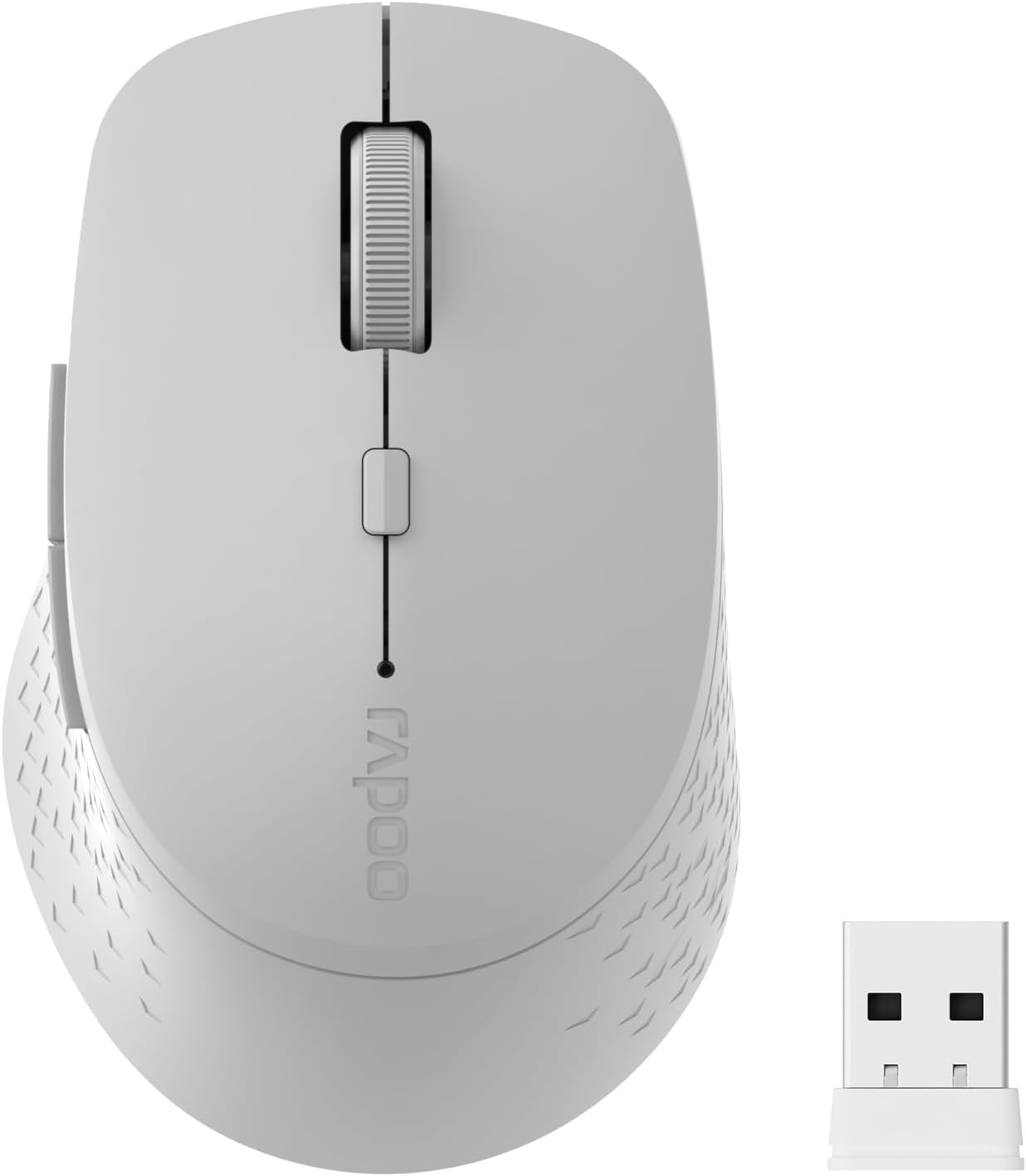
Image: The Rapoo M300G Silent Wireless Mouse in light grey, shown with its accompanying USB receiver.
Contingut del paquet
Verifiqueu que tots els elements siguin presents al paquet:
- Rapoo M300G Wireless Mouse (x1)
- USB Receiver (x1)
- Bateria AA (x1)
- Product Manual (x1)
Producte acabatview
Familiarize yourself with the components of your Rapoo M300G mouse.
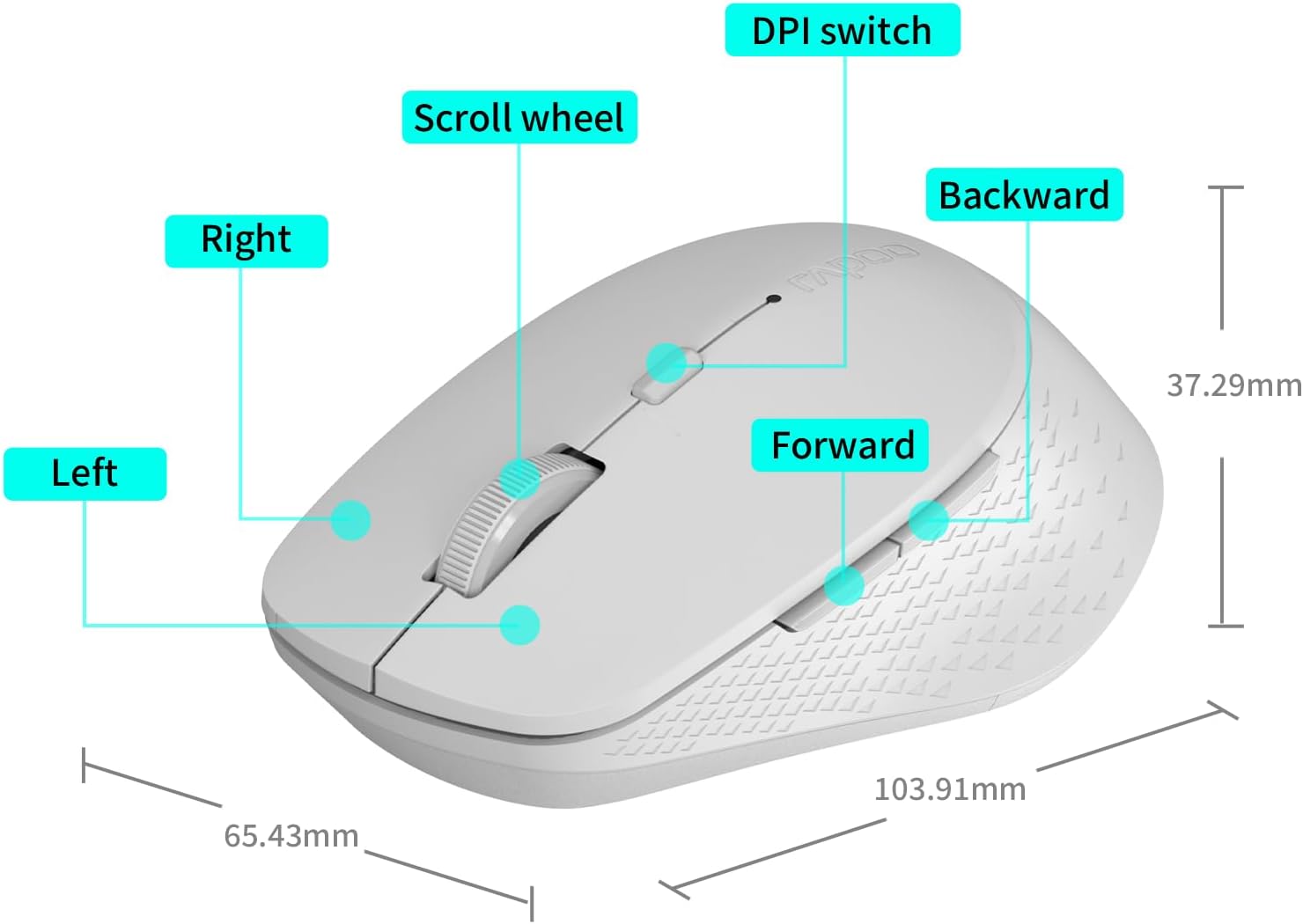
Image: A diagram illustrating the various parts of the Rapoo M300G mouse, including the left and right click buttons, scroll wheel, DPI switch, and forward/backward side buttons.
- Botó esquerre: Funció de clic estàndard.
- Botó dret: Funció del menú contextual.
- Roda de desplaçament: Per al desplaçament vertical i el clic amb el botó central.
- Commutador DPI: Ajusta la sensibilitat del cursor.
- Botó Endavant: Navega cap endavant web navegadors o file exploradors.
- Botó enrere: Navega cap enrere web navegadors o file exploradors.
Instruccions de configuració
The Rapoo M300G mouse supports both 2.4GHz wireless and Bluetooth connectivity. Choose the method that best suits your device.
1. Instal·lació de la bateria
Open the battery compartment on the underside of the mouse. Insert the provided AA battery, ensuring correct polarity. Close the compartment.

Image: Illustration of the mouse's underside, highlighting the battery compartment and the integrated USB receiver storage slot.
2. Connexió mitjançant el mode sense fil de 2.4 GHz
- Locate the USB receiver inside the mouse's battery compartment.
- Traieu el receptor USB i connecteu-lo a un port USB disponible de l'ordinador.
- Engegueu el ratolí amb l'interruptor d'engegada que es troba a la part inferior.
- The mouse should automatically connect to your computer. No additional drivers are typically required.
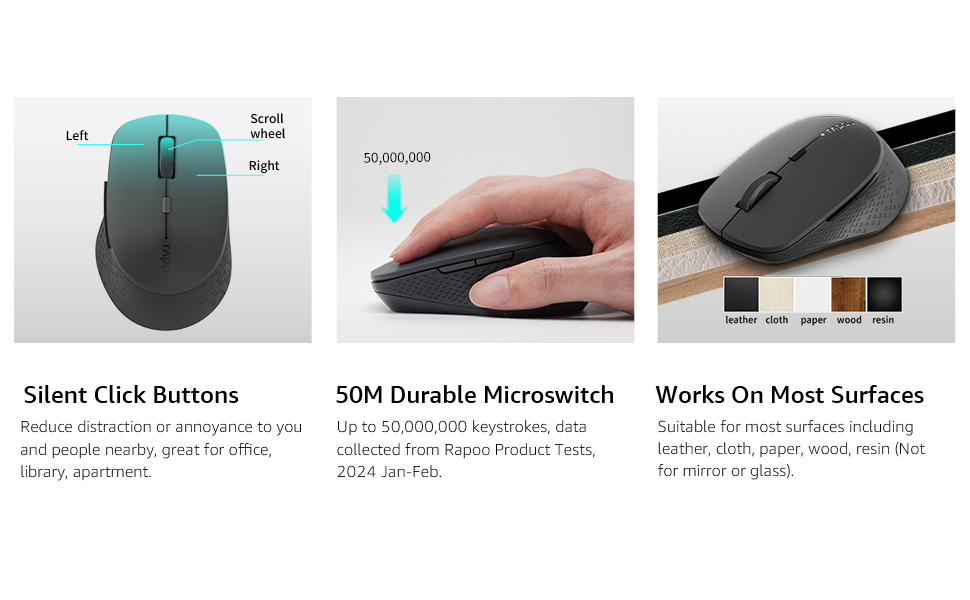
Image: Visual guide for connecting the mouse. The 2.4GHz mode shows the USB receiver being inserted into a computer.
3. Connexió mitjançant el mode Bluetooth
The mouse supports Bluetooth 5.0 and 4.0.
- Engegueu el ratolí amb l'interruptor d'engegada que es troba a la part inferior.
- Press and hold the multifunction button on the underside of the mouse for 3-5 seconds until the indicator light flashes slowly. This indicates pairing mode.
- A l'ordinador o dispositiu, obriu la configuració de Bluetooth.
- Cerca new devices and select "Rapoo M300G" (or similar) from the list.
- Segueix les instruccions que apareixen a la pantalla per completar el procés d'emparellament. L'indicador lluminós deixarà de parpellejar un cop connectat.

Image: Diagram detailing the multifunction button on the mouse's underside, explaining its use for DPI adjustment (short press) and Bluetooth pairing (long press).
Image: Visual guide for connecting the mouse. The Bluetooth mode shows the mouse pairing with a laptop.
Instruccions de funcionament
1. Switching Between Devices (Multi-Mode)
The Rapoo M300G can connect to two devices simultaneously (one via 2.4GHz, one via Bluetooth). To switch between connected devices, briefly press the multifunction button on the underside of the mouse. The indicator light will change to confirm the active connection mode.

Image: The Rapoo M300G mouse demonstrating its ability to connect to two devices simultaneously, one via 2.4GHz and another via Bluetooth.
2. Ajust de DPI (sensibilitat)
The mouse offers 5 adjustable DPI levels: 800, 1000, 1200, 1600, and 2400. To change the DPI, press the DPI switch button located on the top of the mouse, below the scroll wheel. Each press cycles through the available DPI settings.

Image: A visual representation of the mouse's adjustable DPI settings, ranging from 800 to 2400, with an arrow pointing to the DPI switch button.
3. Funció de clic silenciós
The Rapoo M300G features silent click buttons, reducing operational noise by 90%. This design is intended for quiet environments, minimizing disturbance to others.

Image: The Rapoo M300G mouse, emphasizing its silent click functionality, suitable for quiet environments.

Imatge: Detallada view of the mouse's silent click buttons, durable microswitches, and its ability to function on various surfaces.
4. Compatibilitat de superfícies
The advanced optical tracking engine allows the mouse to operate effectively on various surfaces, including leather, cloth, paper, wood, and resin, without requiring a mouse pad. Performance may vary on glass or mirrored surfaces.

Image: The Rapoo M300G mouse positioned on different materials, highlighting its capability to track on diverse surfaces.
Manteniment
1. Substitució de la bateria
When the mouse performance degrades or the indicator light signals low battery, replace the AA battery. The mouse is designed for low power consumption, offering up to 12 months of battery life under normal conditions.

Image: An illustration emphasizing the Rapoo M300G mouse's extended battery life of up to 12 months.
2. Neteja
Per netejar el ratolí, feu servir un drap suau i sec. Per a la brutícia persistent, feu servir un drap lleugerament sec.amp cloth can be used, ensuring no moisture enters the internal components. Avoid using harsh chemicals or abrasive materials.
Resolució de problemes
El ratolí no respon
- Comproveu la bateria: Assegureu-vos que la pila AA estigui correctament instal·lada i que tingui prou càrrega. Substituïu-la si cal.
- Interruptor d'alimentació: Verifiqueu que el ratolí estigui encès.
- USB Receiver (2.4GHz Mode): Assegureu-vos que el receptor USB estigui ben connectat a un port USB que funcioni. Proveu-ho amb un altre port USB.
- Bluetooth Connection (Bluetooth Mode):
- Assegureu-vos que el Bluetooth estigui habilitat al vostre dispositiu.
- Re-enter pairing mode on the mouse (long press multifunction button) and re-pair with your device.
- Elimineu el ratolí de la llista de Bluetooth del dispositiu i torneu a intentar emparellar-lo.
- Interferència: Acosteu el ratolí al receptor/dispositiu. Eviteu utilitzar el ratolí a prop d'altres dispositius sense fil que puguin causar interferències.
El moviment del cursor és erràtic
- Neteja el sensor: Assegureu-vos que el sensor òptic de la part inferior del ratolí estigui net i lliure de pols o residus.
- Superfície: Try using the mouse on a different surface. While the mouse works on many surfaces, some highly reflective or uneven surfaces may affect tracking.
- Configuració de DPI: Adjust the DPI setting using the DPI switch button to see if a different sensitivity improves performance.
Especificacions
| Model | M300G |
| Tecnologia de connectivitat | Bluetooth 5.0, Bluetooth 4.0, sense fil de 2.4 GHz |
| Tecnologia de detecció de moviment | Òptic |
| DPI ajustable | 800/1000/1200/1600/2400 |
| Característiques especials | Silent Clicks, Multi-Device Switching, Portable, Ergonomic Design |
| Tipus de bateria | 1 bateries AA (incloses) |
| Durada de la bateria | Fins a 12 mesos |
| Dimensions del producte | 4.09 x 2.57 x 0.04 polzades (103.91 x 65.43 x 37.29 mm) |
| Pes de l'article | 3.52 unces (100 g) |
| Compatibilitat | Windows, Mac OS, Linux, iOS, Android, Chrome OS |
Garantia i Suport
Your Rapoo M300G Silent Wireless Mouse comes with a garantia d'un any des de la data de compra. A més, un 30-day return and refund or replacement policy is offered. For warranty claims, technical support, or product inquiries, please contact your retailer or visit the official Rapoo weblloc d'assistència.
Per a més informació, podeu visitar el Rapoo Brand Store on Amazon.


