1. Introducció
This manual provides detailed instructions for the setup, operation, and maintenance of your TONGVEO 5.8GHz Wireless Conference Room Camera System. This system is designed to offer high-quality video and audio solutions for various applications, including business meetings, online courses, telemedicine, and live streaming.
The system features a 3X 5.8GHz wireless 1080P 60FPS USB3.0 PTZ camera bundled with a speakerphone, ensuring clear, undistorted online communication. The speakerphone provides 360° voice enhancement and background noise elimination for a professional experience.
2. Contingut del paquet
En desembalar el dispositiu, comproveu que hi hagi tots els components que s'enumeren a continuació:
- TONGVEO 3X Wireless PTZ Camera
- Altaveu Bluetooth
- Adaptador d'alimentació DC 12V
- Receptor USB de 5.8 GHz (adaptador)
- Comandament a distància IR
- Cable USB 2.0
- Manual d'usuari
- Ceiling Brackets & Screws for installation

Figura 2.1: Mésview of the TONGVEO 5.8GHz Wireless Conference Room Camera System and its included accessories.
3. Instruccions de configuració
3.1 Camera and Speakerphone Placement
The camera offers various mounting options: it can be installed on a desk, monitor, wall, tripod, or even upside-down on the ceiling. Position the camera to capture the desired area. Place the speakerphone centrally within the meeting space for optimal 360° voice pickup.

Figura 3.1: Examples of camera and speakerphone placement in different conference and streaming environments.
3.2 Passos de connexió sense fil
- Attach the camera's antenna to the rear wireless port.
- Attach the dongle antenna to the 5.8GHz USB receiver.
- Connect the assembled USB receiver (dongle with antenna) into an available USB port on your PC or laptop.
- Ensure the camera is powered on using the DC 12V power adapter.
- The camera and receiver will automatically pair. A stable wireless connection can be maintained up to 50 feet.
Note: It is normal for the wireless connector to heat up after long use. Unplugging and allowing it to cool down should restore normal function. Each receiver is uniquely paired; disassembling it may prevent wireless connection.

Figure 3.2: Visual guide for attaching antennas and connecting the USB receiver for wireless operation.
Video 3.1: Demonstrates the wireless connection process for the TONGVEO camera and Bluetooth microphone.
3.3 Speakerphone Connection
The speakerphone can connect via Bluetooth or USB. For Bluetooth, activate Bluetooth on your device and pair with "TONGVEO Speaker-Mic". For USB, connect the speakerphone directly to your computer using the provided USB cable.

Figure 3.3: Illustrates USB, Bluetooth, and AUX connection methods for the speakerphone.
4. Instruccions de funcionament
4.1 Integració de programari
The TONGVEO 3X wireless PTZ camera system is plug-and-play, automatically recognized by your computer without driver installation. It is compatible with Windows XP, Vista, 7/8/8.1/10/11, and Mac 10.4 or higher. It works seamlessly with popular online conferencing software such as Zoom, WebEx, GoToMeeting, BlueJeans, OBS, and more.
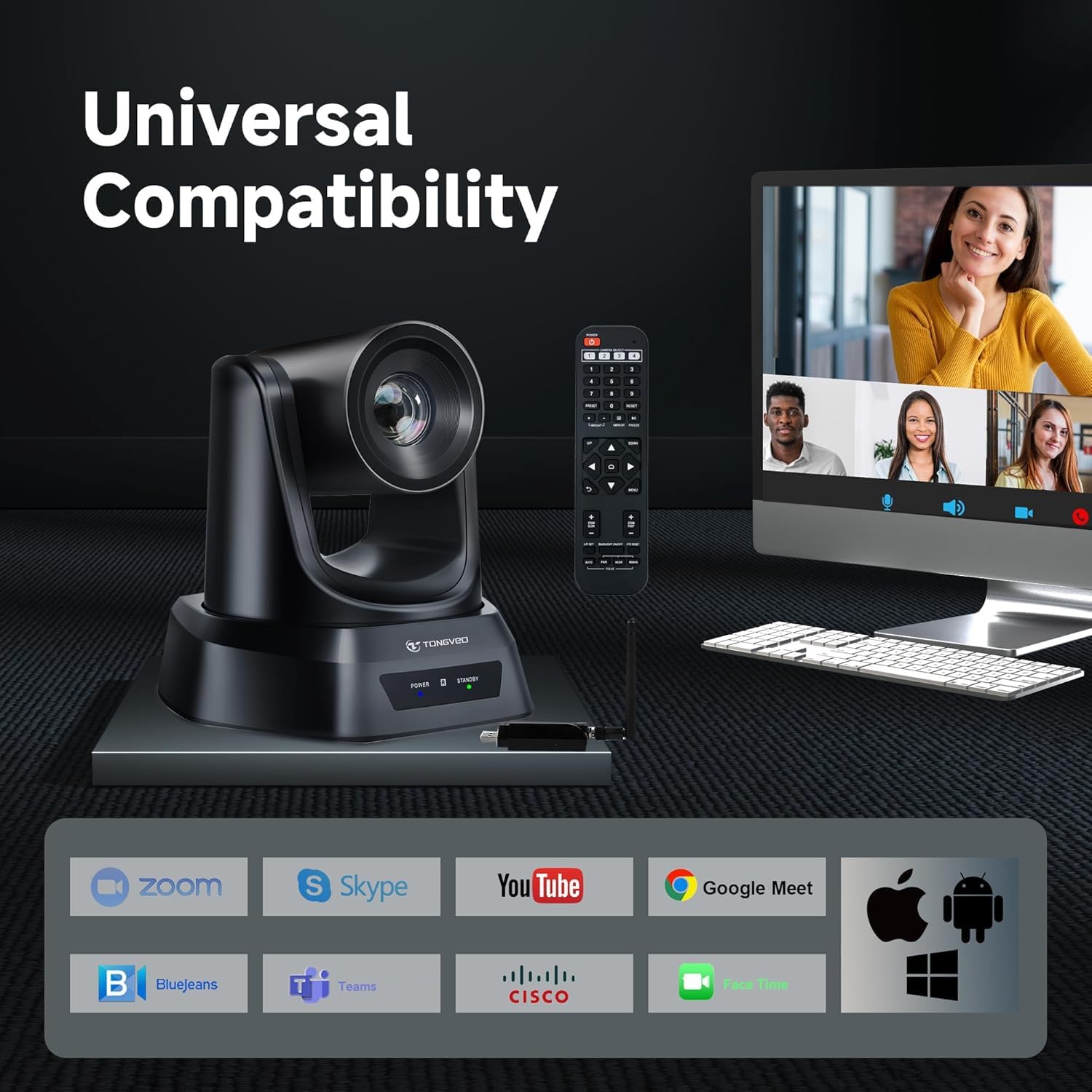
Figure 4.1: Displays the wide compatibility of the camera system with different devices and software.
4.2 Camera Control with Remote
Use the IR remote control to manage camera functions. The remote allows for pan, tilt, and zoom adjustments, setting and recalling preset positions, and controlling image settings. The camera can move quickly between presets to cover the entire conference space.

Figura 4.2: Detallada view of the remote control and its various buttons for camera operation.
4.3 Speakerphone Features
The speakerphone provides 360° voice pickup and effectively eliminates background noise, ensuring clear audio. It features intuitive controls for volume, mute, and call management.

Figure 4.3: Highlights the speakerphone's omnidirectional microphones and noise reduction capabilities.
5. Manteniment
To ensure the longevity and optimal performance of your TONGVEO Conference Room Camera System, follow these maintenance guidelines:
- Neteja: Use a soft, dry cloth to clean the camera lens and body. Avoid abrasive cleaners or solvents that may damage the surfaces.
- Emmagatzematge: When not in use for extended periods, store the camera and speakerphone in a cool, dry place away from direct sunlight and extreme temperatures.
- Gestió de cables: Assegureu-vos que tots els cables estiguin ben organitzats i no estiguin sota tensió per evitar danys.
6. Solució De Problemes
- Sense vídeo/àudio: Ensure all cables are securely connected and the camera/speakerphone are powered on. Verify that the correct camera and microphone are selected in your conferencing software settings.
- Problemes de connexió sense fil: Check that both the camera and dongle antennas are properly attached. If the wireless connector becomes hot, unplug it, allow it to cool, and then reconnect. Ensure the unique pairing of the receiver is maintained.
- El control remot no respon: Check the batteries in the remote control and replace if necessary. Ensure there are no obstructions between the remote and the camera's IR receiver.
- Problemes de qualitat de la imatge: Ensure adequate lighting in the room. Adjust camera settings (brightness, contrast, etc.) via the remote control menu if needed.
7. Especificacions
| Característica | Detall |
|---|---|
| Marca | TONGVEO |
| Número de model | PTZ 3X Camera+microphone |
| Resolució de captura de vídeo | 1080p |
| Velocitat de fotogrames | 60 fps |
| Zoom òptic | 3X |
| Freqüència sense fil | 5.8 GHz |
| abast sense fils | Fins a 50 peus |
| Camp de View | 114° |
| Tecnologia de connectivitat | USB |
| Speakerphone Voice Pickup | 360° |
| Pes de l'article | 7 lliures |
| Característiques especials | Anti-shake |
8. Garantia i Suport
TONGVEO products are backed by a manufacturer's warranty. For specific warranty details, please refer to the warranty card included in your package or visit the official TONGVEO weblloc.
For technical support, troubleshooting assistance, or product inquiries, please contact TONGVEO customer service through the contact information provided in your product documentation or on the official TONGVEO weblloc.


