1. Introducció
This manual provides detailed instructions for the setup, operation, maintenance, and troubleshooting of your TONGVEO TV-V3W 5.8GHz Wireless PTZ Conference Webcam. Please read this manual thoroughly before use to ensure optimal performance and longevity of your device.
Què hi ha a la caixa:
- TONGVEO TV-V3W PTZ Camera
- Comandament a distància IR
- 9.8ft USB 2.0 cable
- Suport de paret amb cargols
- DC 12V power adaptor
- 5.8GHz USB receiver
- Manual d'usuari

Figure 1.1: TONGVEO TV-V3W PTZ Camera, remote control, and wireless receiver.
2. Configuració
The TONGVEO TV-V3W camera is designed for quick and easy setup with plug-and-play functionality, requiring no driver installation for automatic computer recognition.
2.1 Instal·lació física
- Opcions de muntatge: The camera can be installed on a desk, monitor, wall, tripod, or upside-down on the ceiling using the provided brackets and screws.
- Connexió d'alimentació: Connect the DC 12V power adaptor to the camera's DC 12V port.
- Connexió sense fil:
- Attach the camera's antenna to the rear wireless port.
- Attach the second antenna to the 5.8GHz USB receiver (dongle).
- Plug the dongle into a USB port on your PC or laptop.
- Wired USB Connection (Alternative): Connect the provided USB cable from the camera's USB port to your computer.
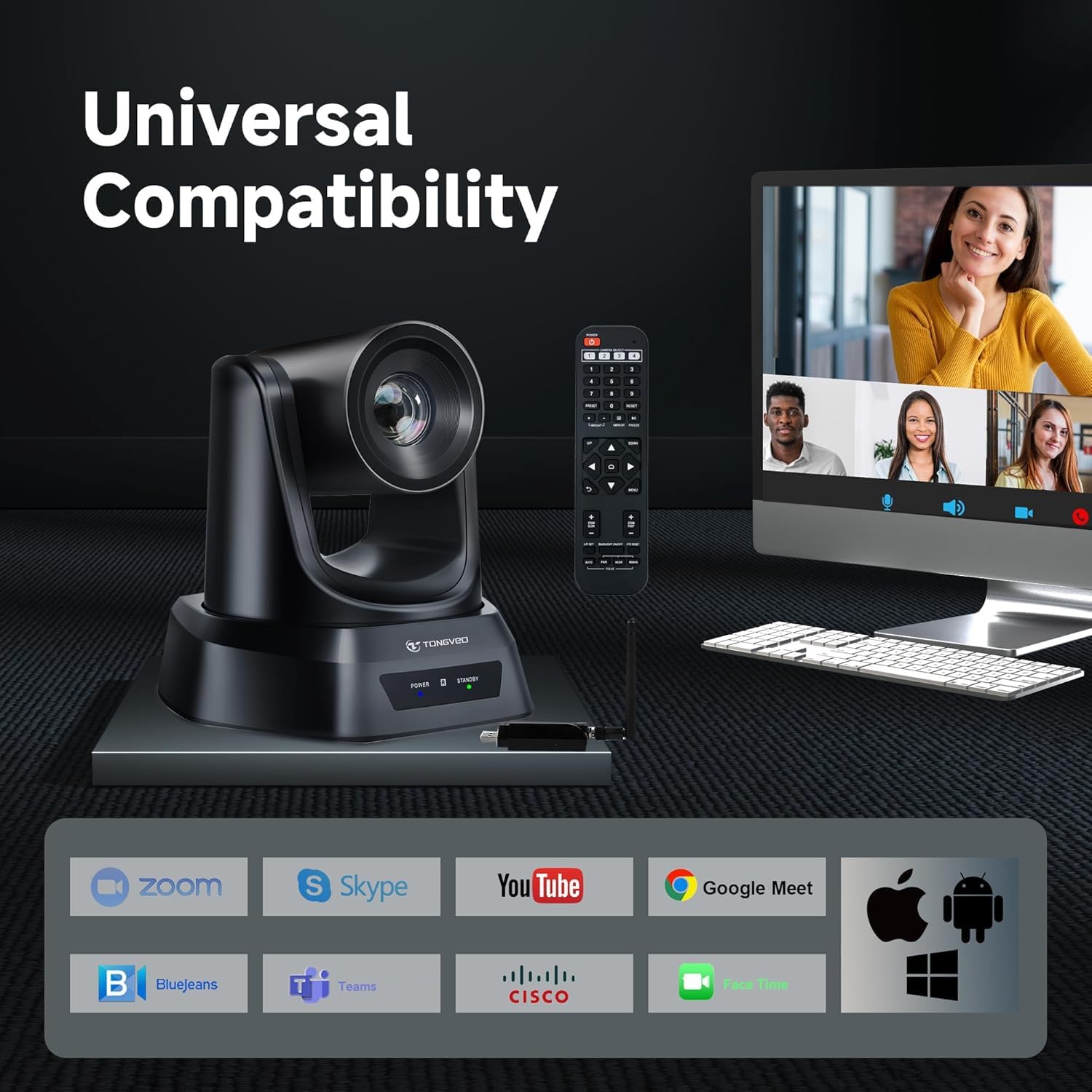
Figure 2.1: Steps for establishing a wireless connection with the TONGVEO TV-V3W camera.
2.2 Integració de programari
- Reconeixement automàtic: Once connected, the camera will be automatically recognized by your computer.
- Launch Conferencing Software: Open your preferred video conferencing software (e.g., Zoom, WebEx, GoToMeeting, BlueJeans, OBS).
- Selecciona la càmera: In the software settings, select the TONGVEO TV-V3W camera as your video input device.
- Start Meeting/Stream: You are now ready to begin your video meeting or live stream.
Video 2.2: Official TONGVEO video demonstrating the wireless conference webcam's features and setup.
3. Funcionament de la càmera
The TONGVEO TV-V3W offers flexible control options to manage its pan, tilt, and zoom functions, ensuring optimal framing for any scenario.
3.1 Control PTZ
- pa: 350° horizontal rotation.
- Inclinació: 180° vertical rotation.
- Zoom: 3X optical zoom for clear magnification.
- Moviment silenciós: The PTZ mechanism operates silently, preventing distractions during use.
3.2 Control remot
Use the included IR remote control to manage camera movements and settings.
- Botons direccionals: Control pan and tilt.
- Botons de zoom: Adjust the 3X optical zoom (slow and fast options available).
- Botons predefinits (1-9): Save and recall up to 9 camera positions for quick scene changes.
- Botó d'inici: Returns the camera to its default home position.
- Botó de menú: Accesses on-screen display (OSD) menu for advanced settings.

Figure 3.1: Diagram of the remote control functions for the TONGVEO TV-V3W camera.
3.3 Software and External Control
- UVC1.1 Compatibility: The camera supports UVC1.1 protocol, allowing control through mainstream video conferencing software.
- RS232/RS485 Interface: For advanced users, the camera can be controlled via a standard PTZ camera joystick or control boards using RS232 or RS485 interfaces.
4. Manteniment
Proper maintenance ensures the longevity and optimal performance of your TONGVEO TV-V3W camera.
- Neteja: Feu servir un drap suau i sec per netejar el cos de la càmera. Per a l'objectiu, feu servir un drap i una solució especials per a la neteja d'objectius. Eviteu productes químics agressius.
- Emmagatzematge: Quan no la feu servir, guardeu la càmera en un lloc fresc i sec, allunyat de la llum solar directa i de temperatures extremes.
- Gestió de cables: Assegureu-vos que tots els cables estiguin ben organitzats i no estiguin sota tensió per evitar danys.
- Wireless Receiver Heat: It is normal for the wireless connector (dongle) to heat up after long periods of use. If it becomes excessively hot, unplug it and allow it to cool down before resuming use.
5. Solució De Problemes
If you encounter issues with your TONGVEO TV-V3W camera, refer to the following common problems and solutions:
- Sense sortida de vídeo:
- Ensure the camera is powered on and the power indicator light is active.
- Verify the USB cable or wireless receiver is securely connected to both the camera and the computer.
- Check if the correct camera is selected in your video conferencing software settings.
- Problemes de connexió sense fil:
- Ensure both the camera and dongle antennas are securely attached.
- Confirm the wireless receiver is plugged into a functional USB port.
- Note that each receiver is uniquely paired with its camera; disassembling the receiver may prevent wireless connection.
- Reduce the distance between the camera and the computer (maximum 50ft transmission distance).
- El control remot no respon:
- Comproveu les piles del comandament a distància i substituïu-les si cal.
- Ensure there are no obstructions between the remote and the camera's IR receiver.
- Image Quality Issues (e.g., blurry, dark):
- Ensure adequate lighting in the room.
- Adjust white balance and exposure settings via the remote control's OSD menu or conferencing software.
6. Especificacions
| Característica | Especificació |
|---|---|
| Marca | TONGVEO |
| Número de model | TV-V3W |
| Pes de l'article | 6.03 lliures |
| Dimensions del paquet | 11.3 x 8.66 x 7.99 polzades |
| Color | Negre |
| Característiques especials | PTZ Camera with 3X optical zoom, 1080P 30fps, 350° Pan & 90° Tilt, USB plug and play, Remote Control, RS232/RS485 Support |
| Tecnologia del sensor fotogràfic | CMOS |
| Resolució de captura de vídeo | 1080p |
| Distància focal màxima | 10.05 mil·límetres |
| Apertura màxima | 12 mil·límetres |
| Tecnologia de connectivitat | USB |
7. Garantia i Suport
For warranty information and technical support, please refer to the documentation included in your product packaging or visit the official TONGVEO weblloc. Els plans de protecció poden estar disponibles per a la compra per separat.


