1. Introducció
This user manual provides essential information for the safe and efficient operation of your Blow KidsTAB8 8-inch tablet. Please read this manual thoroughly before using the device and retain it for future reference. The Blow KidsTAB8 features an 8-inch IPS display, UNISOC T606 octa-core processor, 4GB RAM, 64GB internal storage, and runs on Android 12.
2. Informació de seguretat
- No exposeu la tauleta a temperatures extremes, llum solar directa ni humitat elevada.
- Eviteu deixar caure la tauleta ni sotmetre-la a impactes forts.
- Use only the charger provided or approved by the manufacturer.
- No intenteu desmuntar ni reparar la tauleta vosaltres mateixos. Poseu-vos en contacte amb personal de servei qualificat.
- Mantingueu la tauleta allunyada de l'aigua i altres líquids.
- Desfeu-vos de la tauleta i la bateria de manera responsable d'acord amb la normativa local.
3. Contingut del paquet
Comproveu que el vostre paquet contingui els elements següents:
- Blow KidsTAB8 8-inch Tablet
- Cable de càrrega USB-C
- Adaptador d'alimentació
- Manual d'usuari (aquest document)
Nota: Els accessoris específics poden variar segons la regió.
4. Dispositiu acabatview
Familiaritzeu-vos amb els components físics de la vostra tauleta.
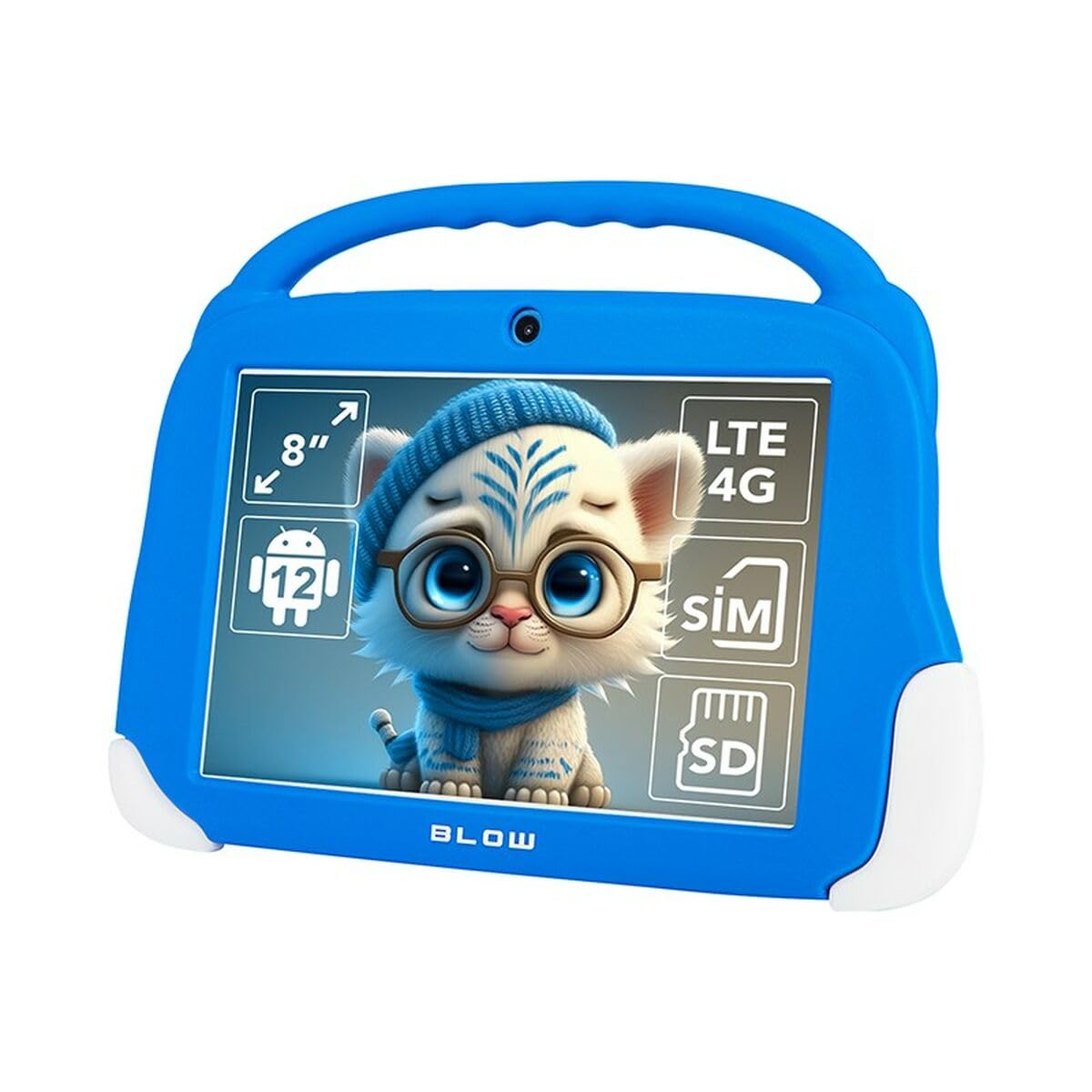
Figura 4.1: Davant view of the Blow KidsTAB8 tablet, showing the 8-inch display and front camera.
4.1 Característiques físiques
- Pantalla IPS de 8 polzades: Pantalla d'alta definició per a una imatge nítida.
- Càmera frontal: Located above the screen for video calls and selfies.
- Càmera posterior: Located on the back for capturing photos and videos (2 MP resolution).
- Botó d'encesa: Typically on the side, used to power on/off and wake/sleep the device.
- Botons de volum: Ajusta els nivells d'àudio.
- Port USB-C: Per a càrrega i transferència de dades.
- Micro SIM/SD Card Slot: For mobile connectivity and expandable storage.
5. Configuració
5.1 Càrrega inicial
Before first use, fully charge your tablet. Connect the USB-C cable to the tablet's USB-C port and the power adapter to a wall outlet. The battery indicator on the screen will show charging status. The tablet has a 4800 mAh battery.
5.2 Engegada/apagada
- Per encendre: Press and hold the Power button until the Blow logo appears.
- Per apagar: Mantingueu premut el botó d'engegada i, a continuació, seleccioneu "Apagar" de les opcions que apareixen a la pantalla.
- Per dormir/despertar-se: Premeu breument el botó d'engegada per posar la tauleta en repòs o activar-la.
5.3 Instal·lació de la targeta SIM i la targeta MicroSD
The tablet supports a Micro SIM card for 4G LTE connectivity and a MicroSD card for expandable storage up to 64GB (or more, depending on card compatibility).
- Localitza la safata de la targeta SIM/MicroSD al lateral de la tauleta.
- Use the provided SIM ejector tool (if included) to open the tray.
- Carefully place the Micro SIM card and/or MicroSD card into the designated slots on the tray, ensuring correct orientation.
- Empenyeu suaument la safata cap a dins de la tauleta fins que encaixi al seu lloc.
6. Instruccions de funcionament
6.1 Navegació bàsica (Android 12)
- Pantalla d'inici: Llisca cap a l'esquerra o la dreta per navegar entre les pantalles d'inici.
- Calaix d'aplicacions: Llisca cap amunt des de la part inferior de la pantalla per accedir a totes les aplicacions instal·lades.
- Notificacions i configuració ràpida: Feu lliscar el dit cap avall des de la part superior de la pantalla fins a view notificacions i accedir a la configuració ràpida.
- Back, Home, Recent Apps: Use the navigation buttons at the bottom of the screen (or gestures, if enabled) to navigate.
6.2 Connectivitat
- Wi-Fi: Vés a Configuració > Xarxa i Internet > Wi-Fi to connect to available Wi-Fi networks (supports 802.11ac, b, g, n, and 5 GHz).
- Bluetooth: Vés a Configuració > Dispositius connectats > Bluetooth to pair with Bluetooth 5.0 compatible devices.
- Dades mòbils (4G LTE): If a Micro SIM card is installed, enable mobile data in Configuració > Xarxa i Internet > Xarxa mòbil.
- GPS: The tablet supports GPS, Glonass, and BeiDou for location services. Ensure location services are enabled in Configuració> Ubicació.
6.3 Ús de la càmera
Open the Camera app to take photos or record videos. The tablet features a front camera and a 2 MP rear camera.
6.4 Aplicacions
Download and install applications from the Google Play Store. Ensure you have a Google account set up on your tablet.
7. Manteniment
7.1 Neteja de la tauleta
Use a soft, lint-free cloth to clean the screen and body of the tablet. Do not use abrasive cleaners or solvents. If necessary, slightly dampNetegeu el drap amb aigua o un netejador de pantalles dissenyat específicament per a electrònica.
7.2 Actualitzacions de programari
Comproveu periòdicament si hi ha actualitzacions de programari per assegurar-vos que la tauleta tingui les darreres funcions i millores de seguretat. Aneu a Configuració > Sistema > Actualització del sistema.
8. Solució De Problemes
| Problema | Solució |
|---|---|
| La tauleta no s'encén. | Assegureu-vos que la bateria estigui carregada. Connecteu el carregador i espereu uns minuts abans d'intentar tornar-lo a engegar. |
| Problemes de connexió Wi-Fi. | Comprova si el Wi-Fi està activat a la configuració. Reinicia el teu encaminador Wi-Fi. Oblida't de la xarxa i torna a connectar-te. |
| Les aplicacions es bloquegen o es congelen. | Close and restart the app. Clear the app's cache in Configuració > Aplicacions > [Nom de l'aplicació] > Emmagatzematge i memòria cau. Restart the tablet. |
| Rendiment lent. | Close unused apps. Clear cache. Consider uninstalling unnecessary applications. Perform a factory reset as a last resort (backup data first). |
9. Especificacions
| Número de model | S9148142 |
| Mostra | 8-inch IPS, 1280 x 800 px (HD) |
| Processador | UNISOC T606 Octa-Core |
| RAM | 4 GB |
| Emmagatzematge intern | 64 GB |
| Sistema operatiu | Android 12 |
| Capacitat de la bateria | 4800 mAh |
| Connectivitat | Wi-Fi (802.11ac, b, g, n, 5 GHz), Bluetooth 5.0, 4G LTE, GPS, Glonass, BeiDou |
| Ports | USB-C 3.0 x 1, Micro SIM slot, MicroSD card reader |
| Càmeres | Front Camera, Rear Camera (2 MP) |
| Dimensions | 18.2 x 2.2 x 25 cm |
| Pes | 880 g |
10. Garantia i Suport
For warranty information and technical support, please refer to the warranty card included with your product or visit the official Blow weblloc web. Conserveu el comprovant de compra per a reclamacions de garantia.
Fabricant: Cop
Model: KidsTAB8 (S9148142)


