Introducció
This manual provides essential information for the safe and efficient use of your YEELIGHT W4 Smart Bulb. Please read these instructions carefully before installation and operation. Keep this manual for future reference.
The YEELIGHT W4 Smart Bulb is an E27 base LED bulb featuring dimmable functionality, color changing capabilities, and connectivity via Wi-Fi and Bluetooth for smart control.
Informació de seguretat
- Assegureu-vos que l'alimentació estigui apagada abans d'instal·lar o treure la bombeta.
- Do not use with standard dimmers. This bulb is designed for smart dimming via the app or compatible smart home systems.
- Només apte per a llocs secs. No l'exposeu a l'aigua ni a la humitat.
- Do not disassemble the bulb. This will void the warranty.
- Operar dins del volum especificattagrang de corrent (230 volts).
Contingut del paquet
Verifiqueu que tots els elements siguin presents al vostre paquet:
- YEELIGHT W4 Smart Bulb (4 units)
- Manual d'usuari (aquest document)
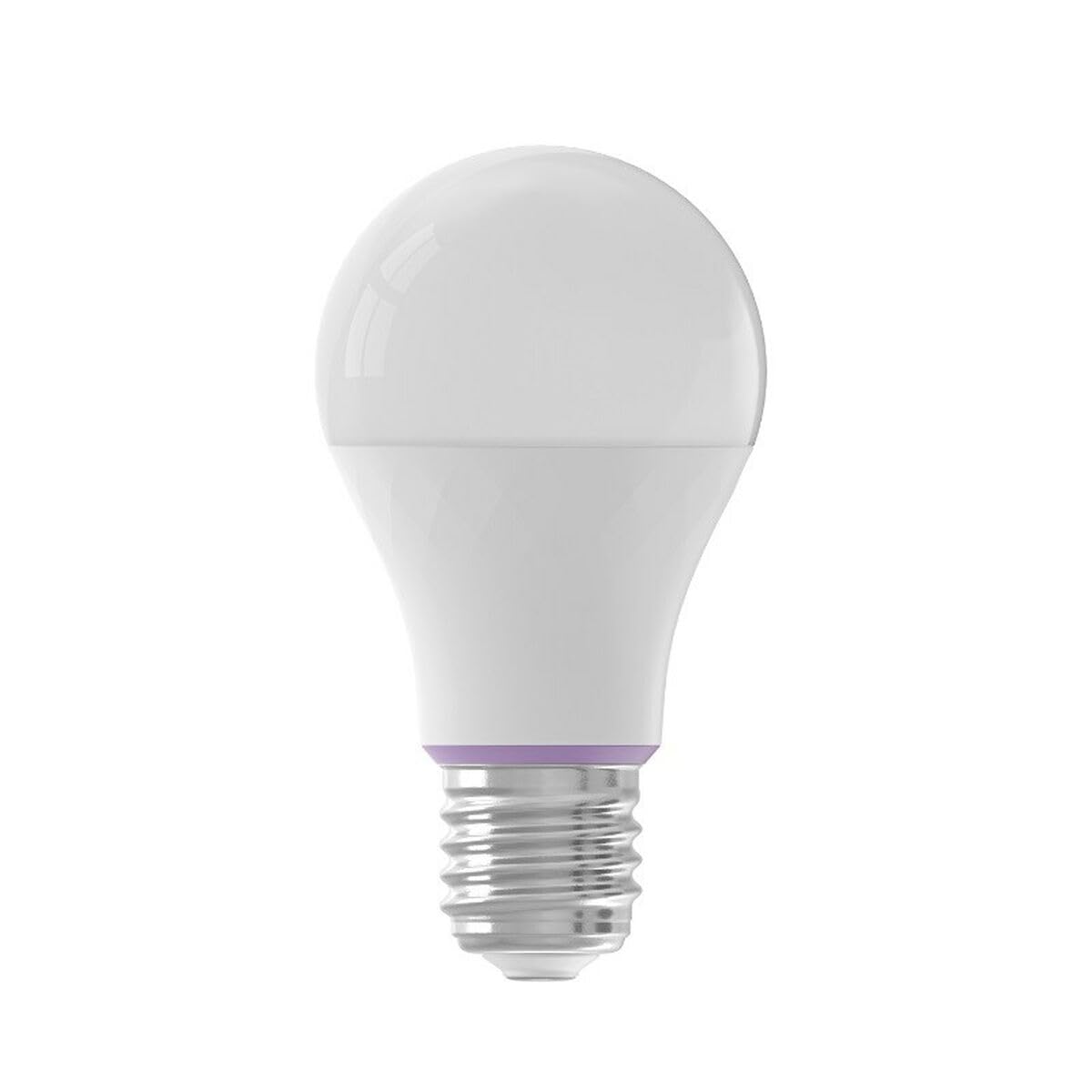
Image: YEELIGHT W4 Smart Bulb. This image displays the smart bulb, typically with an E27 screw base and a frosted or clear dome, indicating its design and form factor.
Especificacions
| Característica | Especificació |
|---|---|
| Número de model | YLQPD-0012 (S9144407) |
| Tipus de base | E27 |
| Connectivitat | Wi-Fi, Bluetooth |
| Poder | 9 watts |
| Equivalent incandescent | 60 watts |
| Voltage | 230 Volts |
| Temperatura de color | 6500 Kelvin (Blanc) |
| Característiques especials | Regulable, canviant de color |
| Dimensions (L x A x A) | 14.92 x 9.94 x 10.04 cm |
| Pes | 620 grams |
Configuració
1. Instal·lació de maquinari
- Apagar: Ensure the power switch to the light fixture is in the OFF position before installation.
- Instal·leu la bombeta: Screw the YEELIGHT W4 Smart Bulb into a standard E27 light socket. Do not overtighten.
- Encès: Turn the power switch to the ON position. The bulb should light up, indicating it is ready for pairing.
2. Descàrrega i emparellament de l'aplicació
- Descarregar l'aplicació: Descarrega l'oficial Yeelight App des de l'App Store (iOS) o Google Play Store (Android).
- Crea un compte: Open the Yeelight App and create a new account or log in to an existing one.
- Afegeix un dispositiu: Tap the "+" icon in the app to add a new device. Select the YEELIGHT W4 Smart Bulb from the list of available devices.
- Connecta't a Wi-Fi: Follow the on-screen instructions to connect the bulb to your 2.4GHz Wi-Fi network. Ensure your phone is connected to the same 2.4GHz network during the pairing process.
- Vinculació Bluetooth (opcional): The bulb also supports Bluetooth for local control. If Wi-Fi is unavailable or unstable, the app may prompt for Bluetooth pairing.
- Rename Bulb: Un cop connectada, podeu canviar el nom de la bombeta per facilitar-ne la identificació (per exemple, "Sala d'estar Lamp").
En funcionament
Control bàsic
- On/Off: Use the Yeelight App to turn the bulb on or off. You can also use the physical light switch, but this will cut power to the smart features.
- Dimecres: Adjust the brightness level from 1% to 100% using the slider in the Yeelight App.
- Canvi de color: Select from a wide spectrum of colors or choose from preset scenes within the app.
Funcions avançades
- Programació: Set schedules for the bulb to turn on/off or change settings at specific times.
- Escenes: Create custom lighting scenes for different moods or activities.
- Control de grup: Group multiple YEELIGHT W4 bulbs together to control them simultaneously.
- Control de veu: Integrate with compatible smart home assistants (e.g., Google Assistant, Amazon Alexa) for voice commands. Refer to your smart assistant's setup guide for integration instructions.
- Comandament a distància: Control your bulbs from anywhere with an internet connection via the Yeelight App.
Manteniment
- Neteja: Assegureu-vos que la bombeta estigui apagada i freda abans de netejar-la. Netegeu-la amb un drap suau i sec. No utilitzeu netejadors líquids ni materials abrasius.
- Emmagatzematge: Si guardeu la bombeta durant un període prolongat, guardeu-la en un lloc fresc i sec, allunyat de la llum solar directa.
- Actualitzacions de firmware: Periodically check the Yeelight App for firmware updates to ensure optimal performance and access to new features.
Resolució de problemes
- La bombeta no s'encén:
- Check if the light fixture has power.
- Ensure the bulb is screwed in correctly and securely.
- Test the bulb in another working fixture.
- Bulb not connecting to Wi-Fi:
- Assegura't que la teva xarxa Wi-Fi sigui de 2.4 GHz. La bombeta no admet xarxes de 5 GHz.
- Comproveu la vostra contrasenya de Wi-Fi.
- Acosta la bombeta al router Wi-Fi durant la configuració.
- Reset the bulb by turning it off and on five times consecutively (1-2 second intervals). The bulb will flash, indicating it's in pairing mode.
- Reinicieu el vostre encaminador.
- App cannot find the bulb:
- Assegureu-vos que el Bluetooth estigui habilitat al vostre telèfon.
- Confirm the bulb is powered on and in pairing mode (if recently reset).
- Update the Yeelight App to the latest version.
- Dimming or color changing issues:
- Ensure the bulb is connected to the app and has a stable Wi-Fi connection.
- Avoid using external dimmers, as they can interfere with the bulb's smart dimming capabilities.
- Perform a bulb reset and re-pair if issues persist.
Garantia
YEELIGHT products are covered by a limited warranty. For detailed warranty terms and conditions, please refer to the official YEELIGHT website or contact customer support. Keep your purchase receipt as proof of purchase for warranty claims.
Suport
For further assistance, technical support, or to report issues, please visit the official YEELIGHT support website or contact their customer service team. Contact information can typically be found on the YEELIGHT website or within the Yeelight App.
Weblloc: www.yeelight.com


