1. Introducció
1.1 Producte acabatview
The InFocus Core II INL178 is a 3D DLP Projector from the Quantum Laser Core II Series, designed for reliable and high-performance projection. This projector utilizes environmentally friendly laser technology, eliminating the need for lamps and filters, which contributes to maintenance-free operation and a lower cost of ownership. It supports continuous 24/7 operation and offers flexible installation options for various environments.
Key features include 4000 lumens brightness, Full HD (1920x1080) native resolution with 4K support, HDR compatibility, and a high contrast ratio of up to 3,500,000:1. The projector is built with an IP6X dust resistance rating, ensuring durability and consistent performance.

Figura 1: Angle frontal view of the InFocus Core II INL178 Projector, showcasing the lens and Quantum Laser branding.
1.2 Què hi ha a la caixa
Si us plau, comproveu que tots els elements que s'enumeren a continuació estiguin inclosos al vostre paquet:
- INL178 DLP Projector
- IR Remote Control (batteries not included)
- Adaptador d'alimentació
- Cable HDMI
- Manual d'usuari (aquest document)
2. Informació de seguretat
Llegiu atentament totes les instruccions de seguretat abans d'utilitzar el projector. Si no seguiu aquestes instruccions, podeu patir incendis, descàrregues elèctriques o altres lesions.
- Seguretat elèctrica: Always connect the projector to a grounded power outlet. Do not overload power strips or extension cords. Disconnect the power cord during lightning storms or when unused for long periods.
- Calor i ventilació: Ensure adequate ventilation around the projector. Do not block ventilation openings. Avoid placing the projector on soft surfaces that may block airflow. Do not operate in enclosed spaces without proper air circulation.
- Seguretat làser: This product uses a laser light source. Do not look directly into the projector lens when the projector is on. Avoid pointing the projector at people's eyes.
- Manipulació: Handle the projector with care. Avoid dropping or subjecting it to strong impacts. Do not attempt to open or service the projector yourself; refer all servicing to qualified service personnel.
- Medi ambient: Do not expose the projector to rain, moisture, or extreme temperatures. Keep it away from water and other liquids.
3. Característiques del producte
The InFocus Core II INL178 projector incorporates advanced technologies for superior performance and ease of use:
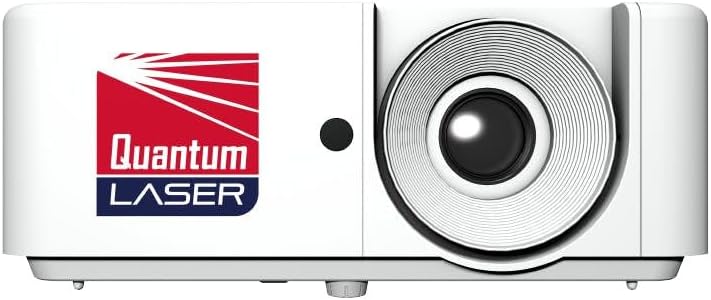
Figura 2: Frontal view of the InFocus Core II INL178 Projector, highlighting the main lens and branding.
- Quantum Laser Technology: Features a solid-state laser light source, providing up to 30,000 hours of laser life. This technology eliminates the need for lamps and filters, reducing maintenance and environmental impact.
- Alta brillantor i contrast: Delivers 4000 lumens of brightness and a dynamic contrast ratio of up to 3,500,000:1, ensuring clear, vibrant, and detailed images even in well-lit environments.
- Full HD with 4K Support: Projects native Full HD (1920 x 1080) resolution images and supports 4K input via HDMI 2.0 (HDCP 2.2), offering stunning visual clarity.
- Compatibilitat HDR: High Dynamic Range (HDR) support enhances image depth perception and provides more lifelike texture details.
- Preparat per a 3D: Capable of displaying 3D content, offering an immersive viewexperiència.
- SuperSmartProject Suite: Includes power-saving and optimization features such as instant power on/off, signal power on, auto power-off, 10-step illumination reduction, and Dynamic Black optimization to enhance viewing while conserving energy.
- Instal·lació flexible: Supports front, rear, and ceiling placement, as well as floor-to-ceiling and ceiling-to-floor projection. It allows full 360-degree placement across the horizontal axis and both landscape and portrait modes, suitable for diverse installation needs.
- Resistència a la pols IP6X: Provides outstanding dust resistance for 24/7 maintenance-free operation in various environments.
- Connectivitat: Equipped with multiple ports including HDMI, USB, Ethernet, and RS232 for versatile device connections and control.
4. Configuració
4.1 Col·locació del projector
The INL178 projector offers extensive flexibility for placement. Consider the following options:
- Front Projection: Place the projector on a table or stand in front of the screen.
- Rear Projection: Place the projector behind a translucent screen.
- Muntatge al sostre: Mount the projector upside down on the ceiling. Ensure proper ventilation and secure mounting.
- Muntatge al sòl: Place the projector on the floor, projecting upwards.
- 360-Degree Placement: The projector can be rotated 360 degrees along its horizontal axis.
- Mode de retrat: The projector can be oriented vertically for portrait-style displays.
Ensure the projector is placed on a stable, level surface or securely mounted. Maintain adequate distance from walls or other objects to allow for proper airflow around the ventilation openings.
4.2 Connexió de dispositius
The INL178 provides various connection ports on its rear panel:

Figure 3: Rear panel of the InFocus Core II INL178 Projector, illustrating HDMI, VGA, RS232, USB, Audio In/Out, and DC In ports.
- HDMI (x2): Connect to Blu-ray players, laptops, gaming consoles, or other HDMI-enabled devices for high-definition video and audio.
- VGA In (x1): Connect to computers or older devices using a VGA cable.
- RS232: For remote control and monitoring solutions in corporate installations.
- USB: Connect a USB device for instant image projection from a PC or MacBook.
- Entrada/Sortida d'àudio: Connect external audio sources or output audio to external speakers.
- Entrada DC: Connecteu l'adaptador de corrent proporcionat per alimentar el projector.
After connecting your devices, connect the power adapter to the projector's DC In port and then to a power outlet.
5. Instruccions de funcionament
5.1 Engegada/apagada
- Encès: Press the power button on the projector or the remote control. The projector features "Instant Power On" for quick startup.
- Apagar: Press the power button again. The projector features "Instant Power Off" for rapid shutdown.
- Apagat automàtic: The projector can be configured to automatically power off after a period of inactivity or no signal.
5.2 Funcionament bàsic i navegació pels menús
Use the included IR remote control to navigate the projector's on-screen display (OSD) menu. The remote allows you to select input sources, adjust picture settings, and access advanced features.
- Selecció de la font: Use the "Source" button on the remote to cycle through available input sources (HDMI 1, HDMI 2, VGA, USB).
- Accés al menú: Press the "Menu" button to open the OSD. Use the arrow keys to navigate and "Enter" or "OK" to select options.
- Picture Adjustments: Within the OSD, you can adjust settings such as Brightness, Contrast, Color, Tint, Sharpness, and Aspect Ratio.
- Correcció Keystone: Adjust the image shape if the projector is not perfectly perpendicular to the screen.
- Mode 3D: Activate or deactivate 3D display mode when playing 3D content.
6. Manteniment
The InFocus Core II INL178 projector is designed for low maintenance due to its laser light source and IP6X dust resistance. However, regular cleaning is recommended to ensure optimal performance and longevity.
6.1 Neteja del projector
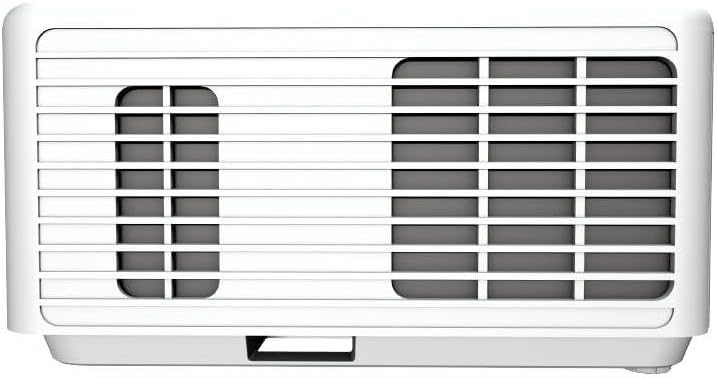
Figura 4: lateral view of the InFocus Core II INL178 Projector, showing the ventilation grilles for heat dissipation.
- Exterior: Gently wipe the projector casinamb un drap suau, sec i sense borrissol. Per a marques difícils, netegeu lleugeramentampRenta el drap amb aigua. Evita fer servir netejadors o dissolvents abrasius.
- Lent: Use a lens cleaning cloth or a soft brush to remove dust from the projector lens. For smudges, use a lens cleaning solution specifically designed for optical surfaces. Do not touch the lens with your fingers.
- Obertures de ventilació: Periodically check the ventilation openings for dust accumulation. Use a soft brush or compressed air (held at a distance) to clear any blockages. Ensure the projector is powered off and unplugged before cleaning.
6.2 Lamp and Filter-Free Design
Un dels avantatges significatiustages of the Quantum Laser Core II Series is its lamp-free and filter-free design. This means there is no need for lamp replacements or filter cleaning/replacement, significantly reducing maintenance requirements and operating costs.
7. Solució De Problemes
Si teniu problemes amb el projector, consulteu els passos habituals següents per a la resolució de problemes:
| Problema | Causa possible | Solució |
|---|---|---|
| No hi ha imatge a la pantalla |
|
|
| La imatge està borrosa o desenfocada |
|
|
| El comandament a distància no funciona |
|
|
| La imatge està distorsionada (forma trapezoïdal) |
|
|
8. Especificacions
Technical specifications for the InFocus Core II INL178 3D DLP Projector:
| Número de model | INL178 |
| Tecnologia de visualització | DLP |
| Font de llum | Làser |
| Brillantor | 4000 lúmens |
| Resolució nativa | 1920 x 1080 (Full HD) |
| Resolució suportada | Up to 4K (via HDMI 2.0) |
| Relació de contrast | 3,500,000:1 |
| Vida làser | Fins a 30,000 hores |
| Característiques especials | 3D-Ready, High Dynamic Range (HDR), Laser |
| Tecnologia de connectivitat | Ethernet, HDMI (x2), USB, VGA In, RS232, Audio In/Out |
| Resistència a la pols | IP6X |
| Dimensions del producte | 10.9 x 8.5 x 4.6 polzades |
| Pes de l'article | 6.39 lliures |
9. Garantia i Suport
For warranty information and technical support, please refer to the warranty card included with your product or visit the official InFocus weblloc web. Normalment hi podeu trobar recursos d'assistència, preguntes freqüents i informació de contacte per al servei d'atenció al client.
Recursos en línia: www.infocus.com


