Introducció
This manual provides detailed instructions for the safe and effective use of your PNI PMR R45 PRO portable radio. Please read this manual thoroughly before operating the device to ensure proper functionality and to prevent damage.
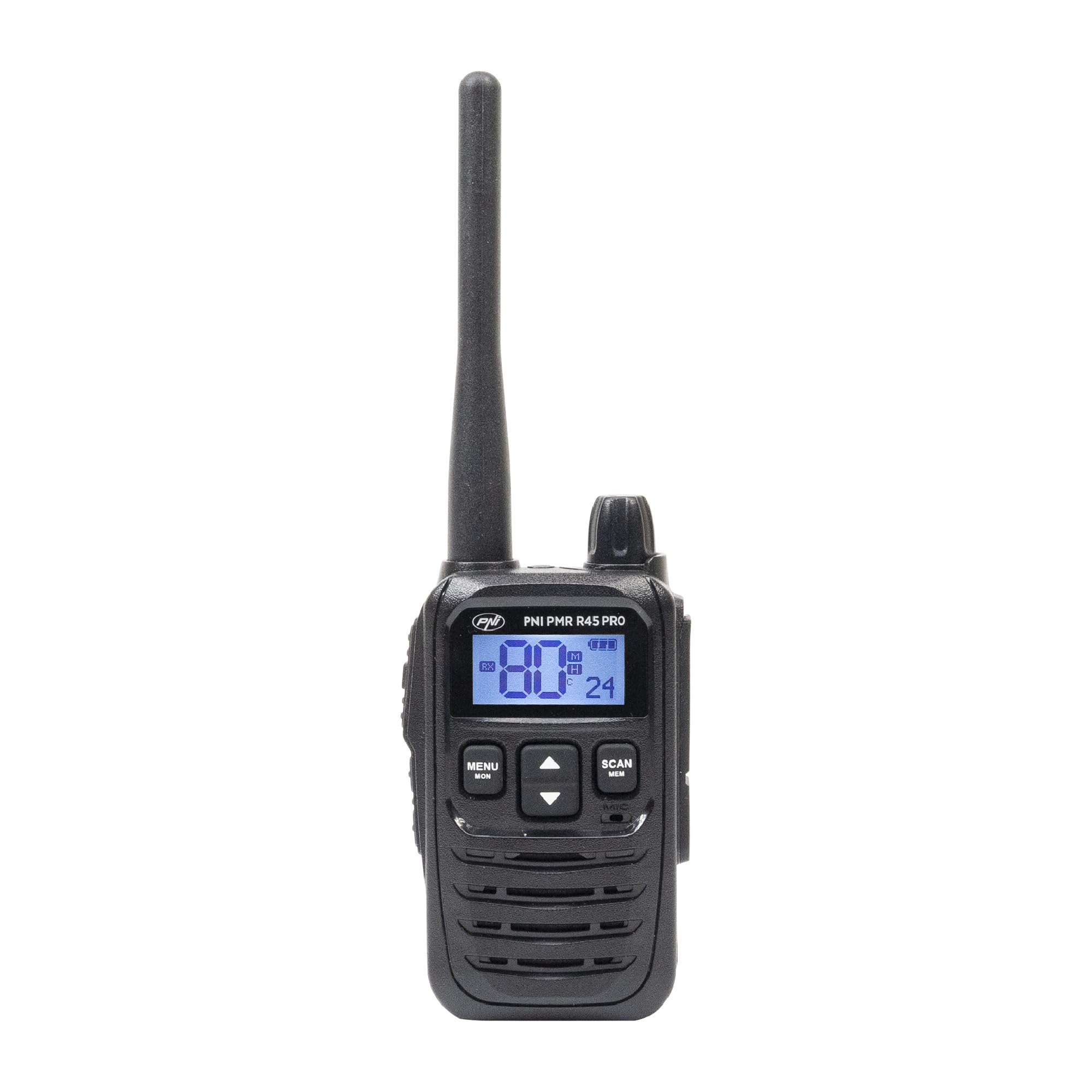
Image: PNI PMR R45 PRO Portable Radio, front view.
Contingut del paquet
Verifiqueu que tots els elements que s'enumeren a continuació siguin presents al vostre paquet:
- 1 x PNI PMR R45 PRO Radio Station
- 1 x Li-Ion Battery (2000 mAh)
- 1 x Carregador d'escriptori
- 1 x Wall Power Supply
- 1 x cable USB tipus C
- 1 x antena
- 1 x Clip de cinturó
- 1 x Manual d'usuari (aquest document)

Image: All components included in the PNI PMR R45 PRO package.
Configuració
1. Instal·lació de la bateria
- Assegureu-vos que la ràdio estigui apagada.
- Localitzeu la tapa del compartiment de la bateria a la part posterior de la ràdio.
- Slide the cover downwards or unlatch it to open.
- Insert the Li-Ion battery into the compartment, ensuring the contacts align correctly.
- Substituïu la tapa del compartiment de la bateria i fixeu-la.

Image: Open battery compartment of the PNI PMR R45 PRO radio, showing battery insertion.
2. Carregant la bateria
- Connect the USB Type C cable to the desktop charger.
- Connect the wall power supply to the USB Type C cable and plug it into a power outlet.
- Place the radio into the desktop charger. Ensure the charging indicator light illuminates.
- Charge the battery fully before first use (approximately 3-4 hours).

Image: PNI PMR R45 PRO radio placed in its desktop charging cradle, connected to a wall adapter via USB-C cable.
3. Fixació del clip del cinturó
- Alineeu el clip del cinturó amb les ranures designades a la part posterior de la ràdio.
- Slide the belt clip upwards until it clicks securely into place.

Image: A hand demonstrating the attachment of the belt clip to the back of the PNI PMR R45 PRO radio.
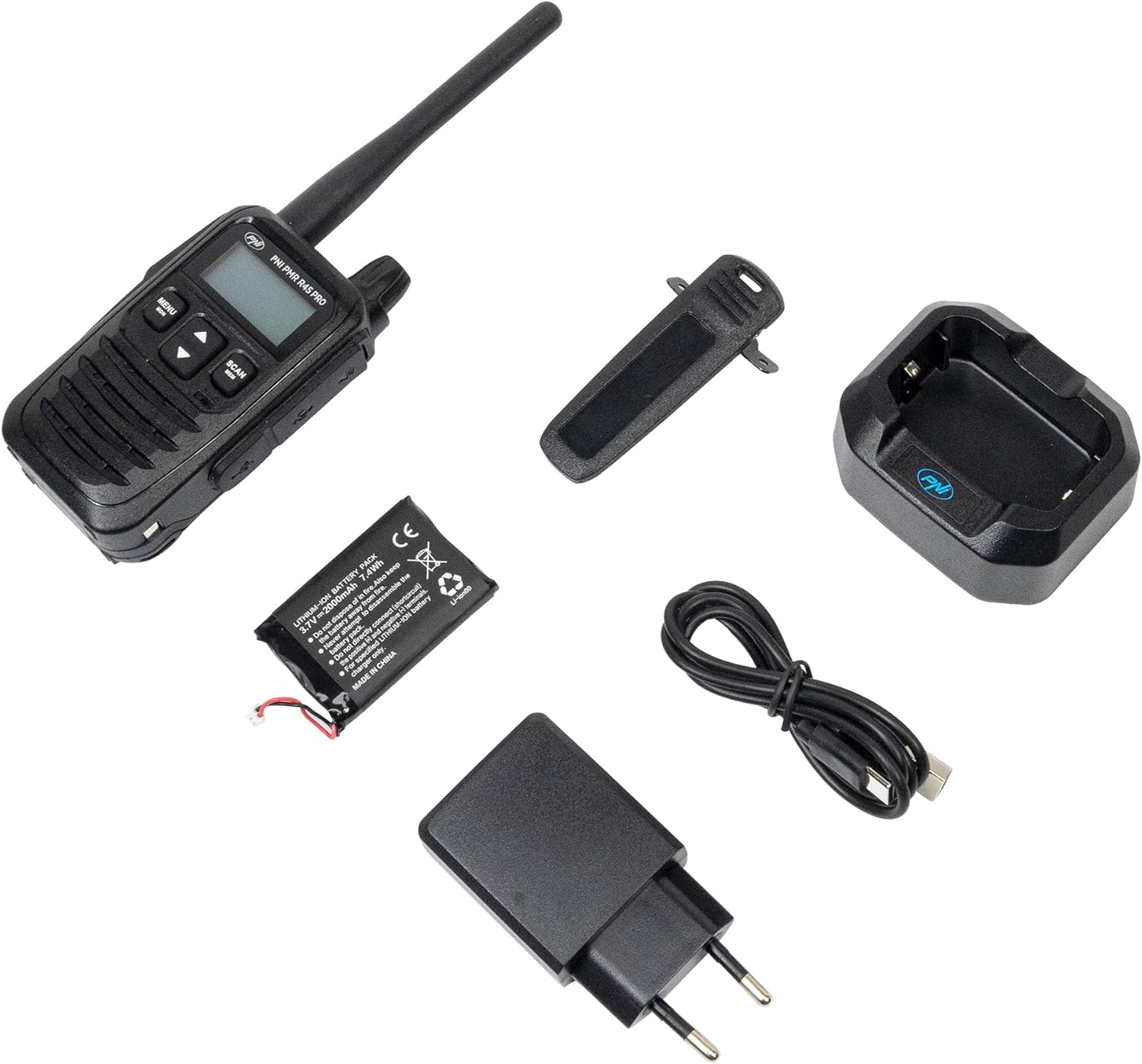
Image: PNI PMR R45 PRO radio with the belt clip securely attached.
Instruccions de funcionament
Funcionament bàsic
- Encès/apagat: Press and hold the power button (usually combined with volume knob) until the LCD screen illuminates or turns off.
- Ajust de volum: Gireu el botó de volum en sentit horari per augmentar el volum, en sentit antihorari per disminuir-lo.
- Selecció de canals: Use the Up/Down arrow buttons to select one of the 99 available channels.
- Premeu per parlar (PTT): Press and hold the PTT button on the side of the radio to transmit your voice. Release to listen.

Image: A hand holding the PNI PMR R45 PRO radio, with a finger positioned on the Push-to-Talk (PTT) button.

Imatge: Lateral view of the PNI PMR R45 PRO radio, highlighting the PTT button and other side controls.
Funcions avançades
- Codis CTCSS/DCS: To ensure private conversations, set the same CTCSS (38 tones) or DCS (104 codes) sub-code on all radios in your group. Refer to the radio's menu for setting these codes.
- Funció VOX (centraleta operada per veu): Activates transmission automatically when you speak, without needing to press the PTT button. The PNI PMR R45 PRO offers 3 sensitivity levels for VOX. Activate and adjust in the menu.
- Suprimir: Suppresses weak signals and background noise. The radio features 5 squelch levels. Higher levels require stronger signals to open the receiver. Adjust in the menu.
- Funció d'escaneig: Scans through active channels to find ongoing conversations. Activate by pressing the 'Scan' button or through the menu.
- Roger Beep: An audible tone transmitted when the PTT button is released, signaling the end of your transmission. Can be enabled/disabled in the menu.
- Bloqueig del teclat: Prevents accidental changes to settings. Activate/deactivate via the menu or a dedicated button.
- Tons de trucada: Choose from 5 selectable call tones to alert other users.
- Temporitzador de temps mort (TOT): Limits the duration of a single transmission to prevent accidental continuous transmission and conserve battery.
- Bloqueig de canal ocupat (BCL): Impedeix la transmissió en un canal que ja està en ús.
- Automatic Power Saver: Extends battery life by reducing power consumption during periods of inactivity.
- Indicador de bateria baixa: An icon or audible alert will notify you when the battery level is low.
Manteniment
- Neteja: Utilitzeu un suau, damp drap per netejar l'exterior de la ràdio. No utilitzeu productes químics agressius ni netejadors abrasius.
- Cura de la bateria: For optimal battery life, avoid fully discharging the Li-Ion battery frequently. Charge the radio regularly. If storing for extended periods, charge the battery to about 50% and store in a cool, dry place.
- Emmagatzematge: Guardeu la ràdio en un lloc sec, allunyat de temperatures extremes i de la llum solar directa.
- Antena: Do not bend or modify the antenna. A damaged antenna can affect performance.
Resolució de problemes
| Problema | Causa possible | Solució |
|---|---|---|
| La ràdio no s'encén. | La bateria està esgotada o no està instal·lada correctament. | Carregueu la bateria o torneu-la a instal·lar correctament. |
| No es pot transmetre ni rebre. | Incorrect channel/sub-code, out of range, or low battery. | Verify channel and CTCSS/DCS settings. Move closer to other radios. Charge battery. |
| Mala qualitat d'àudio o estàtica. | Senyal feble, nivell de silenciament alt o interferències. | Ajusteu el nivell de silenciament. Moveu-vos a una zona amb millor senyal. Comproveu si hi ha fonts d'interferències. |
| La durada de la bateria és més curta del que s’esperava. | Frequent transmissions, high volume, or aging battery. | Utilize power-saving features. Reduce transmission time. Consider replacing the battery if it's old. |
Especificacions
| Codi de producte | PNI-R45-PRO |
| Tipus | PMR446 Portable Radio |
| Frequency (UHF) | 446.00625 ~ 446.19375 MHz |
| Canals | 99 (16 PMR + 38 CTCSS / 104 DCS) |
| Pas de la freqüència | 12.5 kHz (PMR) |
| Codis de seguretat | 38 CTCSS, 104 DCS |
| Potència de transmissió | 0.5W |
| Font d'alimentació | Bateria de ions de liti (2000 mAh) |
| Battery Life (5/5/90 cycle) | Fins a 12 hores |
| Temperatura de funcionament | -26 °C ~ +80 °C |
| Pes (amb bateria) | 145 g |
| Dimensions (L x A x P) | 55 x 185 x 30 mm (100 mm without antenna) |
| Longitud de l'antena | 95 mm |
| Audio Accessory Pins | 2-pin PNI-K |
| Port de càrrega | USB tipus C |
| Característiques especials | VOX (3 levels), Squelch (5 levels), Scan, Roger Beep, Keypad Lock, TOT, BCL, Low Battery Indicator, Automatic Power Saver, Dual Watch, Channel Monitor, Programmable. |
Garantia i Suport
The PNI PMR R45 PRO portable radio comes with a Garantia del fabricant de 2 anys des de la data de compra. Aquesta garantia cobreix els defectes de materials i de mà d'obra en ús normal.
For technical support, warranty claims, or service inquiries, please contact the manufacturer:
- Fabricant: BOTIGA EN LÍNIA SRL
- Correu electrònic: comenzi@pni.ro
- Adreça: Olteniei 26A, Piatra Neamt, Neamt 610206, Romania

Image: Bottom label of the PNI DCR45 desktop charger, showing manufacturer information and contact details.


