Introducció
This manual provides comprehensive instructions for the setup, operation, and maintenance of your Xtrfy Cherry K5V2 Compact Mechanical Gaming Keyboard. Designed for optimal gaming performance, this 65% format keyboard features hot-swappable Cherry MX2A RED switches, customizable RGB lighting, and advanced super scan technology for rapid response times.

Figure 1: Xtrfy Cherry K5V2 Compact Mechanical Gaming Keyboard (Black version).
Contingut del paquet
Assegureu-vos que tots els elements siguin presents al paquet:
- Xtrfy Cherry K5V2 Compact Mechanical Gaming Keyboard
- Cable USB
- Extractor de tecles
- Tecles addicionals
- Additional Switches (typically 2 replacement switches)
Característiques
- Compact 65% Format: Small gaming keyboard designed for more mouse movement space and portability.
- Hot-Swappable Cherry MX2A RED Switches: Linear switching characteristics for a smooth, direct typing feel without a click. Switches are pre-lubricated and designed for over 100 million actuations.
- Super Scan Technology: All keys are scanned every half millisecond for instant responses.
- Acústica millorada: Features PCB-mounted stabilizers (pre-lubricated) and double-layered, sound-absorbing foam for a pleasant and noise-reduced typing experience.
- Il·luminació RGB personalitzable: Impressive per-key RGB illumination with LED strips. All settings are adjusted directly on the keyboard without requiring software.
- Rollover complet de N-Key i anti-ghosting: Ensures every keystroke is registered accurately, even during rapid, simultaneous presses.
- Macros & Media Controls: Built-in functionality for advanced customization and convenient media management.
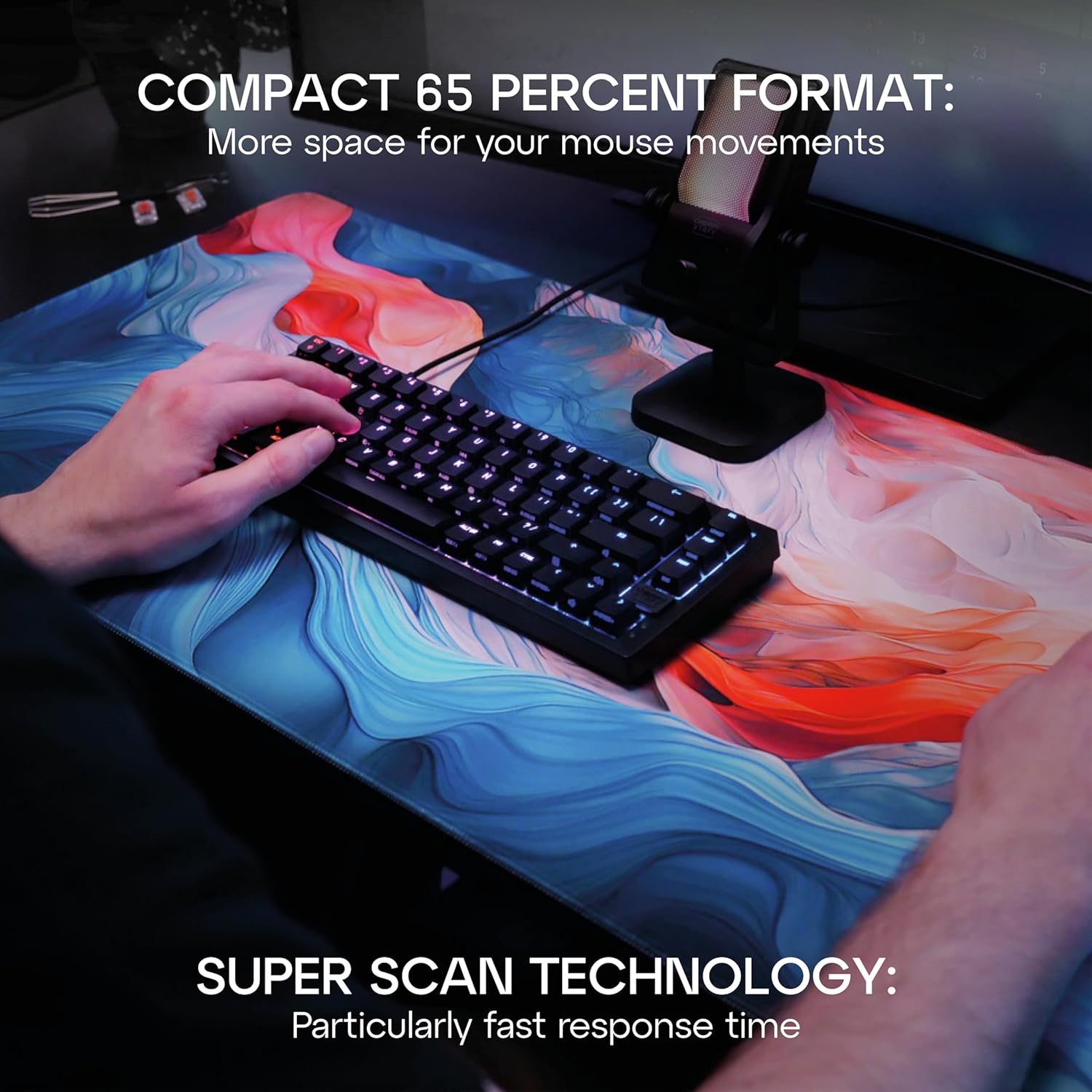
Figure 2: The compact 65% format of the K5V2 keyboard provides ample space for mouse movements, ideal for gaming.

Figure 3: Detail of the hot-swappable Cherry MX2A RED switches, emphasizing their smooth, direct feel and ease of replacement.
Configuració
Connexió del teclat
- Locate the USB-A to USB-C cable included in the package.
- Connect the USB-C end of the cable to the USB-C port on the back of the Xtrfy Cherry K5V2 keyboard.
- Connecteu l'extrem USB-A del cable a un port USB-A disponible de l'ordinador.
- The keyboard will automatically be recognized by your operating system. No additional drivers are typically required.
Video 1: Official product video demonstrating the features and setup of the Xtrfy Cherry K5V2 Compact Mechanical Gaming Keyboard.
Instruccions de funcionament
Ús bàsic
The Xtrfy Cherry K5V2 functions as a standard keyboard upon connection. All primary keys operate as labeled. The compact 65% layout means some functions are accessed via the Function (Fn) key combinations.
Personalització de la il·luminació RGB
The keyboard features extensive onboard RGB customization. No software is needed. Use the Fn key in combination with specific keys to change lighting modes, colors, brightness, and speed.
- Fn + K-MODE: Cycle through various lighting effects.
- Fn + K-COLOR: Change the color of the current lighting effect.
- Fn + Arrow Keys (Up/Down): Ajusta la brillantor.
- Fn + Arrow Keys (Left/Right): Adjust effect speed.
- Refer to the included quick start guide for a full list of lighting commands.

Figure 4: The keyboard's impressive RGB lighting can be customized directly on the device.
Interruptors d'intercanvi en calent
The hot-swappable design allows you to easily change switches without soldering. This is useful for replacing faulty switches or customizing your typing experience.
- Gently remove the keycap using the included keycap puller. Hook the puller onto the keycap and pull straight up.
- Use the switch puller (often integrated with the keycap puller) to grasp the switch firmly. The switch puller has two prongs that fit into the clips on the top and bottom of the switch.
- Apply gentle, even pressure and pull the switch straight up until it detaches from the PCB.
- Alineeu els pins del nou interruptor amb els forats de la placa de circuit imprès. Assegureu-vos que els pins estiguin rectes per evitar que es dobleguin.
- Press the new switch firmly into place until it clicks securely.
- Re-attach the keycap by aligning it with the switch stem and pressing down.

Figure 5: Demonstrating the process of removing a switch from the keyboard for replacement or customization.

Figura 6: Detall view of the Cherry MX2A RED switches, highlighting their design and the integrated RGB lighting.
Manteniment
Neteja del teclat
- Desconnecteu el teclat de l'ordinador abans de netejar-lo.
- Utilitzeu un drap suau i sense pelusa lleugerament dampNetegeu les tecles i el xassís amb aigua o una solució de neteja suau. Eviteu la humitat excessiva.
- For deeper cleaning, remove keycaps using the keycap puller and use compressed air to clear debris from underneath.
- Do not use harsh chemicals, abrasive cleaners, or solvents as they may damage the keyboard's finish or components.
Resolució de problemes
| Problema | Causa possible | Solució |
|---|---|---|
| El teclat no respon | Connexió USB fluixa; Port USB defectuós; Problema amb el controlador. | Assegureu-vos que el cable USB estigui connectat correctament. Proveu un port USB diferent. Reinicieu l'ordinador. |
| Claus que no es registren | Debris under keycap/switch; Faulty switch. | Remove keycap and clear debris. If issue persists, hot-swap the switch with a spare. |
| RGB lighting not working/incorrect | Incorrect lighting mode; Brightness too low. | Cycle through lighting modes (Fn + K-MODE). Increase brightness (Fn + Up Arrow). |
| Keyboard feels wobbly/unstable | Uneven surface; Rubber feet worn. | Ensure keyboard is on a flat surface. Check rubber feet for wear. |
Especificacions
| Característica | Detall |
|---|---|
| Número de model | CX-K5V2-RGB-CPT-BLACK-R-US |
| Descripció del teclat | Teclat de joc mecànic |
| Format | 65% Compact |
| Interruptors | Cherry MX2A RED (Hot-Swappable) |
| Connectivitat | USB-A (amb cable) |
| Nombre de claus | 68 |
| Dimensions del producte | 12.8 x 4.33 x 1.46 polzades (32.5 x 11 x 3.7 cm) |
| Pes de l'article | 2.44 lliures (1.11 kg) |
| Material | Policarbonat |
| Característiques especials | Compact, Cherry MX, RGB Lighting, N-Key Rollover, Anti-Ghosting, Macros, Media Controls |
Garantia i Suport
For warranty information and technical support, please refer to the official Xtrfy weblloc web o contacteu directament amb el servei d'atenció al client. Conserveu el comprovant de compra per a reclamacions de garantia.
Official Xtrfy Store: Xtrfy Amazon Store


