1. Introducció
This manual provides comprehensive instructions for the installation, operation, and maintenance of your NZXT H7 Flow 2024 Mid-Tower ATX Airflow Case. Please read this manual thoroughly before beginning your PC build to ensure proper assembly and optimal performance. This case is designed to provide excellent airflow and ease of use for PC enthusiasts.
2. Producte acabatview
The NZXT H7 Flow 2024 is a mid-tower ATX case engineered for superior airflow and efficient cooling. It features a spacious interior, intuitive cable management, and tool-less access for simplified building and maintenance.

Figura 2.1: Frontal esquerre view of the NZXT H7 Flow 2024 case, showcasing its mesh panels and clean design.
Característiques principals:
- Dedicated GPU Cooling: Supports up to three 120mm fans at the bottom for direct airflow to the graphics card.
- Ventiladors preinstal·lats: Includes three 120mm front-mounted fans for immediate cooling performance.
- Flux d'aire optimitzat: High-performance mesh panels on the front and top maximize air intake and exhaust while filtering dust.
- Suport del radiador: Accommodates up to 420mm radiators in the front and 360mm radiators in the top.
- Gestió de cables: Features an intuitive system with wide channels, built-in hooks, and included straps.
- Tool-Less Access: Front, top, and side panels can be removed without tools for easy building and upgrades.
- Top I/O Ports: Conveniently located 2 x USB-A and 1 x USB-C ports on the top panel.
3. Configuració i instal·lació
Follow these steps for assembling your PC components within the NZXT H7 Flow 2024 case.
3.1. Preparació del cas
- Elimina els panells: Gently pull the front, top, and side panels to detach them. They are designed for tool-less removal.
- Access Interior: With the panels removed, you have full access to the case interior for component installation.

Figura 3.1: Explotat view illustrating the tool-less removal of the front, top, and side panels.
3.2. Instal·lació de components
- Placa base: Install your ATX motherboard onto the standoffs. Ensure all screws are securely fastened.
- Unitat d'alimentació (PSU): Mount the PSU in its dedicated bottom compartment.
- Unitats d'emmagatzematge: Install 2.5-inch SSDs or 3.5-inch HDDs into the designated drive bays.
- Targeta gràfica (GPU): Install your graphics card. The case supports GPUs up to 400mm in length.
- Fans: The case includes three 120mm front fans. Additional fans can be installed: up to three 120mm fans at the bottom for direct GPU cooling, up to three 120mm fans at the top, and one 120mm fan at the rear.
- Radiadors: For liquid cooling, radiators up to 420mm can be mounted in the front, and up to 360mm in the top.

Figure 3.2: The bottom of the case supports up to three 120mm fans for enhanced GPU cooling.
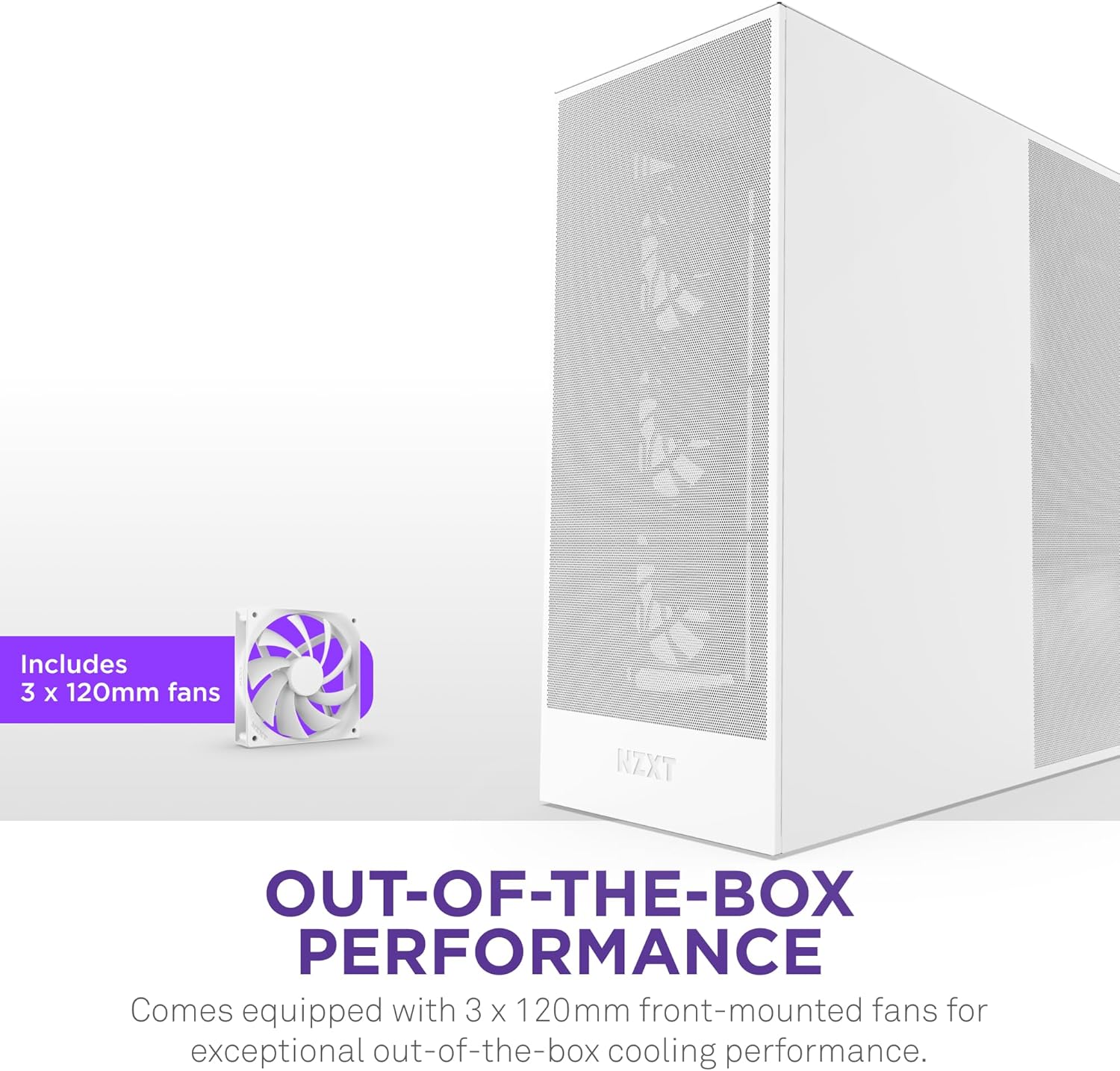
Figure 3.3: The case comes equipped with three 120mm fans pre-installed at the front.

Figure 3.4: Illustration of the case's capacity for large radiators at the front and top.
3.3. Gestió de cables
Utilize the integrated cable management system to route and secure cables. The wide channels, built-in hooks, and included straps help maintain a clean interior and optimize airflow.

Figure 3.5: The rear of the motherboard tray features dedicated channels and straps for efficient cable routing.
4. Funcionament de la caixa
Once all components are installed and connected, the case facilitates optimal system operation through its design features.
4.1. Flux d'aire i refrigeració
The H7 Flow 2024 is designed for maximum airflow. The mesh front and top panels, combined with the pre-installed fans and optional bottom fans, create an efficient cooling path to keep your components at optimal temperatures.

Figure 4.1: Visual representation of optimized airflow through the mesh panels and fan placements.
4.2. Top I/O Ports
The top panel provides convenient access to essential ports for peripherals and data transfer:
- 2 x ports USB-A
- 1 x USB-C port
- Botó d'encesa

Figure 4.2: The top panel features easily accessible USB-A, USB-C, and power button.
5. Manteniment
Regular maintenance ensures the longevity and optimal performance of your PC case and components.
5.1. Neteja de pols
The mesh panels are designed to maximize airflow and act as dust filters. Periodically clean these panels to prevent dust buildup, which can impede airflow and cooling efficiency. The tool-less panel access makes this process straightforward.
- Remove the front and top mesh panels.
- Use compressed air or a soft brush to remove accumulated dust.
- Wipe down the panels with a damp cloth if necessary, ensuring they are dry before reattaching.
5.2. Neteja interior
With the side panels removed, use compressed air to clear dust from internal components such as fans, heatsinks, and the motherboard. Ensure the system is powered off and unplugged before performing any interior cleaning.
6. Solució De Problemes
Aquesta secció tracta problemes comuns que podeu trobar durant o després del muntatge del vostre PC.
6.1. General Building Issues
- El sistema no s'encén: Double-check all power connections, including the 24-pin ATX, 8-pin CPU, and GPU power cables. Ensure the PSU switch is in the 'ON' position. Verify front panel header connections (power switch, reset switch) to the motherboard.
- Sense sortida de pantalla: Confirm that your monitor is connected to the graphics card (not the motherboard integrated graphics, unless you are using integrated graphics). Reseat the graphics card and RAM modules.
- Soroll del ventilador: While the included fans are designed for quiet operation, excessive noise can occur. Ensure fans are securely mounted and cables are not obstructing fan blades. If using non-PWM fans, they may run at full speed. Consider adjusting fan curves in your motherboard's BIOS or using PWM fans for finer control.
6.2. Missing or Unclear Instructions
This manual aims to be comprehensive. However, for highly specific component installations or advanced configurations, refer to the individual component manuals (motherboard, GPU, PSU, etc.) or visit the official NZXT support website for additional resources and detailed guides.
Per obtenir més ajuda, visiteu el NZXT Support Page.
7. Especificacions
Below are the technical specifications for the NZXT H7 Flow 2024 Mid-Tower ATX Airflow Case.
| Característica | Especificació |
|---|---|
| Marca | NZXT |
| Nom del model | NZXT H7 Flow 2024 |
| Número de model de l'article | CM-H72FW-01 |
| Tipus de cas | Mitjana Torre |
| Compatibilitat amb la placa base | ATX |
| Dimensions (LxWxH) | 18.43 x 9.6 x 21.42 polzades (468 x 244 x 544 mm) |
| Pes de l'article | 25 lliures (11.34 kg) |
| Material | Metall |
| Mètode de refrigeració | Aire |
| Ventiladors preinstal·lats | 3 x 120mm Front Fans |
| Fan Support (Total) | Up to 10 fans (3x Top, 3x Front, 3x Bottom, 1x Rear) |
| Suport del radiador (davanter) | Fins a 420 mm |
| Suport del radiador (superior) | Fins a 360 mm |
| Liquidació de la GPU | Fins a 400 mm |
| Muntatge de la font d'alimentació | Muntatge inferior |
| Ports d'E / S frontals | 2 x USB 2.0 (USB-A), 1 x USB-C |
8. Garantia i Suport
For detailed warranty information and customer support, please refer to the official NZXT website. Warranty terms typically cover manufacturing defects and vary by region.
You can find additional support resources, FAQs, and contact information on the official NZXT support page:


