1. Introducció
Gràcies per la compraasing the Brookstone Magnetic Charging Wireless Power Bank. This portable power bank is designed to provide convenient and versatile charging for your compatible devices, including iPhones with MagSafe, Apple Watches, and other USB-C powered devices. Please read this manual thoroughly before use to ensure proper operation and to maximize the lifespan of your device.
Contingut del paquet:
- 1 x Brookstone Magnetic Charging Wireless Power Bank
- 1 x cable de càrrega USB-C
- 1 x Guia d'usuari
2. Característiques clau
- Càrrega sense fil magnètica: Securely attaches to and wirelessly charges compatible iPhones (iPhone 12 series and newer with MagSafe).
- Integrated Apple Watch Charger: Dedicated charging module on the back for Apple Watch models.
- Port USB-C: Provides wired charging for a wide range of devices and for recharging the power bank itself.
- Capacitat de 5000 mAh: Offers substantial power to extend the battery life of your devices.
- Suport de peu integrat: Permet les mans lliures viewing while charging your iPhone.
- Disseny compacte i portàtil: Lightweight and pocket-sized for easy transport.

Figura 2.1: Frontal view of the Brookstone Magnetic Charging Wireless Power Bank.

Figure 2.2: The 5000mAh capacity of the power bank.
3. Configuració i càrrega inicial
Càrrega del Power Bank:
- Connecteu el cable USB-C proporcionat al port USB-C del banc d'alimentació.
- Connect the other end of the USB-C cable to a compatible USB-C power adapter (not included).
- The LED indicators on the power bank will illuminate to show the charging status. A full charge is indicated when all LEDs are solid.
- Disconnect the power bank once fully charged.
Note: It is recommended to fully charge the power bank before its first use.
4. Instruccions de funcionament
Charging an iPhone (Magnetic Wireless):
- Ensure your iPhone is compatible with MagSafe (iPhone 12 series or newer) or has a MagSafe-compatible case.
- Align the back of your iPhone with the magnetic charging surface on the front of the power bank. The magnets will snap into place, securing the connection.
- Charging will begin automatically. The LED indicators on the power bank will show its remaining charge.
Càrrega d'un Apple Watch:
- Locate the Apple Watch charging module on the back of the power bank.
- Place your Apple Watch onto the charging module. Ensure it is properly seated for optimal contact.
- La càrrega començarà automàticament.
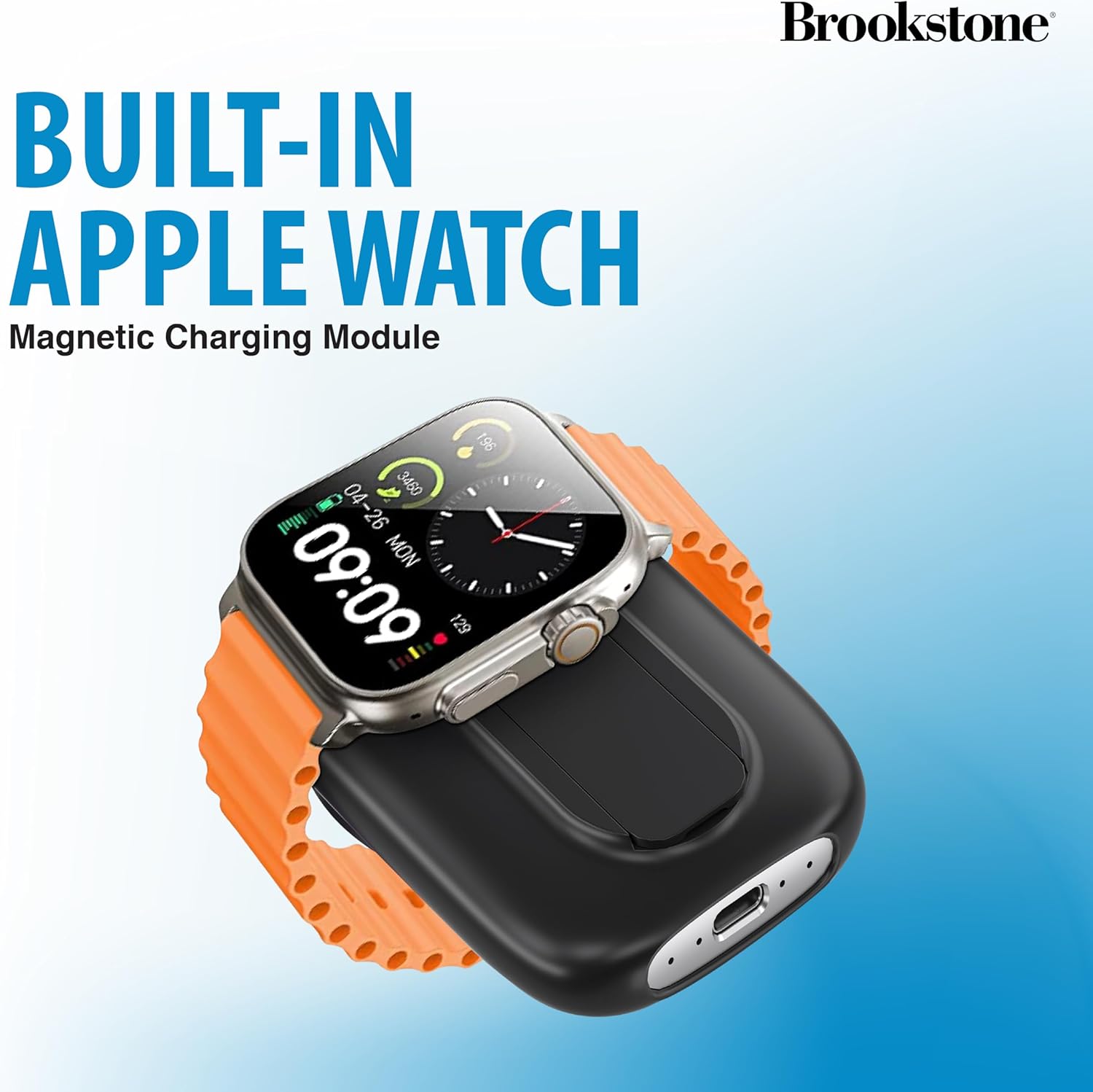
Figure 4.1: Charging an Apple Watch on the integrated module.
Charging Other Devices (USB-C):
- Connect your device's USB-C charging cable to the USB-C port on the power bank.
- Connecteu l’altre extrem del cable al dispositiu.
- Començarà la càrrega.
Ús del suport integrat:
- Gently pull out the kickstand located on the back of the power bank.
- Once extended, the kickstand allows you to prop up your iPhone (while magnetically attached) for hands-free viewing in both portrait and landscape orientations.
- Push the kickstand back into its slot when not in use.

Figure 4.2: The power bank's built-in kickstand in use.
Càrrega multidispositiu:
The power bank can charge up to three devices simultaneously: one via magnetic wireless charging, one via the Apple Watch module, and one via the USB-C port.
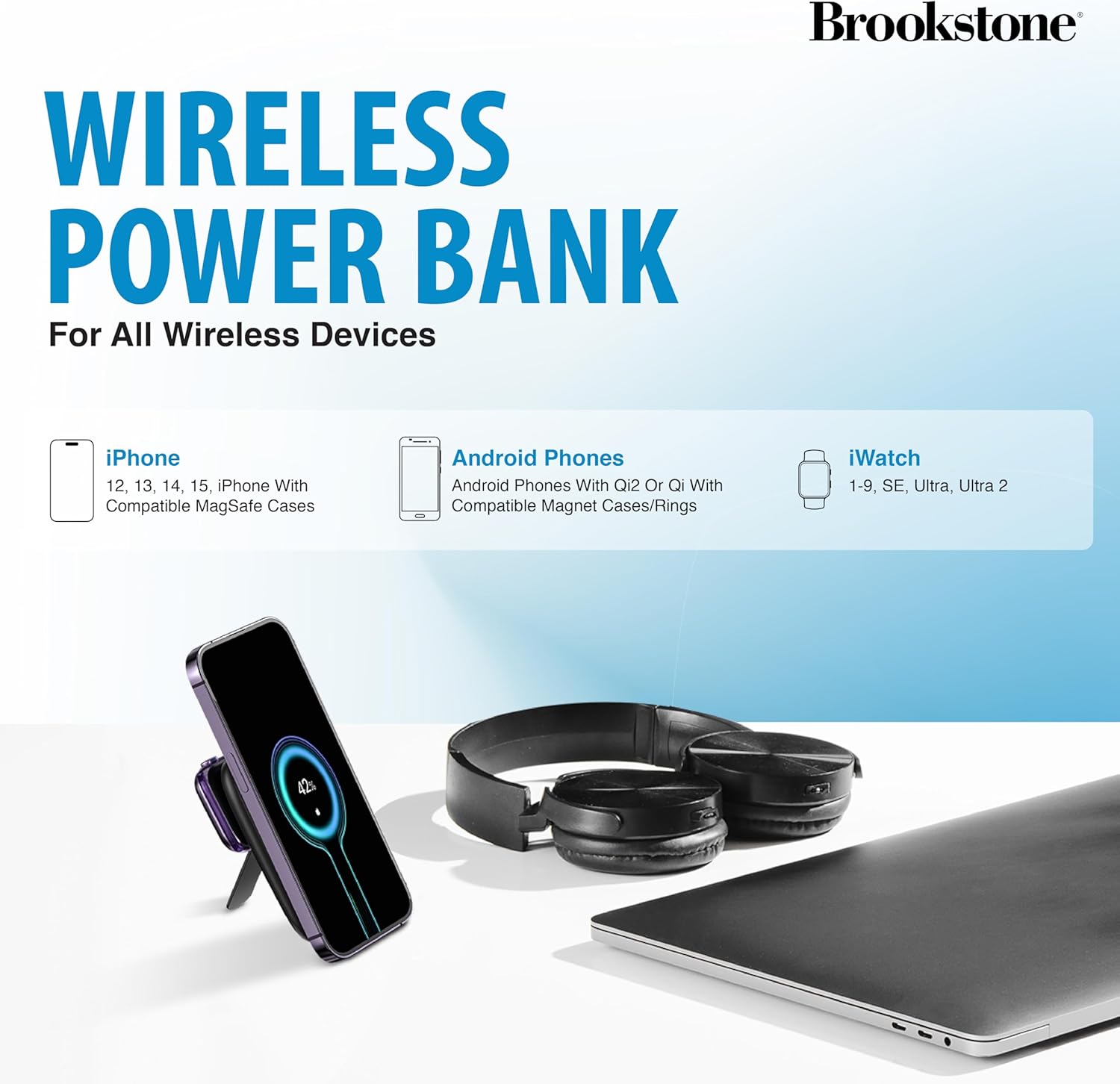
Figura 4.3: Compatibilitat de dispositius a través deview.
5. Manteniment i cura
- Mantingueu el banc d'energia allunyat de l'aigua, la humitat i les temperatures extremes.
- No exposeu a la llum solar directa durant períodes prolongats.
- Netegeu la superfície amb un drap suau i sec. Eviteu utilitzar productes químics agressius o materials abrasius.
- Emmagatzemar en un lloc fresc i sec quan no s'utilitzi.
- Do not attempt to disassemble, repair, or modify the device. This will void the warranty and may cause harm.
6. Solució De Problemes
| Problema | Causa possible | Solució |
|---|---|---|
| El banc d'energia no es carrega | Cable or adapter issue; power bank depleted. | Ensure USB-C cable is securely connected. Try a different USB-C cable or power adapter. Allow sufficient time for charging. |
| El dispositiu no es carrega sense fil | Misalignment; non-compatible device/case; foreign object. | Ensure proper alignment of the device on the charging surface. Verify device/case is MagSafe compatible. Remove any foreign objects between the power bank and device. |
| Apple Watch no es carrega | Improper placement; watch battery too low. | Ensure the Apple Watch is correctly placed on the charging module. If the watch battery is extremely low, it may take a few minutes for the charging indicator to appear. |
| Càrrega lenta | Using a low-power adapter; multiple devices charging. | Utilitzeu una potència més altatage USB-C power adapter for faster charging of the power bank. Charging multiple devices simultaneously may reduce individual charging speeds. |
7. Especificacions
| Marca | Brookstone |
| Model | B0CVJ3JPKN |
| Capacitat de la bateria | 5000 mAh |
| Dimensions del producte | 6.93 x 1.06 x 4.21 polzades |
| Pes de l'article | 1.34 lliures |
| Tipus de connector | USB tipus C |
| Característiques especials | Fast Charging, Pocket Size, Wireless Charging |
8. Garantia i Suport
This Brookstone product is covered by a standard manufacturer's warranty. For detailed warranty information, technical support, or customer service inquiries, please refer to the warranty card included in your package or visit the official Brookstone weblloc web. Conserveu el rebut de compra com a comprovant de compra per a reclamacions de garantia.


