
1. Introducció
This manual provides comprehensive instructions for the safe and efficient use of your CG MOBILE Guess TWS ENC 4G Earbuds. Please read this manual thoroughly before using the product and retain it for future reference. Understanding these instructions will ensure optimal performance and longevity of your device.
2. Contingut del paquet
Verifiqueu que tots els elements que s'enumeren a continuació siguin presents a l'embalatge del producte:
- CG MOBILE Guess True Wireless Earbuds (2 units)
- Estoig de càrrega
- Cable de càrrega USB-C
- Manual d'usuari
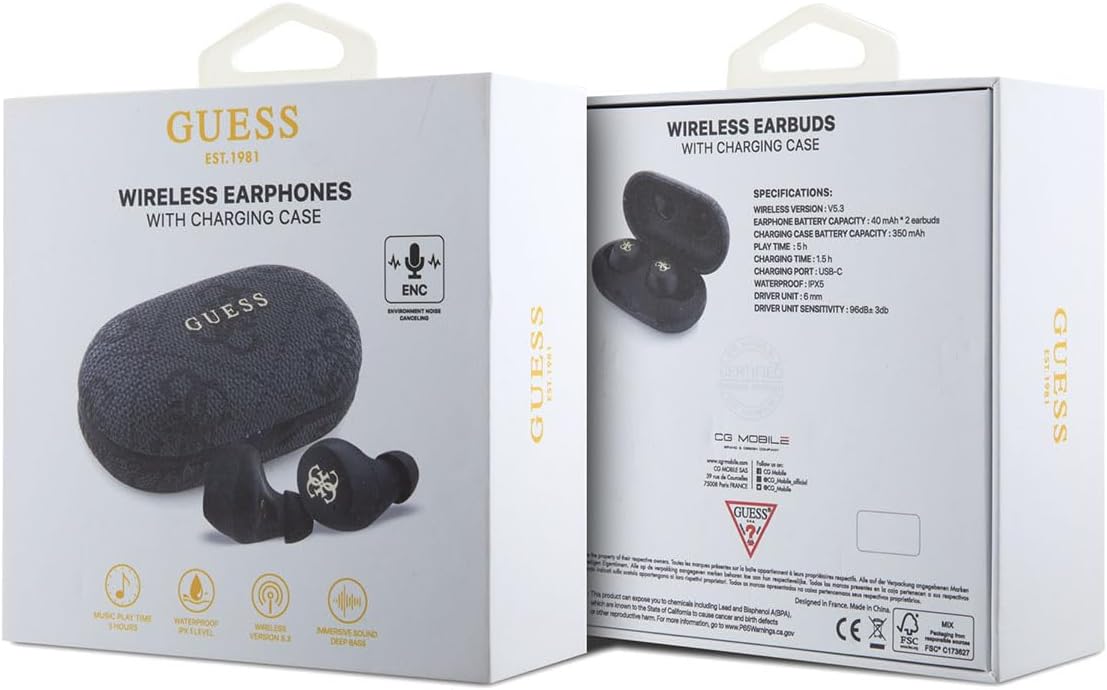
Image 2.1: The product packaging, showing the earbuds and charging case, along with specifications.
3. Producte acabatview
The CG MOBILE Guess TWS ENC 4G Earbuds are designed for wireless audio playback and hands-free communication. They feature Environmental Noise Cancellation (ENC) for clear calls and an IPX5 water resistance rating, making them suitable for various activities.
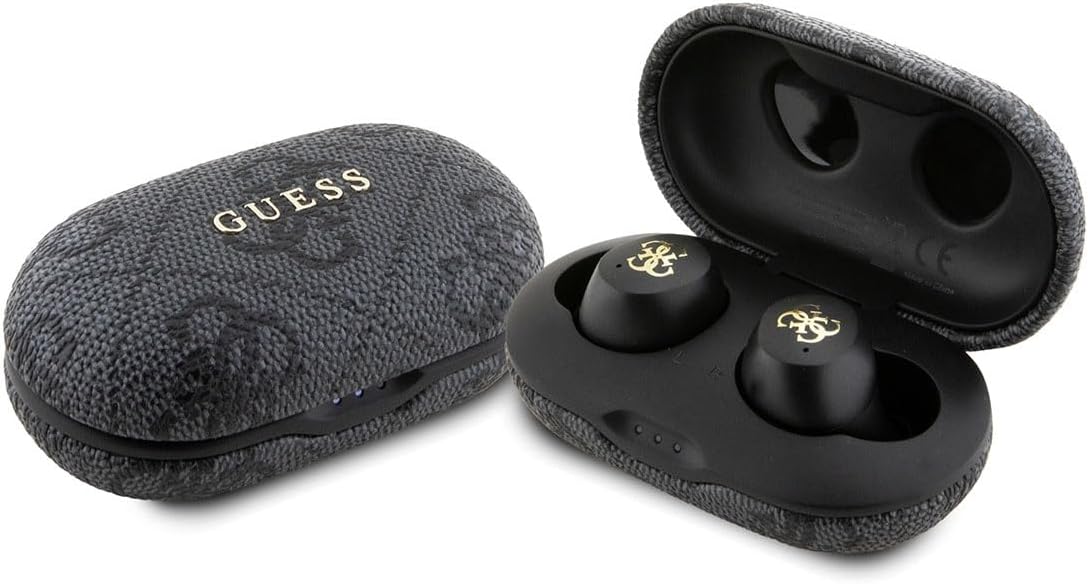
Image 3.1: The CG MOBILE Guess TWS ENC 4G Earbuds shown with their charging case, both closed and open.
3.1 Components dels auriculars
- Àrea de control tàctil: Per a la reproducció, la gestió de trucades i l'activació de l'assistent de veu.
- Micròfon: For calls and ENC functionality.
- Contactes de càrrega: Situat a la tija de cada auricular.
- Consells per a les orelles: Provide a secure and comfortable fit.
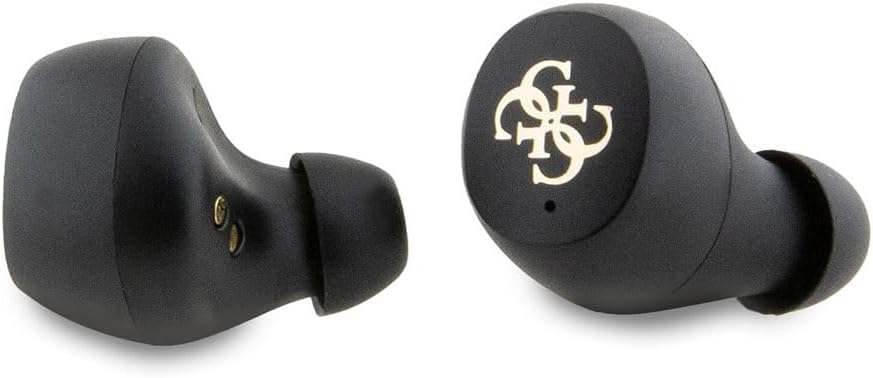
Imatge 3.2: Una imatge detallada view of the left and right earbuds, highlighting their design and ear tips.
3.2 Components de la caixa de càrrega
- Ranures per a auriculars: Subjecteu els auriculars amb fermesa i carregueu-los.
- Indicadors LED: Display charging status and battery level.
- Port de càrrega USB-C: Per carregar la funda.

Image 3.3: The open charging case, revealing the earbud slots and internal components, including model information.

Image 3.4: The closed charging case, displaying the USB-C charging port at the bottom.
4. Configuració
4.1 Càrrega inicial
Before first use, fully charge the earbuds and the charging case. Connect the provided USB-C cable to the charging port on the case and to a USB power source. The LED indicators on the case will show the charging status. A full charge typically takes approximately 2 hours.
4.2 Vinculació amb un dispositiu
- Assegureu-vos que els auriculars estiguin carregats.
- Obriu l'estoig de càrrega. Els auriculars entraran automàticament en mode d'emparellament, cosa que s'indicarà amb els llums LED intermitents dels auriculars.
- Al dispositiu (telèfon intel·ligent, tauleta, ordinador portàtil), activeu el Bluetooth.
- Cerca available Bluetooth devices and select "GUESS TWS" (or similar name) from the list.
- Once connected, the earbud LEDs will stop flashing, indicating successful pairing.
Nota: Els auriculars es tornaran a connectar automàticament al darrer dispositiu emparellat quan es treguin de l'estoig, si el Bluetooth està activat al dispositiu.
5. Instruccions de funcionament
5.1 Encès/Apagat
- Encès: Obre l'estoig de càrrega o treu els auriculars de l'estoig. S'encendran automàticament.
- Apagar: Torna a col·locar els auriculars a l'estoig de càrrega i tanca la tapa. S'apagaran automàticament.
5.2 Reproducció de música
Use the touch control area on either earbud for the following functions:
- Reproduir/pausa: Toc senzill.
- Pista següent: Toca dues vegades l'auricular dret.
- Pista anterior: Toca dues vegades l'auricular esquerre.
5.3 Gestió de trucades
Use the touch control area on either earbud for the following functions during a call:
- Respondre/Finalitzar la trucada: Toc senzill.
- Rebutja la trucada: Manteniu premut durant 2 segons.
5.4 Assistent de veu
Triple tap either earbud to activate your device's voice assistant (e.g., Siri, Google Assistant).
6. Càrrega
6.1 Càrrega dels auriculars
Place the earbuds into the charging case. Ensure they are correctly seated, and the charging contacts align. The earbuds will begin charging automatically. The case's LED indicators will show the charging status of the earbuds.
6.2 Càrrega de la funda
Connect the USB-C charging cable to the port on the charging case and to a compatible USB power adapter (not included). The LED indicators on the case will illuminate to show the charging progress. Once fully charged, all LEDs will remain solid or turn off, depending on the model's specific indicator behavior.
A fully charged case provides multiple charges for the earbuds, extending the total listening time up to 30 hours.
7. Cancel·lació de soroll ambiental (ENC)
The earbuds feature Environmental Noise Cancellation (ENC) technology. This function primarily focuses on reducing ambient noise during phone calls, ensuring clearer voice transmission for the person on the other end. It helps to isolate your voice from surrounding sounds in noisy environments.
8. Resistència a l'aigua (IPX5)
Your earbuds are rated IPX5 for water resistance. This means they are protected against low-pressure water jets from any direction. They are resistant to sweat and light rain, making them suitable for workouts and outdoor activities. However, they are no designed for submersion in water or exposure to high-pressure water jets. Do not use them while swimming or showering.
9. Manteniment
- Neteja: Netegeu regularment els auriculars i l'estoig de càrrega amb un drap suau, sec i sense borrissol. No utilitzeu productes químics agressius ni materials abrasius.
- Contactes de càrrega: Assegura't que els contactes de càrrega dels auriculars i de la funda estiguin nets i lliures de residus per mantenir una càrrega correcta.
- Emmagatzematge: Quan no els utilitzeu, guardeu els auriculars a la seva funda de càrrega per protegir-los i mantenir-los carregats. Guardeu-los en un lloc fresc i sec, allunyat de temperatures extremes.
- Evitar l'impacte: Protegiu els auriculars i la funda de caigudes i impactes, que poden causar danys interns.
10. Solució De Problemes
| Problema | Causa possible | Solució |
|---|---|---|
| Els auriculars no s'aparellen | Low battery; Bluetooth off; earbuds not in pairing mode; interference. | Charge earbuds and case. Ensure Bluetooth is enabled on your device. Place earbuds in case, close, then open to re-enter pairing mode. Move closer to your device. |
| Sense so | Volume too low; not connected; media paused. | Increase volume on device and earbuds. Reconnect earbuds. Check if media is playing. |
| Problema de càrrega | Dirty contacts; faulty cable/adapter; case battery empty. | Clean charging contacts. Try a different USB-C cable and power adapter. Charge the case. |
| Poca qualitat de trucada | Weak signal; microphone obstructed; excessive background noise. | Move closer to your device. Ensure microphone is clear. ENC helps with background noise, but extreme noise may still affect quality. |
11. Especificacions
| Característica | Detall |
|---|---|
| Número de model | GUTWSP4EGK |
| Tecnologia sense fils | Bluetooth 5.3 |
| Capacitat de la bateria dels auriculars | 40 mAh x 2 |
| Caixa de càrrega Capacitat de la bateria | 300 mAh |
| Temps de reproducció de música | Fins a 30 hores (amb estoig de càrrega) |
| Temps de càrrega | Aproximadament 2 hores |
| Classificació de resistència a l'aigua | IPX5 |
| Resposta de freqüència | 20 Hz - 20 kHz |
| Impedància | 16Ω ± 15% |
| Sensibilitat | 96 dB ± 3 dB |
| Port de càrrega | USB-C |
| Característiques especials | Cancel·lació de soroll ambiental (ENC) |
| Pes | 80 grams |
12. Garantia i Suport
For warranty information and customer support, please refer to the documentation provided with your purchase or visit the official CG MOBILE weblloc web. Conserveu el comprovant de compra per a reclamacions de garantia.
For technical assistance or inquiries not covered in this manual, please contact CG MOBILE customer service.