1. Introducció
Welcome to the Sudio A1 Pro Wireless Earbuds user manual. This guide provides comprehensive instructions for setting up, operating, and maintaining your new earbuds. Please read this manual carefully before use to ensure optimal performance and longevity of your device.
The Sudio A1 Pro earbuds are designed for seamless sound and effortless style, featuring Active Noise Cancellation (ANC) and Bluetooth 5.3 connectivity for a superior audio experience.
2. Contingut del paquet
Please verify that all items are present in your Sudio A1 Pro package:
- Sudio A1 Pro Wireless Earbuds (Left and Right)
- Estoig de càrrega
- Cable de càrrega USB-C
- Múltiples mides de puntes per a les orelles (S, M, L)
- Manual d'usuari (aquest document)
3. Producte acabatview
Familiarize yourself with the components of your Sudio A1 Pro earbuds and charging case.

Imatge: Frontal view of the Sudio A1 Pro Wireless Earbuds (Purple), showing both the left and right earbuds with their sleek design and Sudio branding.
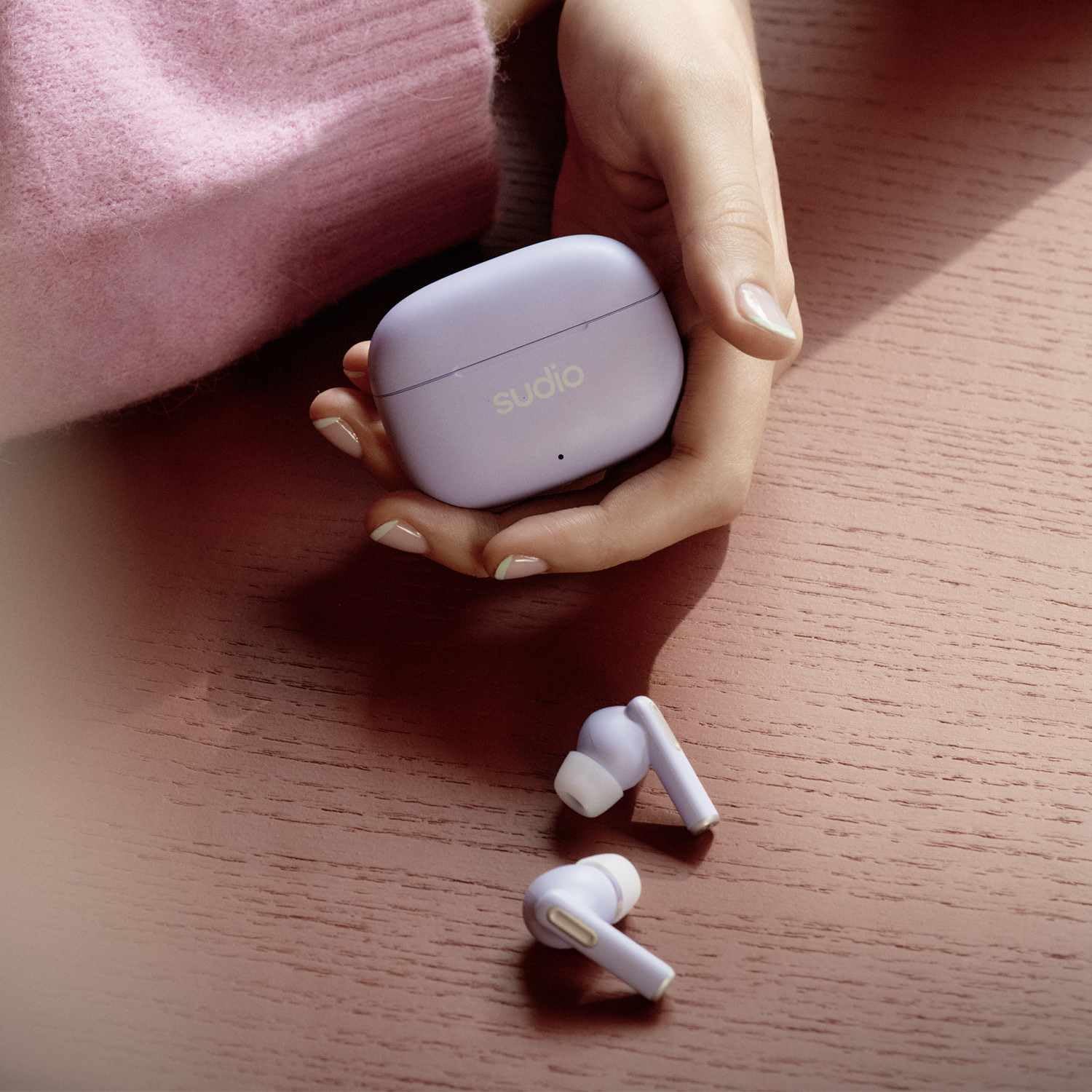
Image: The Sudio A1 Pro Wireless Earbuds (Purple) placed next to their matching charging case, highlighting the compact and portable design.

Imatge: Un primer pla view of the Sudio A1 Pro charging case (Purple), featuring the Sudio logo and an LED indicator light.
4. Configuració
4.1 Càrrega dels auriculars i l'estoig
Before first use, fully charge the Sudio A1 Pro earbuds and their charging case.
- Col·loca els dos auriculars a l'estoig de càrrega. Assegura't que estiguin correctament col·locats.
- Connecteu el cable de càrrega USB-C al port de càrrega de la carcassa i l'altre extrem a una font d'alimentació USB (per exemple, un ordinador, un adaptador de paret).
- The LED indicator on the case will show charging status. A full charge typically takes approximately 1.5 hours for the earbuds and 2 hours for the case.
4.2 Vinculació amb un dispositiu
The Sudio A1 Pro earbuds support Bluetooth 5.3 for stable and efficient wireless connection.
- Open the charging case. The earbuds will automatically enter pairing mode (LED indicators on earbuds will flash).
- On your device (smartphone, tablet, laptop), go to Bluetooth settings and ensure Bluetooth is enabled.
- Cerca available devices and select "Sudio A1 Pro" from the list.
- Once connected, the LED indicators on the earbuds will stop flashing, and you will hear a confirmation tone.
- For multi-point connection, repeat the pairing process with a second device. The earbuds will remember up to two paired devices.
Note: If pairing fails, ensure the earbuds are charged and within range of your device. Try resetting the earbuds by placing them in the case, closing the lid for 10 seconds, then reopening.
5. Instruccions de funcionament
5.1 Controls tàctils
The Sudio A1 Pro earbuds feature intuitive touch controls on each earbud.
| Acció | Auricular esquerre | Auricular dret |
|---|---|---|
| Reproduir/Pausa | Un sol toc | Un sol toc |
| Pista següent | Fes doble toc | Fes doble toc |
| Pista anterior | Triple toc | Triple toc |
| Respondre/Finalitzar la trucada | Un sol toc | Un sol toc |
| Rebutja la trucada | Manteniu premut durant 2 segons | Manteniu premut durant 2 segons |
| Activa l'Assistent de veu | Manteniu premut durant 3 segons | Manteniu premut durant 3 segons |
| ANC/Transparency Mode Toggle | Press and hold for 2 seconds (when not on call) | Press and hold for 2 seconds (when not on call) |
5.2 Cancel·lació activa del soroll (ANC)
The Sudio A1 Pro features Active Noise Cancellation to reduce ambient noise, allowing for a more immersive listening experience. To toggle between ANC and Transparency modes, press and hold either earbud for 2 seconds (when not on a call). Transparency mode allows you to hear your surroundings while still enjoying your audio.
5.3 Encès/Apagat
- Encès: Obriu l'estoig de càrrega i els auriculars s'encendran automàticament i es connectaran a l'últim dispositiu emparellat.
- Apagar: Torna a col·locar els auriculars a l'estoig de càrrega i tanca la tapa. Es desconnectaran i s'apagaran automàticament.
6. Manteniment i cura
Proper maintenance ensures the longevity and performance of your Sudio A1 Pro earbuds.
- Neteja: Feu servir un drap suau, sec i sense borrissol per netejar els auriculars i l'estoig de càrrega. No utilitzeu productes de neteja abrasius ni dissolvents.
- Consells per a les orelles: Regularly remove and clean the ear tips with a damp drap. Assegureu-vos que estiguin completament secs abans de tornar-los a enganxar.
- Resistència a l'aigua: The earbuds are IPX4 splash-proof. Avoid submerging them in water or exposing them to heavy rain. Dry them thoroughly if they get wet.
- Emmagatzematge: Quan no els utilitzeu, guardeu els auriculars a la seva funda de càrrega per protegir-los i mantenir-los carregats.
- Cura de la bateria: Per allargar la durada de la bateria, evita descarregar completament els auriculars i la funda amb freqüència. Carrega'ls regularment, fins i tot si no els fas servir constantment.
7. Solució De Problemes
If you encounter issues with your Sudio A1 Pro earbuds, refer to the following common solutions:
| Problema | Causa possible | Solució |
|---|---|---|
| Els auriculars no s'aparellen | Bateria baixa, fora de l'abast, mode d'emparellament no actiu | Ensure earbuds are charged. Place them back in the case, close, then reopen to activate pairing mode. Move closer to your device. |
| No hi ha so d'un auricular | Earbud not connected, low battery, dirty contacts | Place both earbuds in the case, close the lid, then reopen. Clean charging contacts on earbuds and case. Re-pair if necessary. |
| Mala qualitat del so | Improper fit, interference, low quality audio source | Try different ear tip sizes for a better seal. Move away from sources of interference (e.g., Wi-Fi routers). Ensure audio source is high quality. |
| Els auriculars no es carreguen | Cable issue, dirty contacts, faulty power source | Check USB-C cable and power adapter. Clean charging contacts on earbuds and case. Try a different power source. |
If the problem persists, please contact Sudio customer support for further assistance.
8. Especificacions
Key technical specifications for the Sudio A1 Pro Wireless Earbuds:
- Nom del model: A1 Pro ANC
- Connectivitat: Bluetooth 5.3
- Control de soroll: Cancel·lació activa de soroll (ANC)
- Temps de joc: Fins a 30 hores (amb estoig de càrrega)
- Resistència a l'aigua: IPX4 (a prova d'esquitxades)
- Interval de freqüència: 20Hz-20kHz
- Material: Plàstic
- Tipus de control: Control tàctil, control per veu
- Components inclosos: User Manual, USB-C Charging Cable
- Bateries: 3 bateries de polímer de liti (incloses)
- Color: Lila
9. Garantia i Suport
Sudio products are designed for quality and reliability. For warranty information and customer support, please refer to the official Sudio website or the warranty card included in your package.
For technical assistance, troubleshooting, or to inquire about repairs, please visit the Sudio Support Page o contactar directament amb el seu servei d'atenció al client.
Fabricant: Sudio
Número de model: A1PROPUR
Data de primera disponibilitat: 11 de juliol de 2024


