1. Introducció
The REACHER CR8 is a versatile 4-in-1 bedside device designed to enhance your sleep and daily routine. It integrates a sound machine with 20 soothing sounds, a dual alarm clock, a Bluetooth speaker, and a wireless charging station. This manual provides detailed instructions for setup, operation, and maintenance to ensure optimal performance.

Image 1.1: The REACHER CR8 Sound Machine, showcasing its wireless charging capability and digital time display.
2. Informació de seguretat
Please read and follow these safety guidelines carefully before using the device:
- Always follow the manufacturer's instructions for safe operation.
- Keep the device dry and away from heat sources.
- Do not expose yourself to loud noises for extended periods.
- This device is not a toy and should not be used as such.
- Do not use the wireless charging station if the device is damaged or wet.
- Assegureu-vos que hi hagi una ventilació adequada al voltant del dispositiu durant el funcionament.
3. Contingut del paquet
Verifiqueu que tots els elements siguin presents al paquet:
- REACHER CR8 Sound Machine
- Adaptador d'alimentació
- Manual d'usuari
4. Producte acabatview
Familiaritzeu-vos amb els components i els controls del dispositiu.

Imatge 4.1: Part superior view of the REACHER CR8, highlighting the control panel and wireless charging area.
Control Buttons and Ports:
- Botó d'encesa: Encén/apaga el dispositiu.
- Selecció de so: Cycles through 20 soothing sounds.
- Dial de control de volum: Adjusts sound and alarm volume.
- Botons d'alarma 1/2: Configura i activa l'alarma 1 i l'alarma 2.
- Botó Posposa: Activates snooze for alarms.
- Botó Bluetooth: Inicia el mode d'emparellament Bluetooth.
- Esfera de regulació: Ajusta la brillantor de la pantalla (0-100%).
- Entrada d'alimentació de CC: Es connecta a l'adaptador de corrent.
5. Configuració
5.1 Configuració inicial i connexió d'alimentació
- Unpack the REACHER CR8 and place it on a stable, flat surface.
- Connect the provided power adapter to the DC Power Input port on the back of the device.
- Plug the power adapter into a standard electrical outlet. The display will light up.
5.2 Configuració de l'hora
The device automatically syncs time via Bluetooth when connected to a smartphone. Manual adjustment may be available through specific buttons (refer to detailed instructions in the full manual if needed).
5.3 Vinculació Bluetooth
Per utilitzar la funció d'altaveu Bluetooth:
- Premeu el botó Botó Bluetooth on the device. The Bluetooth indicator will flash.
- On your smartphone or other Bluetooth-enabled device, search for 'REACHER CR8' in the Bluetooth settings.
- Select 'REACHER CR8' to pair. A confirmation sound will indicate successful pairing.
5.4 Wireless Charging Setup
The integrated wireless charging pad supports Qi-enabled devices.
- Place your compatible smartphone or device on the center of the charging pad located on top of the sound machine.
- Ensure the device is properly aligned for optimal charging. A charging indicator on your phone will confirm charging has begun.
- Note: Cases thicker than 5mm may interfere with wireless charging.
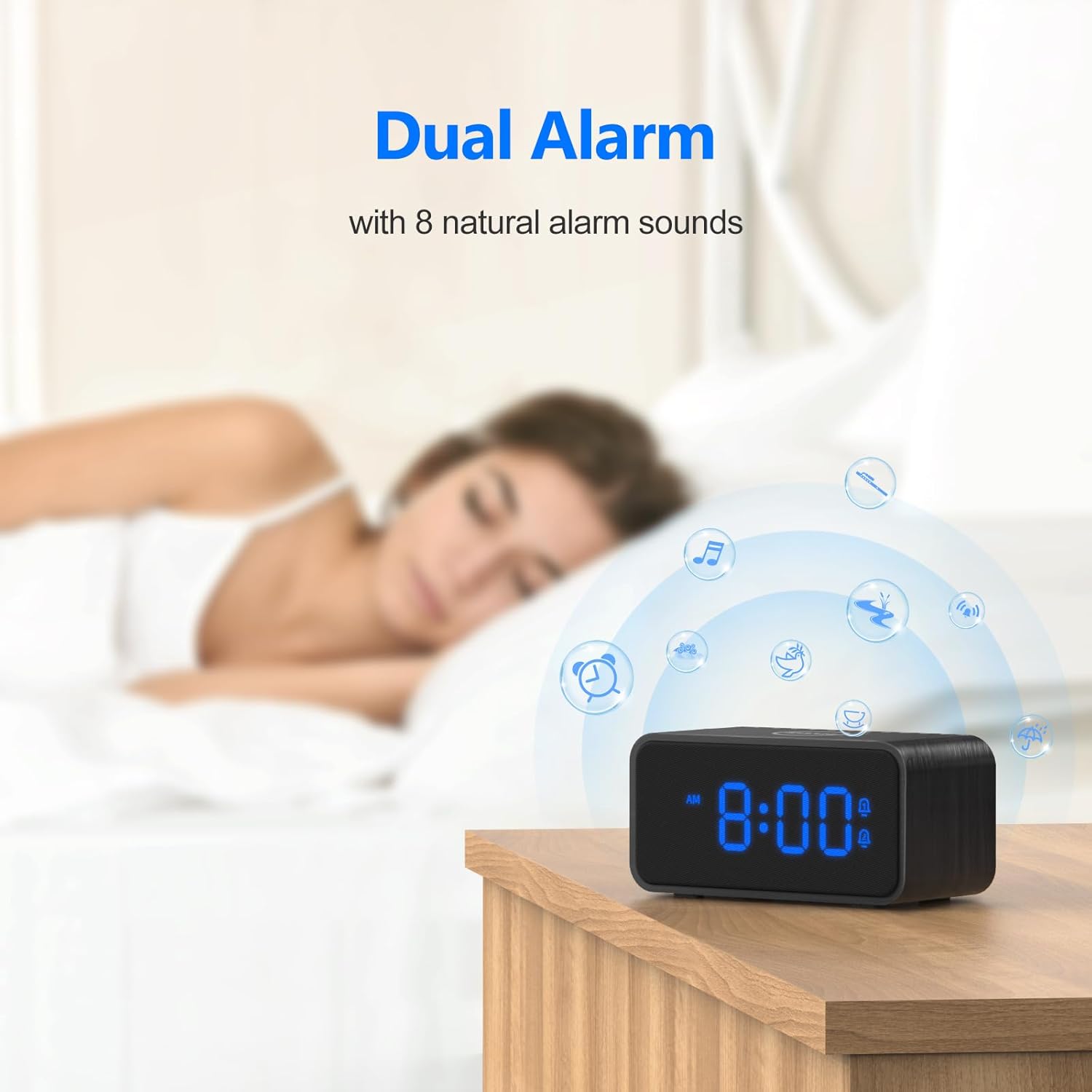
Image 5.1: Illustrates the wireless charging function and case thickness compatibility.
6. Instruccions de funcionament
6.1 Funcionament de la màquina de so
The device offers 20 soothing sounds for relaxation and sleep.
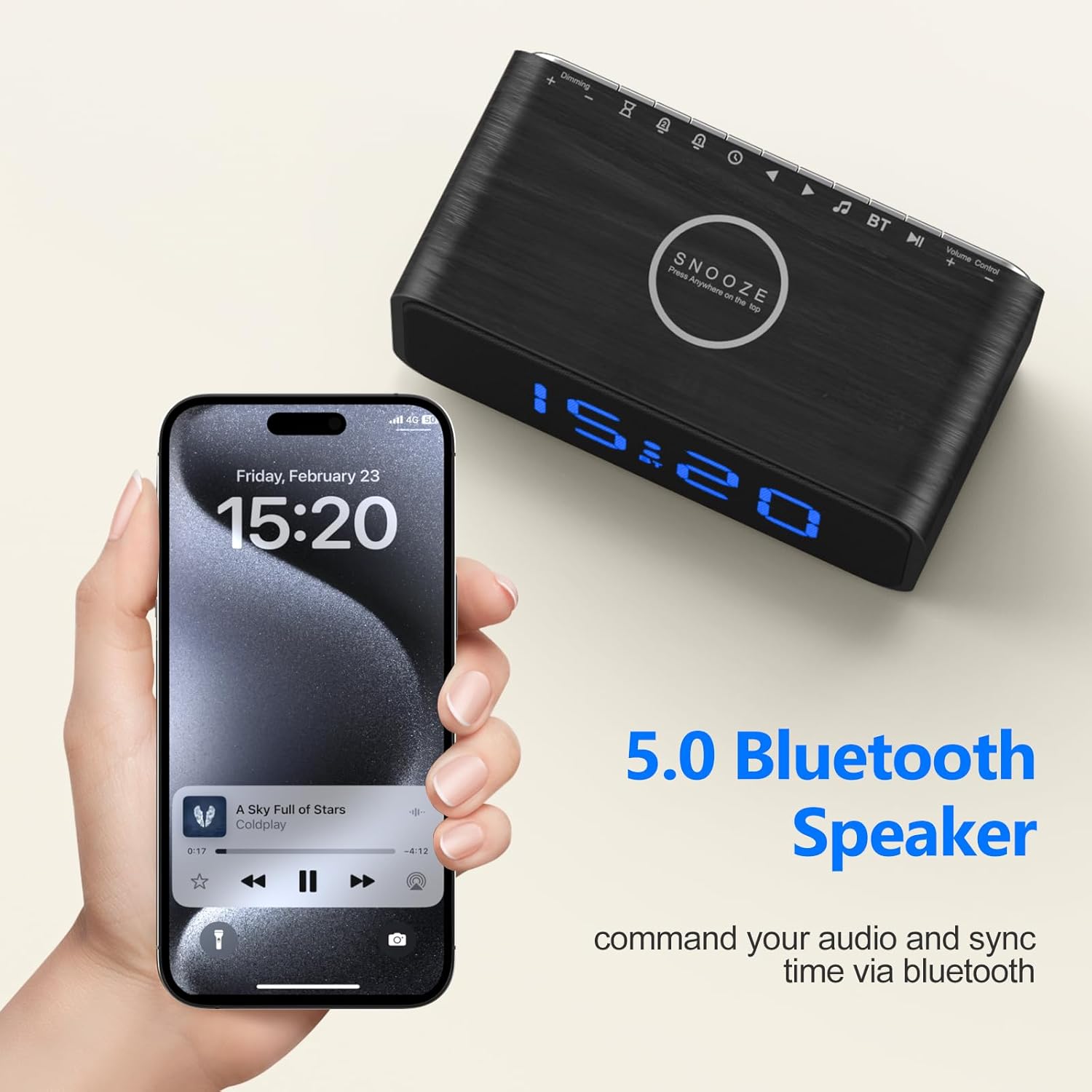
Image 6.1: Visual representation of the 20 soothing sounds available on the device.
- Selecció de sons: Premeu el botó Selecció de so button to cycle through the 20 available sounds (e.g., rain, fan, ocean wave, white noise).
- Ajust de volum: Gira el Dial de control de volum per augmentar o disminuir el nivell sonor.
- Temporitzador de son: Activate the sleep timer to automatically turn off the sound after a set duration (e.g., 30, 60, 90, 120 minutes). Refer to the device's specific button for timer settings.
6.2 Alarm Clock Functions
Set up to two independent alarms with natural wake-up sounds.
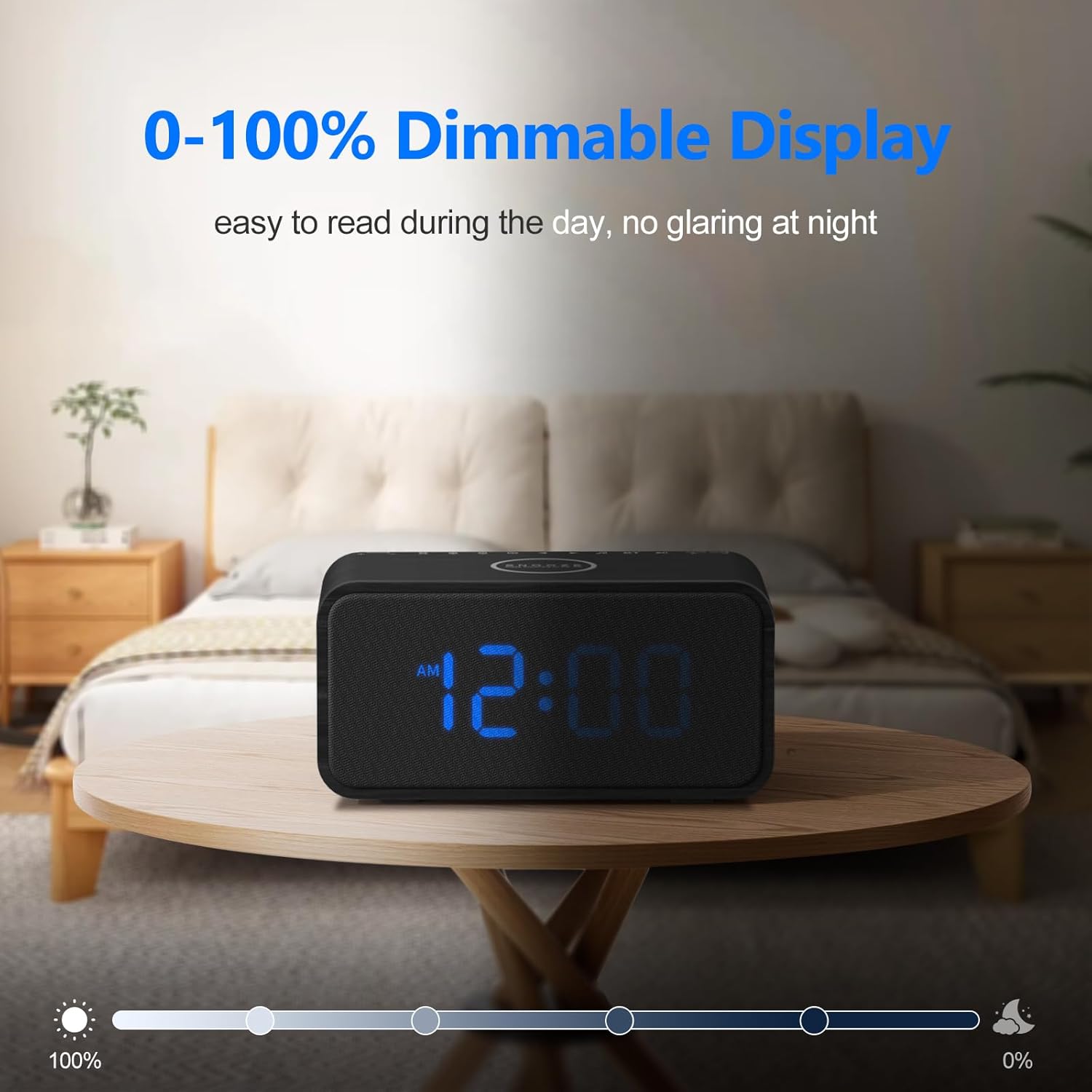
Image 6.2: The dual alarm feature with natural alarm sounds.
- Configuració d'alarmes: Manteniu premut el botó Alarma 1 or Alarma 2 button to enter alarm setting mode. Use the appropriate buttons (e.g., +/- or navigation buttons) to set the desired wake-up time and alarm sound (8 natural sounds available: Beep, Lullaby, Rain, Ocean Wave, Brook, Bell, Bird, Soft Music). Press the alarm button again to confirm.
- Activació/desactivació d'alarmes: Premeu breument Alarma 1 or Alarma 2 botó per activar o desactivar l'alarma. Apareixerà una icona d'alarma a la pantalla quan estigui activa.
- Funció de posposar: Quan soni una alarma, premeu el botó Botó Posposa to temporarily silence it for 9 minutes.
6.3 Altaveu Bluetooth
After successful pairing (Section 5.3), you can stream audio wirelessly.
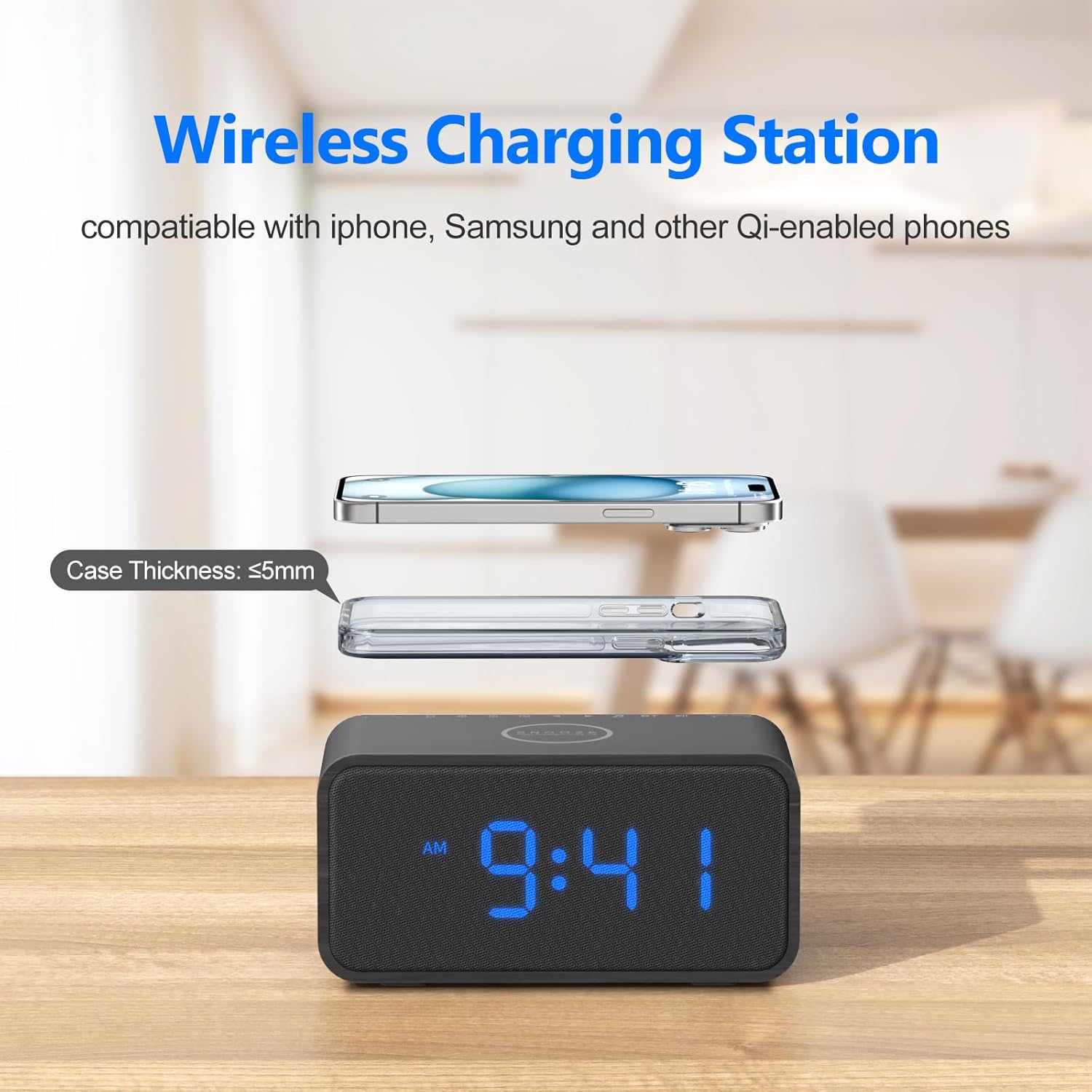
Image 6.3: Using the device as a Bluetooth speaker.
- Play audio from your connected device. The sound will output through the REACHER CR8 speaker.
- Utilitza el Dial de control de volum on the sound machine or your connected device to adjust playback volume.
6.4 Brillantor de la pantalla
Adjust the display brightness from 0% to 100% to suit your preference.
- Gira el Dimmer Dial (usually located on the back or side) to increase or decrease the display brightness.
6.5 Funció de memòria
The built-in CR2023 button cell battery saves your last settings, including alarm times, sound preferences, and display brightness, in case of a power outage.
7. Manteniment
To ensure the longevity and proper functioning of your REACHER CR8:
- Neteja: Feu servir un drap suau i sec per netejar l'exterior del dispositiu. No utilitzeu netejadors líquids ni materials abrasius.
- Emmagatzematge: Quan no l'utilitzeu durant períodes prolongats, guardeu el dispositiu en un lloc fresc i sec, allunyat de la llum solar directa i de temperatures extremes.
- Eviteu les obstruccions: Assegureu-vos que les obertures de ventilació no estiguin bloquejades per evitar el sobreescalfament.
8. Solució De Problemes
If you encounter issues with your REACHER CR8, refer to the following common problems and solutions:
| Problema | Causa possible | Solució |
|---|---|---|
| El dispositiu no s'encén. | L'adaptador de corrent no està connectat o la presa de corrent està defectuosa. | Ensure the power adapter is securely plugged into the device and a working electrical outlet. Try a different outlet. |
| La càrrega sense fil no funciona. | Phone misalignment, thick case, or incompatible device. | Reposition your phone on the charging pad. Remove thick phone cases. Verify your device supports Qi wireless charging. |
| El Bluetooth no es pot connectar. | El dispositiu no està en mode d'emparellament o ja està connectat a un altre dispositiu. | Ensure the sound machine is in Bluetooth pairing mode (flashing indicator). Disconnect from other devices. Restart both devices and try pairing again. |
| L'alarma no sona. | L'alarma no està activada o el volum és massa baix. | Check if the alarm is set and activated (alarm icon on display). Increase the alarm volume using the Volume Control Dial. |
| La pantalla és massa tènue o massa brillant. | Cal ajustar la configuració del regulador d'intensitat. | Rotate the Dimmer Dial to adjust the display brightness to your preference. |
9. Especificacions
| Característica | Detall |
|---|---|
| Dimensions del producte | 6.7 x 3.4 x 3.1 polzades |
| Pes | 1.83 lliures |
| Número de model | CR8 |
| Marca | REACHER |
| Material | Wood, Fabric Display |
| Font d'alimentació | Elèctric amb cable |
| Sortida de càrrega sense fils | Up to 10W (7.5W for iPhone, 5W for standard Qi) |
| Versió Bluetooth | 5.0 |
| Sons calmants | 20 (Nature tones, white noise, fan sounds) |
| Sons d'alarma | 8 sons naturals |
| Dimmer de la pantalla | 0-100% ajustable |
10. Garantia i Suport
REACHER products are designed for reliability and performance. For specific warranty details and customer support, please refer to the warranty card included with your purchase or visit the official REACHER brand store.
REACHER Brand Store: https://www.amazon.com/stores/Reacher/page/FF352095-024E-4C85-B412-EA14D63407D8


