Introducció
This manual provides comprehensive instructions for the setup, operation, and maintenance of your CURISEE Outdoor Security Camera (Model: CRS300). Designed for both indoor and outdoor use, this wireless 2K camera offers advanced features such as smart motion detection, color night vision, two-way audio, and flexible storage options to enhance your home security.
Què hi ha a la caixa
- Cos de la càmera
- Type-C USB cord
- Paquet de cargols
- Guia de configuració
Guia de configuració
Follow these steps to set up your CURISEE security camera:
1. Download the VicoHome App
Download the official VicoHome app from your phone's app store. You can also use your phone's built-in scanner to scan the QR code below.

Image: QR code and app store icons for VicoHome app download. Available on App Store and Android App.
For more information, visit the official VicoHome download page: https://www.vicohome.io/download/
2. Power On and Activate Pairing Mode
Hold the power button for 5 seconds to enter pairing mode. The camera will emit a continuous 'Ding Dong' sound and a flashing light. If the camera does not operate, double-click the power button to reset and connect.

Image: A hand pressing the power button on the camera, highlighting the SD card slot and USB-C charging port.
3. Connect the Camera to the VicoHome App
In the VicoHome app, tap "Add Device" or the "+" icon at the top right, then select "Add Device".
Nota:
- Please grant necessary permissions like Bluetooth and location to ensure smooth app-camera connection.
- The camera supports 2.4GHz Wi-Fi only. Ensure your device is connected to a compatible network.

Image: A screenshot of the VicoHome app interface demonstrating the "Add Device" process, with a camera icon next to it.
Instruccions de funcionament
2K Image and Night Vision
Your CURISEE camera provides clear 2K resolution video. It is equipped with infrared lights and a spotlight, supporting both black-and-white IR night vision and full-color night vision. You can adjust night vision settings in the VicoHome app's 'Video Settings' page.

Image: A split image demonstrating the difference between color night vision and black-and-white infrared night vision, showing a house at night.

Image: A visual comparison between Infrared Night Mode and Color Night Mode, illustrating how the camera captures details in darkness.
Two-Way Audio, Siren, and Spotlight Control
The camera enables real-time two-way audio communication, allowing you to speak and listen through the camera. Additionally, you can activate the built-in siren and spotlight via the app to deter intruders or unwanted guests.

Image: A person using a smartphone to initiate a real-time chat through the camera with two children playing in a backyard.

Image: A smartphone displaying an instant notification for motion detection, alongside an image of a person being illuminated by the camera's spotlight, indicating deterrence.
Smart Motion Detection and 3X Digital Zoom
The camera utilizes advanced AI sensors for real-time motion detection. It can identify and classify people, pets, vehicles, and packages (subscription may be required for advanced classification). You can also remotely zoom in up to 3X to capture critical details.

Image: An illustration of smart motion detection capabilities, showing the camera tracking a person, pet, car, and package within a scene.

Image: A smartphone screen displaying the VicoHome app's notification settings, allowing users to select detection categories like person, pet, vehicle, and package.
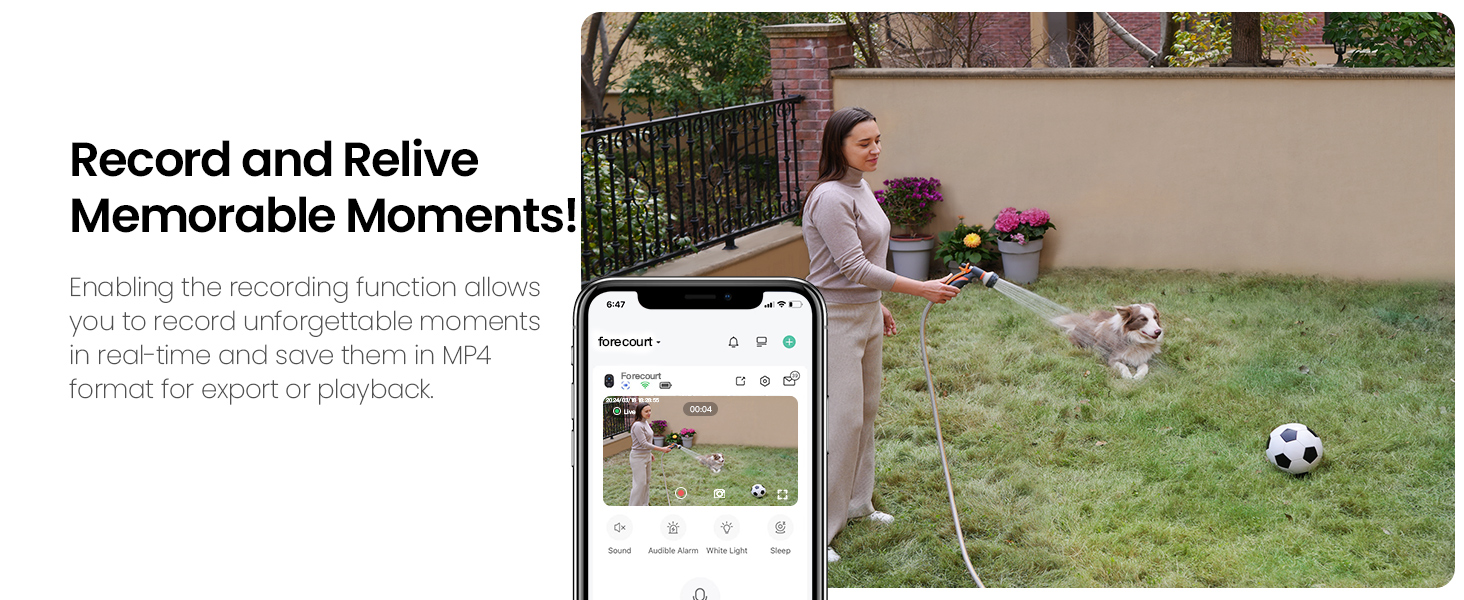
Image: A smartphone screen showing the camera's motion detection sensitivity settings within the VicoHome app, with options for Low, Medium, and High.
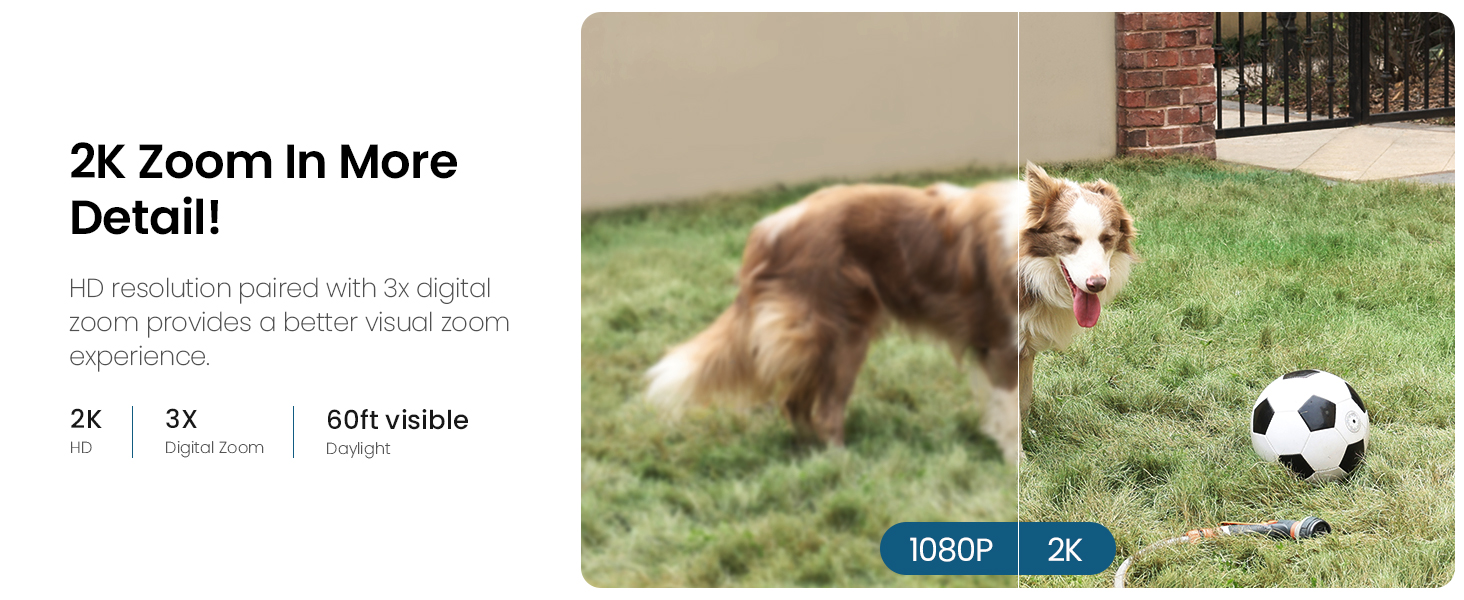
Image: A visual comparison demonstrating the clarity difference between 1080P and 2K resolution with 3X digital zoom, focusing on a dog in a yard.
100% Wireless and Long Battery Life
The camera is completely wireless, powered by a rechargeable battery, allowing for flexible installation without the need for power outlets. Its IP65 waterproof rating ensures durability in various weather conditions.

Image: An outdoor security camera mounted on a wall, with rain falling, illustrating its weather-resistant design and wireless operation.

Image: A close-up of the camera mounted on a brick wall, with water droplets on its surface, highlighting its IP65 waterproof rating.
Premium Cloud Storage & Flexible Local Backup
Protect your recordings with flexible storage options. The camera supports secure cloud storage (subscription may be required) and local SD card backups (up to 128GB, sold separately).

Image: A diagram illustrating the flexible storage options: local storage via an SD card (up to 128GB) and secure cloud loop storage.
| Característica | Gratuït | Premium |
|---|---|---|
| Rolling history | Fins a 3 dies | Fins a 60 dies |
| Enregistrament de moviment | Fins a 20 s | Fins a 3 min |
| Motion alerts | ✓ | ✓ |
| Smart push | ✗ | ✓ |
| Activity zone | ✗ | ✓ |
| Detecció de persones | ✗ | ✓ |
| Detecció de mascotes | ✗ | ✓ |
| Detecció de vehicles | ✗ | ✓ |
| Package detection | ✗ | ✓ |
| Zero delay | ✗ | ✓ |
Table: Comparison of features available with free and premium cloud storage plans.
Integració d'Alexa
The CURISEE camera is compatible with Alexa, allowing for hands-free control and viewing of your camera feed on compatible Alexa-enabled devices.

Image: A woman performing yoga while an Alexa device displays the live camera feed, demonstrating hands-free operation.

Image: A woman in a kitchen interacting with an Alexa device, which is displaying the camera's view of the backyard, illustrating smart home integration.
Record and Share Moments
Enable recording to capture and save memorable moments in MP4 format. You can also share camera access with up to 30 accounts, with each device allowing up to 4 users to view simultàniament.

Image: A smartphone displaying a live camera feed with recording controls, showing a woman watering plants in a yard, emphasizing the ability to record and relive moments.

Image: A smartphone screen showing the camera sharing interface, surrounded by icons representing multiple users, indicating the ability to share camera access with family.
Multiple Mount Locations
The camera can be mounted in various locations, including ceilings, walls, or placed on tabletops, making it suitable for diverse indoor and outdoor environments.

Image: Three panels showing different mounting options for the camera: ceiling, wall, and desktop, illustrating its versatility.

Image: A collage of images depicting various indoor and outdoor settings where the camera can be installed, including yard, pool, living room, bedroom, verandah, garage, doorway, and baby room.
Manteniment
Cura de la bateria
To maximize battery life, ensure the camera is charged regularly. Avoid exposing the camera to extreme temperatures outside its operating range (14°F to 113°F / -10°C to 45°C) for prolonged periods.
Neteja
Gently wipe the camera lens and body with a soft, dry cloth. Do not use harsh chemicals or abrasive cleaners, as they may damage the device.
Resolució de problemes
Problemes comuns i solucions
- When you hear the "Wi-Fi Password Error"
- Please check whether the Wi-Fi password you entered in the App is correct.
- Com encendre la càmera?
- Please hold the power button for 5 seconds to enter pairing mode with a continuous 'Ding Dong' sound and flashing light. If the camera doesn't operate, please DOUBLE-CLICK the power button to reset and connect.
- When you hear the "Wi-Fi not found"
- Please check whether you select or enter the correct Wi-Fi name, and place the device near the Wi-Fi router and ensure that the router is powered on. Please note that 5Ghz Wi-Fi cannot be searched by the device.
Consells generals de resolució de problemes
- Ensure your Wi-Fi router is powered on and within range of the camera.
- Verify that your smartphone is connected to a 2.4GHz Wi-Fi network during setup.
- Check the camera's battery level in the VicoHome app.
- If issues persist, try resetting the camera and repeating the setup process.
Especificacions
| Característica | Detall |
|---|---|
| Nom del model | CRS300 |
| Marca | CURISE |
| Ús interior/exterior | Interior, Exterior |
| Font d'alimentació | Funciona amb bateria |
| Protocol de connectivitat | Wi-Fi (2.4 GHz) |
| Tipus de controlador | Aplicació Vicohome |
| Tipus de muntatge | Wall/Ceiling/Tabletop Mount |
| Resolució de captura de vídeo | 2K (1440 píxels) |
| Color | Blanc |
| Components inclosos | Camera Body, Screw Pack, Setup guide, Type-C USB cord |
| Tecnologia de comunicació sense fils | Wi-Fi |
| Classificació de protecció internacional | IP65 |
| Gamma de visió nocturna | 33 peus |
| Zoom òptic | Zoom digital de 3x |
| Tipus d'alerta | Només moviment |
| Dimensions del producte | 2.64 x 2.28 x 3.5 polzades |
| Pes de l'article | 11.7 unces |
| Bateries | Cal 1 pila A (inclosa) |
| Data de primera disponibilitat | 23 de febrer de 2024 |
Garantia i Suport
CURISEE is committed to providing high-quality products and excellent customer service.
Fabricant
CURISE
Atenció al client
For any inquiries or support needs, please contact CURISEE customer care:
- Weblloc: https://curisee.net/
- Correu electrònic: service@curisee.net
- Telèfon: (844) 844-4031
Telephone service is available from 9am to 6pm ET Monday through Friday.

Image: A customer service representative with contact details for CURISEE, including weblloc, correu electrònic i número de telèfon.
You can also refer to the official User Guide PDF for more detailed information: Guia de l'usuari (PDF)


