Introducció
This user manual provides comprehensive instructions for the installation, operation, and maintenance of your vretti 58mm Thermal Receipt Printer. Please read this manual thoroughly before using the printer to ensure proper function and longevity of the device.

Image: The vretti 58mm Thermal Receipt Printer, a compact black device, shown with a roll of thermal paper.
Informació de seguretat
To ensure safe operation and prevent damage to the printer, please observe the following safety precautions:
- No exposeu la impressora a l'aigua ni a altres líquids.
- Eviteu col·locar la impressora sota la llum solar directa o a prop de fonts de calor.
- Feu servir només l'adaptador de corrent que s'inclou amb la impressora.
- No intenteu desmuntar ni reparar la impressora vosaltres mateixos. Poseu-vos en contacte amb personal de servei qualificat per obtenir ajuda.
- Keep the printer away from strong electromagnetic fields.
Contingut del paquet
En desempaquetar, comproveu que tots els elements que s'enumeren a continuació estiguin inclosos al paquet:

Image: A visual representation of the package contents, including the printer, user manual, driver CD, after-sale card, USB cable, power cord, and a roll of thermal paper.
- Impressora de recepció tèrmica
- Manual d'usuari
- CD del controlador
- After-sale Card
- Cable USB
- Cable d'alimentació
- Rotlle de paper tèrmic
Producte acabatview
Familiarize yourself with the various components and features of your vretti thermal receipt printer.

Imatge: Detallada view of the printer's ports and indicators, including the On/Off switch, Power Indicator, Status Indicator, Power Port, USB Port, and Cash Drawer port.
- Interruptor d'encesa/apagada: Encén o apaga la impressora.
- Indicador d'alimentació: S'il·lumina quan la impressora està engegada.
- Indicador d'estat: Indicates printer status (e.g., paper out, error).
- Port d'alimentació: Connecta l'adaptador de corrent.
- Port USB: Connects the printer to a computer for data transmission.
- Port del calaix de diners: Connects to a compatible cash drawer for automatic opening.

Image: Key features of the printer highlighted: USB connectivity, ink-free operation, no cartridges required, and 203dpi resolution.
Configuració
1. Càrrega de paper tèrmic
The printer uses 58mm wide thermal paper rolls. Follow these steps to load the paper:
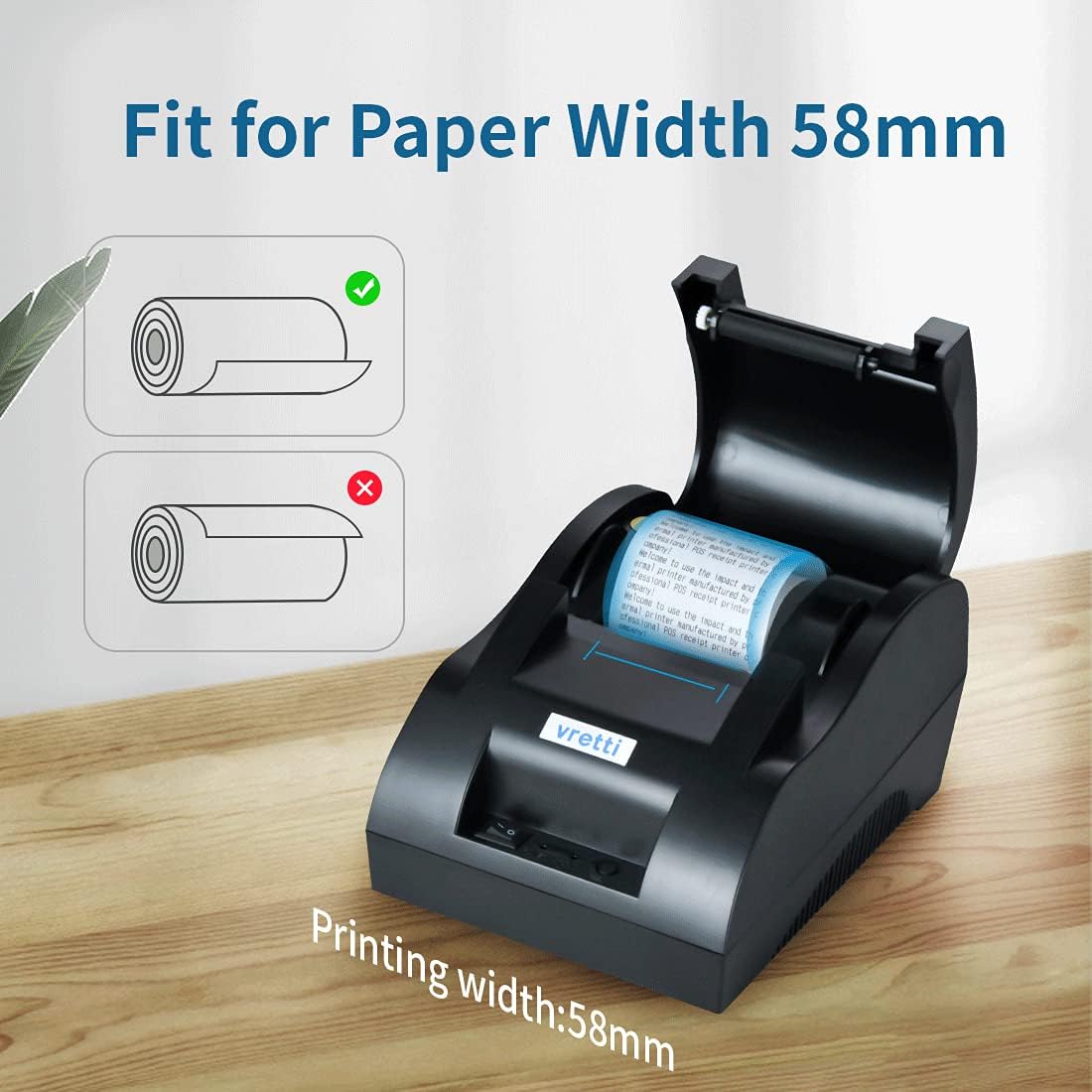
Image: Illustration showing the correct and incorrect way to load a thermal paper roll into the printer, emphasizing the correct orientation for printing.
- Open the printer cover by pressing the cover release button (if applicable) or gently lifting the top cover.
- Insert the thermal paper roll into the paper compartment with the printing side facing the print head. Ensure the roll unwinds from the bottom.
- Pull a small amount of paper out past the print head.
- Tanqueu la coberta de la impressora fermament fins que encaixi al seu lloc.
2. Connexió de la impressora
Connect the printer to your power source and computer:
- Connect the supplied power adapter to the printer's power port and then plug it into a wall outlet.
- Connecteu un extrem del cable USB al port USB de la impressora i l'altre extrem a un port USB disponible de l'ordinador.
- (Optional) If using a cash drawer, connect the cash drawer cable to the printer's cash drawer port.
3. Instal·lació del controlador
The vretti thermal printer supports Windows, Mac OS, and Linux operating systems. Driver installation is required for proper communication between your computer and the printer.

Image: Diagram illustrating the printer's compatibility with Windows (Win2000, Win7, Win8, Win10) and Linux operating systems via USB connection.
- Insert the provided Driver CD into your computer's CD-ROM drive.
- Follow the on-screen instructions to install the appropriate driver for your operating system (Windows 9X/2000/2003/XP/Vista/7/8/10, Mac OS, Linux).
- If your computer does not have a CD-ROM drive, drivers can typically be downloaded from the vretti official support weblloc.
- Després de la instal·lació, reinicieu l'ordinador si se us demana.
Instruccions de funcionament
Once the printer is set up and drivers are installed, you can begin printing receipts.
- Assegureu-vos que la impressora estigui engegada i connectada a l'ordinador.
- Open the application from which you wish to print (e.g., POS software, text editor).
- Select the vretti thermal printer from the list of available printers in your application's print dialog.
- Adjust print settings as needed (e.g., paper size, print quality).
- Initiate the print command. The printer will automatically feed and print the receipt.
- The printer supports ESC/POS commands for advanced control and customization through software.
Manteniment
Un manteniment regular ajuda a garantir un rendiment òptim i allarga la vida útil de la impressora.
- Neteja del capçal d'impressió: Utilitzeu un drap suau i sense pelusa dampened with isopropyl alcohol to gently wipe the print head. Do this only when the printer is off and cooled down.
- Neteja del rodet de la platina: Rotate the platen roller and wipe it with a soft, damp cloth to remove any paper dust or debris.
- Paper Dust Removal: Periodically use a soft brush or compressed air to remove paper dust from inside the printer.
- Thermal Paper Storage: Store thermal paper in a cool, dry place away from direct sunlight and heat to prevent premature fading.
Resolució de problemes
If you encounter issues with your printer, refer to the following common problems and solutions:
| Problema | Causa possible | Solució |
|---|---|---|
| La impressora no respon | Power off; Loose cable; Driver issue | Ensure power is on; Check all cable connections; Reinstall printer driver. |
| Blank prints or faded text | Paper loaded incorrectly; Low quality thermal paper; Dirty print head | Reload paper with printing side facing print head; Use high-quality thermal paper; Clean the print head. |
| Embús de paper | Incorrect paper loading; Foreign object inside | Open cover, remove jammed paper carefully; Check for and remove any obstructions. |
| Cash drawer not opening | Loose cable; Software settings | Check cash drawer cable connection; Verify cash drawer settings in your POS software. |
Especificacions
Detailed technical specifications for the vretti 58mm Thermal Receipt Printer:

Image: Diagram showing the dimensions of the vretti thermal printer: 18.1cm (L) x 13cm (W) x 10.8cm (H).
| Característica | Detall |
|---|---|
| Model | 58IIZ |
| Tecnologia d'impressió | Tèrmica directa |
| Velocitat d'impressió | 90 mm/s |
| Amplada del paper | 58 mm (2.28") |
| Amplada d'impressió | 48 mm (1.88") |
| Resolució | 203 ppp |
| Interfície | USB |
| Suport del sistema operatiu | Windows (9X/2000/2003/XP/Vista/7/8/10), Mac OS, Linux |
| Conjunt d'ordres | ESC/POS compatible |
| Dimensions (L x A x A) | 18.1 x 13 x 10.8 cm |
| Pes | 810 g (11.9 oz) |
Garantia i Suport
vretti products are manufactured with high quality standards. This thermal receipt printer comes with certifications including CE, FCC, and ROHS, ensuring its quality and safety.
If you encounter any problems or require technical assistance, please contact vretti customer support. Our team is committed to providing a satisfactory solution within 24 hours.
Informació de contacte: support@vretti.net


