1. Introducció
This manual provides essential instructions for the installation, operation, and maintenance of your Walfront 100A MPPT Solar Charge Controller. This advanced controller utilizes Maximum Power Point Tracking (MPPT) technology to efficiently manage power from your solar panels to charge various battery types, including Gel, Flooded, and LiFePO4 batteries. It automatically identifies 12V, 24V, 36V, and 48V systems and features dual USB 5V charging ports for added convenience.

Figura 1: Frontal view of the Walfront 100A MPPT Solar Charge Controller.
2. Informació de seguretat
Please read all safety instructions carefully before installation and operation to prevent injury or damage to the controller and connected equipment.
- Ensure proper ventilation around the controller to prevent overheating.
- Connect the battery first, then the solar panel, and finally the load. Disconnect in the reverse order.
- Verify correct polarity for all connections. Incorrect polarity can damage the controller.
- The controller includes built-in protections for battery overvoltage, overcurrent, power failure, overcharging, deep discharge, reverse connection, and overheating. However, always exercise caution.
- No intenteu desmuntar ni reparar el controlador vosaltres mateixos. Poseu-vos en contacte amb personal qualificat per al servei tècnic.
- Keep the controller away from water, flammable gases, and corrosive substances.
3. Producte acabatview
The Walfront 100A MPPT Solar Charge Controller features a robust design with an intuitive LCD display and multiple connection ports.

Figure 2: Controller dimensions (approximately 195mm x 172mm x 68mm).
3.1. Components i controls
- Pantalla LCD: Shows real-time operating data such as battery voltage, PV charging current, battery discharge current, operating temperature, and selected working mode.
- Botons de control: RESET, MENU, ON/OFF, and navigation buttons for setting parameters and selecting modes.
- Terminals de connexió: Clearly labeled terminals for solar panel input, battery connection, and DC load output.
- Ports USB dobles: Two 5V USB ports for charging external devices.
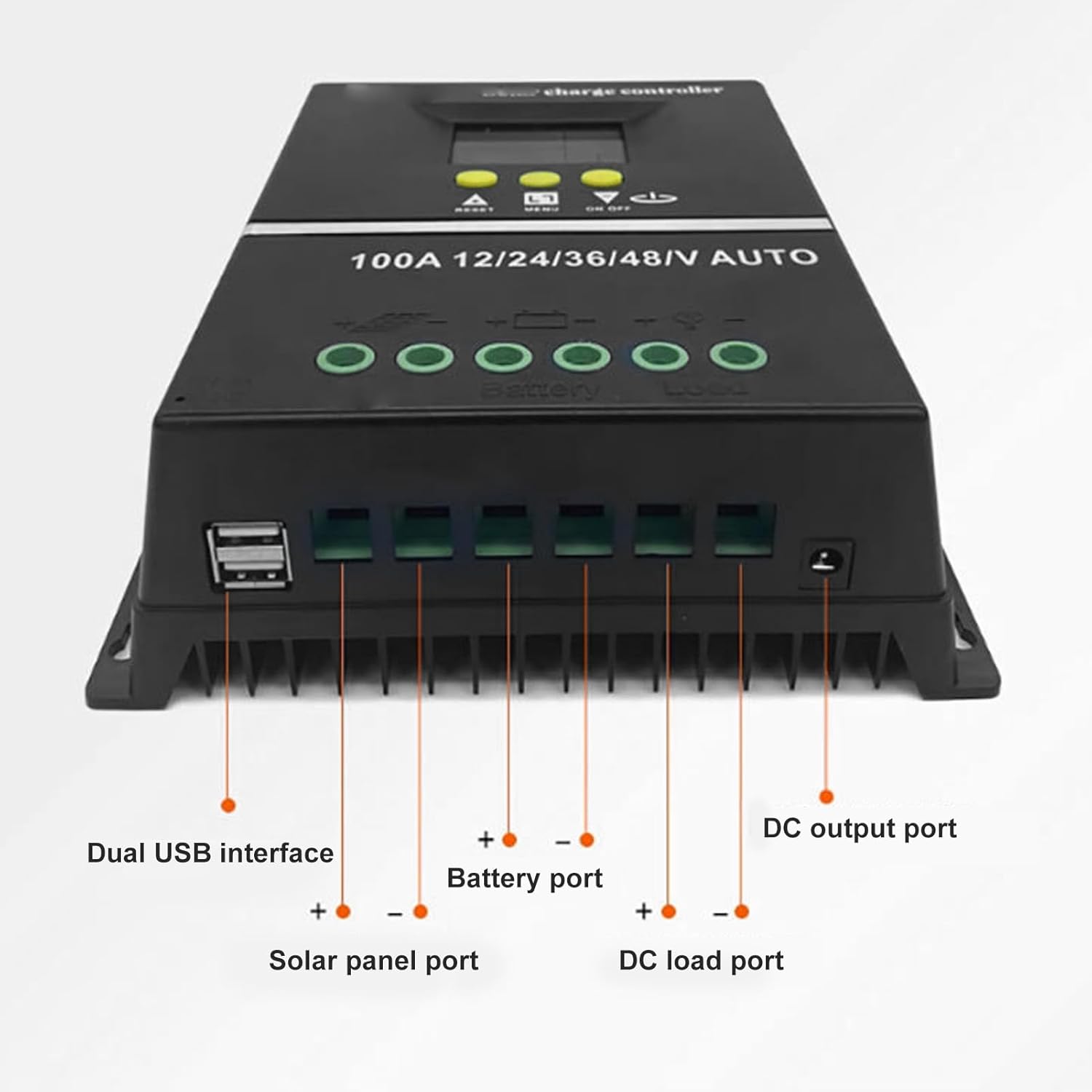
Figura 3: A baix view showing Dual USB interface, Solar panel port, Battery port, DC load port, and DC output port.

Figura 4: Detallada view of the LCD display areas.
4. Configuració i instal·lació
Follow these steps for proper installation of the solar charge controller:
- Preparació del cablejat: Ensure all wires are of appropriate gauge for the current and length, and that they are properly stripped.
- Connecta la bateria: Connect the battery to the controller's battery terminals (positive to positive, negative to negative). The controller will automatically detect the system voltage (12V/24V/36V/48V).
- Connecteu el panell solar: Connect the solar panel to the controller's solar panel terminals (positive to positive, negative to negative).
- Connect DC Load: Connect your DC loads to the controller's load terminals (positive to positive, negative to negative).
- Connexions segures: Comproveu dues vegades que totes les connexions estiguin ben ajustades i que la polaritat sigui correcta.
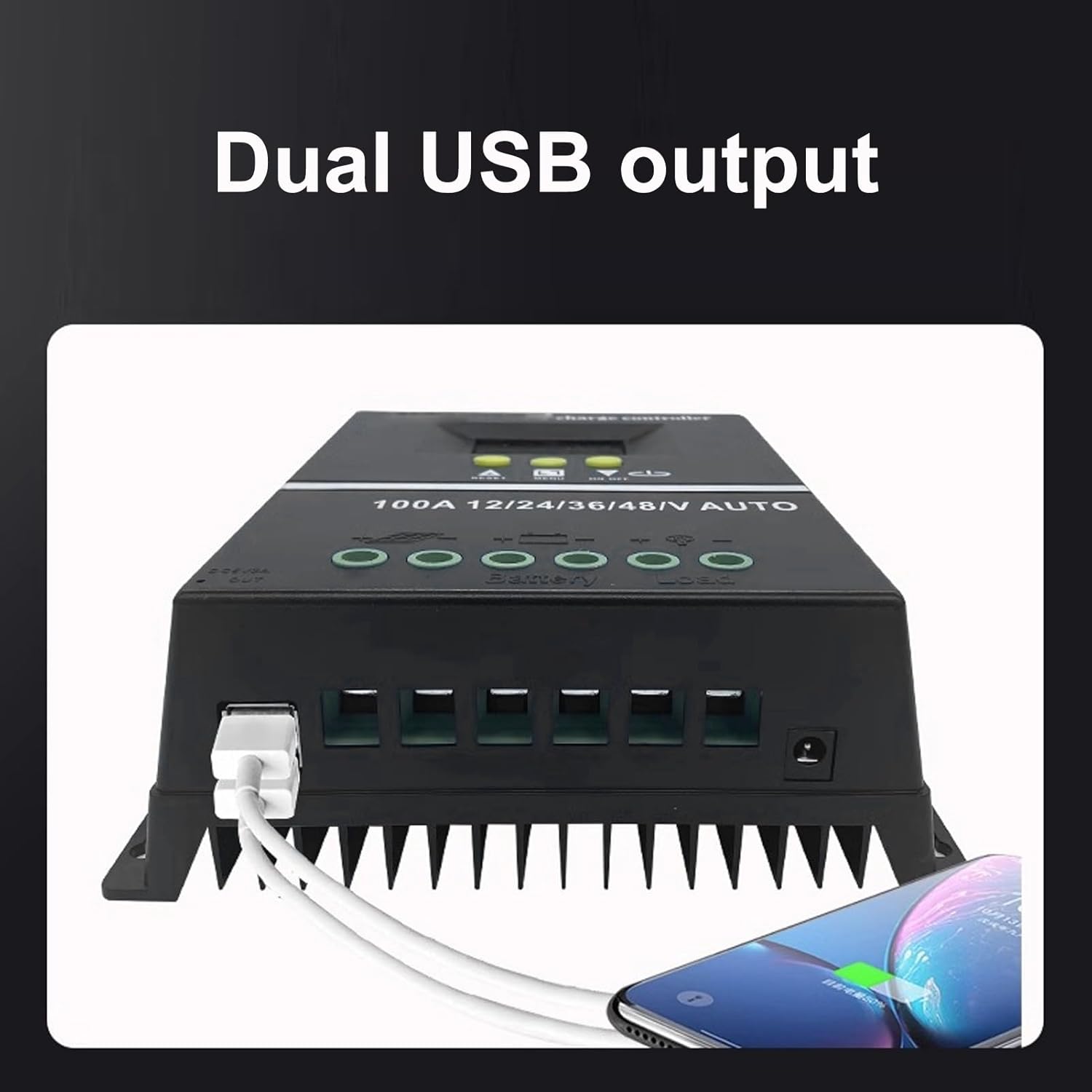
Figure 5: Connection diagram for the solar charge controller.
5. Instruccions de funcionament
The controller features a multifunctional LCD display and several working modes to suit various applications.
5.1. Pantalla LCD i funcions dels botons
The LCD dynamically displays operating data. Use the MENU button to navigate through display screens and settings. The UP/DOWN buttons (triangle symbols) adjust values or select options. The ON/OFF button controls the load output.
5.2. Modes de treball
The controller offers 7 working modes:
- Mode de càrrega: Under no circumstances should discharge be allowed. This mode focuses solely on charging the battery.
- Mode de control de la llum: The controller detects night, delays for ten minutes, and then starts discharging. When it detects daytime, it delays for ten minutes and stops discharging.
- Light and Delay Control Mode: When the controller detects night, it delays for ten minutes before starting to discharge and counts down (if the timer stops at 0), the discharge will stop. The maximum delay time is 23:59.
- Mode de control universal: Always maintains discharge without any faults.
- Mode de control manual: Use the '▼' button to check whether to discharge.
- Mode de control de temps: Regularly turns on or off the discharge based on set times.
- Mode de prova: Similar to lighting and delay control modes, but with only a ten-minute delay.
5.3. Càrrega USB
The dual USB 5V charging ports can be used to charge compatible electronic devices. Simply connect your device to one of the USB ports.
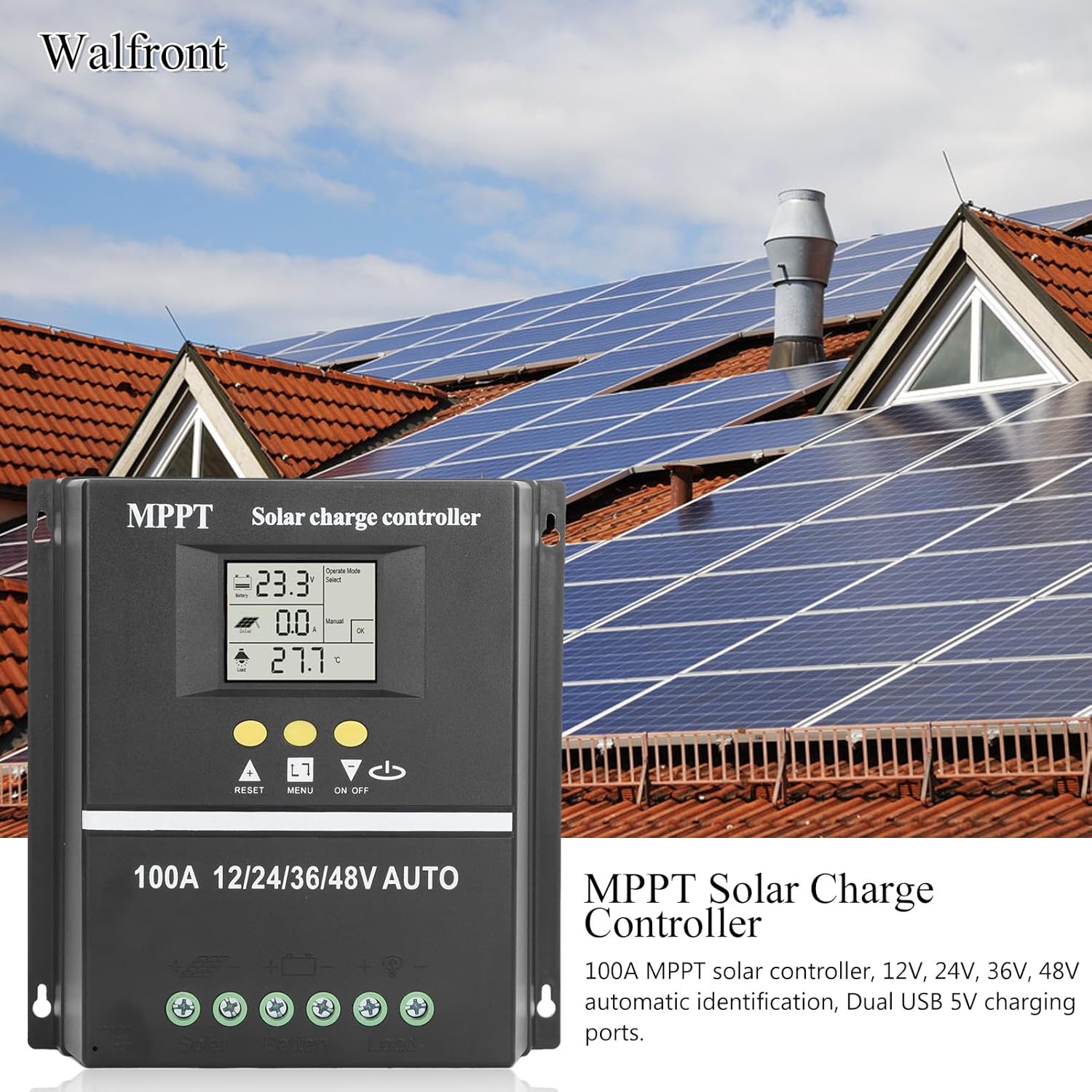
Figure 6: Using the dual USB output for charging.
6. Manteniment
Un manteniment regular garanteix un rendiment òptim i una llarga vida útil del controlador de càrrega solar.
- Neteja: Mantingueu el controlador net i lliure de pols i brutícia. Feu servir un drap sec per netejar-lo.
- Connexions: Reviseu periòdicament totes les connexions del cablejat per assegurar-vos que estiguin ben fixades i que no presentin corrosió.
- Ventilació: Ensure that the ventilation openings are not blocked to allow for proper heat dissipation.
- Inspecció de la bateria: Regularly inspect your battery for any signs of damage or leakage.
7. Solució De Problemes
If you encounter issues with your solar charge controller, consider the following common problems and solutions:
- Sense pantalla/Sense alimentació: Check battery connections and ensure the battery has sufficient charge. Verify all wiring is correct.
- La bateria no es carrega: Check solar panel connections and ensure the panels are receiving adequate sunlight. Verify solar panel voltage està dins del rang d'entrada del controlador.
- La càrrega no funciona: Check load connections. Ensure the load is within the controller's rated capacity. Check if the load output is enabled (e.g., via ON/OFF button or selected working mode). The controller will stop discharge under low voltagprotecció.
- Codis d'error a la pantalla: Refer to the specific error code displayed on the LCD. Consult the manufacturer's support for detailed explanations and solutions for specific codes.
- Sobreescalfament: Ensure the controller is installed in a well-ventilated area and not exposed to direct sunlight or excessive ambient temperatures.
Per a problemes persistents, poseu-vos en contacte amb l'atenció al client.
8. Especificacions
| Característica | Especificació |
|---|---|
| Corrent nominal | 100A |
| Volum del sistematage | 12V / 24V / 36V / 48V Auto Identification |
| Maximum Solar Input (Voc) | 15-23V (12V battery); 30-45V (24V battery); 45-69V (36V battery); 60-90V (48V battery) |
| Maximum Photovoltaic Input Power | 1200W (12V battery); 2400W (24V battery); 3600W (36V battery); 4800W (48V battery) |
| Sortida USB | USB dual de 5 V |
| Tipus de visualització | LCD amb llum de fons |
| Compatibilitat de la bateria | GEL, Flooded, LiFePO4 |
| Temperatura de funcionament | Fins a 60°C |
| Material | ABS |
| Pes de l'article | 1.81 lliures |
| Dimensions del paquet | 8.03 x 7.99 x 2.83 polzades |
9. Garantia i Suport
For warranty information, technical support, or service inquiries, please refer to the product packaging or contact Walfront customer service through your purchase platform. Keep your purchase receipt as proof of purchase.
