Introducció
This manual provides detailed instructions for the EasySMX X15 Wireless Controller. It covers setup, operation, maintenance, and troubleshooting to ensure optimal performance and longevity of your device. The EasySMX X15 is designed for a versatile gaming experience across multiple platforms.
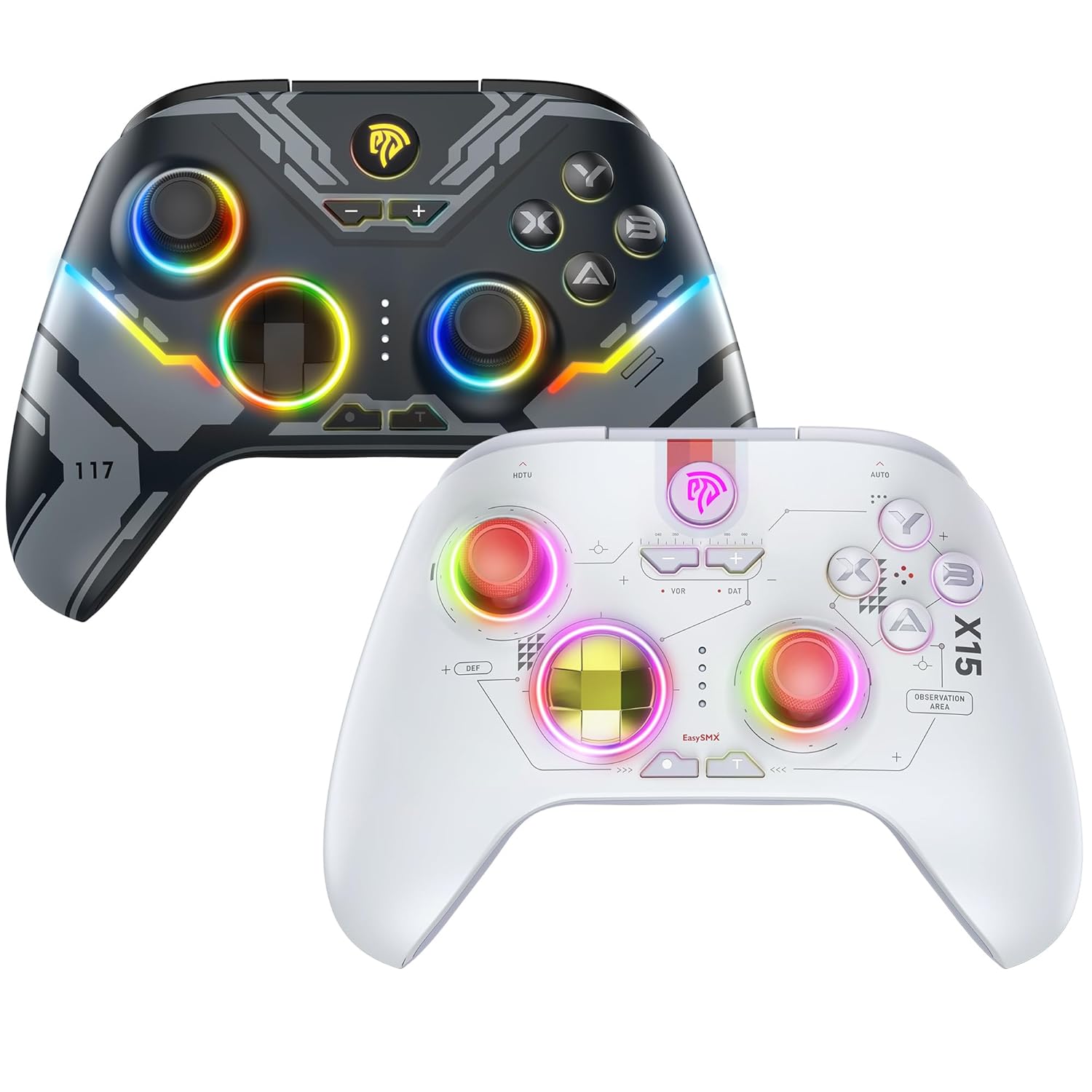
This image displays two EasySMX X15 wireless controllers. The dark gray controller is positioned behind and to the left, while the white controller is in the foreground on the right. Both controllers feature ergonomic designs with illuminated joysticks and face buttons, showcasing their customizable RGB lighting effects. The dark gray controller has a more angular, futuristic design, while the white controller has a cleaner, more minimalist aesthetic with visible circuit-like patterns.
Configuració
1. Càrrega del controlador
Before first use, fully charge the controller. Connect the supplied USB-C cable to the controller's charging port and the other end to a USB power source (e.g., computer, wall adapter). The indicator lights will show charging status and turn off or change color when fully charged.
2. Connexió a dispositius
The EasySMX X15 controller supports both wireless (Bluetooth) and wired connections. Specific button combinations are required for pairing with different devices.
- Connexió sense fil (Bluetooth): To pair, press and hold the designated pairing button combination for your specific device (e.g., PC, Nintendo Switch, Android). Refer to the quick start guide included with your controller for exact button sequences for each platform. The controller's indicator lights will flash during pairing and become solid upon successful connection.
- Connexió per cable: Connect the controller directly to your device using the USB-C to USB cable. This method is suitable for PCs, PS3, and other compatible systems that support USB input. The controller should be automatically recognized by the system.
Nota: For optimal performance, ensure your device's Bluetooth is enabled and updated to the latest drivers if connecting wirelessly to a PC.
Funcionament del controlador
Controls bàsics
The X15 controller features standard gaming inputs:
- Duals sticks analògics: Per a un moviment precís i un control de la càmera.
- D-Pad: Per a entrada direccional, sovint s'utilitza en menús o jocs en 2D.
- Botons frontals (A, B, X, Y): Per a accions dins del joc.
- Botons d'espatlla (L1, R1) i disparadors (L2, R2): For various actions, often shooting or accelerating.
- Start/Menu Button: Typically opens in-game menus.
- Select/View Botó: Often used for map or secondary functions.
- Botó d'inici: Torna al menú principal del sistema.
Control d'il·luminació RGB
The X15 controller features customizable RGB lighting. To conserve battery life, you can typically toggle the RGB lights on or off using a dedicated button or a specific button combination. Refer to your controller's quick start guide for the exact method.
Manteniment
Proper maintenance ensures the longevity and performance of your EasySMX X15 controller.
- Neteja: Feu servir un drap suau i sec per netejar el controlador. Per a la brutícia persistent, fregueu lleugerament.ampNetegeu el drap amb aigua o un netejador electrònic suau. Eviteu productes químics agressius o materials abrasius.
- Emmagatzematge: Guardeu el controlador en un lloc fresc i sec, allunyat de la llum solar directa i de temperatures extremes.
- Cura de la bateria: Eviteu descarregar completament la bateria amb freqüència. Carregueu el controlador regularment, fins i tot si no l'utilitzeu durant períodes prolongats, per mantenir la bateria en bon estat.
Resolució de problemes
If you encounter issues with your EasySMX X15 controller, try the following solutions:
- El controlador no es connecta:
- Assegureu-vos que el controlador estigui carregat.
- Verify you are using the correct button combination for pairing with your specific device.
- Restart your device and the controller.
- If using Bluetooth, try forgetting the device on your system and re-pairing.
- Prova una connexió amb cable per descartar problemes sense fil.
- Botons/joysticks no responen:
- Assegureu-vos que el controlador estigui connectat correctament.
- Check for any physical obstructions or debris around the buttons/joysticks.
- Test the controller on a different game or device to determine if the issue is game-specific.
- Durada de la bateria curta:
- Assegureu-vos que el controlador estigui completament carregat abans d'utilitzar-lo.
- Turn off RGB lighting to extend battery life.
- Reduce vibration intensity if applicable (check controller settings on your device).
Especificacions
| Model | X15 |
| Fabricant | EasySMX |
| Connectivitat | Sense fil (Bluetooth), amb cable (USB-C) |
| Compatibilitat | PC, Steam, PS3, Android Mobile, TV BOX, Tesla, Nintendo Switch, Steam Deck |
| ASIN | B0CWP8V3T |
| Primer disponible | 2 de desembre de 2024 |
Informació de la garantia
EasySMX products typically come with a manufacturer's warranty. Please refer to the warranty card included in your product packaging or visit the official EasySMX website for detailed warranty terms and conditions specific to the X15 controller.
Atenció al client
For further assistance, technical support, or inquiries not covered in this manual, please contact EasySMX customer support through their official website or the contact information provided in your product packaging. When contacting support, please have your product model (X15) and purchase details ready.


