Introducció
This manual provides comprehensive instructions for the operation and maintenance of your Baofeng K5 Plus Ham Radio. The K5 Plus is an upgraded handheld two-way radio featuring a 1.77-inch color screen, tri-power adjustment, and versatile charging options. It supports one-click frequency copying, NOAA weather alerts, and offers up to 999 channels. Please read this manual thoroughly to ensure proper use and to maximize the performance of your device.
Què hi ha a la caixa
En obrir el paquet, comproveu que hi hagi tots els components següents:
- 2 x Portable radio (Baofeng K5 Plus)
- 2 bateries de ions de liti de 2500 mAh
- 2 x Carregador d'escriptori
- 2 x cable USB-C
- 2 x clip de cinturó
- 2 x Auricular
- 2 manuals d'usuari
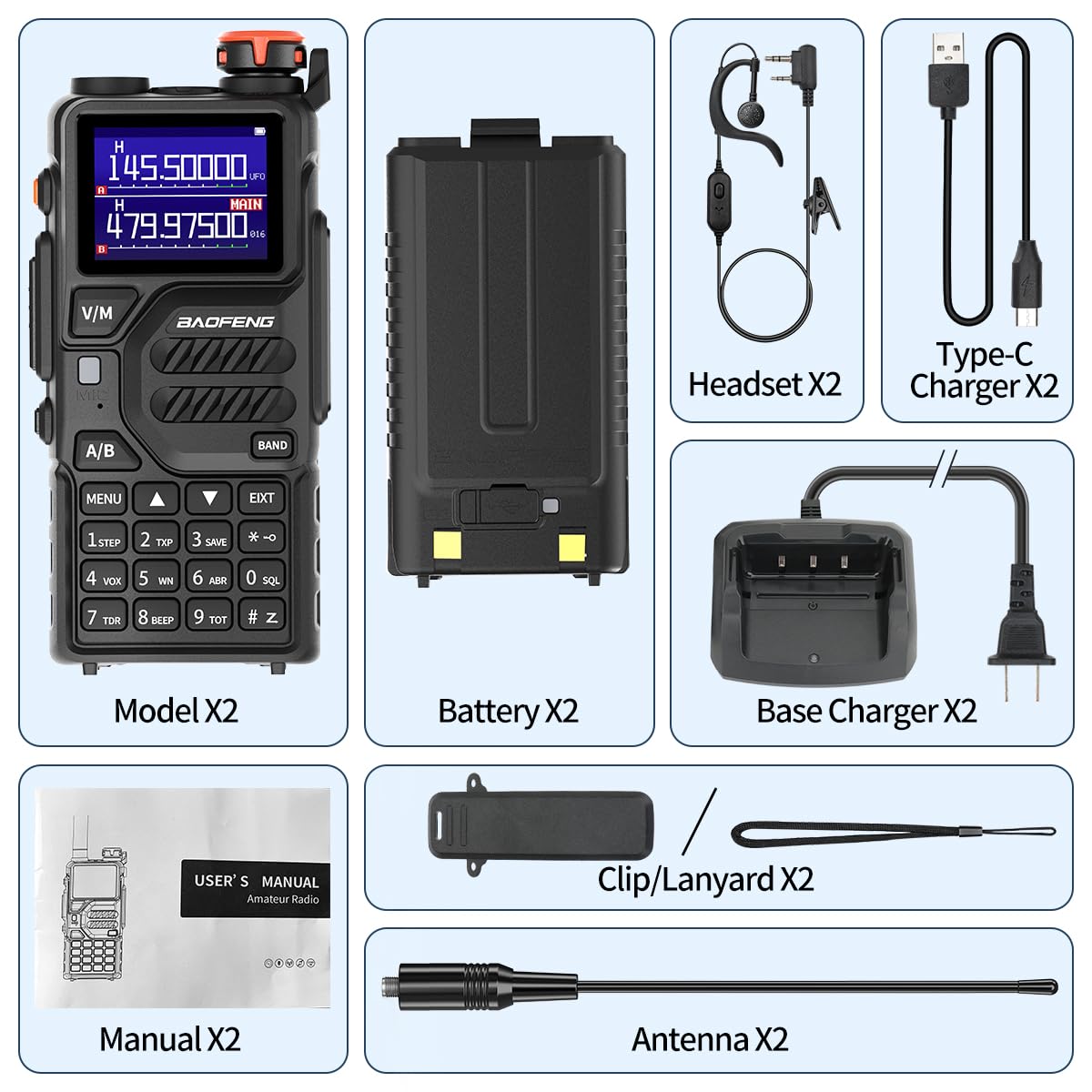
Image: All components included in the Baofeng K5 Plus package, showing two radios, two batteries, two desktop chargers, two USB-C cables, two belt clips, two headsets, and two user manuals.
Producte acabatview i Característiques
The Baofeng K5 Plus is designed for enhanced communication with several key features:
- Upgraded UV-5R Platform: The K5 Plus features a 1.77-inch color screen for improved visibility, especially in low light conditions. Power output can be adjusted to low, medium, or high settings.
- Mètodes de càrrega dual: Supports both traditional desktop charging and direct USB-C charging, offering flexibility for various power sources.
- One-Click Frequency Copy: Simplifies frequency matching with other radios without requiring computer programming.
- Canals meteorològics de la NOAA: Access to 10 NOAA channels for emergency weather alerts, enhancing safety during outdoor activities.
- Funcions múltiples: Includes up to 999 channels, Airband reception, FM radio, LED flashlight, Stopwatch, DTMF, VOX, Alarm function, and CTCSS/DCS.

Image: Two Baofeng K5 Plus radios displayed with their antennas, batteries, desktop chargers, and USB-C cables, highlighting the complete package.

Image: A side-by-side comparison illustrating the differences between the Baofeng UV-K5 Plus and the older UV-5R model, emphasizing the K5 Plus's larger screen, Type-C charger, and increased channel capacity.
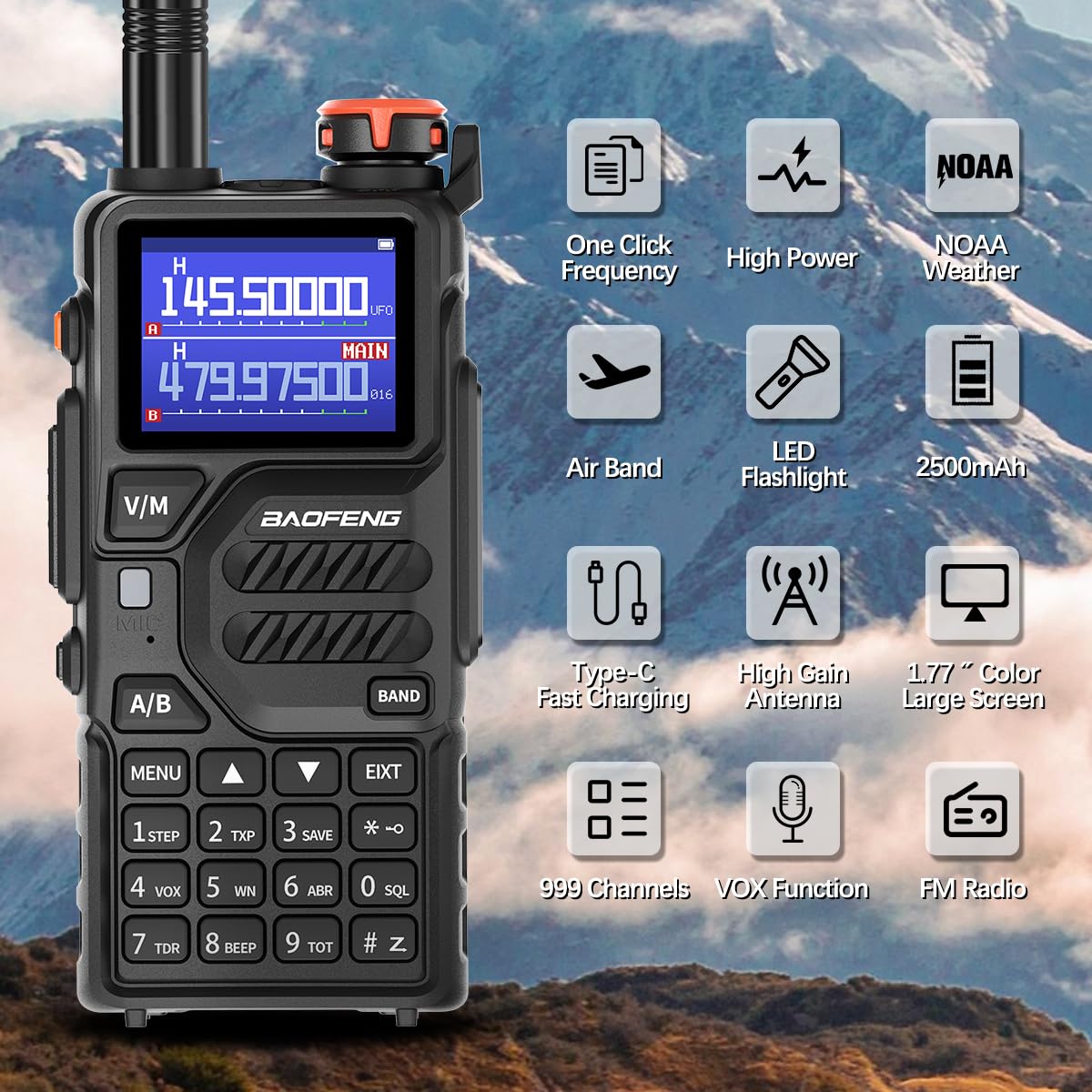
Image: The Baofeng K5 Plus radio surrounded by icons representing its key features: One Click Frequency, High Power, NOAA Weather, Airband, LED Flashlight, 2500mAh battery, Type-C Fast Charging, High Gain Antenna, 1.77" Color Large Screen, 999 Channels, VOX Function, and FM Radio.
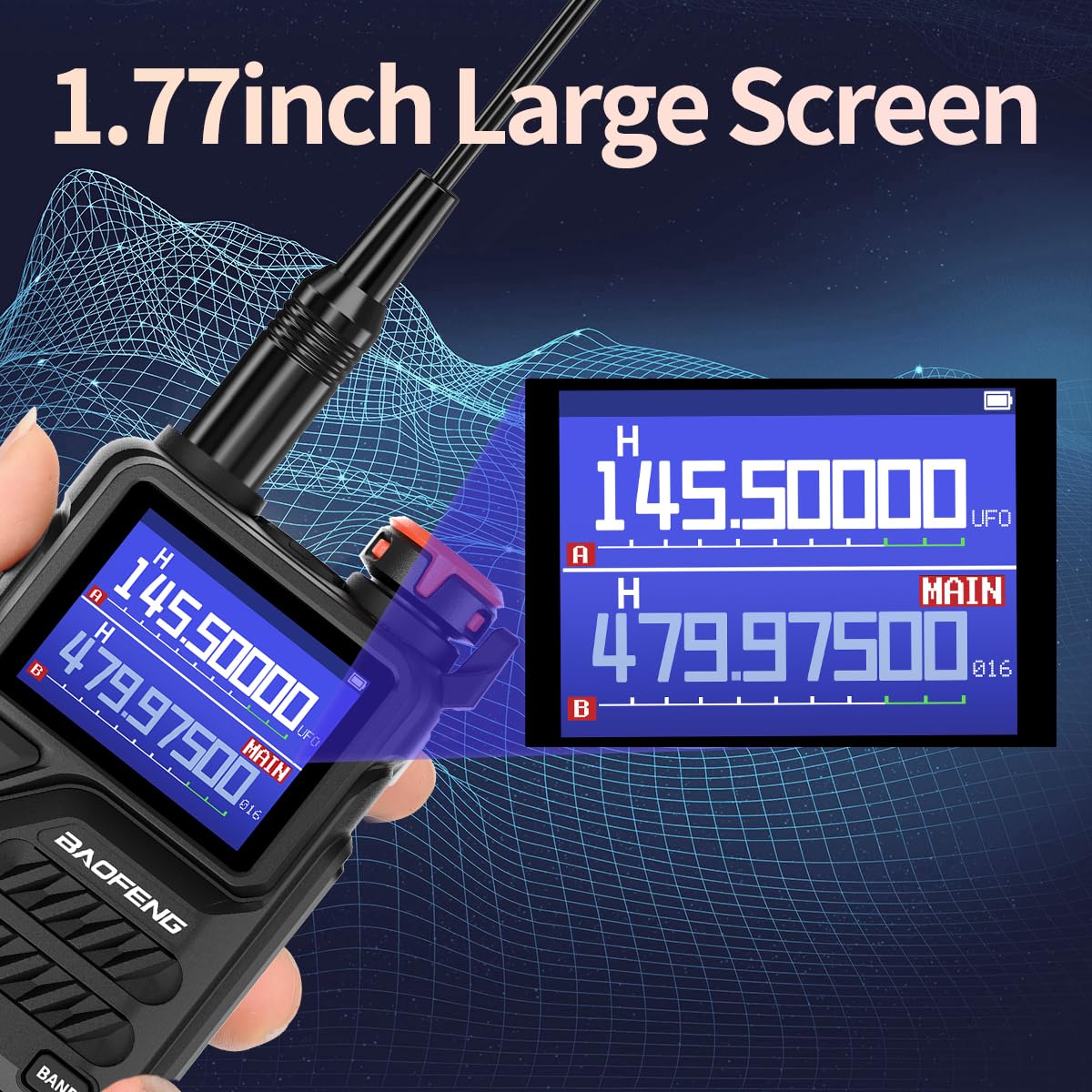
Imatge: Un primer pla view of the Baofeng K5 Plus's 1.77-inch large color screen, demonstrating its clear display of frequencies and settings.
Configuració
Instal·lació i càrrega de la bateria
The Baofeng K5 Plus comes with a 2500mAh Li-ion battery. Ensure the battery is fully charged before first use.
- Per instal·lar la bateria, alineeu el paquet de bateries amb les ranures de la part posterior de la ràdio i feu-la lliscar cap amunt fins que encaixi al seu lloc.
- Per treure-la, premeu el pestell d'alliberament a la part inferior de la bateria i feu-la lliscar cap avall.
- Carregador d'escriptori: Place the radio (with battery installed) into the desktop charging cradle. Ensure the charging contacts align. The indicator light will show charging status.
- Càrrega USB-C: Connect a USB-C cable to the port on the side of the radio and plug the other end into a compatible USB power source (e.g., wall adapter, power bank, computer USB port).

Image: The Baofeng K5 Plus demonstrating its two charging methods: direct USB-C cable connection and charging via the included desktop cradle. Also shown are charging from a power bank and in a car.
Enganxament d'antena
Cargoleu l'antena proporcionada en sentit horari al connector de l'antena a la part superior de la ràdio fins que quedi ajustada amb els dits. No l'estrengueu massa.
Instruccions de funcionament
Encès/apagat i volum
Rotate the power/volume knob clockwise to turn on the radio and increase volume. Rotate counter-clockwise to decrease volume and turn off the radio.
One-Click Frequency Copy
This feature allows for quick frequency matching with another walkie-talkie without complex programming.
- Long press the "BANDA" button on your K5 Plus.
- The display will show "SEARCH".
- Transmit a frequency from the other walkie-talkie you wish to copy. The K5 Plus will search for and display the frequency and privacy code.
- Premeu la tecla "MENÚ" button to save the frequency.

Image: Two Baofeng radios illustrating the "One Key Frequency Match" process, showing how one radio can quickly copy the frequency from another.
Video: This video demonstrates the "K5 Plus Function", including the one-click frequency copy feature, showing how to quickly match frequencies between two radios.
Tri-Power Adjustment
The K5 Plus allows you to adjust the transmission power to High, Medium, or Low, optimizing battery life and range as needed.

Image: The Baofeng K5 Plus display showing the three power output settings: High (H), Middle (M), and Low (L), indicating the adjustable transmission power.
Canals meteorològics de la NOAA
The radio can receive emergency alerts from 10 NOAA weather channels. This feature is crucial for staying informed about severe weather conditions.

Image: The Baofeng K5 Plus radio set against a stormy background with lightning, emphasizing its NOAA Weather Radio capability to withstand extreme weather conditions and provide alerts.
CHIRP Programming
For advanced programming and channel management, the Baofeng K5 Plus supports CHIRP software. A USB programming cable (K2 pin Baofeng port) is required.
- Download and install the latest version of CHIRP software from the official CHIRP weblloc (chirp.danplanet.com).
- Connect the radio to your computer using the USB programming cable. Ensure the radio is turned ON.
- In CHIRP, go to "Radio" -> "Download From Radio" to read the current configuration.
- Select the correct COM port, Vendor (Baofeng), and Model (K5 Plus).
- After making desired changes, go to "Radio" -> "Upload To Radio" to write the new configuration to the device.
Video: This video provides a step-by-step guide on "Programming video for K5Plus" using CHIRP software, including downloading the software, connecting the radio, and uploading configurations.
Llanterna LED
The integrated LED flashlight provides illumination in dark environments. Refer to the radio's specific button layout for activation (usually a dedicated button or a long press of a function key).
Manteniment
- Neteja: Utilitzeu un suau, damp drap per netejar l'exterior de la ràdio. No utilitzeu productes químics agressius ni netejadors abrasius.
- Cura de la bateria: Store batteries in a cool, dry place. Avoid extreme temperatures. If not used for extended periods, charge the battery periodically to maintain its life.
- Emmagatzematge: When not in use, store the radio in a dry, dust-free environment.
- Resistència a l'aigua: Aquest producte és No resistent a l'aiguaEviteu l'exposició a l'aigua o a una humitat elevada.
Resolució de problemes
| Problema | Causa possible | Solució |
|---|---|---|
| La ràdio no s'encén. | La bateria està baixa o no està instal·lada correctament. | Carregueu la bateria o torneu-la a instal·lar de manera segura. |
| Mala recepció o transmissió. | Antenna not properly attached; out of range; obstacles. | Ensure antenna is tight. Move to an open area. Check power setting. |
| Cannot program with CHIRP. | Incorrect COM port; radio not on; driver issues. | Verify COM port in Device Manager. Turn radio on. Reinstall USB cable drivers. |
| La pantalla és tènue o il·legible. | Bateria baixa; configuració de la pantalla. | Charge battery. Adjust backlight settings in radio menu. |
Especificacions
- Model: K5 Plus
- Marca: BAOFENG
- Pes de l'article: 2.66 lliures
- Dimensions del paquet: 9.49 x 8.39 x 4.53 polzades
- Bateries: Requereix 1 pila C (incloses)
- Color: Negre
- Nombre de canals: 999
- Característica especial: Llarg abast
- Interval de freqüència: 400-480 MHz (UHF)
- Voltage: 7.4 volts (CC)
- Nivell de resistència a l'aigua: No resistent a l'aigua
Informació de la garantia
According to product specifications, there is no explicit warranty provided for this product. Please refer to the retailer's return policy for any issues within the return period.
Suport
For additional support or inquiries, please visit the official BAOFENG Store on Amazon:
You may also find helpful resources and community support online for Baofeng radios, including forums and video tutorials for advanced programming and usage tips.


