Introducció
This manual provides essential information for the proper setup, operation, and maintenance of your SANSUI 32-Inch WQHD 180Hz Curved Gaming Monitor (Model ES-G32C3). Please read this manual thoroughly before using the product to ensure optimal performance and safety.

Image: SANSUI 32-Inch Curved Gaming Monitor, showcasing its sleek design and curved screen.
Característiques clau
- 32-inch Curved WQHD Display: Experience immersive visuals with a 2560 x 1440 resolution and 1500R curvature.
- Alta taxa d'actualització i temps de resposta: Enjoy smooth gameplay with a 180Hz refresh rate and 1ms (OD) response time.
- Vibrant Color & HDR: Features sRGB 125%, DCI-P3 95%, 8-bit color depth, 300 nits brightness, and HDR support for rich, detailed images.
- Tecnologia de sincronització adaptativa: Redueix el tearing i el stuttering de la pantalla per a un moviment fluid.
- Característiques de la cura dels ulls: Includes blue light reduction and flicker-free technology to minimize eye strain.
- Connectivitat versàtil: Equipped with 2 HDMI ports (up to 144Hz), 2 DisplayPort 1.4 ports (up to 180Hz), and an earphone jack.
- Disseny ergonòmic: Offers tilt adjustment and VESA compatibility (100 x 100mm) for flexible setup.
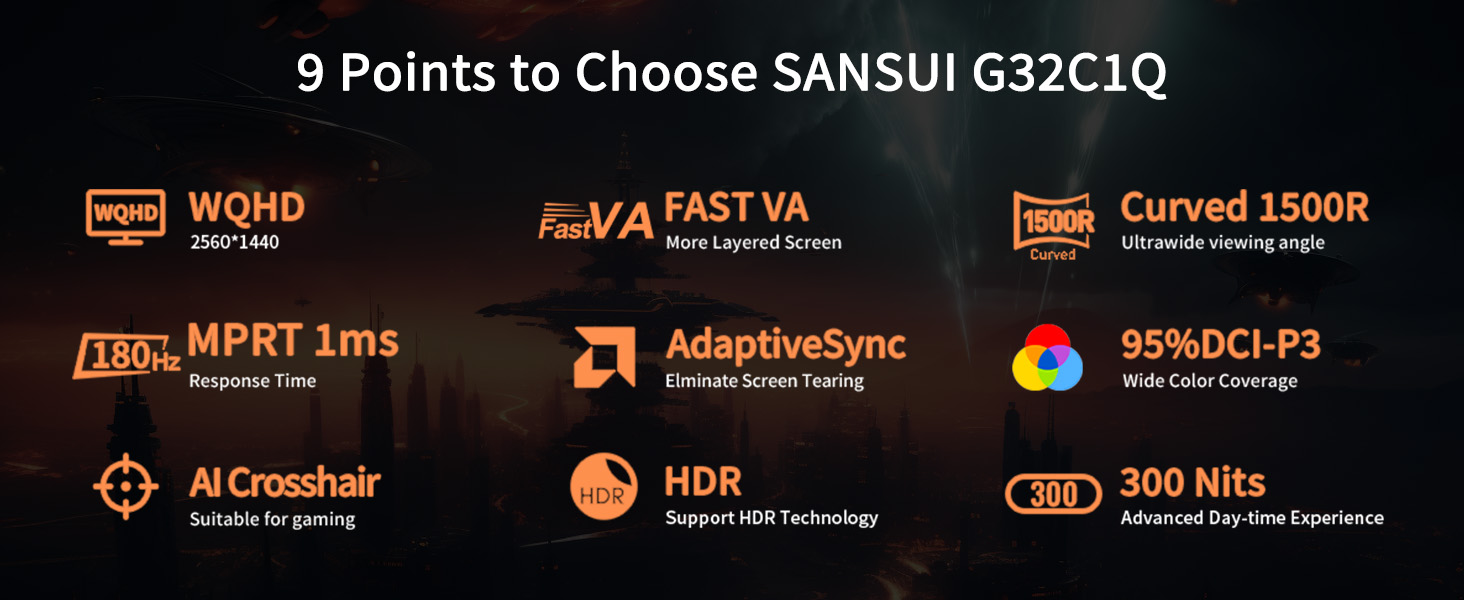
Image: Visual summary of the monitor's key features including WQHD, Fast VA, 1500R Curved, 180Hz, 1ms, AdaptiveSync, DCI-P3, AI Crosshair, HDR, and 300 Nits.
Guia de configuració
1. Desembalatge del monitor
Carefully remove the monitor and all accessories from the packaging. Ensure all components listed in the 'What's in the Box' section are present.
Video: An unpacking guide for a 32-inch computer monitor, showing how to safely remove components from the box.
2. Muntatge del suport
- Fixeu la base del suport al coll del suport amb els cargols proporcionats.
- Align the assembled stand with the mounting area on the back of the monitor.
- Secure the stand to the monitor using the designated screws.
Video: Detailed instructions on how to install the monitor stand, including attaching the base and securing it to the monitor.
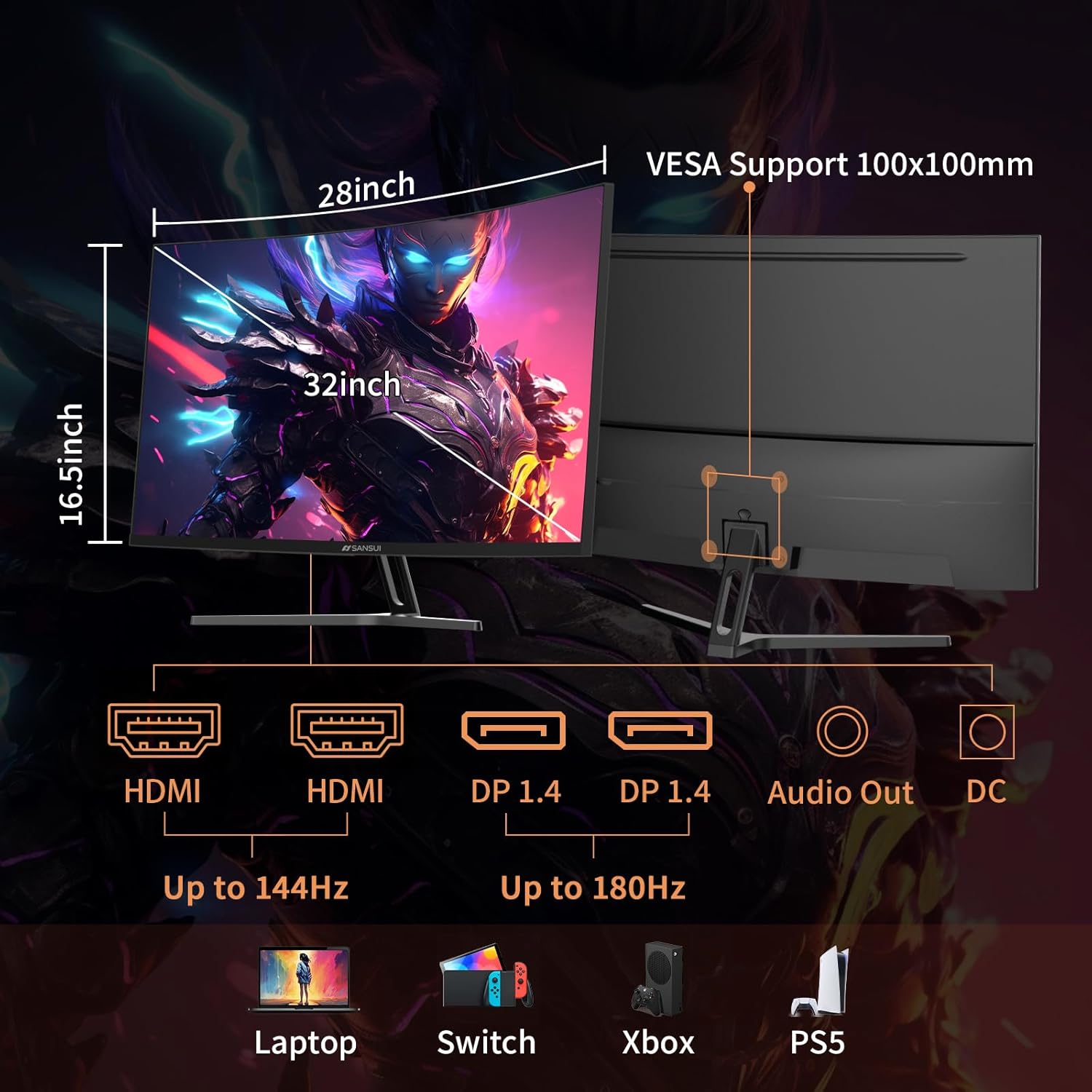
Image: Diagram showing the monitor's dimensions, connectivity ports (HDMI, DP, Audio Out, DC), and VESA mount compatibility.
3. Connexió a un dispositiu
Connect your computer or gaming console to the monitor using one of the provided cables (DP cable included). The monitor supports:
- 2 x HDMI ports (up to 144Hz)
- 2 x DisplayPort 1.4 ports (up to 180Hz)
Ensure the power adapter is connected to the monitor and a power outlet.
Instruccions de funcionament
1. Encendre/apagar
Premeu el botó d'engegada que es troba a la part posterior del monitor per encendre'l o apagar-lo.
2. Menú de visualització en pantalla (OSD).
Use the joystick or buttons (if applicable) on the back of the monitor to navigate the OSD menu. The OSD menu allows you to adjust various settings:
- Configuració de la imatge: Brightness, Contrast, HDR, Color Temperature.
- Configuració de la pantalla: Resolution, Aspect Ratio, Refresh Rate.
- Característiques del joc: FreeSync, Response Time (OD), Black Equalizer, AI Crosshair, Game Timer.
- Configuració d'àudio: Volume (for earphone output, as no built-in speakers).
- Configuració del sistema: Input Source, Language, Reset.
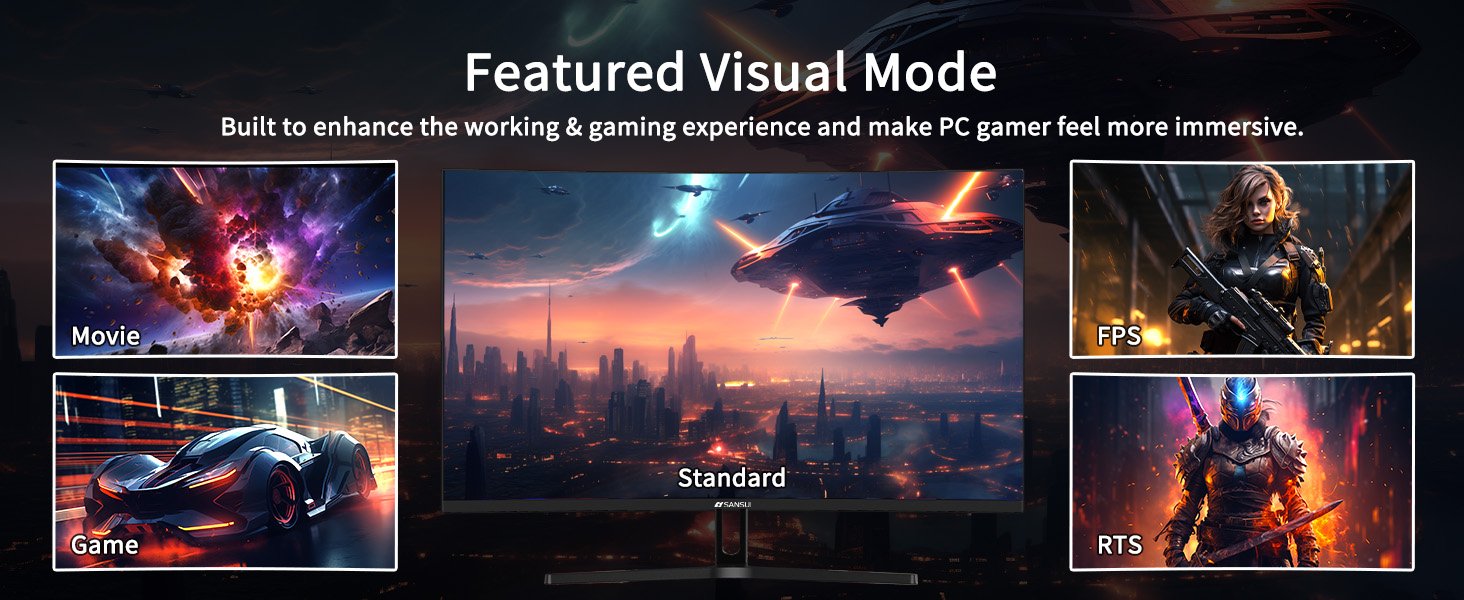
Image: Illustration of the monitor's featured visual modes: Movie, FPS, Standard, Game, and RTS, accessible via the OSD.
3. Ajustar la configuració de la pantalla
- Freqüència d'actualització: For optimal gaming, ensure your device's display settings match the monitor's maximum refresh rate (180Hz via DisplayPort).
- Sincronització adaptativa: Enable FreeSync in the OSD menu and your graphics card settings to prevent screen tearing.
- HDR: Activate HDR in the OSD and your operating system's display settings for enhanced contrast and color.
- Cura dels ulls: Utilize the blue light reduction and flicker-free options for comfortable extended viewing.

Image: Visual representation of Flicker-Free, Eye-Care, and Low Blue Light features for reduced eye strain.
Manteniment
- Neteja de la pantalla: Utilitzeu un drap suau i sense pelusa dampened with a screen cleaner. Avoid harsh chemicals or abrasive materials.
- Neteja de la Casing: Netegeu el monitor casinamb un drap suau i sec.
- Emmagatzematge: Quan no l'utilitzeu durant períodes prolongats, guardeu el monitor en un lloc fresc i sec, preferiblement en el seu embalatge original.
- Seguretat: No intenteu obrir el monitor casing. Demaneu totes les tasques de manteniment a personal qualificat.
Resolució de problemes
| Problema | Causa possible | Solució |
|---|---|---|
| No hi ha imatge a la pantalla | Cable d'alimentació desconnectat; Font d'entrada incorrecta; Dispositiu no encès. | Comproveu les connexions d'alimentació; seleccioneu la font d'entrada correcta mitjançant l'OSD; assegureu-vos que el dispositiu connectat estigui encès. |
| Imatge parpellejant o distorsionada | Loose video cable; Incorrect refresh rate; Adaptive Sync not enabled. | Secure video cable; Adjust refresh rate in device settings; Enable FreeSync in OSD and GPU settings. |
| No hi ha so a la presa d'auriculars | Volume too low; Earphones not properly connected; Audio output not selected. | Increase volume in OSD; Ensure earphones are fully plugged in; Check device audio output settings. |
| Monitor not tilting | Stand not properly installed or overtightened. | Ensure stand is correctly assembled and not excessively tightened. |
Especificacions
| Número de model | ES-G32C3 |
| Mida de la pantalla | 32 polzades |
| Tipus de panell | VA ràpid |
| Curvatura | 1500R |
| Resolució | WQHD (2560 x 1440) |
| Freqüència d'actualització | 180 Hz |
| Temps de resposta | 1 ms (OD) |
| Brillantor | 300 nits |
| Gamma de colors | sRGB 125%, DCI-P3 95% |
| Suport HDR | Sí |
| Sincronització adaptativa | FreeSync |
| Viewangle ing | 178° |
| Connectivitat | 2 x HDMI, 2 x DisplayPort 1.4, 1 x Earphone Jack |
| Compatibilitat VESA | 100 x 100 mm |
| Dimensions (producte) | 8.06 x 24.19 x 17.75 polzades |
| Pes de l'article | 13.2 lliures |
Garantia i Suport
Your SANSUI monitor comes with the following:
- 30-Day Money-Back and Free Replacement Warranty: Applicable from the order date.
- Suport tècnic de tota la vida: SANSUI provides ongoing technical assistance for the product's lifespan.
For any inquiries or support, please refer to the contact information provided in your product packaging or visit the official SANSUI weblloc.


