Producte acabatview
The AJAZZ AKP153 Stream Controller is a versatile studio deck equipped with 15 customizable macro keys. It is designed to trigger actions within various applications and software, including OBS, Twitch, and YouTube, offering seamless integration for content creators and professionals. Compatible with both Mac and PC systems, this device enhances workflow efficiency through personalized shortcuts and automation.

Image: The AJAZZ AKP153 Stream Controller, a black device with 15 illuminated, customizable keys and a side screen.
Característiques clau
- 15 botons personalitzables: Create practical shortcuts for streaming, video editing, music production, and more. Control applications, lighting, audio settings, and other functions with a single press. Features customizable icons for clear visual navigation.
- Customization Software & AJAZZ Marketplace: Assign unique functions to buttons, create complex macros, combine commands, and upload custom icons. Access the AJAZZ Marketplace for plugins and icons, including profiles for Excel, Twitch, and Photoshop.
- Automatització del flux de treball: Enhance efficiency by instantly switching to live mode or executing tasks seamlessly. Link multiple actions to a single button for increased productivity, supporting both sequential and simultaneous command execution.
- Versatile Side Screen: An improved side screen, positioned next to the buttons, allows for effortless content customization via the software interface. Display essential details such as CPU usage, temperature, memory status, and live weather updates.
- Multi-System Support & Removable Stand: Compatible with Windows and Mac systems. The removable 40° anti-slip stand ensures an optimal viewing angle and stable placement during use.

Image: Close-up of the AJAZZ AKP153 showing the 15 customizable LCD keys with various application icons.

Image: The stream controller with text indicating integration with various applications like YouTube, Spotify, Twitch, Premiere Pro, and Photoshop.

Image: The stream controller on a desk setup with a monitor displaying a video conference, illustrating its use for controlling various tasks.

Image: A close-up of the stream controller highlighting the customizable side screen displaying CPU usage, temperature, and data transfer rates.

Imatge: Un costat view of the AJAZZ AKP153 showing its detachable USB-C cable, detachable stand, and optimal tilt for desktop use.
Contingut del paquet
En desempaquetar, comproveu que tots els elements següents estiguin inclosos al paquet:
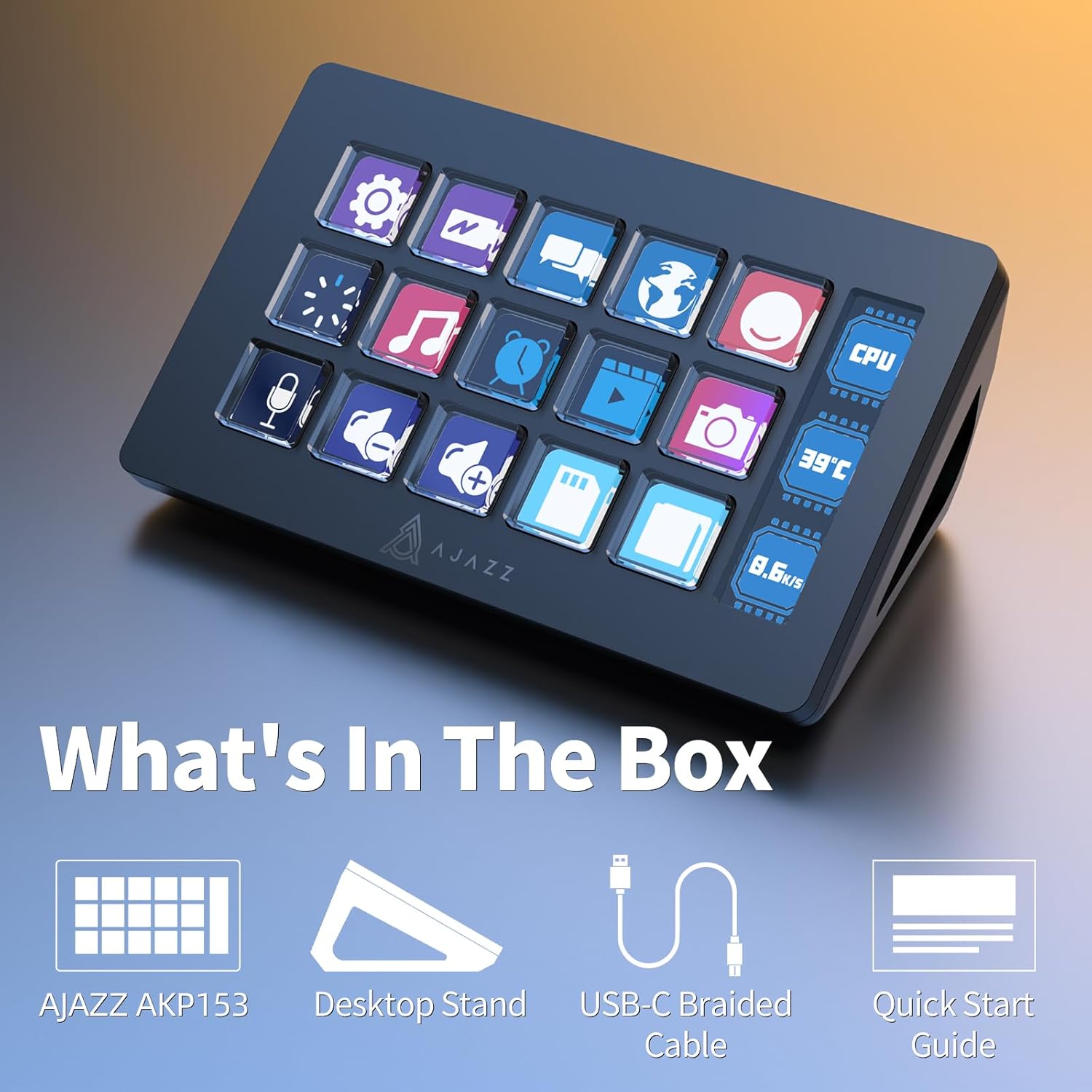
Image: An illustration showing the contents of the AJAZZ AKP153 package.
- AJAZZ AKP153 Stream Controller
- Suport per a escriptori
- Cable trenat USB-C
- Guia d'inici ràpid
Configuració inicial
Requisits del sistema
- Sistema operatiu: Windows, macOS
- Available USB Port (Mini USB 2.0 Type B)
Connexió del dispositiu
- Connect the provided USB-C braided cable to the Mini USB 2.0 Type B port on the AJAZZ AKP153 Stream Controller.
- Plug the other end of the USB cable into an available USB port on your computer (Windows or Mac).
- The device should be recognized by your operating system.
Instal·lació de programari
- For Windows users, download the necessary software from the official AJAZZ weblloc: http://www.a-jazz.com/en/search.jsp?id=422&q=AKP153.
- Seguiu les instruccions a la pantalla per completar la instal·lació del programari.
- Launch the AJAZZ customization software to begin configuring your Stream Controller.
- Explore the AJAZZ Marketplace within the software for additional plugins, icons, and pre-made profiles.
Instruccions de funcionament
Botons de personalització
- Open the AJAZZ customization software.
- Select a button on the virtual representation of the AKP153.
- Assign an action to the selected button. Actions can include launching applications, executing keyboard shortcuts, controlling media, or running complex macros.
- Customize the icon displayed on the button for easy visual identification.
- Desa el teu professionalfile. You can create multiple profiles per a diferents aplicacions o fluxos de treball.
Using the Side Screen
- The side screen can display real-time information.
- Within the software, configure the side screen to show data such as CPU usage, temperature, memory status, or even weather updates.
- This provides quick access to essential system information without needing to switch applications.
Workflow Automation
- Utilize the macro creation feature to automate repetitive tasks.
- Combine multiple commands into a single button press to streamline complex operations.
- Per example, a single button can be configured to launch OBS, switch to a specific scene, and start streaming simultaneously.
Cura i Manteniment
- Mantingueu el dispositiu net netejant-lo amb un drap suau i sec.
- Avoid using harsh chemicals or abrasive materials, as these can damage the surface and the LCD keys.
- Ensure the device is kept in a dry environment and away from extreme temperatures.
- Handle the USB cable and port gently to prevent damage.
Resolució de problemes
Device Not Responding or Slow Response
- Comprova la connexió USB: Ensure the USB cable is securely connected to both the AKP153 and your computer. Try a different USB port.
- Reinicia el programari: Close and restart the AJAZZ customization software.
- Reinicieu el dispositiu: Disconnect and reconnect the AKP153 from your computer.
- Update Drivers/Software: Ensure you have the latest version of the AJAZZ software installed from the official weblloc.
- Recursos del sistema: If your computer is under heavy load, it might affect the device's responsiveness. Close unnecessary applications.
Els botons no funcionen com s'esperava
- Comprova Profile: Verifiqueu que el professional correctefile is active in the AJAZZ software for the application you are using.
- Reconfigure Action: Delete and re-assign the action to the problematic button within the software.
- Conflictes de programari: Ensure no other software is interfering with keyboard or macro inputs.
Especificacions tècniques
| Característica | Especificació |
|---|---|
| Model | AKP153 |
| Color | Negre |
| Nombre de claus | 15 |
| Interfície | Mini USB 2.0 Type B |
| Material | Plàstic ABS |
| Dimensions (paquet) | 19 x 13 x 7 cm |
| Pes (article) | 480 g |
| Tipus de potència | Elèctric per cable |
| Compatibilitat | Windows, Mac |
Garantia i assistència al client
The AJAZZ AKP153 Stream Controller typically comes with a standard return policy. Please refer to your purchase documentation or the retailer's website for specific details regarding the return period (e.g., 30 days).
For technical support, software updates, or further assistance, please visit the official AJAZZ website or contact their customer service channels. Specific warranty terms and conditions may vary by region and retailer.


