Introducció
The Xiaomi Robot Vacuum E5 is designed to provide efficient and convenient cleaning for your home. This intelligent device combines powerful suction with a mopping function to ensure thorough cleaning of various floor types. Equipped with intelligent navigation and obstacle detection, it systematically cleans without getting stuck. This manual provides essential information on setup, operation, maintenance, and troubleshooting to help you get the most out of your robot vacuum.
Instruccions importants de seguretat
Please read all safety instructions carefully before using the appliance and keep this manual for future reference. Failure to follow these instructions may result in electric shock, fire, or serious injury.
- Aquest aparell el poden utilitzar nens a partir de 8 anys i persones amb capacitats físiques, sensorials o mentals reduïdes o amb manca d'experiència i coneixements si han rebut supervisió o instruccions sobre l'ús de l'aparell d'una manera segura i entenen els perills que comporta. .
- La neteja i el manteniment dels usuaris no els han de fer els nens sense supervisió.
- No utilitzeu el robot aspirador en ambients humits ni a prop de l'aigua.
- Ensure the charging dock is placed against a wall on a level surface and is connected to a power outlet.
- Do not use the robot vacuum to pick up large or sharp objects, liquids, or burning substances.
- Regularly clean the main brush, side brush, dustbin, and filters to maintain optimal performance.
- Before cleaning or performing maintenance, ensure the robot vacuum is turned off and disconnected from the charging dock.
Contingut del paquet
Verifiqueu que tots els articles siguin presents i en bon estat en desempaquetar-los.
- Xiaomi Robot Vacuum E5 (Main Unit)
- Base de càrrega
- Adaptador d'alimentació
- Pinzell lateral
- Cubell d'escombraries (preinstal·lat)
- Dipòsit d'aigua amb fregona (preinstal·lat)
- Eina de neteja
- Manual d'usuari
Producte acabatview
Familiaritzeu-vos amb els components del vostre robot aspirador Xiaomi E5.

Figura 1: Top-angled view of the Xiaomi Robot Vacuum E5, showing the clean white finish and the power/home buttons on the top panel. The side brush and mop pad are visible at the bottom.
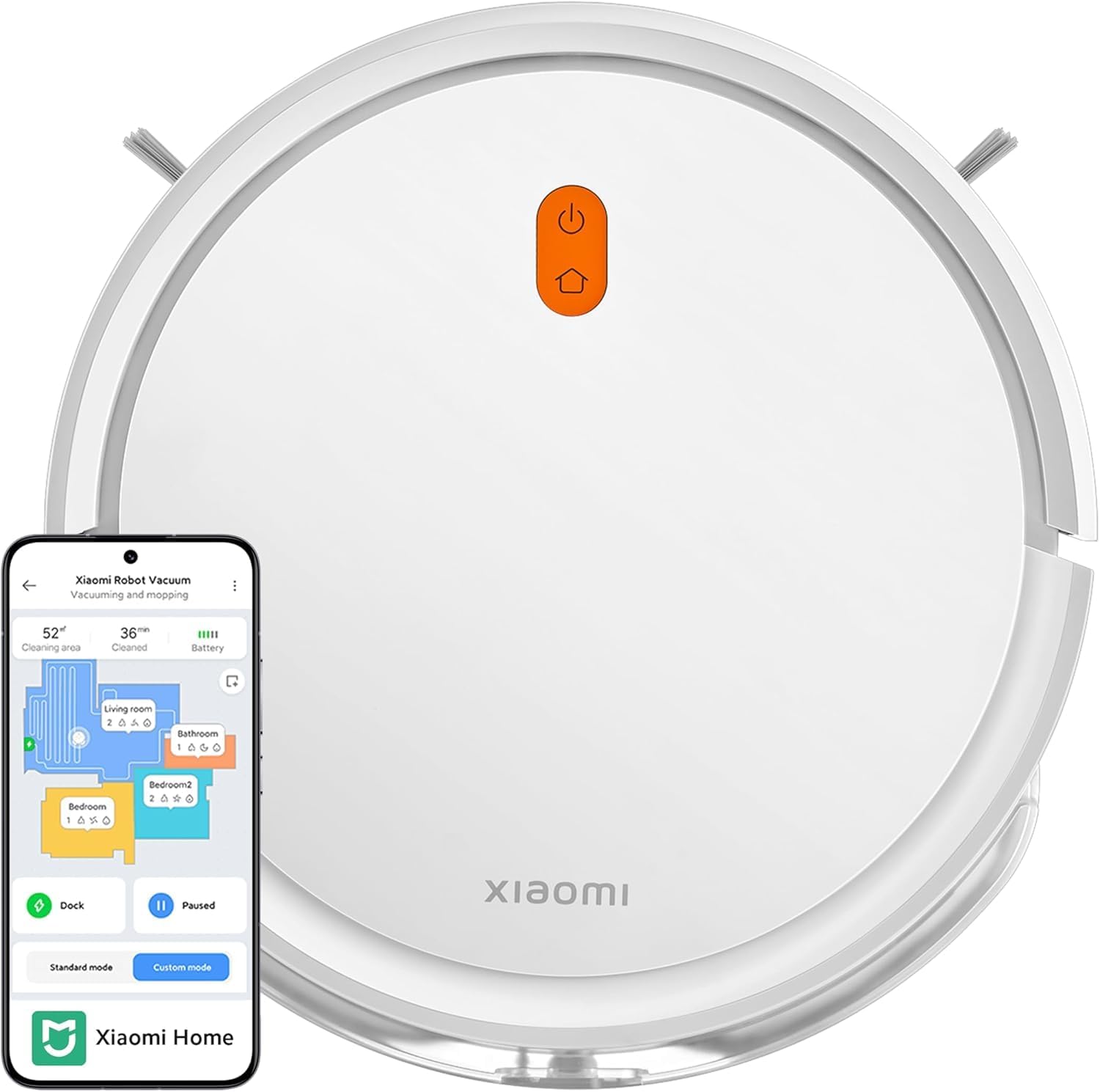
Figura 2: A dalt view of the Xiaomi Robot Vacuum E5 alongside a smartphone displaying the Xiaomi Home app interface, illustrating app control capabilities and mapping features.

Figura 3: Side-angled view of the Xiaomi Robot Vacuum E5, highlighting the side brush and the integrated water tank with mop pad for combined vacuuming and mopping.
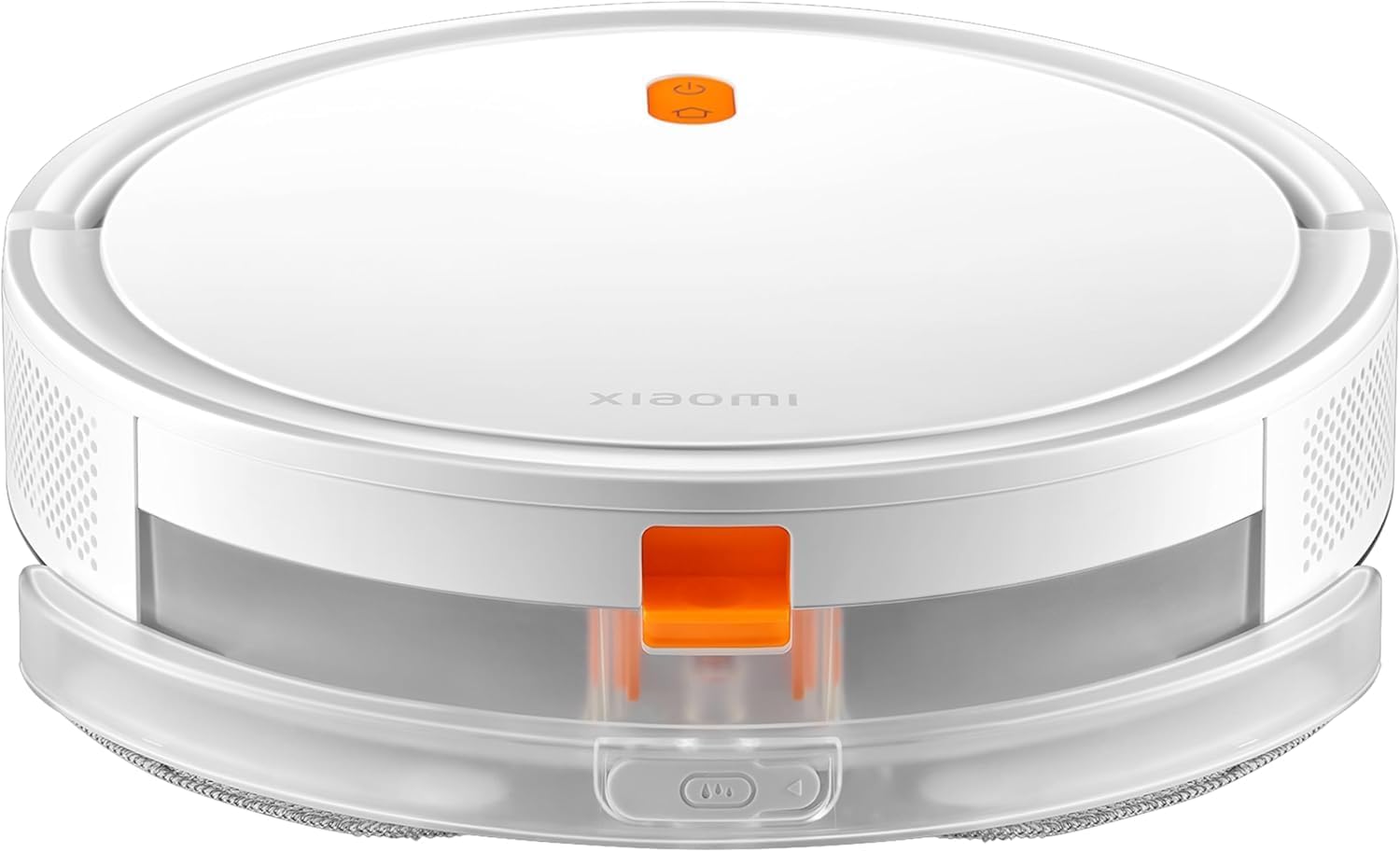
Figura 4: Davant view of the Xiaomi Robot Vacuum E5, showing the main body and the transparent water tank/dustbin module at the front.
Components de la unitat principal:
- Botó d'encesa/neteja: Premeu per iniciar/pausar la neteja. Mantingueu premut per encendre/apagar.
- Botó Inici/Recàrrega: Premeu per enviar el robot de tornada a la base de càrrega.
- Cubell d'escombraries i dipòsit d'aigua: Integrated unit for collecting dust and holding water for mopping.
- Raspall lateral: Escombra les restes de les vores i les cantonades cap a la trajectòria principal del raspall.
- Pinzell principal: Recull la pols i les deixalles del terra.
- Contactes de càrrega: Es connecta amb la base de càrrega.
- Sensors de penya-segats: Detecta caigudes per evitar caure per les escales.
- Sensor de paret: Ajuda al robot a navegar per les parets.
- Roda universal: Permet un moviment de 360 graus.
- Rodes motrius: Propel the robot.
Configuració
1. Preparing the Environment:
- Clear the area of loose cables, small objects, and fragile items that could obstruct the robot.
- Open doors to rooms you want cleaned and remove any temporary barriers.
2. Installing the Side Brush:
- Gira el robot aspirador cap per avall.
- Align the side brush with the square post on the robot's underside and press it down until it clicks into place.
3. Placing the Charging Dock:
- Col·loca la base de càrrega contra una paret sobre una superfície dura i anivellada.
- Assegureu-vos que hi hagi com a mínim 0.5 metres (1.6 peus) d'espai lliure a banda i banda del moll i 1.5 metres (4.9 peus) davant seu.
- Connect the power adapter to the charging dock and plug it into a power outlet. The indicator light on the dock will illuminate.
4. Càrrega inicial:
- Place the robot vacuum onto the charging dock, ensuring its charging contacts align with those on the dock.
- The robot will automatically turn on and begin charging. The LED indicator on the robot will pulse white during charging and turn solid white when fully charged.
- Per al primer ús, carregueu completament el robot abans de fer-lo funcionar (aproximadament 4-5 hores).
5. Connecting to Mi Home/Xiaomi Home App:
- Baixeu l'aplicació "Mi Home" o "Xiaomi Home" des de la vostra botiga d'aplicacions (Google Play Store o Apple App Store).
- Obre l'aplicació i crea o inicia la sessió al teu compte Xiaomi.
- Toqueu la icona "+" a la cantonada superior dreta per afegir un dispositiu.
- Select "Xiaomi Robot Vacuum E5" from the list of available devices or scan the QR code on the robot.
- Segueix les instruccions de l'aplicació per connectar el robot a la teva xarxa Wi-Fi. Assegura't que el telèfon estigui connectat a una xarxa Wi-Fi de 2.4 GHz durant la configuració.
Funcionament del robot aspirador
Inici d'un cicle de neteja:
- Del robot: Press the Power/Clean button once. The robot will start cleaning in standard mode.
- Des de l'aplicació: Open the Mi Home/Xiaomi Home app, select your robot, and tap "Start Cleaning" or choose a specific cleaning mode (e.g., Standard, Custom).
Pausing/Resuming Cleaning:
- Press the Power/Clean button on the robot or the "Pause" button in the app.
- To resume, press the Power/Clean button again or the "Resume" button in the app.
Sending the Robot to the Charging Dock:
- Press the Home/Recharge button on the robot or the "Recharge" button in the app.
- The robot will return to its charging dock automatically.
Adjusting Suction Power and Water Level:
- Through the Mi Home/Xiaomi Home app, you can select from 3 levels of suction power (e.g., Quiet, Standard, Strong) and adjust the water seepage level for mopping.
Ús d'ordres de veu:
- The Xiaomi Robot Vacuum E5 is compatible with Amazon Alexa and Google Assistant.
- Link your Mi Home/Xiaomi Home account to your voice assistant app.
- Example commands: "Alexa, tell Robot Vacuum to start cleaning," or "Hey Google, ask Robot Vacuum to go home."
Manteniment
Un manteniment regular garanteix un rendiment òptim i allarga la vida útil del teu robot aspirador.
1. Emptying the Dustbin (After each use):
- Press the release button on the dustbin/water tank module and pull it out.
- Open the dustbin cover and empty the contents into a trash can.
2. Cleaning the Filter (Weekly or as needed):
- Traieu el filtre del contenidor de pols.
- Tap the filter gently to remove dust. You can rinse the filter with water, but ensure it is completely dry before re-installing (allow 24 hours to air dry).
3. Cleaning the Main Brush (Weekly):
- Turn the robot over and remove the main brush cover by pressing the release tabs.
- Lift out the main brush. Use the provided cleaning tool to remove hair and debris tangled around the brush.
- Torneu a instal·lar el raspall principal i la coberta.
4. Cleaning the Side Brush (Monthly):
- Gently pull the side brush off its post.
- Remove any hair or debris. If the bristles are bent, you can soak them in warm water for a few minutes to reshape them.
- Reattach the side brush.
5. Cleaning Sensors and Charging Contacts (Monthly):
- Wipe the cliff sensors (located on the bottom of the robot) and wall sensor (on the side) with a clean, dry cloth.
- Clean the charging contacts on both the robot and the charging dock.
6. Refilling the Water Tank and Cleaning Mop Pad (As needed):
- Remove the dustbin/water tank module.
- Open the water tank cap and fill with clean water. Close the cap securely.
- Detach the mop pad from the water tank. Rinse it thoroughly with water and allow it to air dry completely before reattaching.
Resolució de problemes
Si teniu problemes amb el vostre robot aspirador, consulteu els problemes i solucions més comuns següents.
| Problema | Causa possible | Solució |
|---|---|---|
| El robot no s'encén. | Bateria baixa; el botó d'engegada no s'ha premut prou estona. | Place robot on charging dock; Hold Power button for 3 seconds. |
| El robot no es pot carregar. | Els contactes de càrrega estan bruts; la base de càrrega no té alimentació. | Clean charging contacts on robot and dock; Ensure power adapter is plugged in. |
| La potència d'aspiració és feble. | Dustbin is full; Filter is clogged; Main brush is tangled. | Buidar el contenidor de pols; netejar/substituir el filtre; netejar el raspall principal. |
| El robot es queda encallat sovint. | Too many obstacles; Cliff sensors are dirty. | Clear loose cables and small objects; Clean cliff sensors. |
| El robot no es pot connectar a Wi-Fi. | Contrasenya Wi-Fi incorrecta; Problemes amb el router; Robot massa lluny del router. | Verify password; Restart router; Move robot closer to router; Ensure 2.4 GHz network. |
| Mopping function is not effective. | Water tank empty; Mop pad dirty or dry; Water outlet clogged. | Refill water tank; Clean mop pad; Check water outlet for blockages. |
Especificacions
| Marca | Xiaomi |
| Número de model | BHR7969EU |
| Potència d'aspiració | Fins a 2000 Pa |
| Capacitat de la bateria | Polímer de liti de 2600 mAh |
| Durada de la bateria | Fins a 110 minuts (mode estàndard) |
| Capacitat de la paperera | 0.4 litres (400 ml) |
| Tipus de filtre | Hepa |
| Característiques especials | Wet/Dry (2-in-1), Auto-Docking, Bagless, LED Charging Indicator Light |
| Navegació | Gyroscope, Intelligent Path Planning (Zigzag) |
| Dispositius compatibles | Amazon Echo (Alexa), Assistent de Google |
| Dimensions del producte | 7.87 x 7.87 x 5.51 polzades (aprox. 20 x 20 x 14 cm) |
| Pes de l'article | 5.06 lliures (aprox. 2.3 kg) |
| Font d'alimentació | Funciona amb bateria |
| País d'origen | Xina |
| Data de primera disponibilitat | 1 de març de 2024 |
Garantia i Suport
Informació de la garantia:
The Xiaomi Robot Vacuum E5 comes with a garantia de tres anys contra defectes de fàbrica from the date of purchase. This warranty covers manufacturing defects and material flaws under normal use. It does not cover damage caused by misuse, accidents, unauthorized modifications, or normal wear and tear.
Atenció al client:
For technical support, warranty claims, or service inquiries, please contact Xiaomi customer service through the Mi Home/Xiaomi Home app's "Help & Feedback" section or visit the official Xiaomi support website. Please have your product model number (BHR7969EU) and proof of purchase ready when contacting support.
For more information, you may also visit the Botiga oficial de Xiaomi a Amazon.