1. Introducció
This manual provides essential instructions for the setup, operation, and maintenance of your EverNary B12W Add-on Gateway. This device functions as a receiver for the WiFi Mailbox Alert system, designed to provide real-time notifications when mail is delivered. Please read this manual thoroughly before use to ensure proper functionality and safety.
Nota important: This Add-on Gateway cannot operate independently. It requires connection to a compatible WiFi Mailbox Sensor or other EverNary transmitters (e.g., SOS call button, motion sensor, door sensor).
2. Contingut del paquet
- Plug-in Gateway (B12W) x 1
- Manual d'instruccions x 1
3. Producte acabatview
The EverNary B12W Add-on Gateway is a compact, plug-in receiver designed to integrate with your existing EverNary smart home alert system. It connects to your home's 2.4GHz Wi-Fi network to send notifications to your smartphone via a dedicated application.
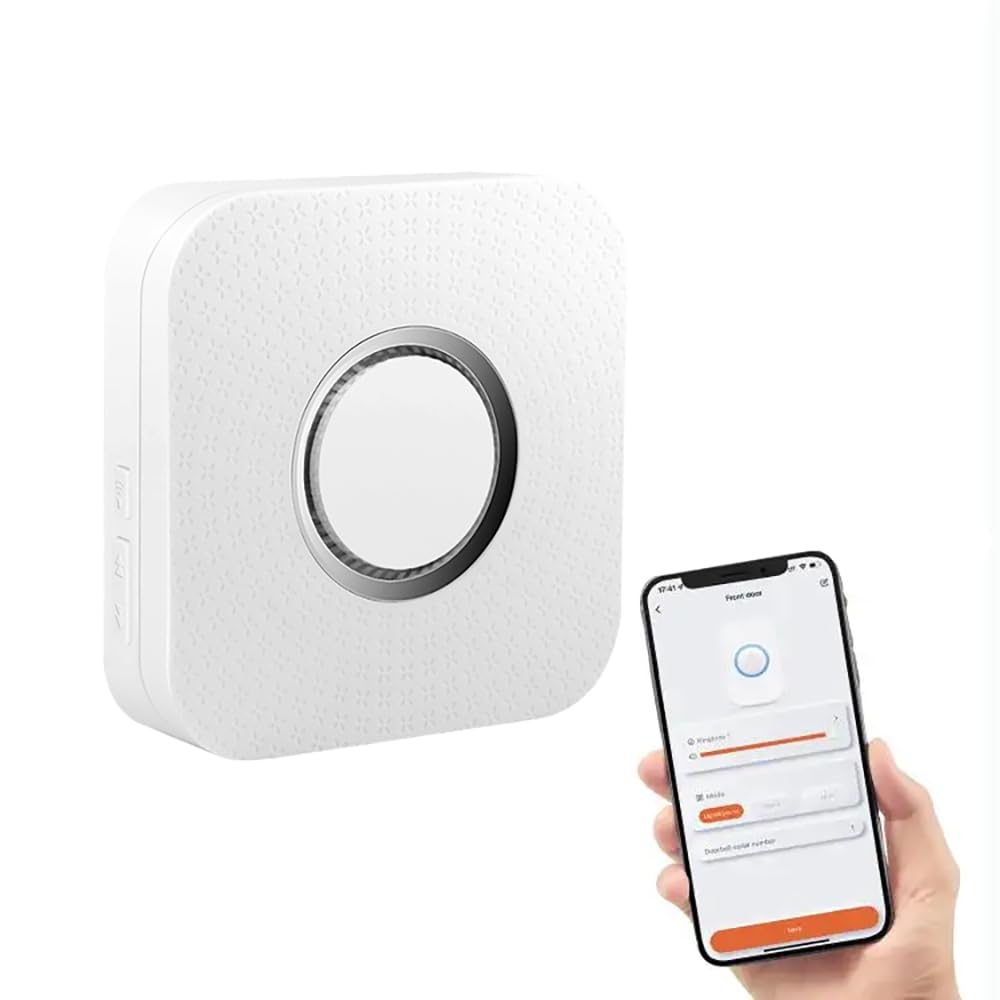
Figure 1: EverNary B12W Add-on Gateway. This image displays the white, rectangular gateway unit with a standard US two-prong plug on the back. The front features a speaker grille at the bottom and a small hole at the top, likely for an indicator light or reset button. The side shows two buttons, one with a Wi-Fi icon and another with up/down arrows, possibly for volume or pairing.
Característiques principals:
- Real-time notifications to your smartphone via app.
- Expandable system: Connects up to 20 transmitters (e.g., mailbox sensors, SOS buttons, motion sensors, door sensors).
- LED light flashing and sound alerts.
- Supports 2.4GHz Wi-Fi networks only.
4. Instruccions de configuració
4.1 Requisits de la xarxa
- Ensure your home Wi-Fi network is 2.4 GHz. This device does not support 5GHz networks.
- A stable Wi-Fi signal is crucial for optimal performance. Position the gateway within good range of your router.
4.2 Configuració inicial
- Descarrega l'aplicació: Cerca the "EverNary" or specified companion app in your smartphone's app store (iOS or Android) and install it.
- Encès: Plug the EverNary B12W Gateway into a standard electrical outlet. The device will power on, and an indicator light (if present) may flash.
- Afegeix un dispositiu a l'aplicació: Open the installed app, create an account or log in, and follow the in-app instructions to add a new device. Select the "Add-on Gateway" or similar option.
- Connecta't a Wi-Fi: The app will guide you through connecting the gateway to your 2.4GHz home Wi-Fi network. You may need to enter your Wi-Fi password.
- Pair Transmitters: Once the gateway is connected to Wi-Fi, follow the app's instructions to pair your EverNary mailbox sensor or other compatible transmitters (e.g., B08DKVGCY3, B07ZKGLR4Q).
- Sistema de prova: After pairing, test the system by triggering your mailbox sensor or other paired devices to ensure notifications are received on your smartphone.
5. Instruccions de funcionament
5.1 Recepció de notificacions
When a paired transmitter (e.g., mailbox sensor) is triggered, the EverNary B12W Gateway will receive the signal. It will then:
- Emit an audible sound.
- Flash an LED light (if applicable).
- Send a push notification to your smartphone via the EverNary app.
5.2 Funcions de l'aplicació
The EverNary smartphone app allows you to:
- View notification history.
- Manage paired transmitters.
- Adjust gateway settings (e.g., notification sounds, LED behavior).
- Add additional gateways or transmitters to your system.
6. Manteniment
- Neteja: Wipe the gateway with a soft, dry cloth. Do not use liquid cleaners or abrasive materials.
- Actualitzacions de firmware: Periodically check the EverNary app for available firmware updates for your gateway. Keeping the firmware updated ensures optimal performance and security.
- Estabilitat de la xarxa: Ensure your home Wi-Fi network remains stable. Frequent disconnections can affect the gateway's performance.
7. Solució De Problemes
| Problema | Causa possible | Solució |
|---|---|---|
| No s'han rebut notificacions. |
|
|
| Gateway not connecting to Wi-Fi. |
|
|
| Gateway LED not lighting up. |
|
|
If you experience any problems with the product that cannot be resolved using the above steps, please contact EverNary customer support.
8. Especificacions
| Número de model | B12W |
| Marca | EverNary |
| Número de part | B12W |
| Color | Blanc |
| Pes de l'article | 4.96 unces (aproximadament 140 grams) |
| Dispositius compatibles | Telèfon intel·ligent (iOS/Android) |
| Mètode de control | App |
| Suport Wi-Fi | 2.4GHz only (Does NOT support 5GHz) |
9. Garantia i Suport
9.1 Informació de la garantia
Els detalls específics de la garantia normalment es proporcionen amb la documentació de compra o al fullet oficial del fabricant. website. Please refer to these resources for information regarding warranty duration and terms.
9.2 Atenció al client
For technical assistance, troubleshooting beyond this manual, or warranty claims, please contact EverNary customer support. You can usually find contact information on the EverNary website or through the purchase platform (e.g., Amazon seller page).
Assistència en línia: Visit the EverNary Store on Amazon
