1. Introducció
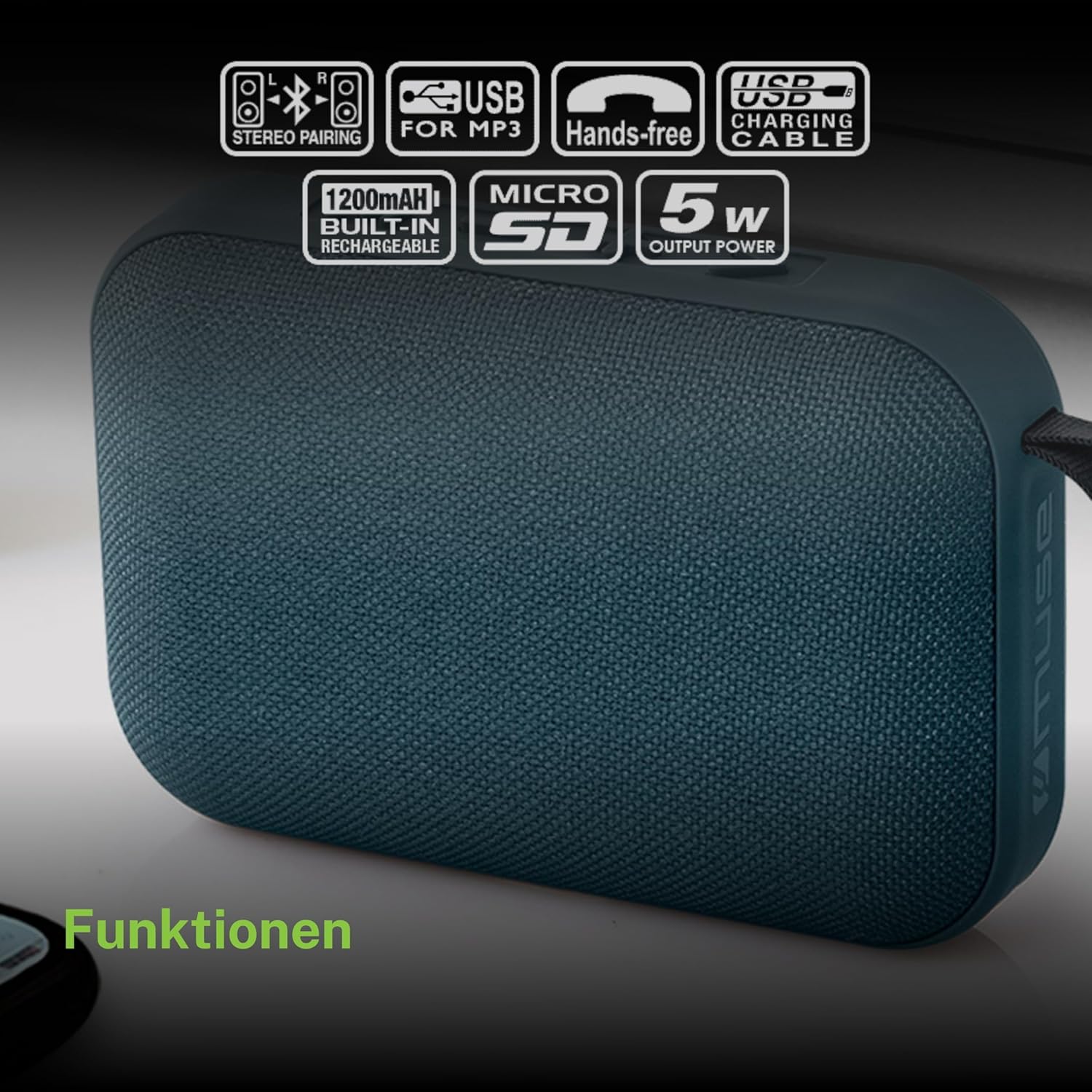
Gràcies per la compraasing the MUSE M307BT Portable Bluetooth Speaker. This compact and versatile speaker is designed to provide high-quality audio from your laptop, tablet, or smartphone. It features Bluetooth connectivity, a 5W output, a built-in rechargeable battery, and support for USB and Micro SD card playback. This manual provides essential information for setting up, operating, and maintaining your device.
2. Informació de seguretat
- No exposeu el dispositiu a temperatures extremes, llum solar directa ni humitat elevada.
- Eviteu deixar caure o sotmetre l'altaveu a forts impactes.
- No desmunteu ni intenteu reparar el dispositiu vosaltres mateixos. Envieu totes les tasques de manteniment a personal qualificat.
- Keep the speaker away from water and other liquids. This device is not waterproof.
- Use only the provided USB charging cable or a certified equivalent.
- Dispose of the battery and device responsibly according to local regulations.
3. Contingut del paquet
Assegureu-vos que tots els elements siguin presents al paquet:
- MUSE M307BT Portable Bluetooth Speaker
- Cable de càrrega USB
4. Producte acabatview
Familiaritzeu-vos amb els components i els controls de l'altaveu.


Controls i ports:
- Botó d'encesa: Encén/apaga l'altaveu.
- Botó de mode (M): Canvia entre els modes Bluetooth, USB i Micro SD.
- Baixar volum / Pista anterior (-): Premeu curt per baixar el volum, premeu llargament per anar a la pista anterior.
- Play/Pause / Call Button (>): Reprodueix/pausa música, respon/finalitza trucades.
- Pujar volum / Pista següent (+): Premeu curt per pujar el volum, premeu llargament per passar a la següent pista.
- Port micro-USB: Per carregar l'altaveu.
- Port USB: Per reproduir música des d'una unitat flash USB.
- Micro SD (TF) Slot: Per reproduir música des d'una targeta Micro SD.
- Indicador LED: Shows charging status and Bluetooth pairing status.
5. Configuració
5.1 Càrrega de l'altaveu
- Connect the Micro-USB end of the charging cable to the speaker's Micro-USB port.
- Connecteu l'extrem USB-A del cable de càrrega a un adaptador de corrent USB (no inclòs) o al port USB d'un ordinador.
- The LED indicator will illuminate to show charging status. It will typically turn off or change color once fully charged.
- Una càrrega completa triga aproximadament entre 2 i 3 hores.
5.2 Engegada/apagada
- Per encendre: Press and hold the Power button for a few seconds until you hear an audible prompt and the LED indicator flashes.
- Per apagar: Press and hold the Power button for a few seconds until you hear an audible prompt and the LED indicator turns off.
6. Instruccions de funcionament
6.1 Vinculació Bluetooth
Pair your speaker with a Bluetooth-enabled device (smartphone, tablet, laptop).

- Assegureu-vos que l'altaveu estigui encès i en mode Bluetooth. L'indicador LED parpellejarà ràpidament, indicant que està a punt per a l'emparellament.
- Al dispositiu, activa el Bluetooth i cerca els dispositius disponibles.
- Select "MUSE M307BT" from the list of devices.
- Un cop emparellat, l'indicador LED deixarà de parpellejar i romandrà fix, i sentireu un so de confirmació.
- Ara pots reproduir àudio des del teu dispositiu a través de l'altaveu.
Reproducció USB 6.2
- Inseriu una unitat flash USB que contingui àudio MP3 files al port USB.
- Premeu el botó Mode (M) button to switch to USB mode. The speaker will automatically begin playing music from the USB drive.
- Utilitza el + i - buttons for track navigation and volume control.
6.3 Micro SD (TF) Card Playback
- Insert a Micro SD (TF) card containing MP3 audio files into the Micro SD slot.
- Premeu el botó Mode (M) button to switch to Micro SD mode. The speaker will automatically begin playing music from the Micro SD card.
- Utilitza el + i - buttons for track navigation and volume control.
6.4 Stereo Pairing (TWS Function)
To achieve a more immersive stereo sound experience, you can pair two MUSE M307BT speakers together.
- Ensure both MUSE M307BT speakers are powered on and in Bluetooth pairing mode (LED flashing).
- En un dels altaveus (aquest serà l'altaveu principal), premeu i manteniu premut el botó Mode (M) button for a few seconds. You will hear a sound indicating that the speakers are attempting to pair with each other.
- Once successfully paired, you will hear a confirmation sound, and the LED indicator on the primary speaker will flash slowly, while the secondary speaker's LED will remain solid.
- Now, connect your Bluetooth device to the primary speaker as described in section 6.1. Audio will play in stereo through both speakers.
6.5 Trucades mans lliures
When connected via Bluetooth to your smartphone, the speaker can be used for hands-free calls.
- Respon a la trucada: Premeu el botó Play/Pause (>) botó una vegada.
- Finalitzar la trucada: Premeu el botó Play/Pause (>) button once during a call.
- Rebutja la trucada: Manteniu premut el botó Play/Pause (>) botó durant 2 segons.
7. Manteniment
- Netegeu l'altaveu amb un drap suau i sec. No utilitzeu productes de neteja abrasius ni dissolvents.
- Guardeu l'altaveu en un lloc fresc i sec quan no l'utilitzeu durant períodes prolongats.
- Eviteu bloquejar la reixeta de l'altaveu per garantir una qualitat de so òptima.
8. Solució De Problemes
| Problema | Causa possible | Solució |
|---|---|---|
| L'altaveu no s'encén. | Bateria baixa. | Carregueu l'altaveu completament. |
| No es pot emparellar per Bluetooth. | L'altaveu no està en mode d'emparellament; el Bluetooth està desactivat al dispositiu; el dispositiu està massa lluny. | Ensure speaker LED is flashing; enable Bluetooth on your device; move device closer to speaker (within 10 meters). |
| Sense so. | Volum massa baix; mode incorrecte; el dispositiu no reprodueix. | Increase speaker and device volume; press Mode button to select correct input; ensure audio is playing on your device. |
| USB/Micro SD playback not working. | Incorrecte file format; targeta/unitat no inserida correctament; corrupta files. | Assegureu-vos files are MP3 format; reinsert card/drive; try different files o dispositiu d'emmagatzematge. |
| Stereo pairing fails. | Altaveus massa separats; un altaveu ja està emparellat amb un dispositiu. | Ensure speakers are close; disconnect any existing Bluetooth connections before attempting stereo pairing. |
9. Especificacions

| Característica | Especificació |
|---|---|
| Nom del model | M307BT |
| Marca | MUSA |
| Potència de sortida | 5 watts |
| Bateria | 1200 mAh / 3.7V Lithium-ion (Rechargeable) |
| Connectivitat | Bluetooth, USB, Micro SD (TF) |
| Mode de sortida d'àudio | Estèreo (amb emparellament TWS) |
| Dimensions (L x A x A) | 118 x 30 x 76 mm |
| Pes | 200 grams |
| Color | Blau |
| Components inclosos | Cable de càrrega USB |
| Impermeable | No |
| Usos recomanats | For computer, smartphone, or tablet |
| Dispositius compatibles | Portàtil, tauleta, telèfon intel·ligent |
10. Garantia i Suport
10.1 Garantia del fabricant
This MUSE M307BT Portable Bluetooth Speaker comes with a Garantia del fabricant de 2 anys des de la data de compra. Aquesta garantia cobreix els defectes de fabricació i la mà d'obra en condicions d'ús normal. No cobreix els danys causats per un mal ús, accidents, modificacions no autoritzades o desgast normal.
10.2 Atenció al client
For technical assistance, warranty claims, or further inquiries, please contact your retailer or the official MUSE customer support channel. Please have your proof of purchase and product model number (M307BT) ready when contacting support.


