1. Introducció
This manual provides comprehensive instructions for the safe and efficient operation, maintenance, and troubleshooting of your MOOKA TL2867 H13 HEPA Filter Air Purifier. This device is designed to improve indoor air quality by filtering various airborne particles and odors in large rooms up to 1650 sq.ft.

Figure 1: MOOKA TL2867 Air Purifier
2. Instruccions de seguretat importants
- Llegiu totes les instruccions abans d'utilitzar l'aparell.
- No feu servir cap aparell amb un cable o un endoll danyats.
- No passeu el cable sota la catifa. No cobriu el cable amb catifes, corredors o revestiments similars. Col·loqueu el cable lluny de la zona de trànsit i on no s'ensopegui.
- No l'utilitzeu a l'aire lliure ni sobre superfícies humides.
- Desendolleu la presa de corrent quan no utilitzeu i abans de netejar.
- No permeteu que els nens juguin amb el purificador d’aire.
- Les declaracions sobre suplements dietètics no han estat avaluades per la FDA i no tenen la intenció de diagnosticar, tractar, curar o prevenir cap malaltia o afecció de salut.
3. Producte acabatview
3.1 Components
- Main Air Purifier Unit
- 3-Stage Filtration Filter (Pre-Filter, H13 HEPA Filter, Activated Carbon Filter)
- Adaptador d'alimentació
- Manual d'usuari
3.2 Tauler de control i indicadors
The control panel is located on the top of the unit and features several buttons and indicator lights:
- Botó d'encendre (⏻): Turns the unit On/Off. Also cycles through fan speeds when pressed repeatedly.
- AUTO Mode Indicator: Lights up when Auto Mode is active.
- Indicadors de velocitat del ventilador: Displays current fan speed (Low, High).
- Botó del mode de repòs (☽): Activates quiet sleep mode and dims indicator lights.
- Indicador de reinici del filtre: Lights up red when filter replacement is needed.
- PM2.5 Air Quality Sensor Indicator: Changes color based on real-time air quality:
- Blau: Good Air Quality (85-100% Clean Air)
- groc: Moderate Air Quality (70-85% Clean Air)
- Vermell: Poor Air Quality (0-69% Clean Air)

Figure 2: Control Panel with PM2.5 Air Quality Sensor Indicator
4. Configuració
4.1 Desembalatge i inspecció inicial
Carefully remove the air purifier from its packaging. Inspect the unit for any signs of damage. Ensure all components listed in Section 3.1 are present.
Video 1: Unboxing and initial setup of the MOOKA Air Purifier, demonstrating how to remove the unit from its packaging and prepare it for use.
4.2 Instal·lació del filtre
- Desendolleu l'adaptador d'alimentació de la unitat.
- Turn the unit upside down. Locate the two knobs on the base.
- Turn the two knobs to the left and right respectively to unlock the filter cover.
- Pull out the old filter (if replacing) or remove the new filter from its plastic packaging.
- Insert the filter into the unit, ensuring the "FRONT" label faces outwards.
- Replace the filter cover and turn the two knobs back into place to secure it.

Figure 3: Easy steps to replace the air filter.
4.3 Connexió d'alimentació
Connect the power adapter to the DC IN port on the unit and then plug it into a standard electrical outlet.
5. Instruccions de funcionament
5.1 Encès/Apagat
Premeu el botó d'engegada (⏻) once to turn the air purifier on. Press it again to turn the unit off.
5.2 Ajust de la velocitat del ventilador
When the unit is on, repeatedly press the Power Button (⏻) to cycle through the available fan speeds: Low, High, and Auto Mode.
- Velocitat baixa: Suitable for continuous, quiet operation.
- Alta velocitat: Provides maximum air purification for quick cleaning.
- Mode automàtic: The air purifier automatically adjusts the fan speed based on the real-time air quality detected by the PM2.5 sensor.

Figure 4: Air Purifier in Auto Mode, adjusting fan speed based on air quality.
5.3 Mode de repòs
Press the Sleep Mode Button (☽) to activate Sleep Mode. In this mode, the fan operates at its lowest speed (15dB) for quiet operation, and all indicator lights are dimmed to ensure an undisturbed environment.
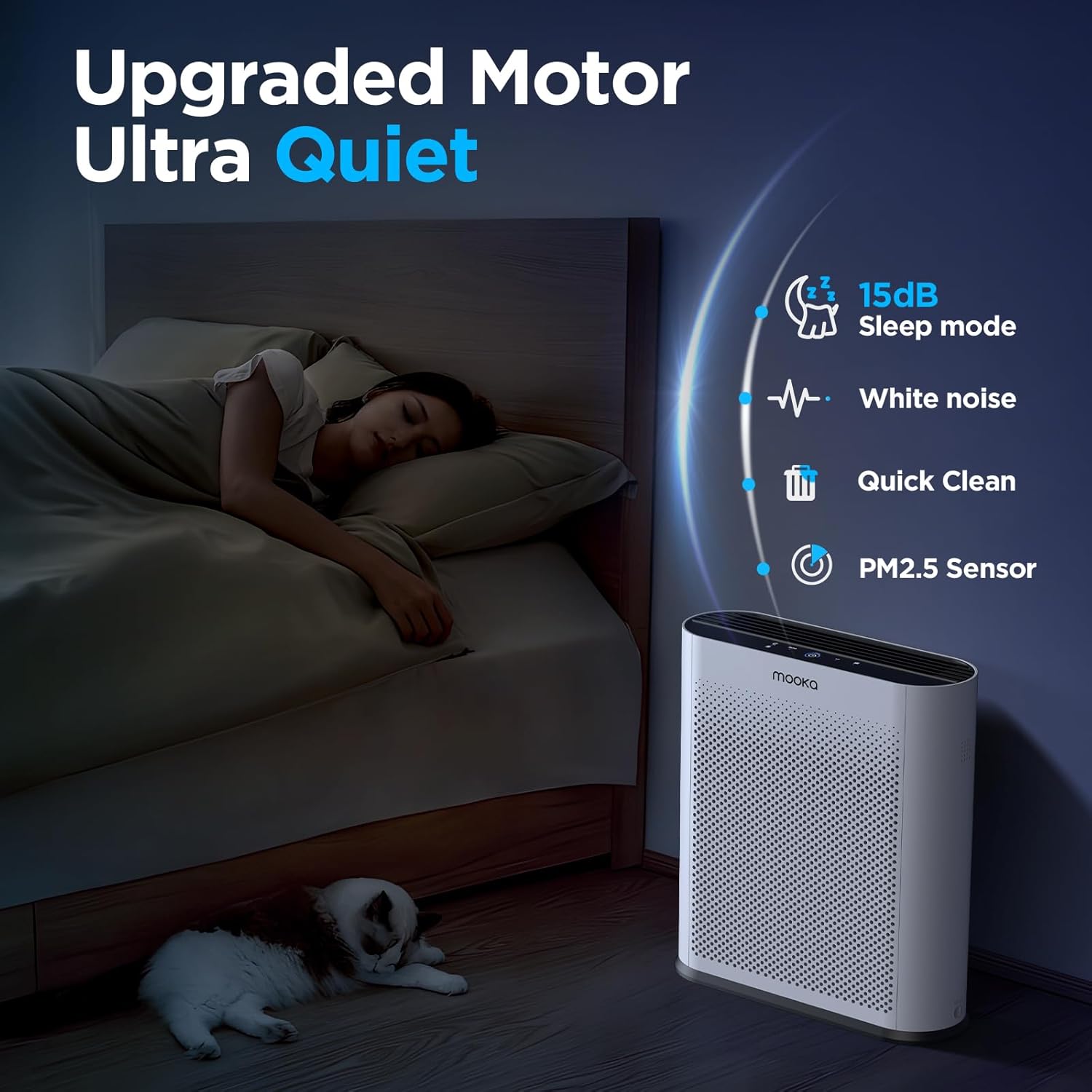
Figure 5: Quiet Sleep Mode for undisturbed rest.
5.4 PM2.5 Air Quality Sensor
The built-in PM2.5 sensor continuously monitors the surrounding air quality. The Power Button's LED ring changes color to indicate the current air quality:
- Blau: Bona qualitat de l’aire
- groc: Qualitat de l'aire moderada
- Vermell: Mala qualitat de l'aire
Video 2: Demonstration of the air quality sensor changing colors based on detected air quality levels.
Video 3: Smoke purification test of the MOOKA TL2867 Smart Air Purifier, showing its effectiveness in clearing smoke from an enclosed space and the air quality indicator changing from red to blue.
6. Manteniment
6.1 Filter Replacement Reminder
The air purifier is equipped with a filter change reminder. When the filter life has expired (approximately every 3-6 months, or 1500 hours of use), the Filter Reset Indicator will light up red.

Figure 6: Filter Change Indicator.
6.2 Substitució del filtre
- Desendolleu l'adaptador d'alimentació de la unitat.
- Turn the unit upside down. Turn the two knobs on the base to unlock the filter cover.
- Traieu el filtre utilitzat.
- Insert a new official MOOKA filter (Cerca B0D3D4V1NY on Amazon), ensuring the "FRONT" label faces outwards.
- Replace the filter cover and turn the two knobs back into place to secure it.
- Torneu a connectar l'adaptador de corrent.
- Long press the Filter Reset Indicator button for 3-5 seconds to reset the filter timer. The red light will turn off.

Figura 7: Les 3-Stage Sistema de filtració.
6.3 Neteja general
Netegeu l'exterior del purificador d'aire amb un drap suau i sec. No utilitzeu productes de neteja abrasius ni dissolvents. Assegureu-vos que la unitat estigui desendollada abans de netejar-la.
7. Solució De Problemes
| Problema | Causa possible | Solució |
|---|---|---|
| La unitat no s'encén. | No power, power adapter not connected properly. | Ensure the power adapter is securely plugged into the unit and a working outlet. |
| Filter Reset Indicator remains red after filter replacement. | El temporitzador del filtre no s'ha reiniciat. | Long press the Filter Reset Indicator button for 3-5 seconds until the light turns off. |
| Air quality indicator is always red/yellow despite clean air. | PM2.5 sensor may be dirty or obstructed. | Gently clean the PM2.5 sensor area with a soft, dry cloth. Ensure no obstructions. |
| Soroll inusual durant el funcionament. | Filter not installed correctly, foreign object inside. | Check filter installation. Unplug and inspect for any foreign objects. |
8. Especificacions
- Marca: MOOKA
- Número de model: TL2867
- Dimensions del producte: 34.5 cm x 13.5 cm x 41.4 cm de profunditat x 5.3 cm d'amplada x 16.3 cm d'alçada
- Pes: 6.77 lliures (3.07 kg)
- Nivell de soroll: 15 Decibels (in Sleep Mode)
- Àrea de cobertura: Up to 1650 sq.ft. (purifies 3x per hour in 550 sq.ft.)
- Tipus de filtre: H13 HEPA Filter with 3-Stage Filtration (Pre-Filter, H13 HEPA, Activated Carbon)
- Característiques especials: PM2.5 Air Quality Sensor, Auto Mode, Sleep Mode, Filter Replacement Reminder
- Certificacions: CARB Certified, DOE Certified, ETL Certified
9. Garantia i Suport
For warranty information or customer support, please refer to the official MOOKA website or contact your retailer. Ensure to use official MOOKA replacement filters for optimal performance and to maintain warranty validity.
Protection plans may be available for purchase separately. Please check with your retailer for details on 3-Year or 4-Year Protection Plans.


