1. Informació important de seguretat
Operating an electric unicycle carries inherent risks. To minimize potential hazards, please read and understand all safety instructions before use. Failure to follow these guidelines may result in serious injury or property damage.
- Utilitzeu equip de protecció: Always wear a helmet, knee pads, elbow pads, and wrist guards.
- Understand Local Regulations: Be aware of and comply with all local laws and regulations regarding electric unicycle use in your area.
- Beginner Caution: Practice in a safe, open area away from traffic and pedestrians until you are proficient in controlling the device.
- Comproveu abans de cada viatge: Ensure the unicycle is in good working condition, including tire pressure, battery level, and pedal security.
- Avoid Hazardous Conditions: Do not ride in heavy rain, on icy or slippery surfaces, or in low visibility conditions.
- Maintain Safe Speed: Adjust your speed according to terrain, traffic, and your skill level. The V12 Pro has a maximum speed of 37.3 mph; exercise extreme caution at higher speeds.
- Respect Pedestrians and Traffic: Yield to pedestrians and follow all traffic laws.
- Eviteu les distraccions: Do not use mobile phones or other distracting devices while riding.
2. Producte acabatview
The Inmotion V12 Pro is a high-performance 16-inch electric unicycle designed for urban commuting and off-road adventures. It features a powerful motor, long-range battery, and advanced control systems.
Característiques principals:
- Motor potent: 2800W motor with 160Nm peak torque for climbing 45° slopes.
- Bateria de llarg abast: 1750Wh battery capacity, offering up to 96.3 miles on a single charge.
- Capacitat d'alta velocitat: Reaches a maximum speed of 37.3 mph.
- All-Terrain Tire: 16x3.0 inch tire for stability across various surfaces.
- Adjustable Pedals: Customizable pedal height for different riding scenarios.
- Pantalla integrada: Multifunction touch screen for real-time information and settings.
- Disseny portàtil: Compact and includes a retractable handle for easy transport.
- Característiques de seguretat: Visual alarm cues, anti-spin lift switch, bright headlight and taillight.
- Altaveus Bluetooth: Altaveus integrats per a la reproducció d'àudio.

Figure 1: Inmotion V12 Pro Electric Unicycle, showcasinpel seu disseny elegant i els seus components integrats.
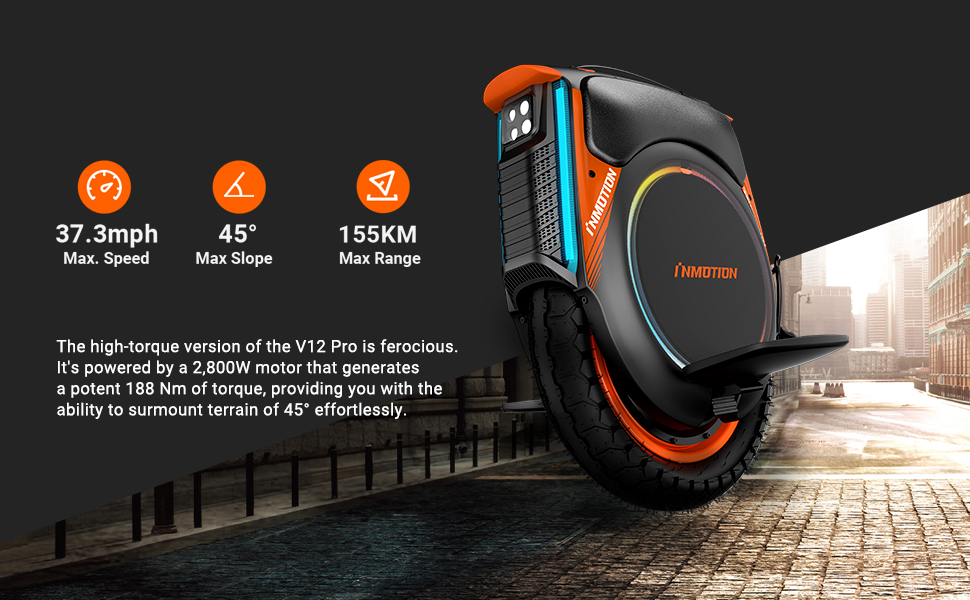
Figure 2: Visual representation of the V12 Pro's maximum speed, slope climbing capability, and range.
3. Configuració i primer ús
3.1 Desembalatge i inspecció
Carefully remove the Inmotion V12 Pro from its packaging. Inspect the unicycle for any signs of damage during transit. Ensure all components listed in the package contents are present.
3.2 Càrrega de la bateria
Before first use, fully charge the unicycle's battery. Connect the charger to the charging port on the device and then to a power outlet. The charging indicator will show the charging status. A full charge typically takes several hours.

Figure 3: Illustration of the V12 Pro's 1750Wh battery capacity and extended range.
3.3 Initial Power-On and Self-Balancing
Press and hold the power button to turn on the unicycle. The device will perform a self-check and engage its self-balancing mechanism. Ensure the unicycle is on a flat, stable surface during this process.
3.4 App Connection and Settings
Download the official Inmotion app to your smartphone. Connect to your V12 Pro via Bluetooth. The app allows you to monitor ride data, adjust settings like pedal sensitivity, light effects, and set speed limits. It also provides diagnostic information.

Figure 4: The V12 Pro's integrated multifunction touch screen for accessing various settings and ride data.
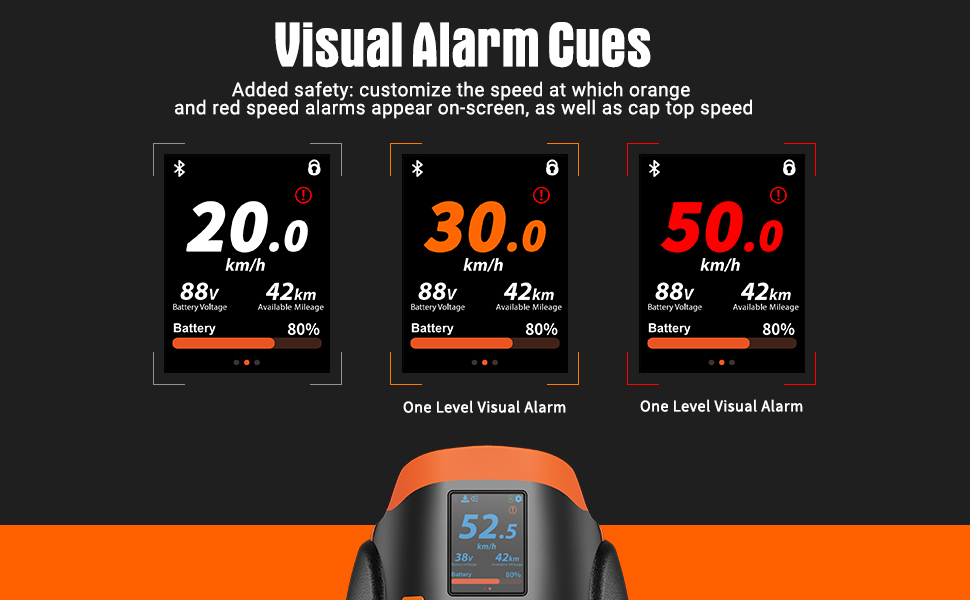
Figure 5: Explanation of the visual alarm cues on the display, indicating speed thresholds.
3.5 Ajust del pedal
The V12 Pro features adjustable pedals. To adjust, locate the mechanism near the pedal hinges. Lowering the pedals can enhance safety for city travel, while raising them is suitable for off-road use. Ensure pedals are securely locked in place after adjustment.
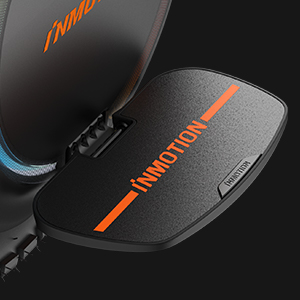
Figure 6: Close-up of the adjustable pedal mechanism on the Inmotion V12 Pro.
4. Instruccions de funcionament
4.1 Basic Riding Technique
Learning to ride an electric unicycle requires practice. Start by placing one foot on a pedal and gently pushing off with the other foot. Lean slightly forward to accelerate and slightly backward to decelerate or brake. Turning is achieved by leaning your body in the desired direction.
Video 1: Demonstrates the Inmotion V12 Pro's performance, including hill climbing and off-road capabilities. This video is provided by the seller, Inmotion Direct.
4.2 Control de velocitat
The V12 Pro responds to your body's lean. Lean further forward for increased speed and further backward to reduce speed. Always maintain a comfortable and safe speed. Utilize the app to set speed limits if you are a beginner or riding in congested areas.
4.3 Portable Handle Usage
The integrated retractable handle allows for easy transport when not riding. Simply extend the handle and roll the unicycle alongside you. The anti-spin lift switch automatically disengages the motor when the unicycle is lifted, preventing unintended wheel rotation.

Figure 7: The retractable handle for convenient portability of the V12 Pro.
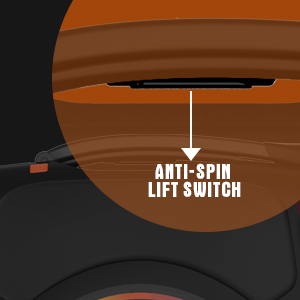
Figure 8: The anti-spin lift switch, which automatically stops the wheel when the unicycle is lifted.
5. Manteniment
5.1 Cura de la bateria
- Carregueu la bateria regularment, fins i tot si no l'esteu fent servir, per mantenir-ne el bon estat.
- Eviteu esgotar completament la bateria.
- Store the unicycle in a cool, dry place when not in use.
5.2 Pressió dels pneumàtics
Regularly check and maintain the correct tire pressure as specified in the product specifications. Proper tire pressure ensures optimal performance, safety, and battery efficiency.
5.3 Neteja
Clean the unicycle with a damp cloth. Avoid using high-pressure water jets or harsh chemicals, as this can damage electronic components. The V12 Pro has some water resistance, but it is not fully waterproof.
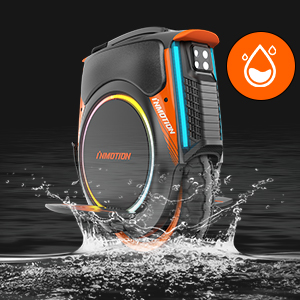
Figure 9: Indication of the V12 Pro's water resistance, suitable for light splashes but not submersion.
5.4 Inspecció general
Periodically check all screws, bolts, and connections to ensure they are tight. Inspect pedals and footpads for wear and tear. Replace any worn or damaged parts immediately.
6. Solució De Problemes
- Unicycle Not Powering On: Check battery charge level. Ensure the power button is pressed and held correctly.
- Difficulty Balancing: Ensure the unicycle is on a flat surface. Calibrate the balance angle via the app if necessary. Practice in beginner mode with reduced pedal sensitivity.
- Reduced Range/Performance: Check tire pressure. Ensure battery is fully charged. Riding style and terrain can affect range.
- Sorolls inusuals: Stop riding immediately and inspect the wheel, motor, and other components for any obstructions or damage.
- Problemes de connectivitat de l'aplicació: Ensure Bluetooth is enabled on your smartphone and the unicycle. Restart both devices and try reconnecting.
7. Especificacions
| Especificació | Valor |
|---|---|
| Nom del model | V12 Pro |
| Potència del motor | 2800W |
| Velocitat màxima | 37.3 mph |
| Capacitat de la bateria | 1750 Wh |
| Interval màxim | 96.3 milles |
| Mida de la roda | 16 Inches (16x3.0 all-terrain tire) |
| Pendent màxim | 45° |
| Pes de l'article | 69 lliures |
| Font d'alimentació | Bateria |
| Material | Plàstic |
| Característica especial | Portàtil |
8. Garantia i Suport
8.1 Informació de la garantia
Inmotion provides a one-year limited warranty on all components of the V12 Pro, with the exception of the battery, which is covered by a six-month warranty. This warranty covers manufacturing defects under normal use conditions.
8.2 Atenció al client
For technical assistance, warranty claims, or general inquiries, please contact Inmotion customer support through their official website or the contact information provided with your purchase. Keep your proof of purchase for warranty validation.


