Introducció
Thank you for choosing the HyperGear Halo Waterproof LED Wireless Speaker. This manual provides essential information for setting up, operating, and maintaining your speaker to ensure optimal performance and longevity. The Halo speaker combines powerful HD sound with a vibrant 360° multicolor LED light show, designed for both indoor and outdoor use. Its IPX6 waterproof rating makes it suitable for various environments, from poolside parties to everyday listening.
Què hi ha a la caixa
- HyperGear Halo Waterproof LED Wireless Speaker
- Cable de càrrega USB-C
- 3.5mm Aux Cord
Guia de configuració
1. Carregant l’altaveu
Before first use, fully charge your Halo speaker. Connect the included USB-C charging cable to the speaker's charging port and the other end to a USB power adapter (not included). The LED indicator will show charging status and turn off when fully charged.
2. Encès / apagat
Press and hold the Power button on the speaker's top panel to turn it on or off. A sound prompt will indicate the power status.
3. Emparellament Bluetooth
- Assegureu-vos que l'altaveu estigui encès i en mode d'emparellament Bluetooth (indicat per un LED intermitent).
- Al dispositiu (telèfon intel·ligent, tauleta, ordinador), activeu el Bluetooth i cerqueu els dispositius disponibles.
- Select "HyperGear Halo" from the list.
- Once paired, the speaker will emit a confirmation sound, and the LED will stop flashing.
L'altaveu es tornarà a connectar automàticament a l'últim dispositiu emparellat quan s'engegui, si està dins de l'abast.

The top panel of the HyperGear Halo speaker, showing controls and its connection to a smartphone via Bluetooth.
Instruccions de funcionament
Controls bàsics
| Botó/Funció | Acció |
|---|---|
| Botó d'engegada | Press and hold to Power On/Off |
| Reproduir/Pausa | Press once to Play/Pause music |
| Puja el volum (+) | Premeu una vegada per augmentar el volum |
| Baixar el volum (-) | Premeu una vegada per baixar el volum |
| Pista següent | Press and hold Volume Up (+) |
| Pista anterior | Press and hold Volume Down (-) |
| Respondre/Finalitzar la trucada | Press Play/Pause button once |
| Rebutja la trucada | Press and hold Play/Pause button |
| Botó de mode de llum | Premeu per passar per 6 modes de llum LED |
Party Mode (Stereo Pairing)
To achieve immersive stereo sound, you can pair two HyperGear Halo speakers together:
- Ensure both Halo speakers are powered on and not connected to any other Bluetooth device.
- On one speaker (this will be the primary speaker), double-press the Power button. It will enter pairing mode for Party Mode.
- The two speakers will automatically connect to each other. A confirmation sound will indicate successful pairing.
- Now, connect your device to the primary speaker via Bluetooth as described in the 'Bluetooth Pairing' section. Both speakers will play synchronized audio and light shows.

Two HyperGear Halo speakers paired together for Party Mode, offering synchronized audio and light effects.
Alternative Playback Modes

The side panel of the HyperGear Halo speaker, revealing the AUX, microSD, and USB-C ports for versatile connectivity.
- Entrada auxiliar: Connect your device using the included 3.5mm Aux cord to the speaker's AUX port for a wired audio connection.
- Targeta microSD: Insert a microSD card loaded with audio files a la ranura designada. L'altaveu reproduirà automàticament música de la targeta.
Funcions acabadesview
- Classificació impermeable IPX6: Designed to withstand splashes, rain, and spills, making it ideal for outdoor adventures and poolside use.
- Powerful 5W Front-Firing Sound: Equipped with a 52mm full-range driver for rich, dynamic audio with pulse-pounding bass. The front-firing design ensures clearer sound projection.
- 360° Multicolor LED Lights: Features a vibrant light ring that synchronizes with your music, offering 6 different lighting modes to enhance your listening experience.
- Micròfon integrat: Allows for convenient hands-free calling.
- Tecnologia Bluetooth 5.3: Provides a stable, stutter-free wireless connection with a range of up to 33 feet.
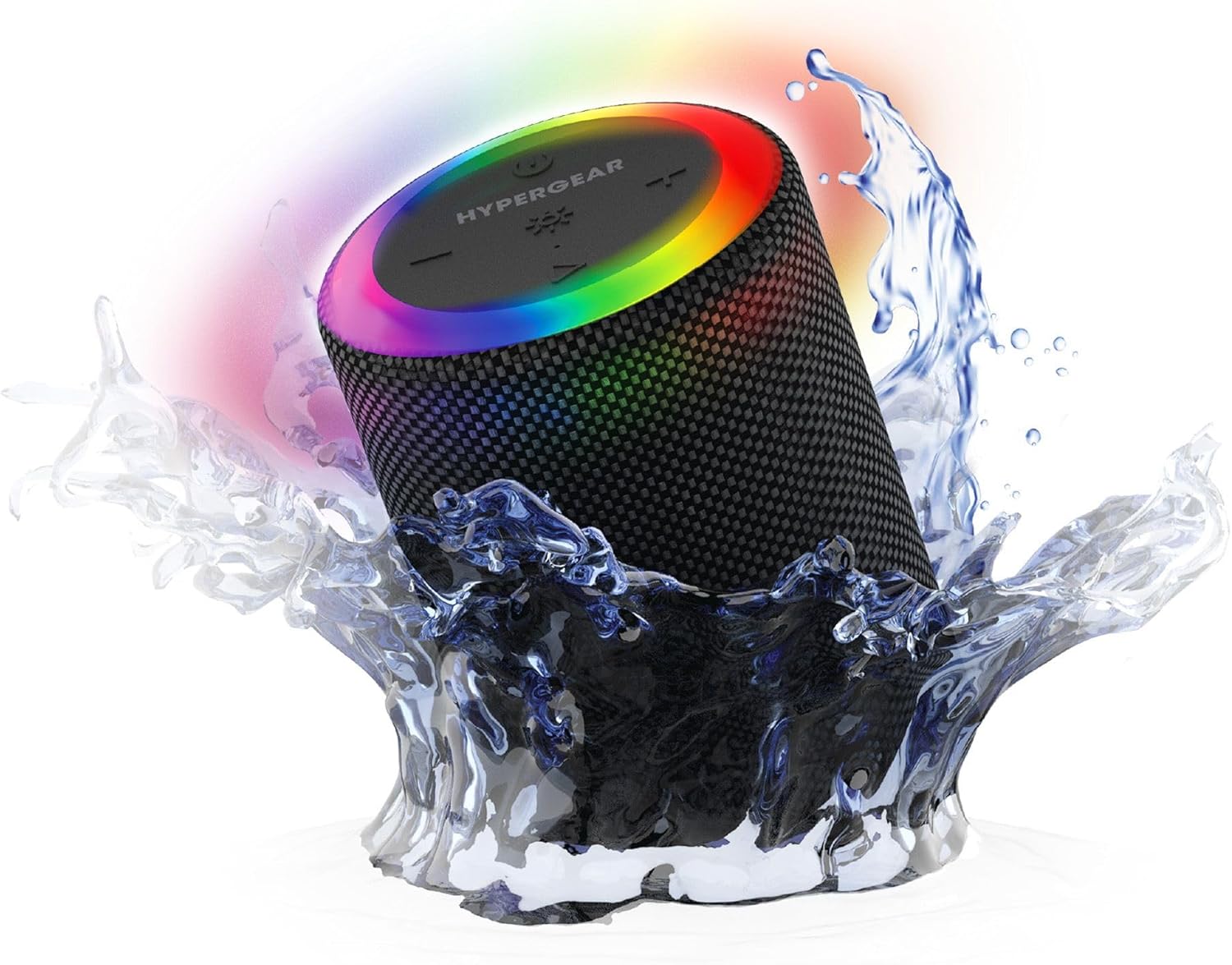
The HyperGear Halo speaker immersed in water, highlighting its robust waterproof design.

Visual representation of the HyperGear Halo speaker's powerful audio features, including its 5W output and 52mm driver.

The HyperGear Halo speaker showcasing its beat-synced 360° multicolor LED light ring with various lighting modes.
Especificacions
| Característica | Detall |
|---|---|
| Nom del model | Halo Waterproof LED Wireless Speaker |
| Tipus d'altaveu | Multimèdia |
| Tecnologia de connectivitat | Bluetooth 5.3 |
| Mode de sortida d'àudio | Mono (Stereo with Party Mode) |
| Potència de sortida màxima dels altaveus | 5 watts |
| Mida del controlador d'àudio | 52 mil·límetres |
| Nivell de resistència a l'aigua | IPX6 impermeable |
| Dimensions del producte | 3.27 "P x 3.27" W x 4.13" H |
| Pes de l'article | 1.05 lliures |
| Font d'alimentació | Funciona amb bateria |
| Components inclosos | USB-C Charging Cable, 3.5mm Aux Cord |
| Mètode de control | Botó |
| UPC | 633755158858 |
Manteniment
- Neteja: Netegeu l'altaveu amb un suau, damp tela. No utilitzeu productes químics aggressivs ni netejadors abrasius.
- Emmagatzematge: Guardeu l'altaveu en un lloc fresc i sec, allunyat de la llum solar directa i de temperatures extremes.
- Cura de la bateria: Per allargar la durada de la bateria, eviteu descarregar completament l'altaveu amb freqüència. Carregueu-lo regularment, fins i tot si no l'utilitzeu durant períodes prolongats.
- Segell impermeable: Ensure the silicone cover for the charging and AUX ports is securely closed when near water to maintain its IPX6 rating.
Resolució de problemes
| Problema | Possible solució |
|---|---|
| L'altaveu no s'encén. | Assegureu-vos que l'altaveu estigui carregat. Connecteu-lo a una font d'alimentació i torneu-ho a provar. |
| No es pot emparellar amb un dispositiu Bluetooth. | Make sure the speaker is in pairing mode (flashing LED). Turn off and on Bluetooth on your device. Ensure no other devices are connected to the speaker. Move speaker closer to your device. |
| No hi ha so de l'altaveu. | Check volume levels on both the speaker and your device. Ensure the correct input mode (Bluetooth, Aux, MicroSD) is selected. If using Aux, ensure the cable is fully inserted. |
| Party Mode not working. | Ensure both speakers are fully charged and not connected to any other Bluetooth devices. Try resetting both speakers by powering them off and on, then re-attempt Party Mode pairing. |
| Els llums LED no funcionen. | Press the Light Mode button to cycle through modes. Ensure the speaker is powered on. |
Garantia i Suport
The HyperGear Halo Waterproof LED Wireless Speaker comes with a Garantia limitada. For specific details regarding warranty coverage, duration, and claims, please refer to the warranty card included with your product or visit the official HyperGear website. For technical support or further assistance, please contact HyperGear customer service through their official channels.


