1. Introducció
The Metapen D1 Stylus Pen is designed to enhance your iPad experience, offering precision, comfort, and customizable features for drawing, note-taking, and navigation. Its ergonomic design and advanced technology aim to provide a seamless and intuitive user experience.

Image: The Metapen D1 Stylus Pen, highlighting its design and included tips.
2. Compatibilitat
The Metapen D1 Stylus Pen is compatible with a wide range of iPad models released from 2018 to 2025. Please verify your iPad model before use to ensure full functionality.
Models d'iPad compatibles:
- iPad 6th, 7th, 8th, 9th, 10th, 11th Generation (2018-2025)
- iPad Air 3rd, 4th, 5th Generation, iPad Air M2/M3/M4
- iPad Pro 11-inch 1st, 2nd, 3rd, 4th Generation, iPad Pro 11-inch M4
- iPad Pro 12.9-inch 3rd, 4th, 5th, 6th Generation
- iPad Pro de 13 polzades M4
- iPad Mini 5th, 6th Generation
Dispositius incompatibles:
- iPad models released before 2018
- iPad Mini 7th Generation
- iPhone, Android, Microsoft Surface, Chromebook, Kobo devices
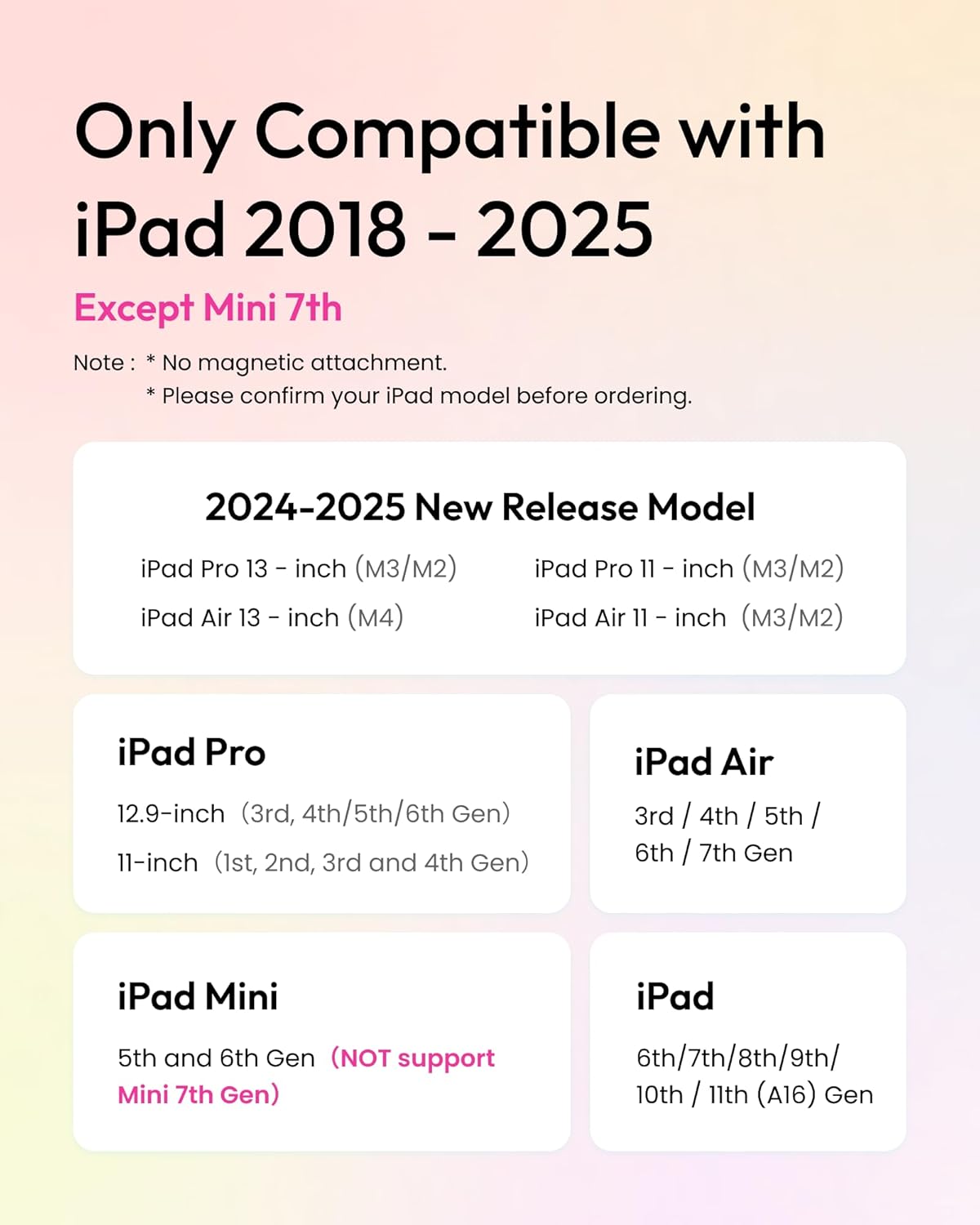
Image: A visual guide to compatible iPad models for the Metapen D1.

Image: Instructions on how to locate your iPad's model name for compatibility verification.
3. Configuració
3.1 Càrrega del llapis òptic
The Metapen D1 features fast-charging technology. A full charge takes approximately 30 minutes and provides up to 8 hours of continuous use. A quick 4-minute charge can provide up to 100 minutes of usage.
- Connect the stylus to a USB-C charging cable.
- El llum indicador mostrarà l'estat de càrrega.
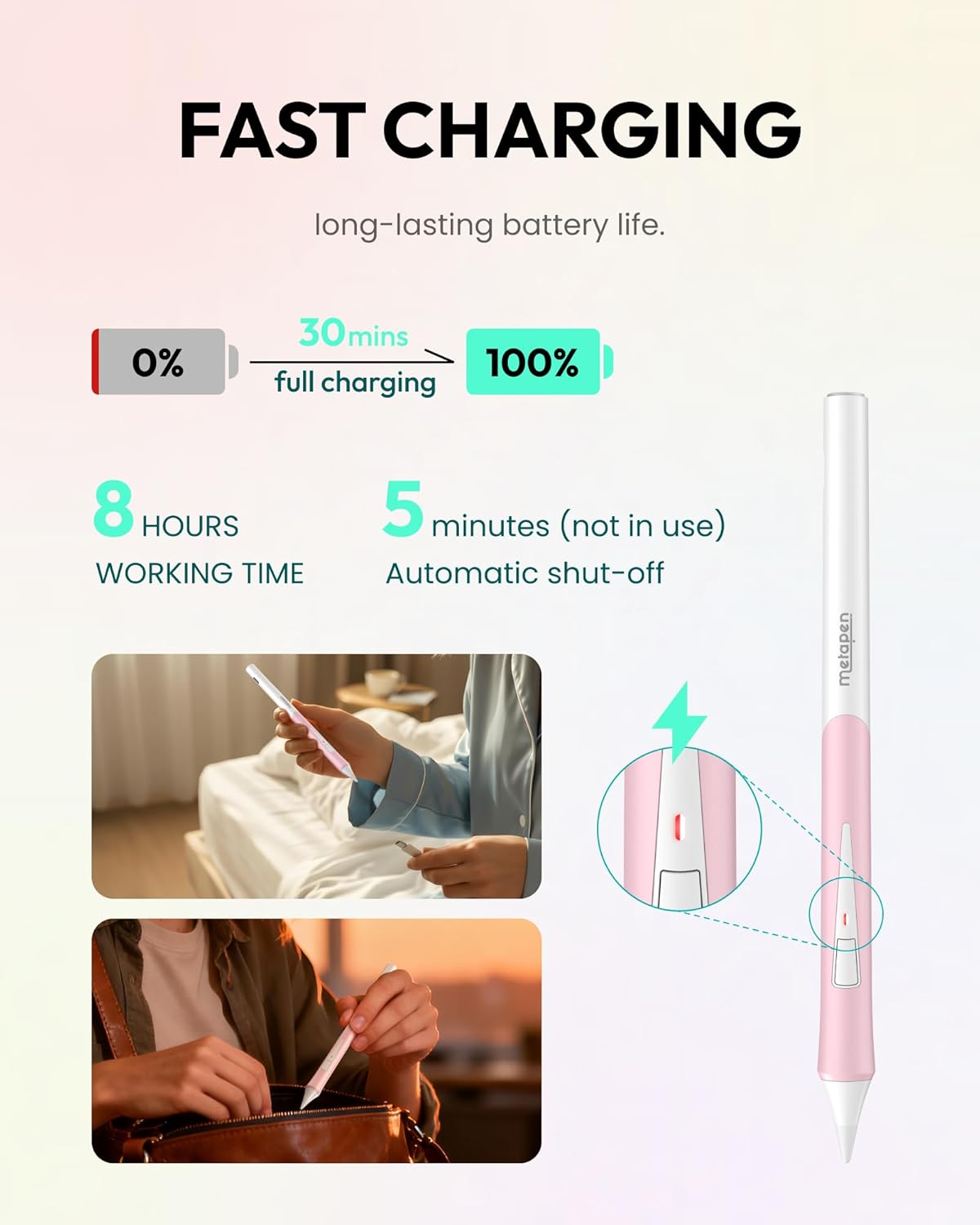
Image: Fast charging details for the Metapen D1 Stylus.

Image: Visual representation of the stylus's charging convenience.
3.2 Connexió inicial
The Metapen D1 connects automatically via Bluetooth to compatible iPads. Ensure Bluetooth is enabled on your iPad.
- Turn on the Metapen D1 by pressing the side button.
- Your iPad should automatically detect and connect to the stylus.
- For optimal functionality, download the Metapen App from the App Store.
4. Instruccions de funcionament
4.1 Ergonomic Design and Grip
The D1 features a 0.65mm tapered shape and a soft rubber grip for comfortable, fatigue-free use during extended periods of drawing or note-taking.

Image: The ergonomic design of the Metapen D1, suitable for comfortable use by different age groups.

Image: Highlighting the natural fit and comfortable grip of the stylus.
4.2 Botó lateral personalitzable
The programmable side button on the Metapen D1 can be customized using the Metapen App. You can assign various functions to single, double, or triple presses, such as switching tools (highlighter, lasso), activating an eraser, or starting recordings.
- Premsa única: Default for Undo (customizable).
- Doble premsa: Default for Home (customizable).
- Triple premsa: Default for Photos (customizable).
This feature is available for general use and within specific applications like Wellnote, Goodnotes, Notability, Paint, and Procreate.

Imatge: Més deview of the customizable side button functions.
4.3 Tilt Sensitivity and Palm Rejection
The D1 Stylus offers tilt sensitivity, allowing you to adjust shading and line thickness by changing the angle of the pen. It also features palm rejection, so you can rest your hand on the iPad screen naturally without interfering with your drawing or writing.
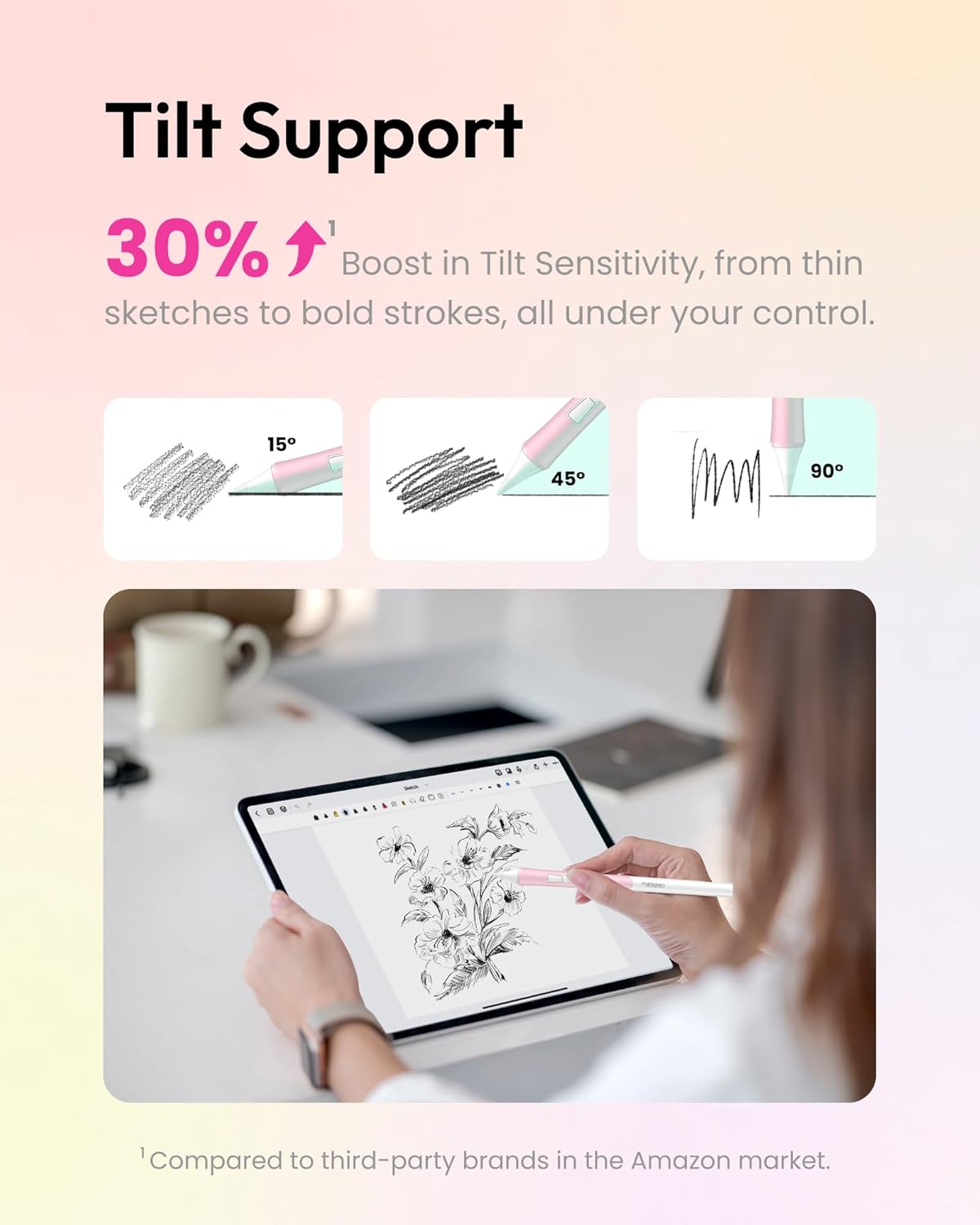
Image: Visual explanation of tilt sensitivity.

Image: Demonstration of palm rejection during use.

Image: Further illustration of tilt functionality for natural drawing.

Image: Reinforcing the palm rejection feature for uninterrupted creative flow.
4.4 Real-time Battery Indicator
Monitor your Metapen D1's battery level directly on your iPad using the instant battery percentage widget. This allows you to keep track of the charge from 0% to 100% and ensures uninterrupted workflow.

Image: How the Bluetooth battery display appears on your iPad.
4.5 Metapen App Features
The Metapen App provides additional control, including a cutting-edge signal adjuster for various tips (soft, basic, metal) to maintain precision. It also allows for customization of button functions and other settings.
5. Manteniment
5.1 Substitució de les puntes del bolígraf
The Metapen D1 features replaceable pen tips. You can easily swap between soft, basic, and metal tips to customize your drawing and writing experience. Tips compatible with Apple Pencil 1st/2nd generation also work with the Metapen D1.
- Gently twist the existing tip counter-clockwise to remove it.
- Alineeu la nova punta i gireu-la en sentit horari fins que estigui ben fixada.

Image: Instructions for quick tip replacement.
5.2 Neteja
To maintain optimal performance, regularly clean your Metapen D1 Stylus. Use a soft, dry, lint-free cloth to wipe the body of the pen. For the tip, a slightly damp cloth can be used, ensuring no moisture enters the pen's internal components.
6. Solució De Problemes
6.1 Accidental Button Presses
If you experience accidental presses of the side button during use, consider adjusting your grip. The button's light and easily pressable nature can sometimes lead to unintended activation. The Metapen App allows for customization of button functions, which may help mitigate this issue by assigning less disruptive actions or disabling functions if not needed.
6.2 Problemes de desconnexió
If your Metapen D1 frequently disconnects from your iPad:
- Ensure the stylus is adequately charged.
- Verify Bluetooth is active on your iPad and the stylus is paired.
- Try forgetting the device in your iPad's Bluetooth settings and re-pairing.
- Restart both your iPad and the Metapen D1.
6.3 "Find My" Feature Limitations
The "Find My" feature for the Metapen D1, accessible via the Metapen App, provides the real-time location of your stylus when connected via Bluetooth. If disconnected, it will show the last known location. This feature does not include an audible alert or precise indoor tracking beyond general location data.

Image: Explanation of the 'Find My Pencil' feature and its operational conditions.
7. Especificacions
| Característica | Detall |
|---|---|
| Número de model | ME-APP452 |
| Dimensions del producte | 6.57 x 0.39 x 0.39 polzades |
| Pes de l'article | 0.529 unces (15 grams) |
| Color | White (with Soft Pink Grip) |
| Material | Plàstic |
| Tipus de bateria | 1 bateria CR5 (inclosa) |
| Durada mitjana de la bateria (mode d'espera) | 365 dies |
| Fabricant | metapen |
8. Garantia i Suport
Metapen is committed to providing quality products and customer satisfaction.
- Garantia: 12 Months Troubleshooting support.
- Atenció al client: 24-hour support available.
For further assistance, please refer to the official Metapen weblloc o contacteu amb el servei d'atenció al client.
9. Vídeos de productes
9.1 Metapen D1 Overview
Vídeo: Una anàlisi completaview of the Metapen D1 Stylus, showcasing les seves característiques i funcionalitats.
9.2 Proves de fiabilitat
Video: Demonstrates the rigorous reliability tests conducted on Metapen products, ensuring durability and performance.